
Alternatives to CapStudio
Explore the best alternatives and competitors to CapStudio.
Explore 20 alternatives to CapStudio. Compare features, pricing, and find the best fit for your needs.

BuildingNow Podcast
BuildingNow shares founder conversations and practical lessons on building products, finding customers, and growing a business.


@fuck.it - email with attitude
Private email. Pure. Secure. Exclusive. No ads, no tracking, no data selling. GDPR compliant, EU-hosted.

xfiles
Free PDF, image and audio tools that process your files locally in your browser. No account or added watermarks.

this+that
An AI agent that reads every email and chat message your team gets, turns requests into tasks, and does what they ask.
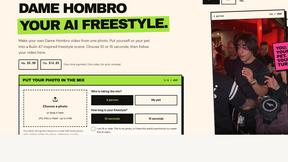

Popstar AI
Popstar AI is an AI video generator that puts you in Drake's POPSTAR music video from one photo, with the original song and no watermark.

Toolbit.ai
Describe your task and Toolbit finds the right AI tool. Compare tools side by side, see top rankings, and follow daily AI news and guides.


Bulin 47 AI Videos
One photo in, a 15-second Bulin 47 street freestyle video with sound out: original dembow beat, lip-synced Spanish verse, crowd.

Posy
A link-in-bio page that looks hand-made. Pick a look, add your links and publish in a minute. Free, open source, and your AI can edit it for you.

RunMyWealth
Smart, private financial calculators for mortgage, FIRE, and debt. 100% free, runs locally in your browser, no signup required.

Nutrition Fact Label
Free FDA-compliant nutrition facts label generator with recipe-to-label nutrition, allergen checks and 152 label formats for 114 countries.

Leadeon
AI growth tool for X and LinkedIn: write posts in your voice, schedule at your best times, find leads on X and see what works.

LobbyClip
Turn two photos into a 15-second AI duo video. Choose a scene and export MP4 in 480p or 720p. One-time payment.
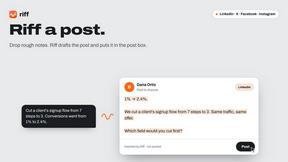
Riff
Free Chrome extension. Chrome's built-in AI turns your rough point into a fresh reply for posts on X, LinkedIn, Facebook or Instagram.

Bulin 47 AI
Turn one photo into the viral 19-second Bulin 47 freestyle, with original sound and a watermark-free vertical MP4.


Artcraft AI
AI image and video studio in your browser: generate and edit images, turn photos into videos, edit clips by sentence.

FreeVideoGenerator
Free AI video generator that turns text prompts and photos into video clips using Sora 2, Veo 3.1, Wan and more. Free starter credits.
About CapStudio Alternatives
CapStudio is a browser-based tool for adding styled, animated captions to short-form videos like TikTok, Reels, and YouTube Shorts. It belongs to the video editing and productivity category, specifically focused on social media content creation. While CapStudio offers a unique privacy advantage by processing everything on your own device, users often look for alternatives for a few common reasons. Some may need a wider range of caption animation styles or more advanced video editing features beyond captioning. Others might prefer a dedicated mobile app for on-the-go editing, or they may find that CapStudio’s reliance on WebGPU in Chrome and Edge limits their workflow if they use a different browser or a slower machine. When choosing an alternative, it’s important to consider what matters most for your specific content. If privacy is your top concern, look for tools that offer local processing or clear data handling policies. For creators focusing on speed, consider how quickly a tool transcribes and exports videos. If you work with multiple languages, especially Slavic or Czech ones, make sure the alternative handles those accurately. Also, think about pricing models—some tools charge per export or have length limits, while others offer subscription plans. Finally, check for platform compatibility, like whether the tool works on mobile, desktop, or both, and if it integrates directly with social media apps for easy uploading.
FAQs about CapStudio Alternatives
What is CapStudio?
CapStudio is a browser-based tool that generates styled, animated captions for short-form video content. It runs entirely in your browser, using WebGPU and WebCodecs to transcribe and render captions on your own machine. This means your video footage never gets uploaded to an external server, offering a unique privacy advantage. It is designed for platforms like TikTok, YouTube Shorts, and Instagram Reels.
Who is CapStudio for?
CapStudio is ideal for content creators who produce short-form videos, such as TikTokers, YouTubers, podcasters, and anyone making faceless content. It is especially useful for users who prioritize privacy and want to avoid uploading their raw footage to third-party servers. The tool also caters to creators working with Czech and Slavic languages, which many English-first caption tools handle poorly.
Is CapStudio free?
Yes, CapStudio is free to start and requires no signup or API keys. There are no per-export credits or length limits for your videos, which is a significant advantage over many competitors. The service is supported by running all processing locally on your device, so there are no server costs passed on to the user.
What are the main features of CapStudio?
CapStudio offers in-browser Whisper transcription with word-level timing, running on WebGPU with a WASM fallback. It provides several caption styles, including karaoke highlight, word pop, beast word-block, and clean lower-third. The tool exports videos as burned-in MP4 files using WebCodecs, and it supports Czech and Slavic languages. It works in Chrome and Edge at capstudio.xyz.