
Alternatives to Caption.IM
Explore the best alternatives and competitors to Caption.IM.
Explore 20 alternatives to Caption.IM. Compare features, pricing, and find the best fit for your needs.
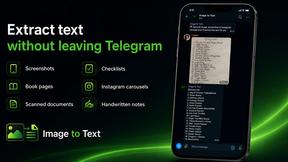
imgtxtapp.laviolab.com
imgtxtapp.laviolab.com is a Telegram-based image-to-text converter that turns photos, screenshots, scanned documents into editable text
AFFLIGO
AFFLIGO is a free online toolkit for everyday file tasks. Easily edit PDFs, compress images, convert file formats, and get things done.

SafePDF
Free online PDF tools to merge, split, compress, convert, sign, and edit PDFs privately in your browser. No signup required.
ColdCrow
AI cold email writer: turn one line about a prospect into personalized outreach with a deliverability score in seconds. Free trials, no credit card.

Ask Versa AI
AI verdicts for any two Amazon products, in seconds. Live specs plus real buyer reviews, scored 0-100, one clear winner. Free, no account.

Panzoe
Panzoe is an all-in-one AI platform for personal productivity, business automation, AI assistants, content creation, and custom AI solutions.

TryThatTool
Discover AI tools worth trying. Compare options, explore practical reviews, and build your own AI stack based on your goals and budget.
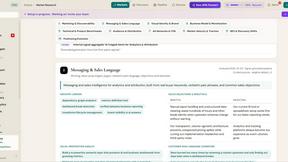
ROIpad
Stop losing enterprise deals to inferior products with better copy. Discover the exact messaging gaps your competitors left wide open.
JustTools
JustTools offers a growing collection of free online tools that run directly in your browser, with no sign-up and no uploads.

TimeLoop
TimeLoop: AI Day Planner is a free AI productivity tool that helps you turn a simple description of what you need to do into a more organized daily pl
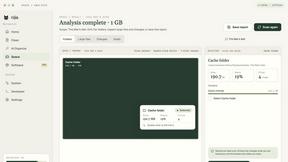
Nijia
A paid Mac app with local AI-assisted file organization, editable proposals and reviewed storage cleanup.
Novastart
Novastart brings apps and files onto an infinite canvas where people and AI agents can work together.

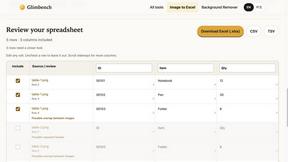
Glimbench
Remove backgrounds, convert table screenshots to Excel, and batch-convert HEIC to JPG. Free, no sign-up.

LightScreen
Free light screen tool online. Turn any display into a flashlight, ambient light, or solid-color screen. No download or sign-up.
ErgoAssessment
See your posture the way an ergonomist beside your desk would. Your camera, five body angles, plain fixes. Free, no signup.
About Caption.IM Alternatives
Caption.IM is a cutting-edge AI captioning assistant tailored specifically for macOS users. This innovative tool transforms audio into real-time captions, translations, and structured summaries, enhancing productivity and accessibility for various applications, including Zoom, Google Meet, and even podcasts. As a privacy-first solution, Caption.IM operates locally on your device, ensuring that your conversations remain secure while delivering high-quality outputs. Users often seek alternatives to Caption.IM for various reasons, including pricing, specific feature sets, or compatibility with different platforms. When exploring alternatives, it’s essential to consider factors such as ease of use, the ability to capture audio from multiple applications, and the level of privacy offered. Moreover, potential users should look into the quality of transcriptions and translations, as well as any additional functionalities that might enhance their workflow or fit their unique needs.
FAQs about Caption.IM Alternatives
What is Caption.IM?
Caption.IM is a real-time AI captioning assistant designed for macOS that converts audio into captions, translations, and structured summaries. It operates locally on your device, allowing it to capture system audio across various applications such as Zoom, Google Meet, and YouTube. This tool not only enhances productivity but also ensures privacy during conversations.
Who is Caption.IM for?
Caption.IM is ideal for professionals, educators, and anyone who frequently engages in virtual meetings or consumes audio content. It caters to users who require real-time captions, instant translations, and well-organized meeting notes. Whether you're a student attending online lectures or a business leader coordinating remote teams, Caption.IM can significantly improve your communication and accessibility.
Is Caption.IM free?
Caption.IM offers a premium service that focuses on delivering high-quality, real-time captioning and transcription features. While there may be a trial period or initial demos available, full access to its features generally requires a subscription or one-time payment. This investment is aimed at providing users with a dependable and efficient captioning experience.
What are the main features of Caption.IM?
The primary features of Caption.IM include real-time audio-to-caption conversion, instant translations, and the ability to generate structured meeting notes. It captures system audio directly from your Mac, making it versatile for various applications. Additionally, it supports features like summarizing discussions into key points and mind maps, greatly enhancing productivity and information retention.