
Alternatives to Cece AI
Explore the best alternatives and competitors to Cece AI.
Explore 20 alternatives to Cece AI. Compare features, pricing, and find the best fit for your needs.

Promptifi
Reviewed AI prompts and workflows for B2B sales, from account research to renewal. Run them in ChatGPT, Claude, Gemini or Copilot. 100 free.
Statement2QBO
Bank statement PDF to QBO, Excel and Xero. Runs in your browser; three pages a day are free.
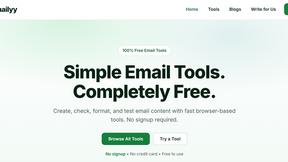
Emailyy
Free email tools for signatures, subject lines, HTML previews, word counts, and email headers. Browser-based, simple to use, and no signup required.

Kamero
AI event photo sharing for photographers. Guests take a selfie and face recognition instantly finds every photo they appear in from weddings & events.

Uniclip
Clip pages, take full-page screenshots and batch-capture list data to Notion, Feishu, Obsidian, Markdown, CSV or JSON.

TroveKey
Search tabs, Chrome bookmarks and history, run browser commands, and save webpages and social posts locally—no account.

TravelMapVisited
Use a countries visited map to track your travels, count how many countries you’ve been to, and create a visited countries map.

PLRental
AI-powered platform for car, motorcycle, and ATV rental agencies: scan IDs, generate contracts, and manage fleet and finances.

Replyinger
Automate Instagram and Facebook DMs, comment replies, and story interactions to turn followers into leads and customers. No coding required.
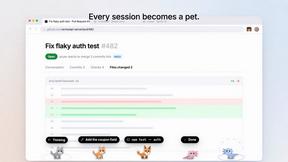
Agent Pets
Your Claude Code & Codex sessions as pets in Chrome. Approve, deny and reply to your coding agents from any tab.


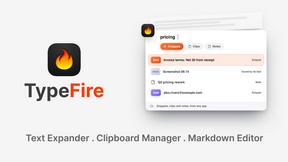
TypeFire
Type a few letters, get the whole reply. Markdown notes as files you own. Find anything you copied.
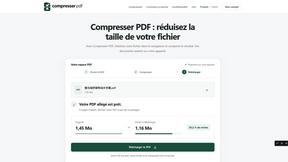

WhichAIStack
Describe what you want to make and get the 3 AI tools that fit, with hand-checked prices and exact free-plan limits. Free, no signup.
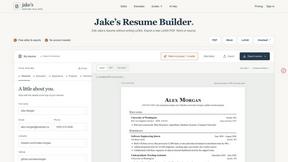
Jake's Resume Builder
Free resume editor with real LaTeX PDF, Word exports and optional AI help.
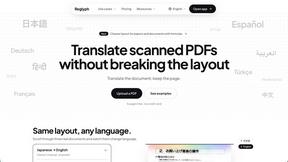
Reglyph
Translate scanned and image-only PDFs into 19 languages while tables, stamps and columns stay exactly where they were.



About Cece AI Alternatives
Cece AI is an AI executive assistant designed specifically for small business owners who want to reduce the time they spend on email, admin work, and missed follow-ups. It falls under the Productivity & Management category, acting as a practical tool that lives inside your existing inbox rather than requiring you to learn a new platform. Users often look for alternatives due to specific needs like different pricing structures, a desire for deeper integrations with other software, or the need for features tailored to a particular industry that Cece AI might not cover. When searching for an alternative, it is important to focus on how the tool fits into your daily workflow. Look for an assistant that works where you already spend your time, whether that is in email, a chat app, or a project management dashboard. Consider the specific tasks you need automated, such as scheduling, quoting, or invoicing, and whether the alternative offers those without a steep learning curve. Also, evaluate the pricing model to ensure it aligns with your business size and budget, and check if the tool allows for easy customization of your business profile and preferences.
FAQs about Cece AI Alternatives
What is Cece AI?
Cece AI is an AI executive assistant that operates directly through email to help small business owners manage tasks like scheduling, customer responses, quoting, invoicing, and follow-ups. It works by having users set up their calendar, business profile, and preferences in a dashboard, then simply CCing Cece on emails to trigger actions. It is designed to turn messy email threads into completed tasks without requiring users to learn a new app or interface.
Who is Cece AI for?
Cece AI is built for small business owners who are overwhelmed by email, admin work, and the need to track follow-ups without hiring additional staff. It is ideal for entrepreneurs, freelancers, and small teams who want a practical AI assistant that handles daily execution inside their existing inbox. The tool is not meant for large enterprises or users looking for a chatbot to babysit, but rather for those who need a reliable way to reduce administrative load and speed up customer communication.
Is Cece AI free?
The provided content does not specify whether Cece AI offers a free tier, but it is positioned as a paid tool aimed at replacing the cost of a full-time hire. Users typically set up a pricing plan through the Cece dashboard, which likely includes a subscription model based on features and usage. For specific pricing details, you would need to visit the official Cece AI website or contact their sales team.
What are the main features of Cece AI?
Cece AI offers features such as scheduling meetings, responding to customers, creating quotes, sending invoices, tracking follow-ups, and managing reminders. All of these tasks are executed by CCing Cece on an email, allowing the assistant to work directly within the inbox. The tool also includes a dashboard where users can set up their calendar, business profile, price book, and preferences to customize how Cece handles their specific workflow.