
Alternatives to Faceless Video
Explore the best alternatives and competitors to Faceless Video.
Explore 20 alternatives to Faceless Video. Compare features, pricing, and find the best fit for your needs.

Bulin AI
Create a 15-second Bulin 47 AI freestyle video from one permitted portrait. One-time packs from $9.90, email delivery, no account or subscription.

Hotel Lobby AI
Hotel Lobby AI turns two portraits into a duet video in an orange recording booth with motion, lip-sync, and audio.

Tiny Desk AI Video Maker
Turn three photos into a vertical Tiny Desk-style concert video with original sound.

ZombieTrend AI
ZombieTrend AI turns two photos into a cinematic zombie love story video with sound, no watermark, and a free preview.

Easemic
Free open-source Android comic & manga cloud reader streaming encrypted libraries from S3, WebDAV & OPDS.

GenX
All-in-one AI workspace to generate images, videos, and audio with multiple leading AI models.

Bloom
An adaptive AI tutor that turns topics or your materials into courses, lessons, and answers tailored to how you learn.

AI Tiny Desk
Create a personal 19-second vertical desk-concert video from one adult photo, with music and silent MP4 downloads.

Agent Pets
Your Claude Code & Codex sessions as pets in Chrome. Approve, deny and reply to your coding agents from any tab.

Hotel Lobby AI Video
Create a Hotel Lobby duo video from two character photos. Choose left and right performers, review the AI result, and download your finished clip.

FastH3 Omni
Run FastH3 Omni in your browser. Up to 9 reference images plus 3 audio references become a 5–15s clip with synced audio. No install, no GPU.

shimga
Shimga is a browser-based music visualizer studio. Add a song, pick a look and export a beat-synced music video, with nothing to install.

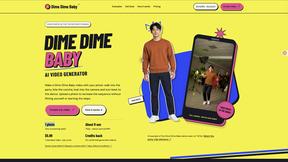
Dime Dime Baby
Turn one adult photo into a personal 9-second Dime Dime Baby dance video in native 9:16, with a silent MP4 download and one-time paid credits.

Ozil Goal
A browser-based AI creator for personal 15-second football goal videos from one adult photo.

I'm Sorry I Lied
An AI costume reveal maker that pairs an imagined outfit, a confession and the original photo in three captioned images and a silent 9-second video.

Tip Toeing in My Jordans
Upload a photo and get a 12-second Tip Toeing in My Jordans video: you play the AI Rumpelstiltskin, a friend can play the woman in the hay.

Nano AI
Create and edit AI images and videos in one workbench, with multiple models, reference images and a shared credit balance.

Genjutsu AI
AI video-to-video: Motion Transfer & Object Swap. Preview the credit cost, pay once. No subscription.
About Faceless Video Alternatives
Faceless Video is an AI-powered content creation tool designed specifically for creators who want to produce short-form videos for platforms like TikTok, YouTube Shorts, and Instagram Reels without ever showing their face. It falls into the AI Assistants and Video categories, automating the entire video production process from scriptwriting and voiceover generation to captions and visuals. While it’s incredibly efficient for batch creation and maintaining a consistent posting schedule, many users explore alternatives due to factors like pricing, the need for more niche-specific story families, or a desire for greater control over visual styles and voice options. Some creators might also be looking for tools that support different aspect ratios, integrate with other editing software, or offer more advanced customization for unique branding. When searching for an alternative, it’s important to consider what matters most for your channel’s growth. Look for a solution that matches your preferred content niche, whether that’s storytelling, educational content, or commentary. You’ll also want to evaluate how much creative control you have over the final video, including the ability to tweak scripts, choose different voiceovers, and adjust pacing. Ease of use and the ability to review drafts before publishing are also crucial, especially if you plan to post frequently. Finally, consider the platform’s support for multiple social networks and whether it offers any analytics or scheduling features to help you stay organized and measure performance over time.
FAQs about Faceless Video Alternatives
What is Faceless Video?
Faceless Video is an AI-powered video generator that helps creators produce ready-to-post short-form content without showing their face. It automates the creation of scripts, voiceovers, captions, and visuals, and formats videos in vertical 9:16 for TikTok, YouTube Shorts, and Instagram Reels. The tool is designed for repeat posting, allowing users to batch content and review drafts before anything goes live.
Who is Faceless Video for?
Faceless Video is built for faceless creators who want to grow their presence on short-form video platforms without being on camera. It is ideal for storytellers, niche content creators, and anyone looking to maintain a consistent posting schedule without the burnout of manual video production. The tool supports popular story families like scary stories, relationship drama, funny stories, and mindset content, making it suitable for a wide range of content categories.
Is Faceless Video free?
The product description does not specify whether Faceless Video is free, but it is positioned as a tool for faster production and consistent growth, which often implies a paid subscription model. Creators should check the official website for current pricing tiers, trial options, or free plans. The tool’s value lies in its ability to generate complete video drafts automatically, which typically requires a subscription to access all features.
What are the main features of Faceless Video?
Faceless Video automatically generates complete short-form video drafts, including scripts, voiceovers, captions, and visuals. It supports TikTok, YouTube Shorts, and Instagram Reels with vertical 9:16 formatting and platform-specific templates. The tool offers eight proven story families such as scary stories, relationship drama, and glow up content, and it lets creators review drafts before publishing to ensure quality and consistency.