
Alternatives to File Studio
Explore the best alternatives and competitors to File Studio.
Explore 20 alternatives to File Studio. Compare features, pricing, and find the best fit for your needs.

ColdCrow
AI cold email writer: turn one line about a prospect into personalized outreach with a deliverability score in seconds. Free trials, no credit card.

Ask Versa AI
AI verdicts for any two Amazon products, in seconds. Live specs plus real buyer reviews, scored 0-100, one clear winner. Free, no account.

Panzoe
Panzoe is an all-in-one AI platform for personal productivity, business automation, AI assistants, content creation, and custom AI solutions.

TryThatTool
Discover AI tools worth trying. Compare options, explore practical reviews, and build your own AI stack based on your goals and budget.

ROIpad
Stop losing enterprise deals to inferior products with better copy. Discover the exact messaging gaps your competitors left wide open.
JustTools
JustTools offers a growing collection of free online tools that run directly in your browser, with no sign-up and no uploads.

Nijia
A paid Mac app with local AI-assisted file organization, editable proposals and reviewed storage cleanup.
Novastart
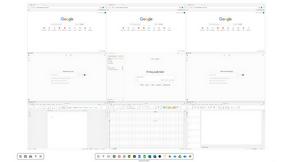
Novastart brings apps and files onto an infinite canvas where people and AI agents can work together.



Glimbench
Remove backgrounds, convert table screenshots to Excel, and batch-convert HEIC to JPG. Free, no sign-up.


LightScreen
Free light screen tool online. Turn any display into a flashlight, ambient light, or solid-color screen. No download or sign-up.

ErgoAssessment
See your posture the way an ergonomist beside your desk would. Your camera, five body angles, plain fixes. Free, no signup.

AI Email Filter
AI Email Filter sorts incoming mail into folders using plain-language prompts you write. Works with any IMAP mailbox; bring your own LLM if you want.

BetterKnocks
One powerful software for D2D (Door to door) fields reps to manage their sales and their teams to easily track territories and complete powerhouse CRM


StrictDNS
Block adult content, gambling and more on all your devices, with a friend as your accountability partner who is notified.

Sayble
AI copilot that tells you what to say next on live sales calls, then writes the recap and follow-up.
About File Studio Alternatives
File Studio is a powerful desktop application for managing, converting, and editing PDFs and images. It falls into the productivity and file management category, standing out by performing all tasks 100% offline on your computer, which is a major plus for privacy-conscious users. People often explore other options for various reasons. Some might be looking for a different pricing model, like a free tool or a subscription service. Others may need specific features not offered here, or require software that runs on a different operating system like Linux. When considering other software, think about your core needs. Key factors include whether you require cloud access or strict offline privacy, the specific file formats you work with most, and your budget for either a one-time purchase or an ongoing subscription. Matching these needs to a tool's capabilities will help you find the right fit.
FAQs about File Studio Alternatives
What is File Studio?
File Studio is a desktop application for converting, editing, and managing PDFs and images entirely offline on your Mac or Windows computer.
Who is File Studio for?
It's ideal for photographers, freelancers, remote workers, or anyone who handles sensitive documents and prioritizes privacy, security, and working without an internet connection.
Is File Studio free?
File Studio uses a one-time purchase model, so you pay once and own it, avoiding recurring subscriptions or account fees.
Why choose File Studio?
Choose File Studio for its strong focus on privacy with 100% offline processing, its comprehensive set of PDF and image tools, and its one-time purchase price for lifetime use.