
Alternatives to Free Convert
Explore the best alternatives and competitors to Free Convert.
Explore 20 alternatives to Free Convert. Compare features, pricing, and find the best fit for your needs.
Restore Old Photos - Retrocap
AI photo restoration app for iPhone and Android: repair scratches and tears, colorize black-and-white photos, sharpen faces and animate old portraits.
Bulin 47 AI
Bulin 47 AI puts your face into the viral Bulin 47 freestyle video from one photo. Get a 5–19-second vertical MP4 for TikTok and Reels.
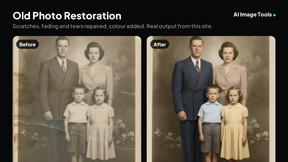
AI Image Tools
Text to image, photo edits, background removal and restoration. Pick Nano Banana, FLUX, Seedream or GPT Image and see the price first.
ImageAICraft
GPT Image 2 AI Image Generator & Editor for Text-to-Image and Image-to-Image Creation
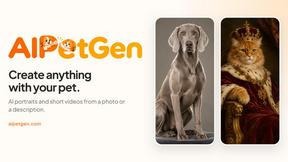
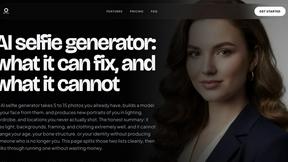
MyPhotoAI
Turn your selfies into AI headshots and portraits. Get 3 photos for US$5 or every photo from one shoot for US$10. No subscription.
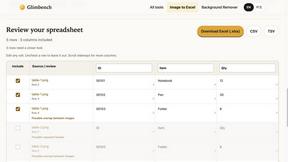
Glimbench
Remove backgrounds, convert table screenshots to Excel, and batch-convert HEIC to JPG. Free, no sign-up.
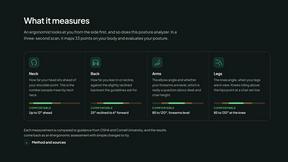
ErgoAssessment
See your posture the way an ergonomist beside your desk would. Your camera, five body angles, plain fixes. Free, no signup.
ImgEnhancer
Free AI image enhancer that sharpens blurry photos, reduces noise, upscales resolution, and restores clarity online.
RemoveMate
AI background removal and image cleanup tools for product photos, portraits, social posts and everyday creative projects.

Krea 3
Krea 3 is an AI image editor that relights photos, swaps backgrounds and changes one object from a text prompt with GPT Image 2 and Nano Banana Pro.
Nano Pro
AI photo editor and image generator with Nano Banana models, up to 14 references and 4K output.
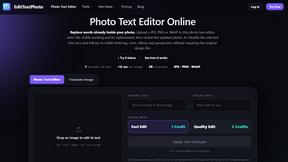
EditTextPhoto
AI-powered image text editor to edit, replace, fix, or translate text in images while preserving the original font, color, size, and style.
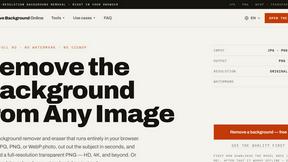
Remove Background
Free background remover that runs entirely in your browser — no uploads, no watermark, no account.

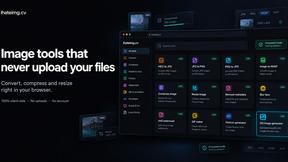
ihateimg
ihateimg.cv is a privacy-first collection of free image tools that run entirely in your browser. Convert, compress, resize, crop, edit, watermark, ins

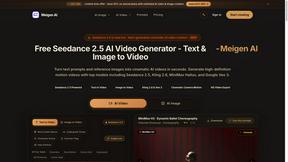
Meigen AI
Create AI images and videos from text, images, or editing prompts using multiple leading models in one workspace.
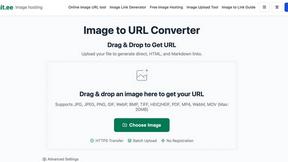
Image to URL Converter
Image to URL converter: turn a local image into a public HTTPS link. No account required; supports common formats up to 20MB and HTML, Markdown
About Free Convert Alternatives
Free Convert is a fantastic, privacy-focused online tool that lets you convert and edit files directly in your web browser. It falls into the category of image and photo converters, but its capabilities extend far beyond that to include video, audio, and PDF tools. Its standout feature is that all processing happens locally on your device, so your files are never uploaded, making it a top choice for anyone concerned about data security. People often look for alternatives to any tool for a variety of reasons. You might need a specific feature that isn't available, prefer a downloadable desktop application over a web tool, or require a different pricing model for commercial use. Sometimes, it's simply about finding a workflow that better fits your personal or professional habits. When evaluating other options, consider what matters most for your tasks. Key factors include the range of supported file formats, the overall ease of use, and the tool's approach to privacy and data handling. Also, think about whether you need advanced editing features, batch processing capabilities, or integration with other platforms you use.
FAQs about Free Convert Alternatives
What is Free Convert?
Free Convert is a privacy-first online platform that lets you convert and edit files entirely within your web browser, with all processing happening locally on your device.
Who is Free Convert for?
It's designed for everyone, from professionals handling confidential data to students, content creators, and anyone who needs a secure and reliable way to change file formats.
Is Free Convert free?
Yes, the platform is completely free to use and does not require any registration or account creation.
Why choose Free Convert?
You should choose Free Convert for its strong commitment to privacy, as your files are never uploaded to a server, combined with its wide range of free, browser-based tools.