
Alternatives to GPTIMG2 AI
Explore the best alternatives and competitors to GPTIMG2 AI.
Explore 20 alternatives to GPTIMG2 AI. Compare features, pricing, and find the best fit for your needs.

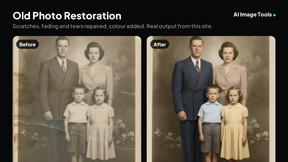
AI Image Tools
Text to image, photo edits, background removal and restoration. Pick Nano Banana, FLUX, Seedream or GPT Image and see the price first.
ImageAICraft
GPT Image 2 AI Image Generator & Editor for Text-to-Image and Image-to-Image Creation

MyPhotoAI
Turn your selfies into AI headshots and portraits. Get 3 photos for US$5 or every photo from one shoot for US$10. No subscription.
ImageGPT
ImageGPT is an all-in-one AI creative platform for generating, editing and transforming images and videos using AI.
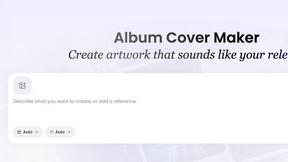
AI Album Cover Maker
Create release-ready album covers from a prompt or photo. Generate, refine, and export art for singles, EPs, mixtapes, and playlists.

RemoveMate
AI background removal and image cleanup tools for product photos, portraits, social posts and everyday creative projects.

Krea 3
Krea 3 is an AI image editor that relights photos, swaps backgrounds and changes one object from a text prompt with GPT Image 2 and Nano Banana Pro.
Nano Pro
AI photo editor and image generator with Nano Banana models, up to 14 references and 4K output.
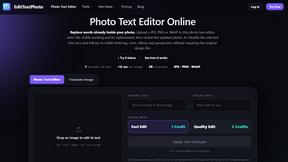
EditTextPhoto
AI-powered image text editor to edit, replace, fix, or translate text in images while preserving the original font, color, size, and style.
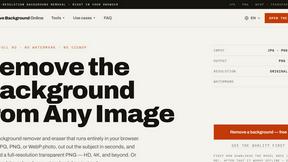
Remove Background
Free background remover that runs entirely in your browser — no uploads, no watermark, no account.
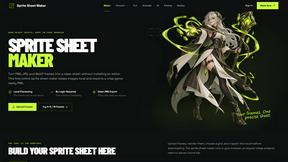
Sprite Sheet Maker
A free browser-based toolkit for creating, cutting, converting, and previewing sprite sheet animations.
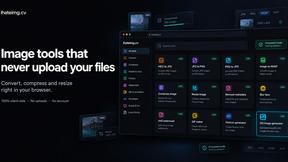
ihateimg
ihateimg.cv is a privacy-first collection of free image tools that run entirely in your browser. Convert, compress, resize, crop, edit, watermark, ins
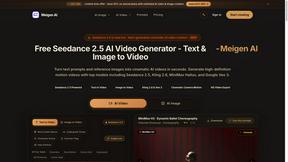
Meigen AI
Create AI images and videos from text, images, or editing prompts using multiple leading models in one workspace.
Happy Horse 2
AI image-to-video generator: turn photos and prompts into cinematic clips on Veo 3.1, Sora 2 or Seedance.

pomelli
Pomelli scans your website's DNA to generate ready-to-publish social ad campaigns with instant HTML-based editing
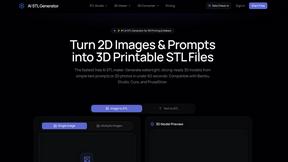
AI STL Generator
The fastest AI STL generator to turn prompts and images into 3D printable STL files.
About GPTIMG2 AI Alternatives
GPTIMG2 AI is an advanced image and video generation platform designed specifically for teams that need production-ready visuals rather than experimental or novelty outputs. It falls into the broad category of AI image generation tools, but it stands out by prioritizing prompt fidelity, clean on-image text, and reference-led editing capabilities. This makes it especially useful for creating product visuals, campaign art, posters, menus, diagrams, and thumbnails, with a workflow that can move seamlessly from still images into video and larger campaign production. Users often look for alternatives to GPTIMG2 AI for several reasons, including pricing considerations, the need for different feature sets, or platform compatibility issues. Some teams might require a simpler interface for quick mockups, while others may need more advanced integration with specific design software or a different approach to revision control. When choosing an alternative, it is important to consider what matters most for your workflow: prompt accuracy, the quality of text rendering in images, the ability to edit based on reference images, and whether the tool supports both image and video generation. Additionally, look for solutions that offer strong collaboration features, clear pricing tiers, and a user experience that matches your team’s skill level and production demands.
FAQs about GPTIMG2 AI Alternatives
What is GPTIMG2 AI?
GPTIMG2 AI is an AI-powered image and video generation workspace built specifically for teams that need production-ready visuals. It focuses on delivering high prompt fidelity, clean on-image text, and reference-led editing capabilities, making it more suited for professional asset creation than for casual or experimental use.
Who is GPTIMG2 AI for?
GPTIMG2 AI is designed for teams in product marketing, ecommerce, social media creative, and other asset-heavy workflows. It is particularly useful for professionals who need to create product visuals, campaign art, posters, menus, diagrams, thumbnails, and other graphics where revision control and production quality are important.
What are the main features of GPTIMG2 AI?
The main features of GPTIMG2 AI include strong prompt fidelity for accurate image generation, support for clean and readable on-image text, reference-led editing that allows users to modify visuals based on existing images, and a workflow that extends from still-image generation into video and campaign production. These features help teams move quickly from concept to finished assets.
Is GPTIMG2 AI free?
Based on the available product description, GPTIMG2 AI is positioned as a workspace for teams, which typically implies a paid or subscription-based model. However, specific pricing details, including whether a free tier or trial is offered, are not provided in the current product content. It is best to check the official website for the most up-to-date pricing and plan options.