
Alternatives to Krea 2 AI
Explore the best alternatives and competitors to Krea 2 AI.
Explore 20 alternatives to Krea 2 AI. Compare features, pricing, and find the best fit for your needs.
Promptifi
Reviewed AI prompts and workflows for B2B sales, from account research to renewal. Run them in ChatGPT, Claude, Gemini or Copilot. 100 free.
OpenDaemon
Free Windows AI agent app: describe an app in plain words and it plans and builds it phase by phase with your coding app.
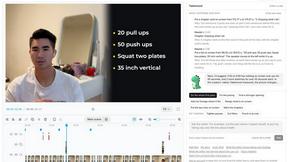
Takehound
AI video editor in your browser for long talking videos. Cuts pauses and retakes, places your own footage, and says why for every change.

Enhance My Photo
Online AI photo enhancer that sharpens portraits, products, scenery, pets and text images and exports JPEG/PNG/WebP without watermarks.
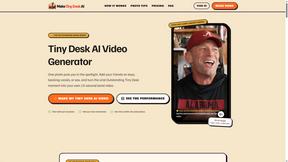
Tiny Desk AI Video Generator
Turn photos into viral Tiny Desk AI music videos. Become the lead performer, add up to four friends, and create your own 15-second virtual band perfor

Hotel Lobby AI
Hotel Lobby AI turns two portraits into a duet video in an orange recording booth with motion, lip-sync, and audio.
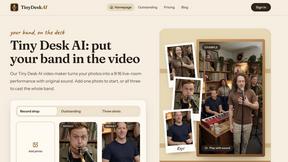
Tiny Desk AI Video Maker
Turn three photos into a vertical Tiny Desk-style concert video with original sound.

ZombieTrend AI
ZombieTrend AI turns two photos into a cinematic zombie love story video with sound, no watermark, and a free preview.

Gpu Rated
Independent hosting comparison directory that benchmarks GPU cloud, VPS, RDP, dedicated, VPN and proxy providers with Sysbench, fio and ip tests.

Rankenza
Rankenza is an SEO blog writer for small businesses and bloggers. Enter a keyword and get an article researched from real search results.

Easemic
Free open-source Android comic & manga cloud reader streaming encrypted libraries from S3, WebDAV & OPDS.
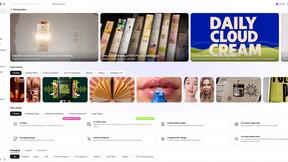
Rhinobird
AI video ads, UGC-style videos, and product visuals for cross-border sellers and e-commerce brands.
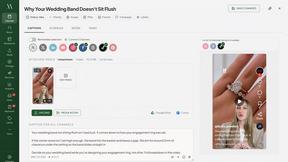
Maeve Social
Plan, approve and publish social content with an AI assistant, analytics, and API, CLI and MCP access for agents.
GenX
All-in-one AI workspace to generate images, videos, and audio with multiple leading AI models.
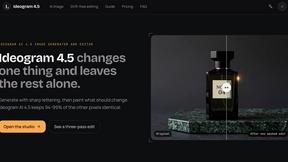
Ideogram 4.5
Ideogram AI 4.5 is an image generator and editor for precise, drift-free refinement, native 2K lettering, and Pixel Lock.
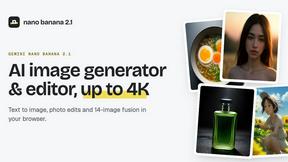
nanobanana 2.1
Nano Banana 2.1 is a fast AI image generation and editing model for realistic visuals, consistent characters, readable text, and precise creative cont

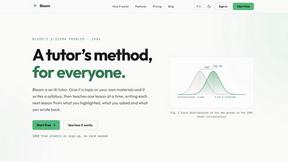
Bloom
An adaptive AI tutor that turns topics or your materials into courses, lessons, and answers tailored to how you learn.
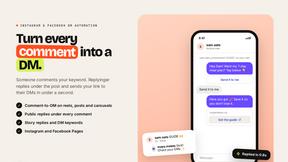
Replyinger
Automate Instagram and Facebook DMs, comment replies, and story interactions to turn followers into leads and customers. No coding required.

About Krea 2 AI Alternatives
Krea 2 AI is an aesthetic-first image workspace designed for creators who want to generate high-fidelity visuals with expressive styles and fast iteration. It falls under the categories of image generation, design tools, and AI assistants, offering three distinct variants—Large, Medium, and Turbo—to balance quality and speed. While Krea 2 AI is built for focused creative work with flexible credit-based pricing, users often look for alternatives due to budget constraints, a need for more advanced editing features, or a desire for different platform integrations. Some creators might find the credit system limiting for heavy usage, while others may want a tool that offers a free tier or more traditional subscription models. When searching for an alternative, it is important to consider what matters most for your workflow. If you prioritize speed and quick iterations, look for a tool that offers real-time generation or multiple speed modes. If your focus is on photorealism or specific artistic styles, check for models that specialize in those areas. Also consider the pricing structure—whether you prefer one-time credits, monthly subscriptions, or a free tier for experimentation. Finally, think about integration with your existing design software and how intuitive the interface feels for your skill level. The right choice will balance quality, cost, and the specific creative freedom you need.
FAQs about Krea 2 AI Alternatives
What is Krea 2 AI?
Krea 2 AI is an aesthetic-first AI image workspace designed for creators and designers who want to generate high-fidelity visuals with expressive styles. It offers three variants—Large, Medium, and Turbo—that allow users to balance image quality with generation speed. The platform is built around flexible credit-based pricing, making it suitable for both quick iterations and polished final outputs.
Who is Krea 2 AI for?
Krea 2 AI is built for designers, digital artists, and content creators who prioritize aesthetic quality and fast creative iteration. It is especially useful for those who need to explore multiple expressive styles quickly or write and refine prompts for high-fidelity visuals. The tool is designed for both beginners looking for intuitive generation and experienced creators who want control over style and speed.
Is Krea 2 AI free?
Krea 2 AI operates on a flexible credit-based pricing model, meaning users purchase credits to generate images rather than paying a flat subscription. While there may be limited free credits available for new users to test the platform, consistent or heavy usage will require purchasing additional credits. This model allows users to pay only for what they use, which can be cost-effective for occasional projects but may add up for frequent creators.
What are the main features of Krea 2 AI?
Krea 2 AI offers three distinct generation variants: Large for maximum detail and fidelity, Medium for a balanced approach, and Turbo for the fastest possible iterations. The platform emphasizes expressive styles and strong prompt writing, giving users the ability to compare outputs across variants. It is designed as a focused workspace rather than a full suite, prioritizing aesthetic-first generation and flexible credit usage over complex editing tools.