
Alternatives to Lovart
Explore the best alternatives and competitors to Lovart.
Explore 20 alternatives to Lovart. Compare features, pricing, and find the best fit for your needs.
ImageGPT
ImageGPT is an all-in-one AI creative platform for generating, editing and transforming images and videos using AI.
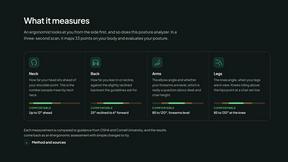
ErgoAssessment
See your posture the way an ergonomist beside your desk would. Your camera, five body angles, plain fixes. Free, no signup.

ImgEnhancer
Free AI image enhancer that sharpens blurry photos, reduces noise, upscales resolution, and restores clarity online.
AI Album Cover Maker
Create release-ready album covers from a prompt or photo. Generate, refine, and export art for singles, EPs, mixtapes, and playlists.

RemoveMate
AI background removal and image cleanup tools for product photos, portraits, social posts and everyday creative projects.

Krea 3
Krea 3 is an AI image editor that relights photos, swaps backgrounds and changes one object from a text prompt with GPT Image 2 and Nano Banana Pro.
Nano Pro
AI photo editor and image generator with Nano Banana models, up to 14 references and 4K output.
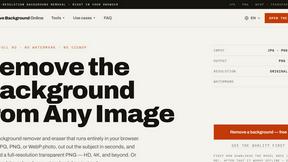
Remove Background
Free background remover that runs entirely in your browser — no uploads, no watermark, no account.
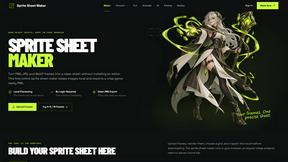
Sprite Sheet Maker
A free browser-based toolkit for creating, cutting, converting, and previewing sprite sheet animations.
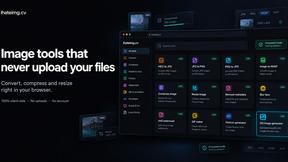
ihateimg
ihateimg.cv is a privacy-first collection of free image tools that run entirely in your browser. Convert, compress, resize, crop, edit, watermark, ins
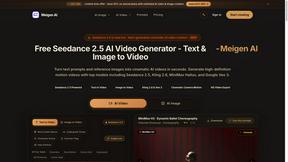
Meigen AI
Create AI images and videos from text, images, or editing prompts using multiple leading models in one workspace.
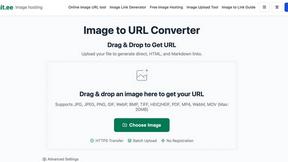
Image to URL Converter
Image to URL converter: turn a local image into a public HTTPS link. No account required; supports common formats up to 20MB and HTML, Markdown
Happy Horse 2
AI image-to-video generator: turn photos and prompts into cinematic clips on Veo 3.1, Sora 2 or Seedance.
Z Video
Image to video AI generator: animate any photo into a 1080p clip with sound on Sora 2, Veo 3.1 or Seedance.
AdsTurbo
Turn any product link or winning ad into ready-to-run AI video ads in minutes, with AI UGC actors, lip sync and 35+ languages.

pomelli
Pomelli scans your website's DNA to generate ready-to-publish social ad campaigns with instant HTML-based editing
AI STL Generator
The fastest AI STL generator to turn prompts and images into 3D printable STL files.
About Lovart Alternatives
Lovart AI is an AI-powered design tool that helps creators generate visuals like social media graphics, marketing materials, and more with just a few clicks. It falls into the broader categories of e-commerce, image and photo editing, and image generation tools, which means it’s aimed at simplifying the creative process for people who need quick, professional-looking assets. Users often look for alternatives to Lovart when they encounter limitations around pricing, such as needing a more generous free tier or a different subscription model, or when they require specific features like advanced photo editing, vector support, or integration with other platforms they already use. Others might want a tool that better aligns with their workflow, whether that’s a simpler interface for beginners or more robust customization options for experienced designers. When choosing an alternative to Lovart, it’s important to first consider your primary use case, such as whether you need to create social media content, marketing collateral, or product images for e-commerce. Look for a tool that offers the right balance of ease of use and advanced features, including template libraries, custom branding options, and output formats that suit your needs. Pricing transparency is also key, so check if the alternative offers a free trial or a plan that fits your budget without hidden costs. Finally, consider how well the tool integrates with your existing software stack and whether it provides reliable support and regular updates to keep up with design trends.Lovart AI is an AI-powered design tool that helps creators generate visual content like social media graphics and marketing materials quickly and easily. It falls under the categories of e-commerce, image and photo editing, and image generation, making it a versatile option for those who need professional-looking assets without deep design skills. Users often look for alternatives to Lovart when they find the pricing doesn’t fit their budget, when they need more advanced features like vector editing or batch processing, or when they require better integration with their existing workflow tools. When choosing an alternative, focus on what matters most for your specific projects. If you create a lot of social media content, look for a tool with a wide variety of templates and easy resizing options. For e-commerce needs, prioritize features like background removal and product mockup generation. Also consider the learning curve, subscription costs, and whether the tool offers a free trial so you can test it before committing. A good alternative should save you time without sacrificing quality.
FAQs about Lovart Alternatives
What is lovart?
Lovart is an AI-powered design tool built for creators to generate visual content with ease. It helps users create social media graphics, marketing materials, and more without needing advanced design skills. The tool uses artificial intelligence to simplify the creative process, making it accessible to beginners and experienced designers alike.
Who is lovart for?
Lovart is designed for creators, including social media managers, small business owners, marketers, and anyone who needs to produce professional-looking visuals quickly. It is especially useful for those who want to generate graphics for e-commerce, social media campaigns, or promotional materials without hiring a professional designer. The tool’s simplicity also makes it a good choice for beginners exploring AI-assisted design.
Is lovart free?
Lovart offers a free trial so users can test the tool and explore its features before committing to a paid plan. While the free version provides access to basic functionality, premium features or higher usage limits may require a subscription. For the most accurate and up-to-date pricing details, it is best to visit the official Lovart website.
What are the main features of lovart?
Lovart’s main features include AI-powered generation of social media graphics and marketing materials, allowing users to create visuals from simple text prompts. It also offers templates and customization options to help users maintain brand consistency. The tool is designed to streamline the design process, making it faster to produce high-quality images for e-commerce and promotional use.