
Alternatives to MacBrightness
Explore the best alternatives and competitors to MacBrightness.
Explore 20 alternatives to MacBrightness. Compare features, pricing, and find the best fit for your needs.

Safe Outreach
AI-powered platform that evaluates the safety of LinkedIn automation tools and helps reduce the risk of account restrictions.
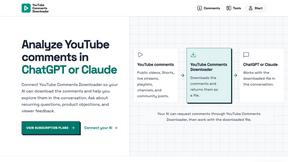
YouTube Comments Downloader
Your AI downloads the comments from a YouTube video, Short, stream, playlist or channel, then helps you find recurring topics, questions and feedback.

Vocaryn
AI job-application agent: ranks jobs by fit with your confirmed experience, tailors your resume to each and applies on the employer's site.
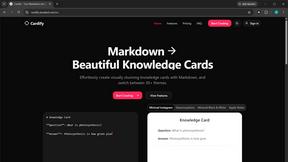
Cardify
Cardify turns Markdown into beautiful knowledge cards with 30+ themes, live preview and easy export.

ConnectMachine
Still handing out paper business cards? ConnectMachine is a free digital business card that saves straight into the other person's contacts.

Phantom Blade Zero Saves
Free PBZ starter saves and a browser save editor that never uploads your file.
How Long How Many Tool
Timers and hourly checks to figure how out long until a certain time or how many days away.

FeatQ
Feature-request board for software teams: users vote, your coding agent pulls the top request as a spec over MCP, voters get emailed when it ships.
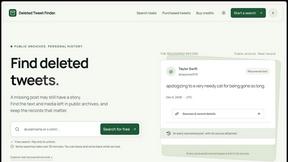
Deleted Tweet Finder
A practical guide to finding archived tweets, checking sources, and understanding missing media
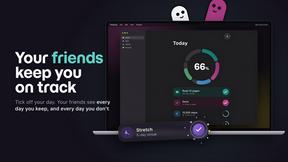
TinyFines
A habit tracker your friends can see. Skip a day and you owe a friend a tiny fine: half a pizza, a coffee, €2. Money never goes through the app.
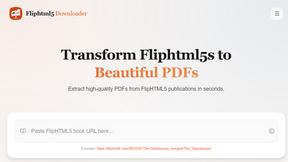
FlipHTML5 Downloader
Paste a FlipHTML5 book URL and get a clean PDF back - no watermark, no signup, nothing uploaded. Free and open source, runs in your browser.

Video Frame Extractor
Free online video frame extractor — extract frames in your browser, no upload.
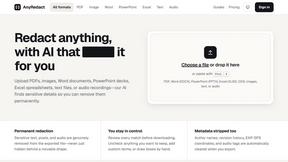
AnyRedact
Free online auto redaction tool with AI for PDFs, images, Word, PowerPoint, Excel, text and audio. Files are never stored.

TapirUpscale
A free, browser-based AI video upscaler that turns blurry, low-resolution clips into sharper 1080p or 4K MP4s without uploading them.

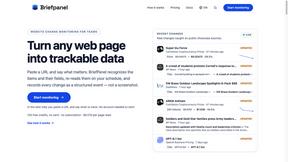
Briefpanel
Monitor web pages and get the exact field that changed, item by item. Pay per page read, no subscription.
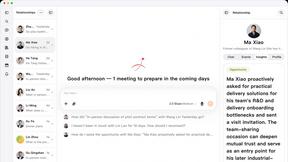
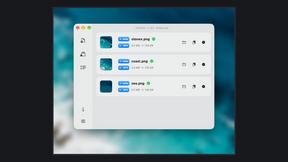
Zipic
Native image compression for Mac and Windows (Windows beta), with a local CLI and AI skill for automated image workflows.

About MacBrightness Alternatives
MacBrightness is a handy utility tool that falls under the Productivity & Management category, designed specifically to push the brightness limits of your MacBook Pro or Pro Display XDR far beyond what macOS typically allows. Users often start looking for alternatives for a few common reasons: they might be put off by the one-time purchase pricing model, need a solution that works on older Mac models without mini-LED displays, or simply want to compare features like system-wide compatibility versus app-specific controls. When evaluating any alternative, you should look for clear system-wide support, no noticeable drain on your CPU, and a straightforward way to test the brightness boost before committing to a purchase. The best alternative will feel just as intuitive as your native brightness keys, offering a seamless extension of your existing controls without requiring complicated shortcuts or low-level system modifications. You also want to ensure that any solution you consider only uses the HDR brightness range your display already supports, avoiding any risky hacks that could strain your hardware. A free trial or split-screen demo is a great sign, letting you see the real-world difference in direct sunlight or near a bright window before you decide. Ultimately, the right choice depends on your specific Mac model and whether you value a simple, one-time purchase over a subscription-based service.
FAQs about MacBrightness Alternatives
What is MacBrightness?
MacBrightness is a utility tool that unlocks the hidden brightness range on your MacBook Pro or Pro Display XDR, allowing your screen to go almost twice as bright as macOS normally permits. It works system-wide across every app, not just for HDR video, and integrates directly with the brightness keys you already use. This makes your screen readable in direct sunlight, on a patio, or next to a bright window.
Who is MacBrightness for?
MacBrightness is designed for users of MacBook Pro 14-inch and 16-inch models with M-series Pro or Max chips, as well as the Pro Display XDR. It is ideal for anyone who works outdoors, near sunny windows, or on bright planes and needs their screen to remain visible. The tool is especially useful for professionals like photographers, designers, or remote workers who rely on peak screen readability.
Is MacBrightness free?
MacBrightness offers a free trial that opens in Splitscreen Mode, where one half of your screen jumps to full brightness so you can see the difference side by side. To unlock the entire screen permanently, you need to make a one-time purchase. There is no subscription required, making it a straightforward, single-payment tool.
What are the main features of MacBrightness?
The main features include boosting your screen brightness to twice the normal limit system-wide, using your existing brightness keys without learning new shortcuts, and maintaining readability in direct sunlight. It operates with no noticeable CPU overhead and no low-level hacks, only utilizing the HDR brightness range your display already supports. This ensures a safe, efficient, and seamless experience across all your apps.