
Alternatives to Mochi 1
Explore the best alternatives and competitors to Mochi 1.
Explore 20 alternatives to Mochi 1. Compare features, pricing, and find the best fit for your needs.
AI Face Swap Video
Swap any face into any video online with AI in minutes. Upload a clip and a photo, get natural lighting and expressions. Free credits on sign-up.

Rumpelstiltskin AI Video Generator
Make the viral Rumpelstiltskin tiptoe dance meme video from two photos

Bulin 47 AI
Bulin 47 AI puts your face into the viral Bulin 47 freestyle video from one photo. Get a 5–19-second vertical MP4 for TikTok and Reels.
Parlune
Learn a language from real content, not vocab dumps. Parlune turns your favourite foreign-language YouTube videos into immersive, audio-synced lessons

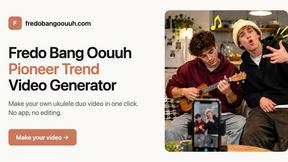

Hotel Lobby AI
Two photos become one hotel lobby video. One person stands on each side of the hanging microphone. No prompt.

Exemplary AI
Turn long videos and podcasts into short captioned clips, transcripts in 99 languages, subtitles in 116 languages and ready-to-post content.

Slide-Easy
A Mac app that turns your App Store link into a week of Instagram Reels and carousels, written from your real reviews.


Hotel Lobby AI Video Generator
Turn two photos into an orange hotel-lobby style AI duet video and download it as an MP4.
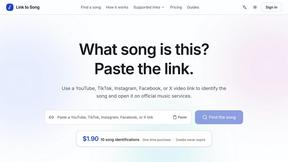
Link to Song
Paste a TikTok, YouTube, Instagram, Facebook or X video link and get the song name, artist and official listening links.

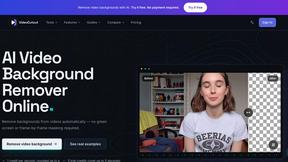
VideoCutout
Remove video backgrounds with AI, export transparent WebM, or replace scenes with a custom image.
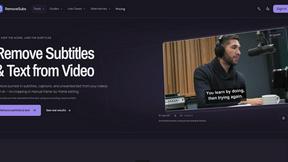
RemoveSubs
Remove burned-in subtitles and captions from videos with AI, without cropping or editing frame by frame.
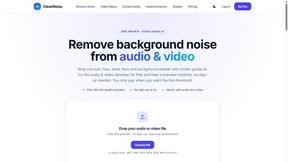
CleanNoise
AI noise remover for audio and video. Hear a free 30-second preview with no sign-up, then download the cleaned file from $0.99.
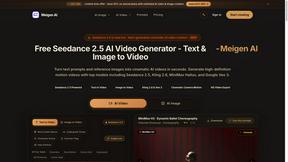
About Mochi 1 Alternatives
Mochi 1 is an AI video generator that sits in the text-to-video creation category, designed to turn written prompts into cinematic clips with realistic motion and detailed visuals. Users often start looking for alternatives for a few common reasons, such as finding a platform that better fits their specific budget, needing different feature sets like longer video durations or higher resolution outputs, or simply wanting to explore various creative tools that might integrate more smoothly with their existing workflow. When choosing an alternative, it is helpful to consider factors like the quality of motion realism, the level of creative control over camera angles and atmosphere, the pricing model for your expected usage, and how well the platform supports your specific content goals, whether that is for social media, marketing, or storytelling.
FAQs about Mochi 1 Alternatives
What is Mochi 1?
Mochi 1 is a text-to-video AI video generator that transforms written prompts into cinematic video clips. It allows users to describe a subject, scene, action, background, lighting, camera movement, mood, and visual style to create dynamic videos with realistic motion and detailed visuals. The platform is designed to help creators produce engaging content for marketing, storytelling, and digital projects.
Who is Mochi 1 for?
Mochi 1 is built for a wide range of digital professionals including creators, marketers, brands, educators, filmmakers, storytellers, and other content producers. It is particularly useful for anyone who needs to generate video content for social media, advertising, product demos, presentations, education, brand campaigns, and creative projects. The platform is designed to be accessible for both beginners and experienced video creators.
What are the main features of Mochi 1?
Mochi 1 offers prompt-based creative control that lets users shape each video by adding details such as camera angles, movement style, environment, atmosphere, composition, and color tone. The platform focuses on producing cinematic AI videos with realistic motion and detailed visuals from simple text descriptions. These features make it useful for testing creative ideas, building promotional assets, visualizing concepts, and creating storytelling content for digital platforms.
Why choose Mochi 1 for video creation?
Mochi 1 is a strong choice for video creation because it provides a straightforward way to turn written ideas into high-quality cinematic clips without needing advanced video editing skills. Its emphasis on realistic motion and detailed visuals helps users produce professional-looking content for marketing and storytelling purposes. The platform also offers creative control over elements like camera movement and atmosphere, allowing users to experiment with different styles and moods for their projects.