
Alternatives to Mspaintify
Explore the best alternatives and competitors to Mspaintify.
Explore 20 alternatives to Mspaintify. Compare features, pricing, and find the best fit for your needs.
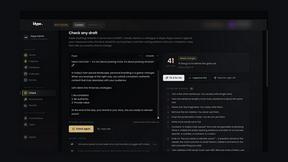
Klype AI
Writes LinkedIn and social posts in your own measured voice and checks every draft for AI tells and invented claims.

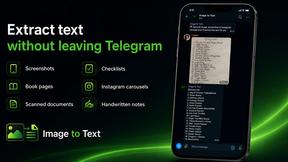
imgtxtapp.laviolab.com
imgtxtapp.laviolab.com is a Telegram-based image-to-text converter that turns photos, screenshots, scanned documents into editable text
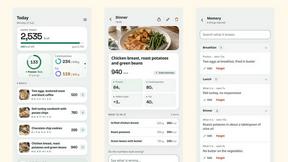
SightRadar
Face recognition API, a drop-in replacement for AWS Rekognition. Index, search, compare and detect faces, billed per photo with no subscription.
AI Face Swap Video
Swap any face into any video online with AI in minutes. Upload a clip and a photo, get natural lighting and expressions. Free credits on sign-up.
Restore Old Photos - Retrocap
AI photo restoration app for iPhone and Android: repair scratches and tears, colorize black-and-white photos, sharpen faces and animate old portraits.
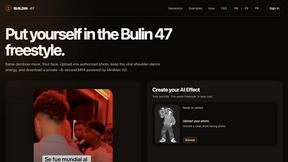
Bulin 47 AI
Bulin 47 AI puts your face into the viral Bulin 47 freestyle video from one photo. Get a 5–19-second vertical MP4 for TikTok and Reels.
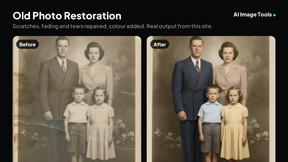
AI Image Tools
Text to image, photo edits, background removal and restoration. Pick Nano Banana, FLUX, Seedream or GPT Image and see the price first.
ImageAICraft
GPT Image 2 AI Image Generator & Editor for Text-to-Image and Image-to-Image Creation
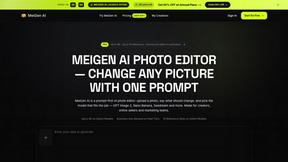
MeiGen AI
AI photo editor and image generator: upload a photo, describe the change in plain English, pick GPT Image 2, Nano Banana Pro or Seedream.
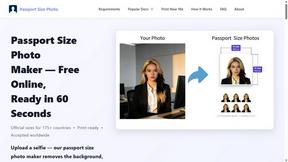
Passport Size Photo
Turn any selfie into a compliant passport, visa or ID photo in 60 seconds. AI background removal for 530+ official photo specs.
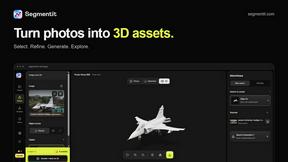
Segmentit
Turn objects in your photos into 3D assets. Select, refine, preview and export in one browser-based workspace.
MyPhotoAI
Turn your selfies into AI headshots and portraits. Get 3 photos for US$5 or every photo from one shoot for US$10. No subscription.
About Mspaintify Alternatives
Mspaintify is a niche AI-powered image tool that deliberately transforms your photos into clumsy, scribbly MS Paint-style mouse drawings on a plain white background. It belongs to the image generation and content creation category, specifically designed for memes, intentionally bad avatars, and any project where a polished look would ruin the joke. The tool produces shaky lines, uneven fills, and a distinctly low-effort aesthetic that keeps subjects loosely recognizable but far from professional. Users commonly look for alternatives to Mspaintify for a few practical reasons. Some may need more control over the final output, like adjusting line thickness or color fills, which Mspaintify does not offer. Others might be looking for a different artistic style, such as a more refined sketch or cartoon effect, rather than the deliberately clumsy mouse-drawn look. Pricing can also be a factor, as some users prefer a completely free tool or a one-time purchase instead of the subscription or credit-based model Mspaintify uses. Platform compatibility and batch processing features are additional considerations when searching for the right alternative. When choosing, focus on the specific aesthetic you need, the level of customization available, and whether the pricing model fits your usage frequency.
FAQs about Mspaintify Alternatives
What is Mspaintify?
Mspaintify is an AI image redrawer that turns any photo into a clumsy, scribbly MS Paint mouse drawing on a white background. It is designed to recreate the awkward, low-effort look of a sketch made with a mouse in about 30 seconds, with shaky lines and uneven fills. The subject remains loosely recognizable, but the output deliberately avoids any polished or professional finish. It is built specifically for memes, intentionally bad avatars, sticker packs, and other humorous or casual contexts.
Who is Mspaintify for?
Mspaintify is for anyone who needs intentionally bad, low-effort looking images for humor-driven projects. This includes meme creators, social media users making reply images, people designing silly avatar sets, and those creating sticker packs or deck mockups where a 'too pretty' look would ruin the joke. It is not designed for professional illustration or high-quality photo editing, but rather for casual content creation where the charm comes from the imperfect, mouse-drawn aesthetic.
Is Mspaintify free?
Mspaintify offers a free first run that lets you try the style before committing to payment. After that, you can choose between pay-as-you-go credit packs or monthly subscriptions starting at $6.93 per month. The same redraw engine is unlocked across all plans, so you get the same quality regardless of which pricing option you select. This flexible model allows occasional users to pay only when needed, while frequent users can save with a subscription.
What are the main features of Mspaintify?
Mspaintify’s main feature is its AI model that converts photos into clumsy, scribbly MS Paint-style drawings with shaky lines and uneven fills on a white background. Outputs are static PNG downloads available in five aspect ratios: 1:1, 16:9, 9:16, 4:3, and 3:4. You can upload source files in PNG, JPG, or WebP formats up to 24MB. The tool is built for memes, intentionally bad avatars, sticker packs, and deck mockups, with pricing that starts with a free trial and then moves to credit packs or subscriptions.