
Alternatives to Opal
Explore the best alternatives and competitors to Opal.
Explore 20 alternatives to Opal. Compare features, pricing, and find the best fit for your needs.

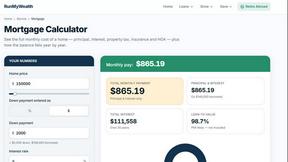
RunMyWealth
Smart, private financial calculators for mortgage, FIRE, and debt. 100% free, runs locally in your browser, no signup required.
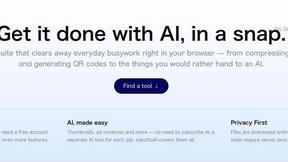
sakuttoAI
A free suite of online tools for everyday tasks like PDF compression, image conversion, text diff and CSV to Excel.
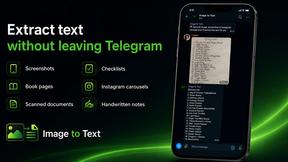
imgtxtapp.laviolab.com
imgtxtapp.laviolab.com is a Telegram-based image-to-text converter that turns photos, screenshots, scanned documents into editable text
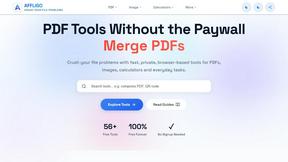
AFFLIGO
AFFLIGO is a free online toolkit for everyday file tasks. Easily edit PDFs, compress images, convert file formats, and get things done.
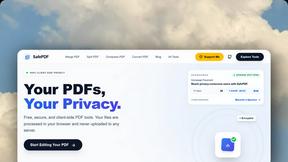
SafePDF
Free online PDF tools to merge, split, compress, convert, sign, and edit PDFs privately in your browser. No signup required.
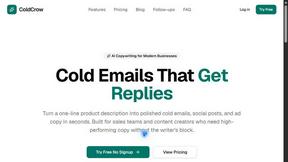
ColdCrow
AI cold email writer: turn one line about a prospect into personalized outreach with a deliverability score in seconds. Free trials, no credit card.
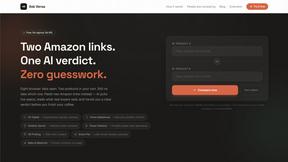
Ask Versa AI
AI verdicts for any two Amazon products, in seconds. Live specs plus real buyer reviews, scored 0-100, one clear winner. Free, no account.

Panzoe
Panzoe is an all-in-one AI platform for personal productivity, business automation, AI assistants, content creation, and custom AI solutions.

TryThatTool
Discover AI tools worth trying. Compare options, explore practical reviews, and build your own AI stack based on your goals and budget.

ROIpad
Stop losing enterprise deals to inferior products with better copy. Discover the exact messaging gaps your competitors left wide open.
JustTools
JustTools offers a growing collection of free online tools that run directly in your browser, with no sign-up and no uploads.

TimeLoop
TimeLoop: AI Day Planner is a free AI productivity tool that helps you turn a simple description of what you need to do into a more organized daily pl
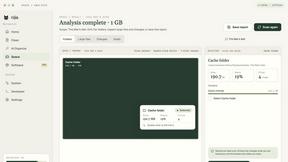
Nijia
A paid Mac app with local AI-assisted file organization, editable proposals and reviewed storage cleanup.
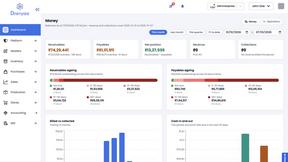
Dravyaa
Dravyaa is an AI-powered ERP platform that helps manufacturers, traders, and distributors manage sales, purchases, inventory, production, accounting,
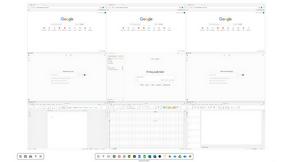
Novastart
Novastart brings apps and files onto an infinite canvas where people and AI agents can work together.

About Opal Alternatives
Opal is a visual project management and knowledge workspace designed for professionals. It falls into the productivity and management software category, helping users organize notes, documents, and files on an infinite digital canvas. This spatial approach prioritizes visual memory over traditional folder hierarchies. Users often explore alternatives to Opal for various reasons. Some may need a different pricing model or a free tier, while others might require specific integrations or platform compatibility not offered. The search for the right tool is highly personal, driven by unique workflows and team requirements. When evaluating alternatives, consider what matters most for your work. Key factors include your preferred method of organization, collaboration needs, the types of content you handle, and your budget. The goal is to find a tool that feels intuitive and actually gets used, rather than becoming another abandoned app.
FAQs about Opal Alternatives
What is Opal?
Opal is a visual productivity and management tool that lets you organize notes, documents, and files on an infinite digital canvas, using spatial memory instead of buried folders.
Who is Opal for?
Opal is designed for professionals who want total project control and prefer to remember where things are visually, rather than just searching by name in a traditional file structure.
What are the main features of Opal?
Key features include a markdown-based block editor, real-time collaboration, internal linking, web publishing, file storage, and the ability to connect an AI agent via its API.
Why choose Opal?
Choose Opal if you are tired of digging through folders and want a visual desk where everything remains visible and accessible in seconds based on its location.