
Alternatives to Push My App
Explore the best alternatives and competitors to Push My App.
Explore 20 alternatives to Push My App. Compare features, pricing, and find the best fit for your needs.
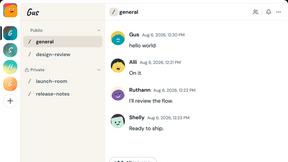

FeatQ
Feature-request board for software teams: users vote, your coding agent pulls the top request as a spec over MCP, voters get emailed when it ships.

Video Frame Extractor
Free online video frame extractor — extract frames in your browser, no upload.
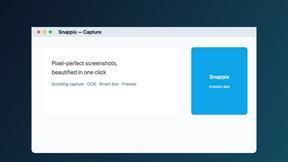
Snappix
Pixel-perfect Mac screenshots with scrolling capture, OCR, smart blur, and one-click beautification. Free plan + lifetime license.
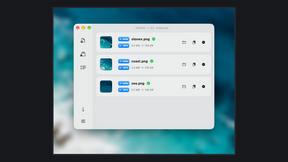
Zipic
Native image compression for Mac and Windows (Windows beta), with a local CLI and AI skill for automated image workflows.

LaunchIntel
Your AI agent picks relevant directories, submits your product in your browser and tracks every step. One-time purchase.

Manifolds
Manifolds deanonymizes and researches your users at signup, so you can know who your users actually are.
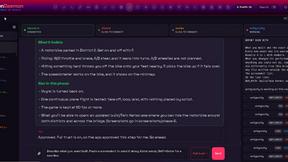
OpenDaemon
Free Windows AI agent app: describe an app in plain words and it plans and builds it phase by phase with your coding app.
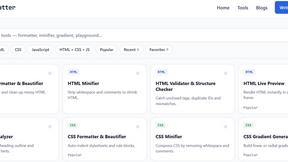
JoMatter
Jomatter provides free online tools for HTML, CSS, and JavaScript developers, helping simplify common web development and coding tasks.
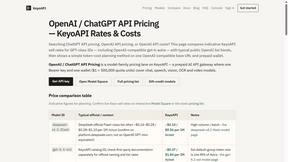
KeyoAPI
OpenAI-compatible API gateway with transparent OpenAI API pricing — one key for GPT, Claude, Gemini, DeepSeek and open-source models.
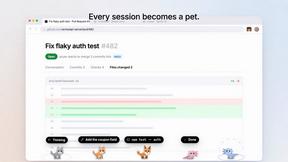
Agent Pets
Your Claude Code & Codex sessions as pets in Chrome. Approve, deny and reply to your coding agents from any tab.

UX Critic
AI design critic: scored UX reviews with every issue pinned to the exact region of your screenshot.

GeminiLaunch
Publish AI-generated HTML or React code from ChatGPT, Claude or Gemini as a live website in seconds. No GitHub needed.

TokenSave
Free AI token counter and cost calculator for ChatGPT, Claude and Gemini, plus a private Claude Code usage analyzer.
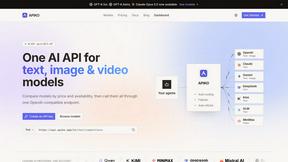
APIKO AI API
One OpenAI-compatible endpoint for text, image and video models from OpenAI, Anthropic, Google, DeepSeek and more.

BlazePhoenix
On-chain DEX aggregator: the swap route is computed inside the transaction that executes it. No API key, no signup.

About Push My App Alternatives
Push My App is a specialized developer tool designed for indie developers and small studios who need to streamline the process of getting their mobile apps onto the Apple App Store and Google Play Store. It falls squarely into the Dev Tools category, acting as an all-in-one platform that handles everything from ASO keyword optimization and AI-generated descriptions to automatic screenshot resizing and direct submission. Users often start looking for alternatives when they are evaluating the platform’s pricing model, need support for a specific operating system or workflow integration, or require features that go beyond the app store submission pipeline, such as deep analytics or team collaboration tools they might already use elsewhere. When choosing an alternative to a tool like Push My App, you should consider how much of the submission process you want automated versus how much manual control you need. Look for a solution that saves you time on the repetitive tasks—like resizing screenshots, translating metadata, or scanning for rejection reasons—without sacrificing the quality of your listing. It is also important to evaluate whether the tool supports your specific file types (IPA, APK, AAB), integrates with your existing CI/CD pipeline, and offers transparent pricing that scales with the number of apps you manage. The best alternative will be the one that fits naturally into your current development rhythm while still accelerating your release cycle.
FAQs about Push My App Alternatives
What is Push My App?
Push My App is an all-in-one platform designed for indie developers and studios to prepare, optimize, and submit their app listings to the Apple App Store and Google Play Store. It automates tasks like writing ASO-optimized app names, keywords, descriptions, and release notes using AI. The platform also includes a Pre-Flight Rejection Scanner that checks your build against over 80 known rejection reasons before submission.
Who is Push My App for?
Push My App is built specifically for indie developers and small to medium-sized studios who want to speed up their app release process. It is ideal for those who find manual app store submission tedious and want to reduce the time spent on metadata creation, screenshot resizing, and localization. The tool is also great for developers who need to submit directly to App Store Connect and Google Play Console in one click.
What are the main features of Push My App?
Key features include AI-powered generation of ASO-optimized app metadata, a Pre-Flight Rejection Scanner that checks for 80+ common rejection reasons, and automatic screenshot resizing for all required device sizes. The platform also supports translation of your full listing into 14 languages with re-optimized keywords per locale, and allows you to drop your IPA, APK, or AAB file for direct submission. Additionally, you can generate a website and a support mailbox for your app using the same metadata and screenshots.
Is Push My App secure?
Yes, Push My App is designed with security in mind, allowing you to directly upload your build files (IPA, APK, or AAB) and submit them to official app stores. The platform validates compliance and extracts bundle IDs and icons automatically, ensuring your data is handled correctly during the submission process. As with any developer tool, you should review their privacy policy and data handling practices, but the service is built to securely manage your app assets and store credentials.