
Alternatives to Ray3 AI VIDEO GENERATOR
Explore the best alternatives and competitors to Ray3 AI VIDEO GENERATOR.
Explore 20 alternatives to Ray3 AI VIDEO GENERATOR. Compare features, pricing, and find the best fit for your needs.

The Kiss
Turn two photos into a cinematic AI kissing video. Pick one of 13 kiss video templates; 30 free credits on sign-up.

trykissai
AI kiss generator: add a photo of each person, pick a kiss scene, and get a kiss photo or a 5–7 second clip. 30 free credits.

MoveFrame
Turn any photo into a 5 or 10 second AI video. Free daily credits, no sign-up, 9:16 for TikTok and Reels, MP4 download.

Dola AI
Create AI videos from text or images with Dola AI. Free sign-up credits, pick a video model, download your clips. Image generation also available.
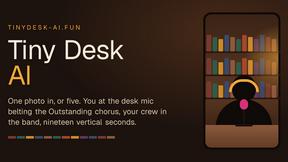
Tiny Desk AI
Make the viral Outstanding desk-concert meme from 1 to 5 photos: you sing lead, friends take keys, vocals and sax. 19s 9:16, $8.99.
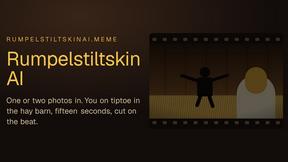
Rumpelstiltskin AI
Turn one or two photos into the tip toeing in my Jordans meme: play the imp, the girl in the straw, or both. 15s 16:9, $8.99 once.
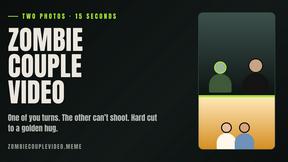
Zombie Couple Video
Turn two photos into an AI zombie couple love story: a rainy standoff, then a golden hug. 15s 9:16 MP4 with music, $8.99 once.
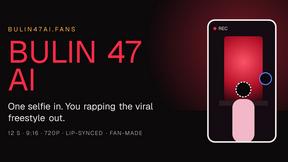
Bulin 47 AI
Turn one selfie into a 12-second 9:16 clip of you rapping the viral dembow freestyle, lips synced to the verse. $8.99 once.

My Hotel Lobby AI
Turn two photos into the viral Hotel Lobby video: one raps, one dances in the orange booth. 15s 16:9 MP4, $8.99 once.

Free Meme Video Generator
Make AI video memes from text, photos or clips, or use a trending template. Free credits to start.

NexiaTools
NexiaTools is an all-in-one AI platform with 86+ micro-tools for writing, marketing and everyday business tasks. Free to try.

Tiny Desk AI Video Generator
Turn 1–5 photos into a 19-second Tiny Desk-style AI band video. Choose singer, sax, keys and backing vocals, then download your performance.
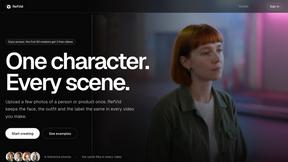
RefVid
Upload a few photos of a product or a person once. RefVid keeps the label, the shape and the face the same in every AI video you generate.

Imoframe
Upload your listing photos and get a finished real estate video with music in 10–20 minutes. $9.99 per video, paid once, no subscription.

TinyDesk AI
Create a 19-second vertical concert parody from a portrait, with optional band roles and MP4 downloads with or without the template soundtrack.


About Ray3 AI VIDEO GENERATOR Alternatives
Ray3 AI VIDEO GENERATOR is a professional-grade AI video creation tool designed for filmmakers and serious creators. It stands out in the video generation category by using advanced reasoning to produce studio-quality HDR videos with remarkable consistency and accurate motion. People often explore alternatives for various practical reasons. This could be due to budget constraints, a need for different feature sets like simpler editing tools or specific output formats, or simply because they require a platform that works on a different operating system. Every project and workflow has unique demands. When evaluating other options, it's wise to consider a few key factors. Look closely at the output quality, especially regarding resolution and color depth. Assess how well the tool handles logical scene consistency and motion. Finally, check how it integrates with your existing software, like editing suites, to ensure a smooth creative pipeline.
FAQs about Ray3 AI VIDEO GENERATOR Alternatives
What is Ray3 AI VIDEO GENERATOR?
Ray3 AI VIDEO GENERATOR is a reasoning-based AI video model that creates professional, studio-grade HDR videos with advanced logic and physics understanding for filmmakers and creators.
Who is Ray3 AI VIDEO GENERATOR for?
It is designed for professional creators, filmmakers, creative agencies, and production studios who demand the highest quality, cinematic output and seamless integration into professional workflows.
What are the main features of Ray3 AI VIDEO GENERATOR?
Its core features include true 10/12/16-bit HDR video output, an advanced reasoning intelligence engine for consistent motion, and a 5x faster Draft Mode for rapid ideation.
Why choose Ray3 AI VIDEO GENERATOR?
You would choose Ray3 for its unmatched fidelity, logical scene consistency that avoids the uncanny valley, and its direct integration with industry-standard software like Adobe Premiere Pro.