
Alternatives to Seedream 5.0 Pro
Explore the best alternatives and competitors to Seedream 5.0 Pro.
Explore 20 alternatives to Seedream 5.0 Pro. Compare features, pricing, and find the best fit for your needs.
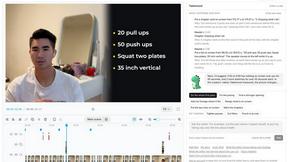
Takehound
AI video editor in your browser for long talking videos. Cuts pauses and retakes, places your own footage, and says why for every change.

Enhance My Photo
Online AI photo enhancer that sharpens portraits, products, scenery, pets and text images and exports JPEG/PNG/WebP without watermarks.
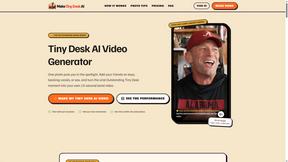
Tiny Desk AI Video Generator
Turn photos into viral Tiny Desk AI music videos. Become the lead performer, add up to four friends, and create your own 15-second virtual band perfor

Hotel Lobby AI
Hotel Lobby AI turns two portraits into a duet video in an orange recording booth with motion, lip-sync, and audio.
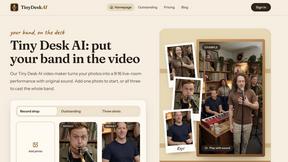
Tiny Desk AI Video Maker
Turn three photos into a vertical Tiny Desk-style concert video with original sound.

ZombieTrend AI
ZombieTrend AI turns two photos into a cinematic zombie love story video with sound, no watermark, and a free preview.

Gpu Rated
Independent hosting comparison directory that benchmarks GPU cloud, VPS, RDP, dedicated, VPN and proxy providers with Sysbench, fio and ip tests.

Rankenza
Rankenza is an SEO blog writer for small businesses and bloggers. Enter a keyword and get an article researched from real search results.
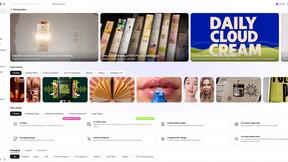
Rhinobird
AI video ads, UGC-style videos, and product visuals for cross-border sellers and e-commerce brands.
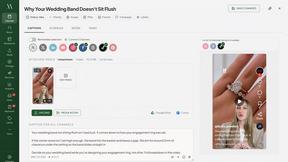
Maeve Social
Plan, approve and publish social content with an AI assistant, analytics, and API, CLI and MCP access for agents.
GenX
All-in-one AI workspace to generate images, videos, and audio with multiple leading AI models.
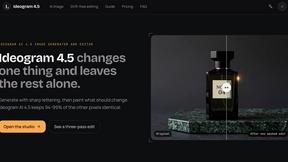
Ideogram 4.5
Ideogram AI 4.5 is an image generator and editor for precise, drift-free refinement, native 2K lettering, and Pixel Lock.
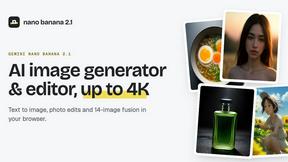
nanobanana 2.1
Nano Banana 2.1 is a fast AI image generation and editing model for realistic visuals, consistent characters, readable text, and precise creative cont

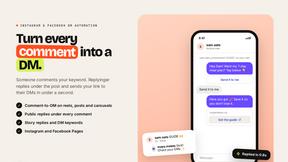
Replyinger
Automate Instagram and Facebook DMs, comment replies, and story interactions to turn followers into leads and customers. No coding required.


Hotel Lobby AI Video
Create a Hotel Lobby duo video from two character photos. Choose left and right performers, review the AI result, and download your finished clip.

Design.com AI Image Generator
Turn text prompts into polished, copyright-safe visuals that plug directly into branded templates
FastH3 Omni
Run FastH3 Omni in your browser. Up to 9 reference images plus 3 audio references become a 5–15s clip with synced audio. No install, no GPU.

About Seedream 5.0 Pro Alternatives
Seedream 5.0 Pro is a multi-model AI image workspace that lives at the intersection of content creation, design tools, and image generation. It is built around a powerful text-to-image and image-to-image engine, allowing you to create visuals by describing them in words or by transforming existing images. The platform stands out by letting you compare results across different models, including Seedream Lite, GPT Image 2, and Nano Banana, so you can evaluate factors like layout quality, multilingual text handling, speed, and overall visual finish all in one place. Users often look for alternatives to Seedream 5.0 Pro for a few common reasons. Pricing is a frequent consideration, as credit-based systems may not fit every workflow or budget, especially for high-volume creators. Others might need a more specialized tool for a specific task, like advanced vector editing or motion graphics, that a general image generation workspace doesn't cover. When evaluating alternatives, focus on the core features that matter most to your work: the quality of text-to-image outputs, how well the tool handles text within images, the speed of generation, and whether the pricing model aligns with how often you plan to create. Also consider platform availability and integration with your existing design software.
FAQs about Seedream 5.0 Pro Alternatives
What is Seedream 5.0 Pro?
Seedream 5.0 Pro is a multi-model AI image workspace that serves as a central hub for text-to-image and image-to-image creation. It is led by the Seedream 5.0 Pro model but also includes Lite, GPT Image 2, and Nano Banana models for comparison. This allows users to evaluate layout quality, multilingual text, speed, and visual finish all within a single platform.
Who is Seedream 5.0 Pro for?
Seedream 5.0 Pro is built specifically for designers, marketers, and creators who need production-ready visuals. It is ideal for professionals who require flexible workflows, such as generating images from text prompts or editing existing images, and who value the ability to compare different AI models side-by-side. The platform caters to users who need high-quality results that can be used in real-world projects.
Is Seedream 5.0 Pro free?
Seedream 5.0 Pro operates on a flexible credit-based pricing model rather than offering a completely free tier. This means you purchase credits that are then consumed each time you generate or edit an image. This system allows you to pay only for what you use, which can be cost-effective for occasional creators or scalable for high-volume production.
What are the main features of Seedream 5.0 Pro?
The main features include a multi-model workspace where you can generate images using Seedream 5.0 Pro, Lite, GPT Image 2, and Nano Banana. It supports both text-to-image and image-to-image workflows, allowing for versatile creation. Users can also compare outputs across these models based on layout quality, multilingual text rendering, speed, and visual finish, all within a credit-based pricing structure.