
Alternatives to Tagada
Explore the best alternatives and competitors to Tagada.
Explore 20 alternatives to Tagada. Compare features, pricing, and find the best fit for your needs.
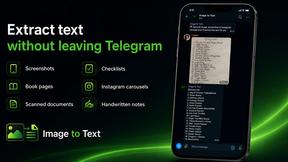
imgtxtapp.laviolab.com
imgtxtapp.laviolab.com is a Telegram-based image-to-text converter that turns photos, screenshots, scanned documents into editable text
AFFLIGO
AFFLIGO is a free online toolkit for everyday file tasks. Easily edit PDFs, compress images, convert file formats, and get things done.

SafePDF
Free online PDF tools to merge, split, compress, convert, sign, and edit PDFs privately in your browser. No signup required.

ColdCrow
AI cold email writer: turn one line about a prospect into personalized outreach with a deliverability score in seconds. Free trials, no credit card.

Ask Versa AI
AI verdicts for any two Amazon products, in seconds. Live specs plus real buyer reviews, scored 0-100, one clear winner. Free, no account.

Panzoe
Panzoe is an all-in-one AI platform for personal productivity, business automation, AI assistants, content creation, and custom AI solutions.

TryThatTool
Discover AI tools worth trying. Compare options, explore practical reviews, and build your own AI stack based on your goals and budget.
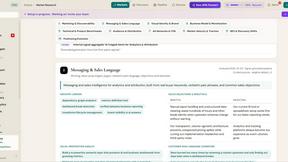
ROIpad
Stop losing enterprise deals to inferior products with better copy. Discover the exact messaging gaps your competitors left wide open.

JustTools
JustTools offers a growing collection of free online tools that run directly in your browser, with no sign-up and no uploads.

TimeLoop
TimeLoop: AI Day Planner is a free AI productivity tool that helps you turn a simple description of what you need to do into a more organized daily pl
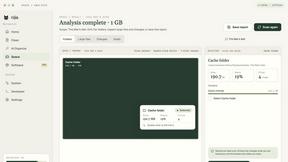
Nijia
A paid Mac app with local AI-assisted file organization, editable proposals and reviewed storage cleanup.
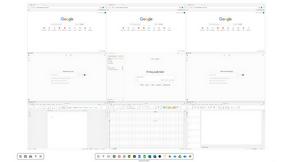
Novastart
Novastart brings apps and files onto an infinite canvas where people and AI agents can work together.
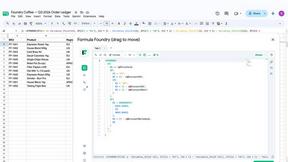

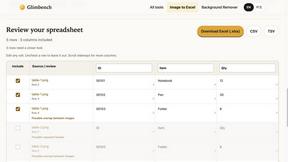
Glimbench
Remove backgrounds, convert table screenshots to Excel, and batch-convert HEIC to JPG. Free, no sign-up.


LightScreen
Free light screen tool online. Turn any display into a flashlight, ambient light, or solid-color screen. No download or sign-up.
ErgoAssessment
See your posture the way an ergonomist beside your desk would. Your camera, five body angles, plain fixes. Free, no signup.
About Tagada Alternatives
Tagada is a browser extension that fits into the productivity and management category, designed specifically to streamline how you handle email replies directly inside Gmail. It works by instantly parsing incoming messages into individual, clickable sentences, allowing you to highlight, tag, and organize key points without ever copying or pasting text into a separate app. Users often look for alternatives to Tagada because they might need a different set of features, such as deeper email analytics, native mobile support, or a different pricing model that better fits their budget. Others might be seeking a tool that integrates with other email platforms like Outlook, or one that offers more advanced automation and AI-driven suggestions, which Tagada deliberately avoids to keep your data 100% local. When evaluating an alternative to Tagada, you should first consider how the tool handles data privacy and processing. Since Tagada’s core appeal is its local, no-cloud processing, you might want to know if a competitor offers similar on-device security or if they rely on external servers. Next, look at the user interface and how it integrates with your existing workflow. The best alternative should feel natural inside Gmail and not force you to learn a completely new system. Finally, assess the specific features you need most, whether that’s faster reply generation, better categorization for long threads, or the ability to collaborate with a team, and make sure the tool aligns with your email volume and response style.
FAQs about Tagada Alternatives
What is Tagada?
Tagada is a browser extension that transforms how you read and reply to emails in Gmail. It parses incoming emails into clickable sentences that you can highlight, tag, and organize by category in a single click. The tool then generates a clean reply template built around the points that matter, helping you respond faster and more clearly, all without ever sending your data to the cloud.
Who is Tagada for?
Tagada is ideal for professionals, support teams, freelancers, and consultants who manage long email threads and need to respond quickly and clearly. It is also well-suited for anyone who wants to structure their replies without relying on AI or cloud-based services. By cutting response time and keeping data fully private, Tagada helps users who prioritize both efficiency and data security.
What are the main features of Tagada?
Key features include instant parsing of emails into selectable sentences, one-click highlighting and tagging by category, and auto-generated reply templates built from your selections. All processing happens 100% locally with no AI, no cloud, and no third-party servers. The extension works directly inside Gmail, so there is no new tool to learn or separate app to open.
Is Tagada secure?
Yes, Tagada is designed with privacy and security as a core principle. All email processing occurs locally on your own device, meaning your data never leaves your computer or is sent to any cloud server. There is no AI involved and no third-party servers, so your sensitive email content remains completely private and under your control at all times.