
Alternatives to TinyFast
Explore the best alternatives and competitors to TinyFast.
Explore 20 alternatives to TinyFast. Compare features, pricing, and find the best fit for your needs.

Restore Old Photos - Retrocap
AI photo restoration app for iPhone and Android: repair scratches and tears, colorize black-and-white photos, sharpen faces and animate old portraits.

ColdCrow
AI cold email writer: turn one line about a prospect into personalized outreach with a deliverability score in seconds. Free trials, no credit card.

Ask Versa AI
AI verdicts for any two Amazon products, in seconds. Live specs plus real buyer reviews, scored 0-100, one clear winner. Free, no account.

Panzoe
Panzoe is an all-in-one AI platform for personal productivity, business automation, AI assistants, content creation, and custom AI solutions.

Bulin 47 AI
Bulin 47 AI puts your face into the viral Bulin 47 freestyle video from one photo. Get a 5–19-second vertical MP4 for TikTok and Reels.
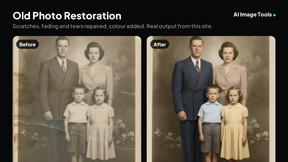
AI Image Tools
Text to image, photo edits, background removal and restoration. Pick Nano Banana, FLUX, Seedream or GPT Image and see the price first.

ImageAICraft
GPT Image 2 AI Image Generator & Editor for Text-to-Image and Image-to-Image Creation

TryThatTool
Discover AI tools worth trying. Compare options, explore practical reviews, and build your own AI stack based on your goals and budget.

ROIpad
Stop losing enterprise deals to inferior products with better copy. Discover the exact messaging gaps your competitors left wide open.


JustTools
JustTools offers a growing collection of free online tools that run directly in your browser, with no sign-up and no uploads.
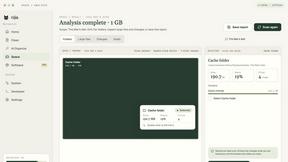
Nijia
A paid Mac app with local AI-assisted file organization, editable proposals and reviewed storage cleanup.
Novastart
Novastart brings apps and files onto an infinite canvas where people and AI agents can work together.

MyPhotoAI
Turn your selfies into AI headshots and portraits. Get 3 photos for US$5 or every photo from one shoot for US$10. No subscription.


Glimbench
Remove backgrounds, convert table screenshots to Excel, and batch-convert HEIC to JPG. Free, no sign-up.


LightScreen
Free light screen tool online. Turn any display into a flashlight, ambient light, or solid-color screen. No download or sign-up.
About TinyFast Alternatives
TinyFast is a popular Mac app in the productivity and management category, designed to shrink images, videos, and PDFs quickly and directly on your computer. It's a favorite for its local processing, which keeps files private, and its simple drag-and-drop workflow. Users often explore other options for various reasons. Some might need a tool that works on Windows or online, while others may be looking for different pricing models or more specialized features like advanced editing or cloud storage integration. It's a natural part of finding the perfect tool for your specific needs. When evaluating alternatives, consider your core requirements. Key factors include the types of files you need to compress, whether you need cross-platform availability, your budget, and how important local, private processing is versus the convenience of a web-based service. Prioritizing these elements will help you find the best fit.
FAQs about TinyFast Alternatives
What is TinyFast?
TinyFast is a macOS application that compresses images, videos, and PDFs quickly and privately on your Mac using easy drag-and-drop functionality.
Who is TinyFast for?
It's ideal for developers, designers, and creators who prioritize speed and privacy and need to reduce file sizes without uploading to the internet.
What are the main features of TinyFast?
Its main features include batch drag-and-drop compression, blazing-fast local processing, and the ability to resize image and video resolution during compression.
Is TinyFast secure?
Yes, TinyFast keeps all processing local to your Mac, ensuring your sensitive files remain confidential and never leave your computer.