
Alternatives to Veo 4 video generator
Explore the best alternatives and competitors to Veo 4 video generator.
Explore 20 alternatives to Veo 4 video generator. Compare features, pricing, and find the best fit for your needs.

Artcraft AI
AI image and video studio in your browser: generate and edit images, turn photos into videos, edit clips by sentence.

FreeVideoGenerator
Free AI video generator that turns text prompts and photos into video clips using Sora 2, Veo 3.1, Wan and more. Free starter credits.
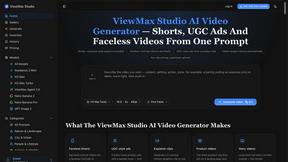
ViewMax Studio
AI video generator that turns one prompt into shorts, UGC-style ads and faceless videos, with script, voiceover and captions.

Dola AI
Dola AI video generator online: make Seedance 2.5 videos from text or a photo in your browser. No app, no watermark, free credits.

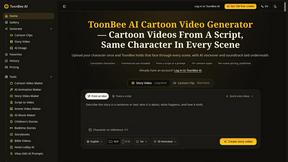
ToonBee AI
ToonBee AI turns a script or a one-line idea into a narrated cartoon video, keeping the same character in every scene. 10+ styles, 16:9 or 9:16.

Ozil AI
Put yourself in the viral Ozil goal video from one photo. Silent 9:16 720p MP4, no watermark, from $6.99.

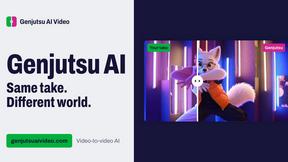
Genjutsu AI Video Editor
Edit existing videos with AI: swap characters, outfits, objects or scenes while using the source clip to guide motion and camera framing.
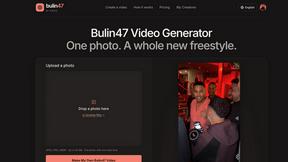
Bulin 47 Video Generator
AI Video Bulin47 lets you put yourself in the viral Bulin47 video trend with AI. Upload your photo, create a personalized Bulin47 video, and share it

Bulin 47 AI Freestyle Video Generator
Upload any photo and get your own Bulin 47 AI Freestyle video

AI Face Swap Video
Swap any face into any video online with AI in minutes. Upload a clip and a photo, get natural lighting and expressions. Free credits on sign-up.

Rumpelstiltskin AI Video Generator
Make the viral Rumpelstiltskin tiptoe dance meme video from two photos



Bulin 47 AI
Bulin 47 AI puts your face into the viral Bulin 47 freestyle video from one photo. Get a 5–19-second vertical MP4 for TikTok and Reels.
Parlune
Learn a language from real content, not vocab dumps. Parlune turns your favourite foreign-language YouTube videos into immersive, audio-synced lessons



About Veo 4 video generator Alternatives
If you are exploring modern AI video creation tools, you have likely come across the Veo 4 video generator. This platform is a next-generation tool designed for creators and brands, falling squarely into the category of AI video generation software. It promises ultra-realistic motion, longer scene durations, and cinematic detail, allowing users to turn pure imagination into studio-grade footage. However, many users begin looking for alternatives for a variety of practical reasons, such as budget constraints, a need for specific stylistic outputs, or compatibility with their existing workflow and editing software. Sometimes, a tool might have a pricing model that doesn't fit a small business, or a feature set that leans too heavily toward one style of video, prompting a search for something more tailored. When you are searching for a suitable alternative, it is important to focus on what matters most for your specific projects. Look for a platform that offers the level of motion realism and scene control you need, as these are the core strengths of this category. You should also consider the output resolution, the length of video clips you can generate, and how intuitive the interface feels for your skill level. Additionally, think about the platform’s pricing structure, whether it offers a free trial or a pay-as-you-go model, and how it handles video rendering times. The best choice for you will balance creative control, cost, and the technical quality of the final product without locking you into a single way of working.
FAQs about Veo 4 video generator Alternatives
What is Veo 4 video generator?
Veo 4 is a next-generation AI video generator specifically designed for creators and brands. It allows users to create realistic videos by transforming text prompts or concepts into ultra-realistic motion and cinematic detail. The tool focuses on delivering stronger motion quality, longer scene durations, and a high level of scene control, making it a powerful option for professional-grade content creation.
Who is Veo 4 video generator for?
Veo 4 is built for creators and brands who need to produce high-quality, studio-grade video content quickly. This includes filmmakers, marketing professionals, social media content creators, and advertising agencies looking to bring imaginative concepts to life without traditional production costs. It is ideal for anyone who requires realistic motion and detailed cinematic visuals for their projects.
What are the main features of Veo 4 video generator?
The primary features of Veo 4 include its ability to generate ultra-realistic motion and longer, more coherent scenes compared to earlier models. It offers detailed cinematic quality and strong scene control, allowing users to guide the visual output with precision. The tool is designed to turn creative ideas into real video content, emphasizing detail and realism in every generated clip.
Why choose Veo 4 video generator?
You should choose Veo 4 if your priority is achieving the highest level of motion realism and cinematic detail in your AI-generated videos. It is specifically engineered for creators who need studio-grade results without the need for complex equipment or large production crews. The tool provides a direct path from pure imagination to finished video, making it a strong choice for professional branding and storytelling.