
Alternatives to VibeVideo
Explore the best alternatives and competitors to VibeVideo.
Explore 20 alternatives to VibeVideo. Compare features, pricing, and find the best fit for your needs.

No Scrubs AI
Cast a white-studio dance video with one to three portraits, then download a 23-second MP4 in 480p or 720p.

FoxyLab
FoxyLab helps marketers create product videos and banner sets from chat prompts, with multiple output sizes and an API for automated requests.

MAGI-2
MAGI-2 video generation on Magi2Gen creates up to 30 seconds of 1080p video with native sound from a prompt, with optional image references.

Surfio
Surfio creates AI-assisted ad videos from category research, with optional campaign management and tracking for app businesses.

EYROVE
EYROVE pairs a free AI image generator with a searchable library of prompts and visual references organized by model, style, and use case.
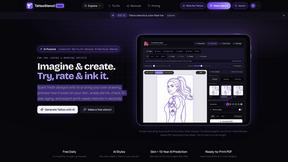
TattooStencilHub
TattooStencilHub combines AI tattoo design, skin previews, stencil conversion, and tattoo aging checks for ink lovers and working artists.
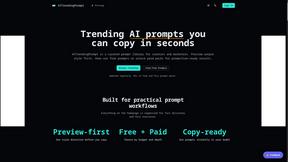
AITrendingPrompt
Browse previewed ChatGPT and Gemini image prompts, with free examples and paid packs for product photos, portraits, and more.

Text Photo AI
Update text on exported photos, signs, and packaging with AI, or add a free caption locally and download a PNG.
N33 AI
Chat with multiple AI models, search the web, and work with images and PDFs in one interface, with free access and paid Pro.
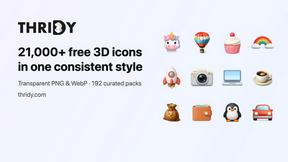
Thridy
Download 3D icons and illustrations as transparent PNGs, with a consistent style and plan options for different daily usage needs.
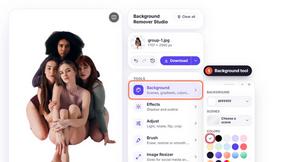
BGSwaper
BGSwaper removes photo backgrounds and offers an editor for new backgrounds, touch-ups, resizing, and batch downloads, without requiring an account.
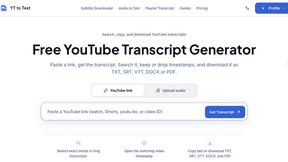
YT to Text
YT to Text turns available YouTube captions into searchable, timestamped transcripts you can copy or download in common formats.
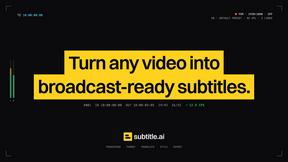
Subtitle AI
Subtitle AI transcribes, times, formats, and translates subtitles to house rules, with review tools and broadcast-ready export formats.

AmosVid
AmosVid turns English or Chinese scripts into hand-drawn explainer videos with AI narration, scene editing and 1080p MP4 export.
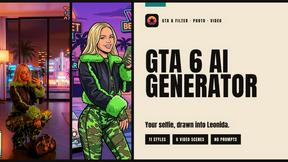
GTA 6 AI Generator
GTA 6 AI Generator turns selfies and group photos into preset GTA-inspired art or short videos in a browser, without prompt writing.

MakePieces OfUs
MakePieces OfUs turns a pet photo into a virtual room with free puzzles, a private album and journal, plus optional daily stories and journeys.

RainbowPetAI
Create a pet memorial page with photos, stories, optional timeline moments, and a star location to share with family and friends.

MediaToURL
MediaToURL turns images and other media into shareable direct links, with local previews, editing tools and controls for access and expiry.
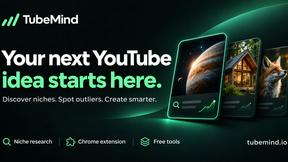
TubeMind
TubeMind researches YouTube niches and outlier videos using public data, then helps creators develop titles and hooks for video ideas.
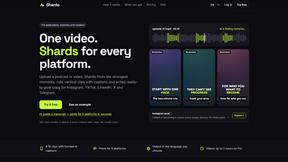
About VibeVideo Alternatives
For artwork that needs movement, compare image-to-video tools by how they let you guide motion and select a visual style. For a scene that has no source image, compare text-to-video workflows. Also check the available output settings and credit use if you expect to generate multiple versions.
FAQs about VibeVideo Alternatives
When is image-to-video the better starting point?
Use it when you already have an image you want to animate and can describe the motion or effects.
What should artists compare before choosing a generator?
Compare input types, model styles, prompt control, output settings, and the credit cost for repeated attempts.