
Alternatives to Vivideo
Explore the best alternatives and competitors to Vivideo.
Explore 20 alternatives to Vivideo. Compare features, pricing, and find the best fit for your needs.
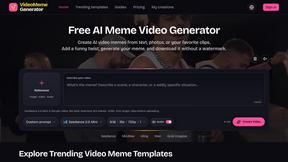
Free Meme Video Generator
Make AI video memes from text, photos or clips, or use a trending template. Free credits to start.
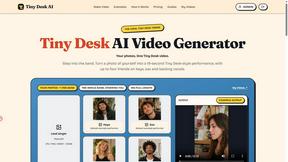
Tiny Desk AI Video Generator
Turn 1–5 photos into a 19-second Tiny Desk-style AI band video. Choose singer, sax, keys and backing vocals, then download your performance.
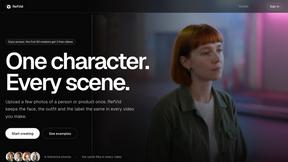
RefVid
Upload a few photos of a product or a person once. RefVid keeps the label, the shape and the face the same in every AI video you generate.

Imoframe
Upload your listing photos and get a finished real estate video with music in 10–20 minutes. $9.99 per video, paid once, no subscription.
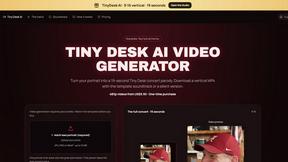
TinyDesk AI
Create a 19-second vertical concert parody from a portrait, with optional band roles and MP4 downloads with or without the template soundtrack.


AI Rap
AI rap generator that turns two portraits or one photo of two people into a short English duet rap video with original lyrics, vocals, and music.
Fix Pixelated Videos
AI that fixes pixelated, blocky and blurry videos. Free 15-second preview, no signup.
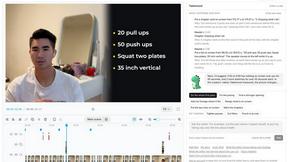
Takehound
AI video editor in your browser for long talking videos. Cuts pauses and retakes, places your own footage, and says why for every change.
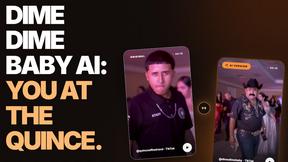
Dime dime baby ai
Dime Baby AI: you at the quince. Upload one photo and the Dime Dime Baby AI video generator puts you in the viral quinceañera dance

Tiny Desk AI
Make the Tiny Desk AI video from 1 to 5 photos or a group photo: friends take the laugh, keys and sax. 15 s, original sound, free 2 s preview.
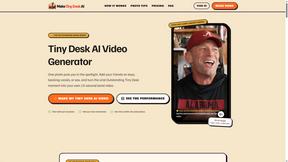
Tiny Desk AI Video Generator
Turn photos into viral Tiny Desk AI music videos. Become the lead performer, add up to four friends, and create your own 15-second virtual band perfor
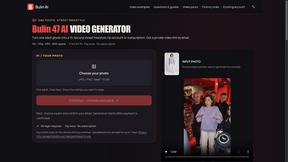
Bulin AI
Create a 15-second Bulin 47 AI freestyle video from one permitted portrait. One-time packs from $9.90, email delivery, no account or subscription.
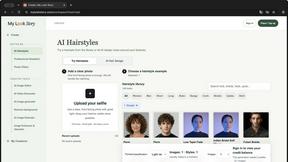
MyLookStory
AI hairstyle try-on, photo editing, image generation and short videos in one workspace.

Hotel Lobby AI
Hotel Lobby AI turns two portraits into a duet video in an orange recording booth with motion, lip-sync, and audio.
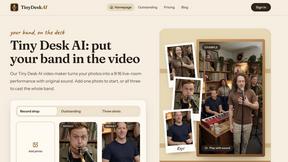
Tiny Desk AI Video Maker
Turn three photos into a vertical Tiny Desk-style concert video with original sound.

ZombieTrend AI
ZombieTrend AI turns two photos into a cinematic zombie love story video with sound, no watermark, and a free preview.

Tip Toe Studio
Turn your photo into a 12-second Tip Toeing in My Jordans dance video with music. Choose up to 1080p and download an MP4.
About Vivideo Alternatives
SECTION 1 - ALTERNATIVES INTRO Vivideo is an AI-powered video generator that falls into the rapidly growing category of automated video creation tools. It helps creators, marketers, and businesses turn text or images into engaging videos quickly, with features like AI voiceovers, auto-captions, and HD exports. While Vivideo is a solid option, many users start looking for alternatives for a few common reasons. Sometimes it’s about pricing, as subscription costs can add up for small teams or solo creators. Other times, users need specific platform integrations, different video styles, or more control over the editing process. A change in workflow or a need for unique voiceover languages can also drive the search. When exploring alternatives, focus on what matters most for your specific projects. Look for a tool that offers the right balance between automation and customization. Consider the quality of the AI-generated visuals and voiceovers, the variety of aspect ratios and export resolutions available, and how easy it is to tweak the final output. Also, check if the platform supports the languages and stock assets you need. A good alternative should feel intuitive to use while giving you the flexibility to create videos that match your brand’s voice and style, without hidden limits or steep learning curves.
FAQs about Vivideo Alternatives
What is Vivideo?
Vivideo is an advanced AI video generator designed to help creators, marketers, businesses, and educators quickly turn ideas into high-quality videos. It supports both text-to-video and image-to-video workflows, allowing users to generate engaging visual content by entering a prompt, script, or uploading an image.
Who is Vivideo for?
Vivideo is built for a wide range of users including content creators, digital marketers, business owners, and educators. It is especially useful for anyone who needs to produce videos for platforms like TikTok, Instagram Reels, YouTube Shorts, or marketing campaigns without spending hours on manual editing.
Is Vivideo free?
The provided content does not specify a free tier or pricing model for Vivideo. However, many similar AI video tools offer free trials or limited free plans, and it is best to check Vivideo’s official website for the most current pricing and subscription options.
What are the main features of Vivideo?
Vivideo offers features such as multilingual AI voiceovers, automatic captions and subtitles, customizable aspect ratios, and HD/4K export options. It is powered by multiple AI video models and supported by millions of stock assets, with an intuitive editing workflow that streamlines the entire video production process.