
Alternatives to Voor AI
Explore the best alternatives and competitors to Voor AI.
Explore 20 alternatives to Voor AI. Compare features, pricing, and find the best fit for your needs.

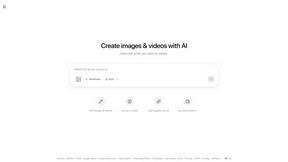
ImageGPT
ImageGPT is an all-in-one AI creative platform for generating, editing and transforming images and videos using AI.


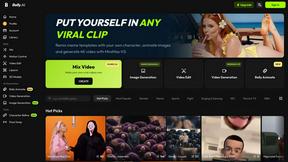

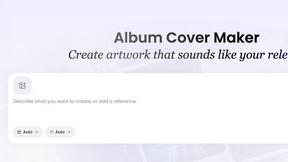
AI Album Cover Maker
Create release-ready album covers from a prompt or photo. Generate, refine, and export art for singles, EPs, mixtapes, and playlists.
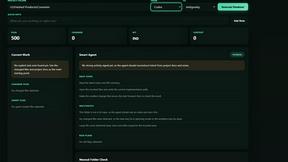
shardstitch
ShardStitch helps recover and hand off AI coding work, with a visual website editor and SEO Guardrails MCP in development.
RemoveMate
AI background removal and image cleanup tools for product photos, portraits, social posts and everyday creative projects.

Krea 3
Krea 3 is an AI image editor that relights photos, swaps backgrounds and changes one object from a text prompt with GPT Image 2 and Nano Banana Pro.
Nano Pro
AI photo editor and image generator with Nano Banana models, up to 14 references and 4K output.
Remove Background
Free background remover that runs entirely in your browser — no uploads, no watermark, no account.
Piano to Sheet Music
Turn a piano recording into sheet music, MIDI and MusicXML, with the first 30 seconds free in your browser.
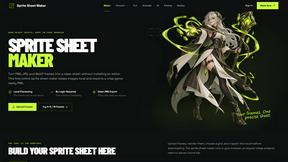
Sprite Sheet Maker
A free browser-based toolkit for creating, cutting, converting, and previewing sprite sheet animations.
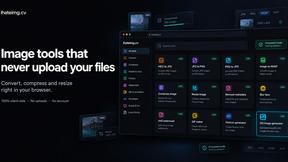
ihateimg
ihateimg.cv is a privacy-first collection of free image tools that run entirely in your browser. Convert, compress, resize, crop, edit, watermark, ins
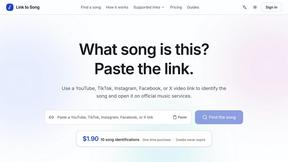
Link to Song
Paste a TikTok, YouTube, Instagram, Facebook or X video link and get the song name, artist and official listening links.

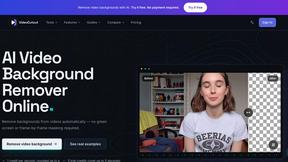
VideoCutout
Remove video backgrounds with AI, export transparent WebM, or replace scenes with a custom image.
RemoveSubs
Remove burned-in subtitles and captions from videos with AI, without cropping or editing frame by frame.

Chatit Me - Free Random Chat Alternative
Chat with random strangers online for free on ChatIt.me. Enjoy safe, anonymous, and instant 1-on-1 conversations with people worldwide
About Voor AI Alternatives
Voor AI is a browser-based AI creation platform that brings video, image, and audio production into one unified workspace. It belongs to the content creation and design tools category, offering powerful features like text-to-video, image-to-video, text-to-image, and editing workflows, all powered by a shared credit system. While Voor AI is a solid choice for multimodal AI production, users often look for alternatives due to specific needs such as more flexible pricing models, a wider range of output formats, or a different focus on niche creative tasks. Some may require standalone tools for higher resolution images or more advanced video editing capabilities that a generalist platform might not fully cover. When searching for an alternative, it is important to consider what matters most for your creative workflow. Look for platforms that offer the specific features you use most, whether that is high-quality text-to-video generation, robust image editing, or seamless audio creation. Pricing transparency is also key—check if credits are shared across tools or if you pay separately for each modality, and ensure the platform supports the output sizes and formats you need. Finally, evaluate the user interface and browser-based accessibility, as a smooth, intuitive experience can save you significant time compared to one that feels cluttered or slow.
FAQs about Voor AI Alternatives
What is Voor AI?
Voor AI is a browser-based AI creation platform designed for video, image, and audio production. It allows users to generate content using text-to-video, image-to-video, text-to-image, and editing tools, all within a single workspace. The platform uses a shared credit system, meaning you can use your credits across all modalities without separate subscriptions.
Who is Voor AI for?
Voor AI is built for creators, marketers, and small business owners who need a unified workspace for multimodal AI production. It is especially useful for those who want to quickly generate videos from text or images, create custom visuals, or edit audio without switching between multiple tools. The platform is designed to be accessible to both beginners and experienced content creators.
Is Voor AI free?
Voor AI offers a shared credit system, and while it may provide some free credits to new users, the full suite of features typically requires a paid plan. The exact pricing structure depends on the number of credits you need and the output quality you desire. Users should check the official Voor AI website for the most current pricing and free trial options.
What are the main features of Voor AI?
The main features include text-to-video, image-to-video, and text-to-image generation, along with editing tools and workflow automation. All of these are accessible directly in your browser, with no software installation required. The platform is designed to handle multiple content types using a single pool of shared credits, making it efficient for mixed-media projects.