
Alternatives to Wan 2.7
Explore the best alternatives and competitors to Wan 2.7.
Explore 20 alternatives to Wan 2.7. Compare features, pricing, and find the best fit for your needs.
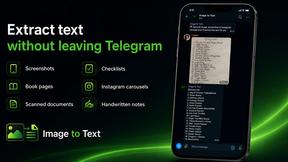
imgtxtapp.laviolab.com
imgtxtapp.laviolab.com is a Telegram-based image-to-text converter that turns photos, screenshots, scanned documents into editable text
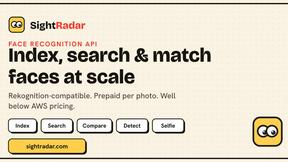
SightRadar
Face recognition API, a drop-in replacement for AWS Rekognition. Index, search, compare and detect faces, billed per photo with no subscription.
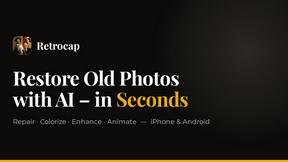
Restore Old Photos - Retrocap
AI photo restoration app for iPhone and Android: repair scratches and tears, colorize black-and-white photos, sharpen faces and animate old portraits.
Bulin 47 AI
Bulin 47 AI puts your face into the viral Bulin 47 freestyle video from one photo. Get a 5–19-second vertical MP4 for TikTok and Reels.
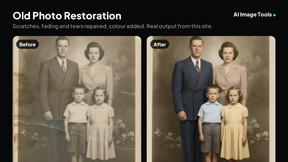
AI Image Tools
Text to image, photo edits, background removal and restoration. Pick Nano Banana, FLUX, Seedream or GPT Image and see the price first.
ImageAICraft
GPT Image 2 AI Image Generator & Editor for Text-to-Image and Image-to-Image Creation
MeiGen AI
AI photo editor and image generator: upload a photo, describe the change in plain English, pick GPT Image 2, Nano Banana Pro or Seedream.

Passport Size Photo
Turn any selfie into a compliant passport, visa or ID photo in 60 seconds. AI background removal for 530+ official photo specs.
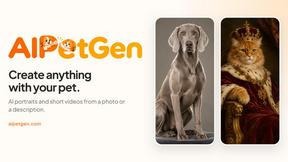

MyPhotoAI
Turn your selfies into AI headshots and portraits. Get 3 photos for US$5 or every photo from one shoot for US$10. No subscription.
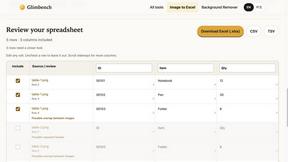
Glimbench
Remove backgrounds, convert table screenshots to Excel, and batch-convert HEIC to JPG. Free, no sign-up.
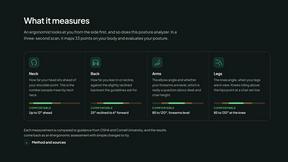
ErgoAssessment
See your posture the way an ergonomist beside your desk would. Your camera, five body angles, plain fixes. Free, no signup.
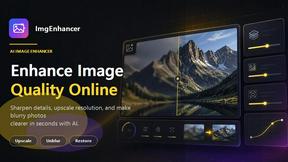
ImgEnhancer
Free AI image enhancer that sharpens blurry photos, reduces noise, upscales resolution, and restores clarity online.

RemoveMate
AI background removal and image cleanup tools for product photos, portraits, social posts and everyday creative projects.
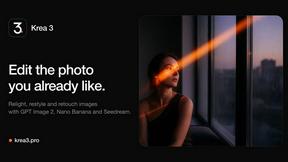
Krea 3
Krea 3 is an AI image editor that relights photos, swaps backgrounds and changes one object from a text prompt with GPT Image 2 and Nano Banana Pro.
Nano Pro
AI photo editor and image generator with Nano Banana models, up to 14 references and 4K output.
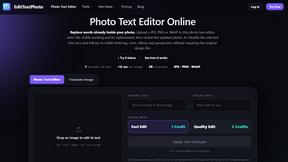
EditTextPhoto
AI-powered image text editor to edit, replace, fix, or translate text in images while preserving the original font, color, size, and style.
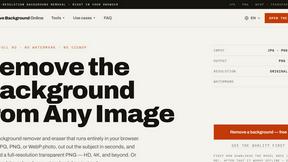
Remove Background
Free background remover that runs entirely in your browser — no uploads, no watermark, no account.

About Wan 2.7 Alternatives
Wan 2.7 is a sophisticated tool designed for precise and controllable video creation, falling under the category of image and photo editing software. It offers a comprehensive workflow that integrates controllable generation, video editing, subject reference, story continuation, and multimodal input, making it an appealing choice for content creators looking to elevate their video projects with enhanced customization and creativity. Despite its robust features, users often explore alternatives to Wan 2.7 for various reasons, such as pricing concerns, the need for specific features, or compatibility with different platforms. When searching for an alternative, it's essential to evaluate the range of features offered, the user interface's ease of use, and the level of customer support provided. Additionally, consider whether the alternative meets your specific needs for video creation and editing, ensuring it aligns well with your workflow and creative goals.
FAQs about Wan 2.7 Alternatives
What is Wan 2.7?
Wan 2.7 is a video creation tool that allows users to generate and edit videos with precision and control. It combines various features like subject reference, story continuation, and multimodal input to streamline the video production process. This makes it suitable for a range of users, from amateur creators to professional content producers.
Who is Wan 2.7 for?
Wan 2.7 is designed for anyone interested in video creation, including content creators, marketers, educators, and social media influencers. Its user-friendly interface and comprehensive features cater to both beginners and experienced professionals looking to enhance their video projects. Regardless of skill level, users can benefit from its controllable generation and editing capabilities.
Is Wan 2.7 free?
Wan 2.7 is not a free tool; it typically operates on a subscription or one-time payment model. Pricing may vary based on the features and services included in the package. Users are encouraged to review the pricing plans to determine which option best fits their needs and budget.
What are the main features of Wan 2.7?
Wan 2.7 includes features such as controllable video generation, advanced video editing tools, subject reference for enhanced creativity, story continuation for seamless narrative flow, and support for multimodal input. These features work together to create a comprehensive and efficient video creation workflow, catering to various user needs.