
Alternatives to WebP to PNG
Explore the best alternatives and competitors to WebP to PNG.
Explore 20 alternatives to WebP to PNG. Compare features, pricing, and find the best fit for your needs.
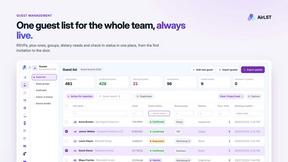
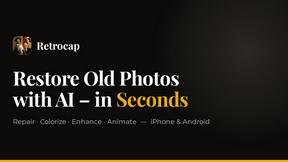
Restore Old Photos - Retrocap
AI photo restoration app for iPhone and Android: repair scratches and tears, colorize black-and-white photos, sharpen faces and animate old portraits.
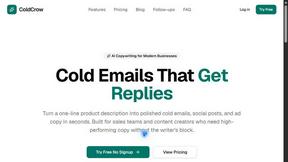
ColdCrow
AI cold email writer: turn one line about a prospect into personalized outreach with a deliverability score in seconds. Free trials, no credit card.
Bulin 47 AI
Bulin 47 AI puts your face into the viral Bulin 47 freestyle video from one photo. Get a 5–19-second vertical MP4 for TikTok and Reels.
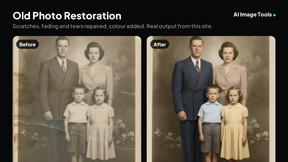
AI Image Tools
Text to image, photo edits, background removal and restoration. Pick Nano Banana, FLUX, Seedream or GPT Image and see the price first.
ImageAICraft
GPT Image 2 AI Image Generator & Editor for Text-to-Image and Image-to-Image Creation
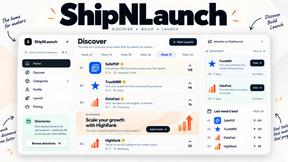
ShipNLaunch
Launch your Saas, AI tool on ShipNLaunch and get discovered through product pages, weekly rankings, categories, and maker profiles.

CleanSmart
CleanSmart removes duplicates, fixes formatting, fills gaps, and flags anomalies in one automated pass. No code. No data engineers.

MyPhotoAI
Turn your selfies into AI headshots and portraits. Get 3 photos for US$5 or every photo from one shoot for US$10. No subscription.
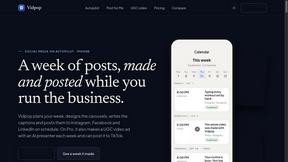
Vidpop
Vidpop plans, designs and posts three carousel posts a week for your business, with captions, and on Pro an AI-presenter UGC video ad. iPhone app.
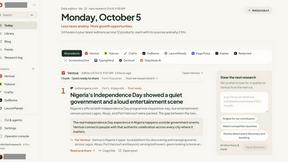
DailyHook AI
Turns industry news into sourced, product-relevant marketing hooks for founders, marketers and AI agents.

Slide-Easy
A Mac app that turns your App Store link into a week of Instagram Reels and carousels, written from your real reviews.
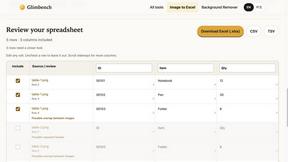
Glimbench
Remove backgrounds, convert table screenshots to Excel, and batch-convert HEIC to JPG. Free, no sign-up.
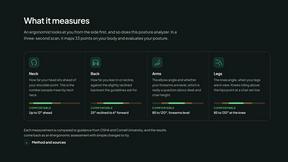
ErgoAssessment
See your posture the way an ergonomist beside your desk would. Your camera, five body angles, plain fixes. Free, no signup.

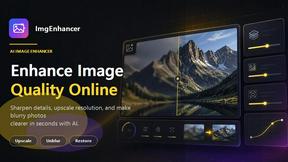
ImgEnhancer
Free AI image enhancer that sharpens blurry photos, reduces noise, upscales resolution, and restores clarity online.
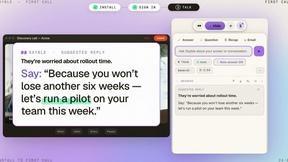
Sayble
AI copilot that tells you what to say next on live sales calls, then writes the recap and follow-up.
RemoveMate
AI background removal and image cleanup tools for product photos, portraits, social posts and everyday creative projects.
About WebP to PNG Alternatives
WebP to PNG is a free, browser-based tool that lets you convert WebP images to PNG format. It falls into the category of offline image converters, meaning all the work happens right on your own computer or phone. People often look for alternatives for different reasons. Some might need a tool that works on a specific operating system, like a desktop app for Mac or Windows. Others might be looking for additional features, such as converting between many different file formats or having advanced editing options. It's also common to explore options if you need a solution that integrates with other software you use. When choosing an alternative, consider what's most important for your workflow. Key things to look at include whether the tool is free or paid, if it works on your preferred platform (web, desktop, or mobile), and what specific features it offers beyond basic conversion. Privacy is another big factor—check if the tool processes your images online or securely on your device.
FAQs about WebP to PNG Alternatives
What is WebP to PNG?
WebP to PNG is a free, browser-based tool that converts WebP image files to PNG format entirely on your device, with no uploads to the cloud required.
Who is WebP to PNG for?
It's perfect for designers, developers, and content creators who need a quick, private, and straightforward way to convert WebP images for projects or personal use.
Is WebP to PNG free and secure?
Yes, it is completely free with no limits, and it's highly secure because all conversions happen locally on your device, so your files never leave your computer.
What are the main features of WebP to PNG?
Its main features include private offline conversion, unlimited drag-and-drop for batch processing, and customizable output options for transparency, background color, and scaling.