
3DAIStudio vs Ultra Face Swap
Side-by-side comparison to help you choose the right AI tool.

3DAIStudio
Transform images and text into stunning 3D models in seconds with 3DAIStudio, no experience needed.
Last updated: April 4, 2026

Ultra Face Swap
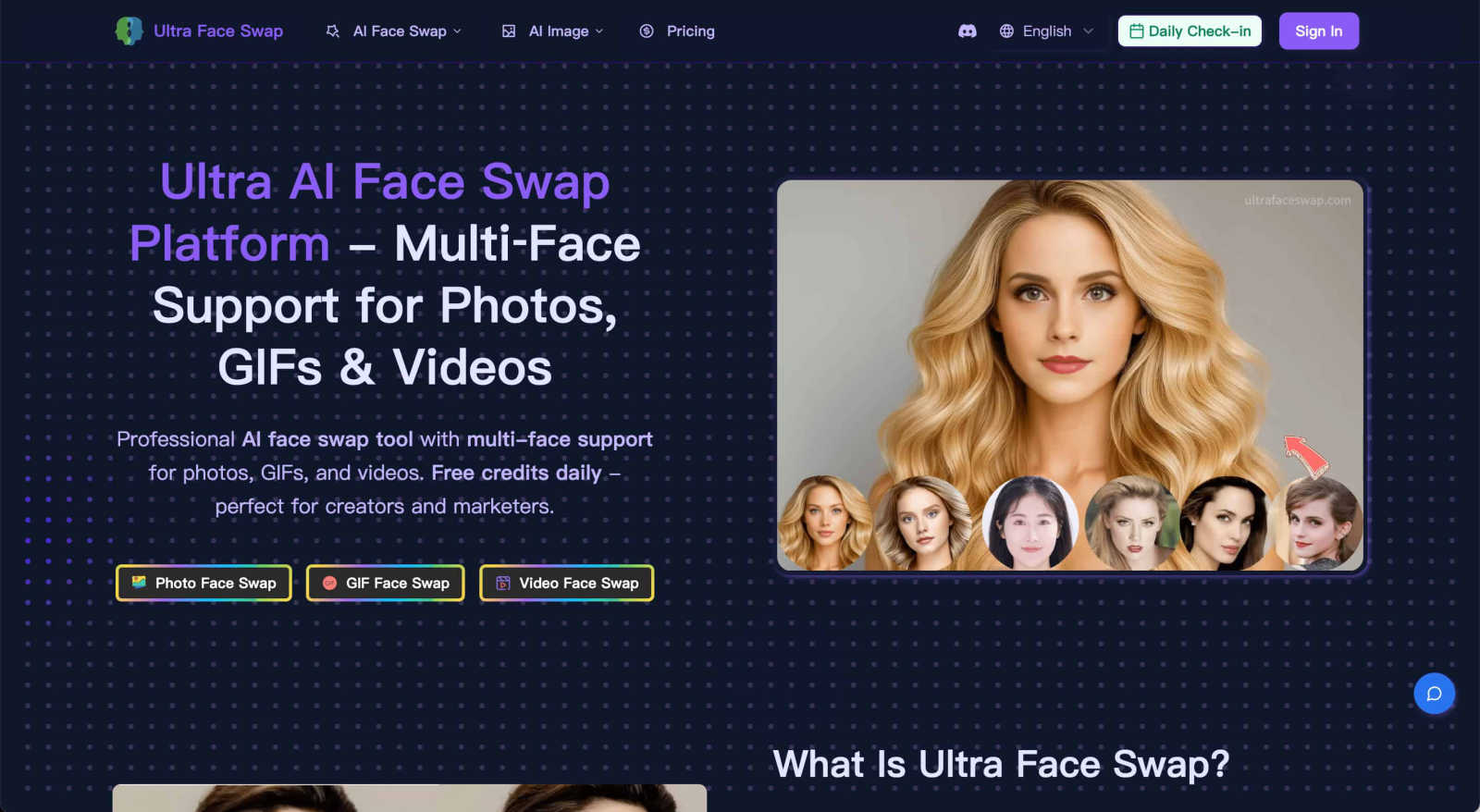
Swap faces in photos, GIFs, and videos with realistic, multi-face AI magic in one click.
Last updated: February 28, 2026
Visual Comparison
3DAIStudio

Ultra Face Swap
Feature Comparison
3DAIStudio
Text to 3D
With the Text to 3D feature, users can generate detailed 3D models simply by typing a descriptive prompt. This feature leverages advanced AI algorithms to interpret text and create complex 3D assets that accurately reflect the user's vision, all in seconds.
Image to 3D
The Image to 3D functionality allows users to upload any 2D image, sketch, or illustration and instantly transform it into a high-quality 3D model. This feature is perfect for turning concepts into reality without the need for extensive modeling skills.
AI Texturing
Our AI Texturing tool enables users to apply realistic textures to their 3D models effortlessly. By generating PBR (Physically-Based Rendering) materials from text prompts, this feature ensures that your models not only look great but also behave realistically in various environments.
Quad-Remesh
The Quad-Remesh feature optimizes mesh topology for production-ready assets by automating the retopology process. This means users can easily clean up and reduce polygon counts, making their models efficient for various applications, including gaming and 3D printing.
Ultra Face Swap
Multi-Format Face Swapping
Ultra Face Swap isn't limited to just photos. It offers a unified, streamlined workflow that handles photos, animated GIFs, and full videos all within the same simple interface. This means you can create hilarious meme GIFs, transform scenes in a video clip, or edit a still image, all using the same powerful AI technology without switching between different tools or apps.
Stable Multi-Face Tracking
The AI intelligently detects and locks onto multiple faces within a single image or video frame. It doesn't just find them; it tracks them stably throughout a video or aligns them perfectly in a group photo. This ensures that swapped faces maintain correct perspectives and expressions, smoothly following the subject's movements to avoid awkward drift, jumps, or visible artifacts in the final output.
High-Fidelity Natural Blending
This is where the magic looks real. The technology goes beyond simple cutting and pasting. It deeply analyzes and blends the lighting conditions, skin tones, textures, and fine details of the source face with the target image. This results in swaps that look natural, with fewer tell-tale artifacts, strange edges, or color mismatches, giving you a clean, professional-quality result every time.
Privacy-First & No-Watermark Outputs
Your creations and data are handled with care. Ultra Face Swap operates with a privacy-first approach, encrypting your uploads and automatically deleting them after processing. Furthermore, when you download your masterpiece, it comes completely free of distracting watermarks, so your content is ready to be shared directly to social media or used in professional projects.
Use Cases
3DAIStudio
Game Development
Game developers can utilize 3DAIStudio to quickly create character models, environments, and assets that enhance gameplay. The speed of model generation allows for rapid prototyping and iteration, ensuring that developers can meet tight deadlines.
Film Production
In the film industry, 3DAIStudio is invaluable for concept artists and visual effects teams. By generating 3D assets on the fly, filmmakers can visualize scenes more effectively and make informed decisions during the production process.
Education
Educators and students in design and animation programs can leverage 3DAIStudio to learn about 3D modeling without needing extensive prior knowledge. This tool simplifies the creative process, making it accessible to beginners and enhancing their learning experience.
Interior Design
Interior designers can use 3DAIStudio to create 3D representations of their concepts for client presentations. By generating realistic models of furniture, layouts, and textures, designers can effectively communicate their ideas and help clients visualize the final outcome.
Ultra Face Swap
Creating Viral Social Media Content
Content creators and influencers use Ultra Face Swap to generate endless, engaging content for platforms like TikTok, Instagram Reels, and YouTube Shorts. By swapping faces into popular meme templates, celebrity interviews, or trending video clips, users can create hilarious and shareable content that captures attention and drives views, with some creators reporting videos reaching millions of viewers.
Perfecting Group and Event Photos
Ever taken a great group photo where one person blinked or had an awkward expression? This tool is perfect for fixing those moments. You can seamlessly swap in a better face from another shot, ensuring every family reunion, wedding, or friend group selfie is picture-perfect. It works on multiple faces at once, making it easy to correct everyone in the photo with one click.
Generating Professional Headshots
Need a sharp, professional profile picture for LinkedIn, a company website, or a client portfolio but don't have time for a photoshoot? Simply swap your face onto a high-quality business portrait. This provides a polished, credible image that makes a great first impression on recruiters and potential clients, helping you present your best self professionally.
Entertainment and Creative Exploration
At its heart, Ultra Face Swap is about fun and creativity. Users love to experiment by "meeting" a celebrity crush in a virtual photo, imagining themselves in a favorite movie scene, transforming their appearance across genders or ages, or just creating funny swapped photos with friends. It's an accessible playground for digital creativity and entertainment.
Overview
About 3DAIStudio
3DAIStudio is a revolutionary AI-powered toolkit designed to transform how users create and interact with 3D models. Whether you are a designer, developer, or creative professional, this platform allows you to generate high-quality 3D assets from simple text prompts or images in mere seconds. Gone are the days when creating a 3D model required extensive technical knowledge and hours of manual labor. With 3DAIStudio, anyone can become a 3D content creator, regardless of their experience level. This innovative tool not only streamlines the process of 3D modeling but also ensures that the output is production-ready, featuring clean topology and ready-to-use textures. The main value proposition lies in its ability to save time and enhance creativity, enabling users to focus on their ideas rather than the complexities of 3D modeling.
About Ultra Face Swap
Ultra Face Swap is your go-to online tool for creating incredibly realistic face swaps with ease. It's a web-based platform powered by advanced deep learning that lets you seamlessly replace faces in photos, GIFs, and videos, all from your browser without needing any complicated software. Whether you're a content creator looking to craft the next viral TikTok trend, a marketer needing quick visual variations for a campaign, or just someone wanting to have fun and spice up your photo albums, this tool is built for you. The core value lies in its powerful combination of high-fidelity, production-ready results, support for swapping multiple faces at once, and a strong commitment to your privacy. You get clean downloads without watermarks, free daily credits to start playing, and the peace of mind that your uploaded data is encrypted and automatically deleted. Join over 100,000 creators who trust Ultra Face Swap to transform their digital identity with just a few clicks.
Frequently Asked Questions
3DAIStudio FAQ
How easy is it to use 3DAIStudio?
3DAIStudio is designed for users of all skill levels. You can start creating 3D models with just a simple text prompt or by uploading an image, making it incredibly user-friendly.
What types of files can I export from 3DAIStudio?
You can export your 3D models in various formats compatible with major engines like Unity, Unreal Engine, and Three.js. The output includes optimized meshes and textures ready for your projects.
Is there a community for 3DAIStudio users?
Yes! 3DAIStudio fosters a vibrant community where users can share their creations, get feedback, and collaborate on projects. This community aspect enhances the overall experience and encourages creative exchange.
Can I use 3DAIStudio for commercial projects?
Absolutely! The models generated with 3DAIStudio can be used for commercial purposes, making it a great tool for professionals in various industries who need high-quality 3D assets quickly.
Ultra Face Swap FAQ
What kind of files does Ultra Face Swap support?
Ultra Face Swap supports a wide range of media formats. You can upload common image files (like JPG and PNG) for photo swaps, GIF files for animated face swaps, and popular video formats (like MP4 and MOV) for video face swaps. This makes it a versatile tool for all your creative projects.
Is it difficult to use? Do I need technical skills?
Not at all! Ultra Face Swap is designed to be simple and accessible for everyone. The process involves just a few easy steps: choosing your mode (photo, GIF, or video), uploading your files, and clicking a button to start the swap. There's no need for prior editing experience, complicated software installation, or technical knowledge.
How does the free daily credit system work?
To help you get started and experiment, Ultra Face Swap offers free daily credits. These credits allow you to perform a certain number of face swaps each day at no cost. It's a great way to test the tool's capabilities, understand the quality, and create some fun content before deciding if you need a premium plan for more extensive use.
Is my privacy protected when I use the tool?
Yes, absolutely. Ultra Face Swap takes your privacy seriously. Uploaded images and videos are processed with encryption, and the system is designed to automatically delete your source files from its servers after the face swap is complete. This ensures your personal photos and data are not stored or misused.
Alternatives
3DAIStudio Alternatives
3DAIStudio is an innovative tool that falls under the category of content creation, specifically designed to convert images and text into high-quality 3D models. It caters to designers, developers, and creatives who seek to enhance their projects with custom 3D assets. However, users often find themselves searching for alternatives due to various reasons, such as pricing, specific features, or compatibility with different platforms. When choosing an alternative, it's essential to consider factors like ease of use, the quality of the generated models, and whether the tool meets your specific creative needs. The right alternative should also provide a balance between functionality and affordability, ensuring you get the best value for your creative endeavors.
Ultra Face Swap Alternatives
Ultra Face Swap is a popular online tool in the AI image and video editing category. It uses advanced deep learning to let you realistically swap faces in photos, GIFs, and videos directly from your web browser, all with a focus on ease and high-quality results. People often explore other options for various reasons. You might need a different pricing model, like a one-time purchase instead of a subscription. Others may require specific features, like more granular editing controls or support for different file formats. Some users simply prefer a downloadable desktop application over a web-based service. When evaluating alternatives, consider what matters most for your projects. Key factors include the quality and realism of the face swap, the supported file types (especially if you work with videos), the platform (online, mobile app, or desktop software), and the overall cost structure. Also, pay close attention to the tool's privacy policy to understand how your uploaded images and data are handled.