
AI Browser vs SureThing.io
Side-by-side comparison to help you choose the right AI tool.

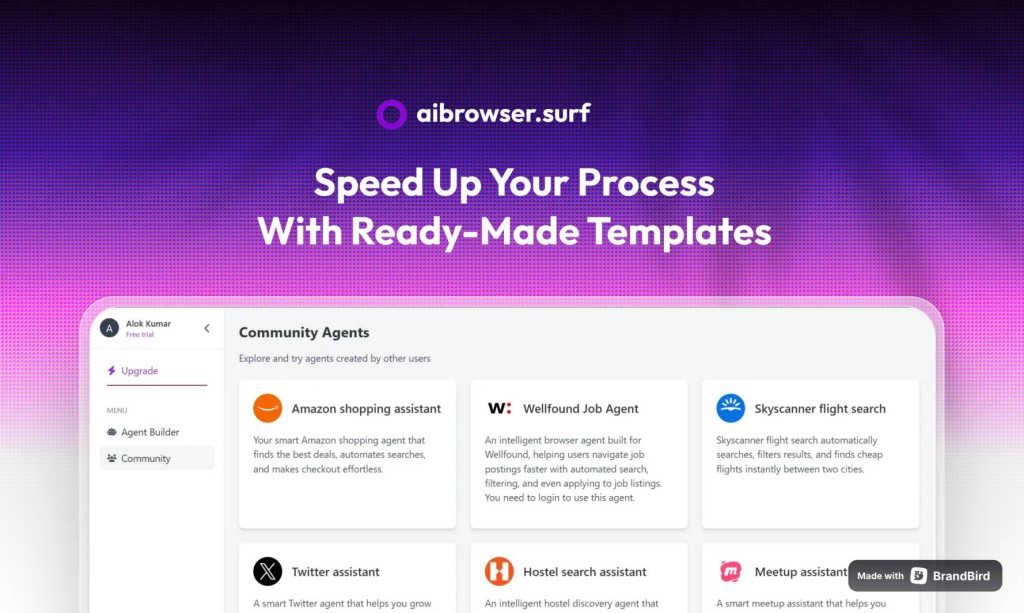
AI Browser automates your complex web tasks with just a simple one-line prompt.
Last updated: March 1, 2026

SureThing.io
SureThing.io is your autonomous business partner that learns your style and works securely around the clock.
Last updated: March 19, 2026
Visual Comparison
AI Browser
SureThing.io

Feature Comparison
AI Browser
Natural Language Automation
Simply describe your task in plain English, and AI Browser's intelligent agents interpret your instructions to navigate the web. There's no need to write complex code or record macros. You can say "Find the top 10 news articles on AI from the last week and summarize each one" or "Log into my account, download last month's sales report, and email it to me." The AI understands context and intent, breaking down your sentence into actionable steps executed flawlessly in the cloud.
Cloud-Based & Scalable Execution
All automation runs on secure, managed cloud infrastructure, not on your local machine. This means tasks can run 24/7 without draining your computer's resources. More importantly, it enables powerful scalability. You can run a single task or launch hundreds of parallel agents to process data at incredible speed, making it perfect for large-scale data extraction, monitoring, or testing scenarios without any hardware limitations.
Advanced Session & CAPTCHA Management
AI Browser intelligently handles the tricky parts of web automation. It features automatic CAPTCHA solving, navigating around this common obstacle without manual intervention. Furthermore, its passwordless session management allows agents to securely log into websites and maintain authenticated sessions across runs, so you don't have to hardcode passwords or manage cookies manually, enhancing both security and reliability.
Robust Data Extraction & Workflow Orchestration
Go beyond simple clicks. AI Browser can precisely extract structured data from tables, lists, and dynamic pages, outputting it in formats like JSON or CSV for easy analysis. It excels at multi-step workflow orchestration, chaining together actions across multiple websites. For example, it can scrape product details from an e-commerce site, compare prices on a competitor's site, and then populate a Google Sheet with the findings—all in one automated sequence.
SureThing.io
Proactive Autonomous Operation
Unlike passive tools that wait for commands, SureThing takes initiative. It constantly scans your connected work environments—like your email inbox—identifies what needs attention, and acts on your behalf. This means it can flag urgent messages, draft initial responses, and manage routine tasks without you having to prompt it every single time, freeing you to concentrate on strategic thinking.
Persistent, Adaptive Memory
This is SureThing's core superpower. It builds a comprehensive understanding of you over time, remembering your communication style, your priorities for different projects, and your preferences for scheduling. The longer you work together, the less context you need to provide. It won't forget a detail you mentioned last week, ensuring consistency and personalized service in every action it takes.
Enterprise-Grade Security & Reliability
SureThing is built for users who need to trust an AI with real, sensitive work. With SOC 2 certification and Google CASA Tier 2 compliance, it meets rigorous standards for data security, privacy, and system availability. This foundation of trust means you can confidently connect it to your critical work apps, knowing it's designed for dependable, day-in, day-out performance.
Cross-App Action & Integration
SureThing doesn't just observe—it acts. It can move information and execute tasks across the applications you use, such as updating your project management tool when an email confirms a deliverable or scheduling a follow-up meeting based on a conversation thread. This creates a seamless, automated workflow that bridges gaps between your favorite tools.
Use Cases
AI Browser
Market Research & Competitive Analysis
Automate the collection of pricing, product features, and customer reviews from multiple competitor websites. Instead of manually visiting dozens of sites daily, set up an AI Browser agent to gather this intel on a schedule. It can compile the data into a structured report, giving you real-time insights into market trends and your competitive position without the hours of tedious manual work.
Lead Generation & Data Enrichment
Supercharge your sales pipeline by automating lead discovery. Instruct AI Browser to search LinkedIn, business directories, or specific industry sites to find contacts based on your ideal customer profile. It can extract names, job titles, companies, and contact information, and even enrich this data with additional details from other web sources, populating your CRM automatically with fresh, qualified leads.
Automated Reporting & Administrative Tasks
Free yourself from daily or weekly administrative drudgery. AI Browser can log into your analytics dashboards, social media platforms, or internal tools to pull key metrics, generate performance reports, and distribute them via email or Slack. It can also handle routine form submissions, appointment scheduling, or data entry tasks across web-based systems, functioning as a perfect digital assistant.
Web Monitoring & Alerting
Never miss an important change online. Use AI Browser to monitor websites for stock availability, price drops, news mentions, regulatory updates, or website status changes. The agent can check pages at regular intervals and immediately notify you via your preferred channel (like email or a webhook) when it detects the specific change you're looking for, allowing for rapid response.
SureThing.io
The Overwhelmed Solo Founder
For a founder running a business alone, SureThing acts as a force multiplier. It can manage inbound customer inquiries, draft responses, track outreach campaigns, and help coordinate a product launch—all while the founder focuses on product development and high-level strategy. It effectively provides the support of an extra team member.
The Executive with a Packed Schedule
Busy executives can offload the cognitive load of calendar management and communication triage. SureThing can prioritize emails, draft succinct summaries of long threads, schedule meetings based on preferences, and ensure nothing falls through the cracks, allowing the executive to stay focused on leadership and decision-making.
The Project Manager Juggling Multiple Threads
SureThing helps project managers stay on top of dependencies and communications. It can monitor project-specific email channels, update task statuses in tools like Asana or Jira based on updates, send gentle reminder follow-ups to contributors, and compile progress reports, keeping the entire project moving forward smoothly.
The Professional Protecting Deep Work Time
For anyone who needs uninterrupted blocks of time, SureThing serves as a protective shield. It can handle routine communications, filter out non-urgent notifications, and only escalate truly important items. This allows the user to enter a state of deep focus without the constant fear of missing something critical.
Overview
About AI Browser
AI Browser is your intelligent, cloud-based partner for automating any task you can do in a web browser. It transforms the complex world of web automation into something as simple as writing a sentence. Just describe what you want to accomplish in plain English, and AI Browser's intelligent agents take over. They navigate websites, fill out forms, extract data, and complete multi-step workflows—all running securely in the cloud. Built for engineers, developers, and forward-thinking professionals across industries, it eliminates the need for manual coding or fragile scripts. With powerful capabilities like automatic CAPTCHA solving, passwordless session management, and parallel execution, AI Browser turns hours of repetitive web work into a task that runs on autopilot. It’s the easiest way to build a reliable, scalable digital workforce for your daily online tasks. Whether you're a solo entrepreneur looking to save time on research, a developer needing to automate data collection, or a large enterprise scaling complex operational workflows, AI Browser provides a robust, no-code solution that adapts to your needs. It handles the unpredictability of the modern web so you can focus on the insights and outcomes, not the tedious process of getting them.
About SureThing.io
SureThing.io is your proactive, 24/7 AI work partner. Think of it less as a chatbot you command and more as a trusted colleague who knows you, understands your goals, and gets things done in the background. While you're focused on deep work or even sleeping, SureThing is actively monitoring your inbox, drafting thoughtful replies in your unique voice, managing your calendar, tracking project progress, and taking action across the apps you use daily. What truly sets it apart is its state-of-the-art memory; SureThing remembers your preferences, patterns, contacts, and objectives across every interaction. It learns from your feedback, avoids repeating mistakes, and continuously adapts to become more helpful over time. Built with enterprise-grade security (SOC 2 certified and Google CASA Tier 2 compliant), it's designed for reliability in real-world scenarios, not just flashy demos. SureThing is perfect for busy professionals, executives, and especially solo founders and small teams who need an extra set of capable, intelligent hands to manage the operational load and help them execute complex projects, like full go-to-market launches, with greater efficiency and less personal burnout.
Frequently Asked Questions
AI Browser FAQ
How does AI Browser differ from traditional browser automation tools?
Traditional tools like Selenium or Puppeteer require you to write and maintain detailed scripts that break whenever a website changes its layout. AI Browser uses natural language processing and AI to understand your goal, making it far more adaptable. It runs in the cloud, manages sessions and CAPTCHAs automatically, and doesn't require any programming knowledge, making it accessible and much more resilient to web changes.
Is my data secure with AI Browser?
Absolutely. Security is a top priority. All automation runs in isolated, secure cloud environments. Your login credentials are never stored in plain text; they are managed through secure, passwordless session technology. Data in transit is encrypted, and you maintain full ownership of any data extracted or processed by your automation agents.
Can AI Browser handle complex, multi-page workflows?
Yes, that's one of its core strengths. You can describe a complex sequence like, "Go to Site A, search for a product, copy the specs, then open Site B, find a comparable product, and compile the differences in a table." The AI agent understands the dependencies and navigates between pages and sites, executing the entire workflow from start to finish as a single, coherent task.
What happens if a website updates and my automation breaks?
AI Browser is designed to be more robust than fixed scripts. Its AI agents can often adapt to minor layout changes. For significant changes, the natural language interface makes fixes incredibly easy. Instead of rewriting code, you simply adjust or rephrase your original instruction. The platform also provides tools for monitoring task success, so you'll be alerted if an agent encounters a persistent issue.
SureThing.io FAQ
How is SureThing different from a standard AI chatbot?
Standard chatbots are reactive—they only respond when you ask a question. SureThing is proactive and autonomous. It takes initiative based on its understanding of your work and goals. Furthermore, its persistent memory means it learns and remembers your context permanently, unlike chatbots that start fresh with each conversation.
What does "Google CASA Tier 2 Compliant" mean?
Google's Cloud Application Security Assessment (CASA) framework evaluates the security of applications that integrate with Google Workspace. Tier 2 compliance is a rigorous level that indicates SureThing has undergone a thorough independent security review, giving you confidence that it handles your Google-connected data with a high standard of protection.
Can I control what SureThing does on my behalf?
Absolutely. You maintain full oversight. SureThing is designed to suggest actions and draft communications for your review before sending. You can approve, edit, or reject anything. Over time, as it learns your preferences, it may automate more routine tasks, but you always have the final say and can adjust its permissions.
How does SureThing learn my "voice" for communication?
SureThing analyzes your past written communications—emails, messages, etc.—to understand your tone, formality, common phrases, and style. When it drafts a reply or message, it mimics these patterns. You can also provide direct feedback ("make this more casual" or "sound more enthusiastic"), which it remembers and applies to future drafts.
Alternatives
AI Browser Alternatives
AI Browser is an intelligent automation tool that falls into the categories of AI assistants and productivity software. It simplifies complex web tasks by letting you describe what you need in plain English, and its cloud-based agents handle the rest, from data extraction to multi-step workflows. Users often explore alternatives for various reasons. These can include budget considerations, the need for specific features like on-premise deployment or different integration options, or simply a preference for a different user interface or workflow style. It's a natural part of finding the perfect tool for one's unique needs. When evaluating other options, consider a few key factors. Look at the core automation method—whether it's code-based, uses a visual builder, or employs AI prompts. Assess the deployment model (cloud vs. local) and scalability. Finally, examine the depth of support for real-world web complexities, like handling dynamic sites and logins.
SureThing.io Alternatives
SureThing.io is an autonomous AI agent for business management, designed to proactively handle tasks like email, scheduling, and project tracking. It belongs to the productivity and management software category, aiming to function as a reliable, always-on assistant. Users often explore alternatives for various reasons. These can include budget constraints, a need for different specific features, or a preference for a platform that integrates with a particular set of tools. The search for the right fit is a normal part of finding software that aligns perfectly with individual workflows and business requirements. When evaluating options, consider a few key factors. Look for an agent's core capability: is it reactive or truly proactive? Assess the quality of its memory and learning over time, as context persistence is crucial. Finally, prioritize proven reliability and security standards, especially if you plan to trust the tool with sensitive data and critical business functions.