
AI Business Name Generator vs Blueberry
Side-by-side comparison to help you choose the right AI tool.

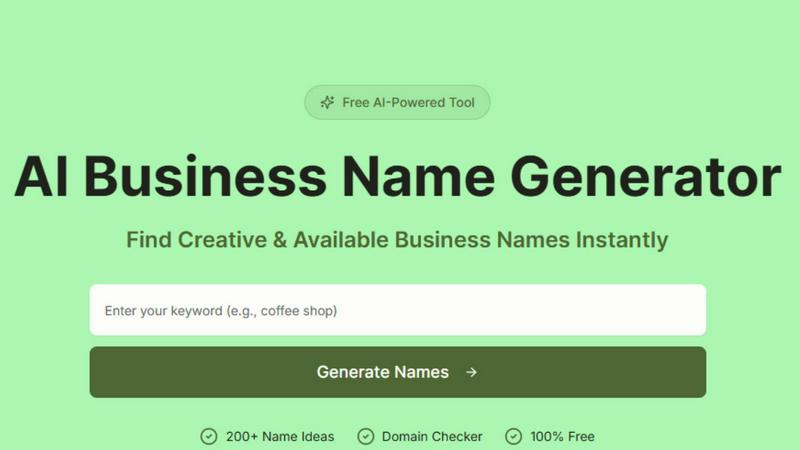
AI Business Name Generator
Quickly generate unique and brandable business names with our AI tool, tailored to your industry and ready for use.
Last updated: March 11, 2026

Blueberry
Blueberry is an all-in-one Mac app that unifies your editor, terminal, and browser for seamless web app development.
Last updated: February 26, 2026
Visual Comparison
AI Business Name Generator
Blueberry

Feature Comparison
AI Business Name Generator
AI-Powered Name Suggestions
Our advanced AI analyzes your keywords, ideas, and trends to generate creative, relevant, and unique business name suggestions tailored to your vision. This ensures that the names are not only catchy but also aligned with your brand's identity.
Industry-Specific Results
Get name ideas designed specifically for your industry, ensuring relevance, clarity, and stronger brand positioning in your target market. This feature streamlines the naming process by providing options that resonate with your business sector.
Brandable & Domain-Friendly Names
We focus on generating modern, memorable names that are easy to pronounce, spell, and more likely to be available as domain names. This increases your chances of securing a strong online presence for your brand.
Instant Results
No waiting, no delays; generate hundreds of business name ideas instantly and move forward with confidence and speed. This feature allows you to quickly assess options and make informed decisions without wasting time.
Blueberry
Integrated Workspace
Blueberry combines a code editor, terminal, and preview browser into one cohesive environment. This integration allows developers to work more efficiently without the constant need to switch between different applications, enhancing focus and productivity.
Live Context with AI
The platform's built-in MCP server enables AI models to access your entire workspace. This means your AI can see open files, terminal output, and running applications, giving it the full context needed to assist you effectively, whether it's answering questions or suggesting code snippets.
Preview Across Devices
Blueberry comes equipped with built-in desktop, tablet, and mobile view previews. This feature allows you to see exactly how your application will look across different devices, ensuring a consistent user experience without leaving the Blueberry workspace.
Pinned Apps and Customization
You can keep essential tools like GitHub, Linear, Figma, and PostHog docked within your workspace. These pinned apps load with your project and share live context with your AI, allowing for a more integrated and efficient workflow. Additionally, you can customize your workspace setup per project, saving time and effort.
Use Cases
AI Business Name Generator
Launching a Startup
Entrepreneurs launching new startups can use the AI Business Name Generator to quickly generate a list of creative and unique names that reflect their brand vision and appeal to their target market.
Rebranding an Existing Business
Businesses looking to refresh their identity can leverage this tool to explore new name possibilities that can reinvigorate their brand and attract a new audience while keeping their core values intact.
Finding Domain Names for Online Stores
Online store owners can utilize the generator to find catchy and available domain names that not only fit their brand but also enhance their online visibility and marketing efforts.
Naming Products or Services
If you're introducing a new product or service, the AI Business Name Generator helps create memorable and brandable names that capture the essence of what you're offering and resonate with consumers.
Blueberry
Streamlined Development
Developers can use Blueberry to streamline their coding process by having access to their terminal, code editor, and browser in one workspace. This allows for quick edits, testing, and debugging without losing focus or context.
Collaborative Product Building
Product teams can collaborate more effectively by using Blueberry's integrated features. The ability to share live project contexts with team members and AI assistants enhances communication and collaboration, leading to better product outcomes.
Rapid Prototyping
Designers and developers can quickly prototype applications using Blueberry's live preview feature. By seeing changes in real-time across different devices, teams can iterate faster and make informed design decisions, ultimately speeding up the development cycle.
Enhanced Learning and Experimentation
For those learning to code or experimenting with new technologies, Blueberry offers an intuitive environment where users can easily test out code snippets and receive AI-assisted guidance. This feature helps new developers to learn through practice while maintaining an organized workspace.
Overview
About AI Business Name Generator
The AI Business Name Generator is an innovative online tool designed to help entrepreneurs, startups, and brands create unique and memorable business names quickly and effortlessly. This free tool leverages advanced artificial intelligence to generate creative name suggestions based on the keywords, industries, and styles that users input. It eliminates the tedious and often frustrating process of brainstorming names by providing users with over 200 tailored suggestions in seconds. Whether you are launching a new product, starting a business, or looking for a catchy domain name, this tool is perfect for anyone in need of a standout brand identity. With its user-friendly interface and instant results, the AI Business Name Generator empowers you to find the perfect name that resonates with your target audience and solidifies your market presence.
About Blueberry
Blueberry is an innovative macOS application designed to streamline the product development process for modern builders. By integrating your code editor, terminal, and browser into a single, focused workspace, Blueberry eliminates the chaos of juggling multiple windows and applications. This AI-native platform is particularly beneficial for developers, product managers, and designers who want to build and ship web applications efficiently. With Blueberry, you can connect AI models like Claude, Gemini, and Codex through its built-in MCP server, allowing for real-time access to your project files, terminal outputs, and live previews. The main value proposition of Blueberry lies in its ability to provide constant context, enabling you to focus on creative coding without the cumbersome task of switching between different tools. Say goodbye to the hassle of copy-pasting context and embrace a seamless workflow that enhances productivity.
Frequently Asked Questions
AI Business Name Generator FAQ
How does the AI Business Name Generator work?
The AI Business Name Generator works by analyzing the keywords and preferences you provide, using artificial intelligence to generate a list of relevant and creative business names in seconds.
Is the AI Business Name Generator really free to use?
Yes, the AI Business Name Generator is completely free to use. You can generate as many business name ideas as you need without any hidden charges or fees.
Can I check domain availability through the generator?
Absolutely! The tool includes a domain checker that allows you to see if the suggested business names are available as domain names, making it easier for you to secure your online presence.
Do I need to sign up to use the AI Business Name Generator?
No sign-up is required to use the AI Business Name Generator. Simply visit the website, enter your keywords, and start generating creative business names instantly.
Blueberry FAQ
What operating systems does Blueberry support?
Blueberry is currently only available for macOS, making it a specialized tool for Mac users looking to enhance their development workflows.
How does Blueberry's AI integration work?
Blueberry integrates with various AI models through its built-in MCP server, which allows these models to access your entire workspace, providing them with the context needed to assist you effectively during development.
Is Blueberry really free during the beta phase?
Yes, Blueberry is completely free during its beta phase, allowing users to explore its features without any cost. This is a great opportunity for developers to test the application and provide feedback.
Can I customize my workspace in Blueberry?
Absolutely! Blueberry allows you to customize your workspace setup for different projects. You can save configurations for terminal sessions, editor tabs, and more, making it easy to switch between projects without losing your setup.
Alternatives
AI Business Name Generator Alternatives
The AI Business Name Generator is a powerful tool designed to help startups, brands, and companies generate unique and catchy names quickly and effortlessly. As part of the productivity and management category, this AI-powered generator streamlines the often challenging process of naming a business. Users frequently seek alternatives due to various reasons, such as pricing structures, feature sets, or specific platform compatibility that may better suit their individual needs. When searching for an alternative to the AI Business Name Generator, it's essential to consider factors like ease of use, the variety of name suggestions offered, and any additional features that may enhance the naming experience. Look for platforms that provide creative and memorable suggestions, as well as those that cater specifically to your business type or industry for the best results.
Blueberry Alternatives
Blueberry is a versatile Mac application that seamlessly integrates your editor, terminal, and browser into a single, focused workspace. This innovative tool is specifically designed for developers, allowing them to streamline their workflow by connecting various AI models like Claude, Codex, and Gemini. Users can enjoy the convenience of having all essential components at their fingertips, eliminating the hassle of switching between multiple windows. However, users may seek alternatives for a variety of reasons, such as budget constraints, differing feature sets, or compatibility with other platforms. When searching for an alternative, it's important to consider factors like ease of use, integration capabilities, and whether it meets specific development needs. A well-chosen alternative can enhance productivity and provide the necessary tools to support your projects effectively.