
AI Image Edit vs Img Editor
Side-by-side comparison to help you choose the right AI tool.

AI Image Edit
Effortlessly enhance and transform your images with AI Image Edit's advanced editing tools for stunning results.
Last updated: March 11, 2026

Img Editor
Create breathtaking AI-generated images in seconds with Img Editor's intuitive design and powerful image generation.
Last updated: February 28, 2026
Visual Comparison
AI Image Edit
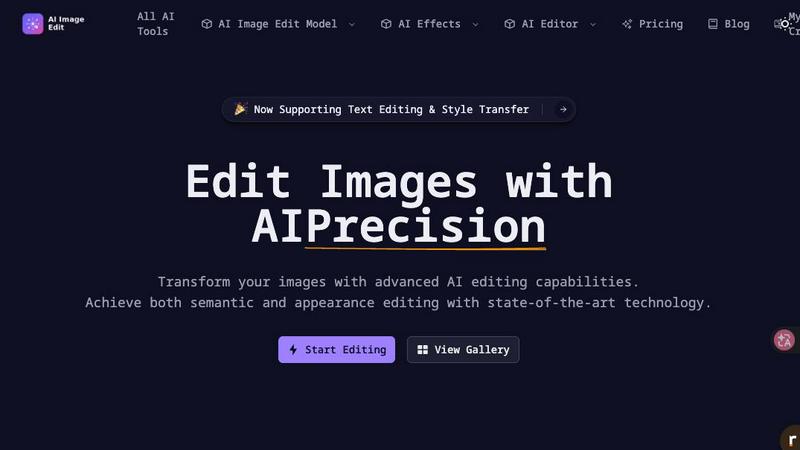
Img Editor

Feature Comparison
AI Image Edit
Automatic Background Removal
This feature allows users to remove backgrounds from images effortlessly. With a single click, AI Image Edit detects and eliminates backgrounds, leaving the main subject intact and ready for further enhancements.
Object Erasure
Say goodbye to unwanted elements in your photos. The object erasure feature uses advanced AI technology to intelligently remove distractions from images, giving you a clean and polished final product without any manual effort.
AI-Powered Image Enhancement
Enhance your photos with AI Image Edit’s image quality enhancement capabilities. This feature analyzes your images and automatically adjusts brightness, contrast, and color balance, ensuring that your visuals stand out with clarity and vibrancy.
Visual Generation from Text Prompts
Unleash your creativity with the image generation feature that allows users to create new visuals based on text prompts. Simply describe what you want, and AI Image Edit will generate unique images tailored to your specifications, perfect for marketing materials or social media posts.
Img Editor
Text to Image
This feature allows users to generate images based on text descriptions. Simply input your idea, and Img Editor's AI will interpret the text to create a unique image that matches your vision, making it easy to bring your concepts to life.
Image Editing
Img Editor not only generates images but also provides robust editing tools to refine and enhance your creations. Users can adjust colors, apply filters, and make other modifications to ensure the final product meets their specifications.
Prompt Generator
The built-in prompt generator assists users in formulating effective descriptions for image creation. This tool is particularly useful for those who may struggle to articulate their ideas, offering suggestions that inspire creativity and innovation.
High-Quality Image Options
Img Editor offers various image quality settings, including 1K, 2K, and 4K resolutions. This ensures that whether you need standard images for social media or ultra-high-definition visuals for professional use, you can achieve the quality required for your projects.
Use Cases
AI Image Edit
E-commerce Product Photography
AI Image Edit is ideal for e-commerce sellers who need to present their products in the best light. By automatically removing backgrounds and enhancing image quality, sellers can create professional-looking product photos that attract customers and boost sales.
Social Media Content Creation
Marketers and social media managers can utilize AI Image Edit to quickly generate eye-catching visuals for posts and ads. The tool’s features allow for rapid editing and transformation, ensuring content is fresh and engaging without spending hours on design.
Personal Photo Enhancement
Everyday users can enhance their personal photos with ease. Whether it's touching up family portraits or creating fun images for events, AI Image Edit simplifies the editing process, making it accessible for anyone to achieve stunning results.
Creative Advertising Campaigns
Designers can take advantage of AI Image Edit’s advanced capabilities to create innovative advertising materials. The tool’s ability to replace elements and generate visuals from prompts allows for unique and attention-grabbing campaigns that stand out in a crowded market.
Img Editor
Social Media Content Creation
With Img Editor, marketers and social media managers can quickly create eye-catching visuals to enhance their posts. The ability to generate multiple images daily allows for consistent and engaging content that attracts audience attention.
Digital Art Projects
Artists can leverage Img Editor's AI capabilities to experiment with different styles and concepts, creating unique pieces that serve as inspiration for their original work. The platform's flexibility encourages artistic exploration without financial constraints.
Product Visualization
Businesses can use Img Editor to create professional-grade images of their products, enhancing their online presence. This feature helps in showcasing products in an appealing way, which can lead to increased sales and customer interest.
Educational Materials
Educators and content creators can utilize Img Editor to produce custom visuals for presentations, e-books, and online courses. The platform allows for the creation of tailored images that align perfectly with the educational content, making learning more engaging.
Overview
About AI Image Edit
AI Image Edit is a cutting-edge online image editing tool that leverages the power of artificial intelligence to provide users with a seamless and intuitive editing experience. Designed for individuals with varying levels of design expertise, this tool allows anyone to edit, enhance, and transform images instantly without needing extensive knowledge of graphic design software. Users can perform a range of tasks, including automatically removing backgrounds, erasing unwanted objects, and enhancing image quality, all with just a few clicks. AI Image Edit caters to a diverse audience, including creators, marketers, designers, e-commerce sellers, and everyday users seeking professional results without the steep learning curve associated with traditional software like Photoshop. The platform operates directly in your web browser, eliminating the need for downloads and complicated tools, making advanced editing simple and accessible for all. Whether you're refining product images for an online store, creating engaging social media content, or enhancing personal photographs, AI Image Edit is your go-to solution for fast and effective image editing.
About Img Editor
Img Editor is a revolutionary, entirely free AI image generation platform that empowers creatives from all walks of life. Whether you are an artist, designer, marketer, or simply a visual enthusiast, Img Editor provides the essential tools to transform your imaginative concepts into stunning visuals effortlessly. Utilizing cutting-edge AI technology, the platform allows users to generate high-quality, professional-grade images in just seconds. One of the standout features is the ability to produce up to 10 images daily for free, with options to earn unlimited bonus generations through active community engagement. With an intuitive interface tailored for both beginners and experienced professionals, Img Editor is the perfect solution for anyone keen on exploring the exciting realms of digital art and design. The platform encourages creativity, enabling users to create everything from simple graphics to complex artistic pieces with ease.
Frequently Asked Questions
AI Image Edit FAQ
How does AI Image Edit work?
AI Image Edit uses advanced artificial intelligence algorithms to analyze your images and perform editing tasks, such as background removal, object erasure, and enhancement, all in real-time and directly in your web browser.
Is AI Image Edit suitable for beginners?
Absolutely! AI Image Edit is designed for users of all skill levels. Its simple interface and automated features allow even those with no design experience to achieve professional-quality results quickly and easily.
Can I use AI Image Edit for commercial purposes?
Yes, images edited with AI Image Edit can be used for commercial purposes, including marketing materials, product photos, and social media content. Just ensure that you comply with any licensing agreements for images generated or modified.
What types of images can I edit with AI Image Edit?
You can edit a wide range of image types using AI Image Edit, including photographs, graphics, and illustrations. The tool supports various formats, making it versatile for multiple editing needs.
Img Editor FAQ
How many images can I generate for free each day?
You can generate up to 10 images daily for free. Additionally, active participation in the community allows you to earn unlimited bonus generations.
What types of image quality does Img Editor support?
Img Editor supports various image quality settings, including 1K, 2K, and 4K resolutions, catering to different needs, whether for social media or professional projects.
Is there a limit on the number of prompts I can create?
There is no limit on the number of prompts you can create. You can experiment as much as you like, generating diverse images based on your unique descriptions.
Can I edit the images I generate?
Yes, Img Editor includes robust image editing tools, allowing you to refine and enhance your generated images with various adjustments, filters, and modifications.
Alternatives
AI Image Edit Alternatives
AI Image Edit is an innovative online tool that leverages artificial intelligence to simplify the image editing process. It enables users to enhance, transform, and edit images without the need for advanced design skills or extensive software. As a part of the image and photo editing category, it caters to a wide range of users, from marketers and designers to everyday individuals looking to improve their visuals. Users often seek alternatives to AI Image Edit for various reasons, including pricing, specific feature sets, or compatibility with their preferred platforms. When looking for an alternative, consider factors such as ease of use, available features, cost-effectiveness, and whether it fits your specific image editing needs. It's essential to find a solution that streamlines your editing process while maintaining the quality you desire.
Img Editor Alternatives
Img Editor is a cutting-edge AI image generation platform designed to help users create stunning, professional-quality visuals quickly and easily. As part of the Image & Photo category, it caters to a wide range of users, from artists and designers to marketers and hobbyists. Despite its remarkable features, many users seek alternatives due to factors such as pricing structures, additional functionalities, or specific platform compatibility requirements that may better suit their individual needs. When searching for alternatives to Img Editor, it’s essential to consider several key factors. Look for platforms that offer similar AI capabilities, intuitive user interfaces, and flexible features that can accommodate both novice and experienced users. Additionally, evaluate the pricing models and community engagement opportunities, as these can significantly enhance your overall creative experience and access to resources.