
AI Image Edit vs ImgArt Ai
Side-by-side comparison to help you choose the right AI tool.

AI Image Edit
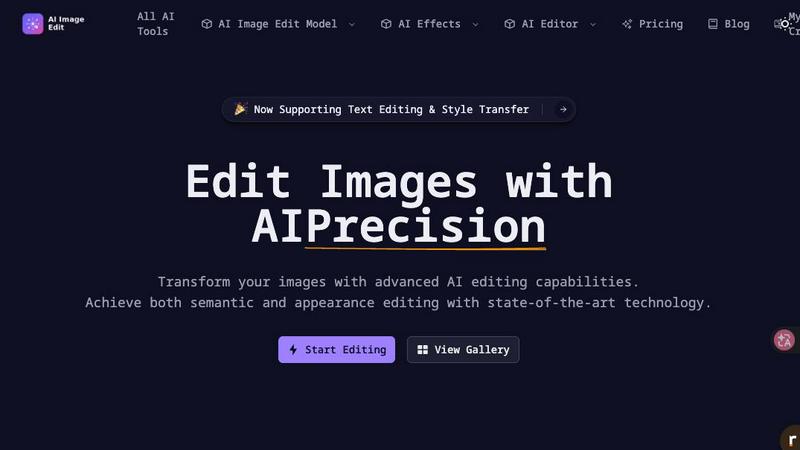
Effortlessly enhance and transform your images with AI Image Edit's advanced editing tools for stunning results.
Last updated: March 11, 2026

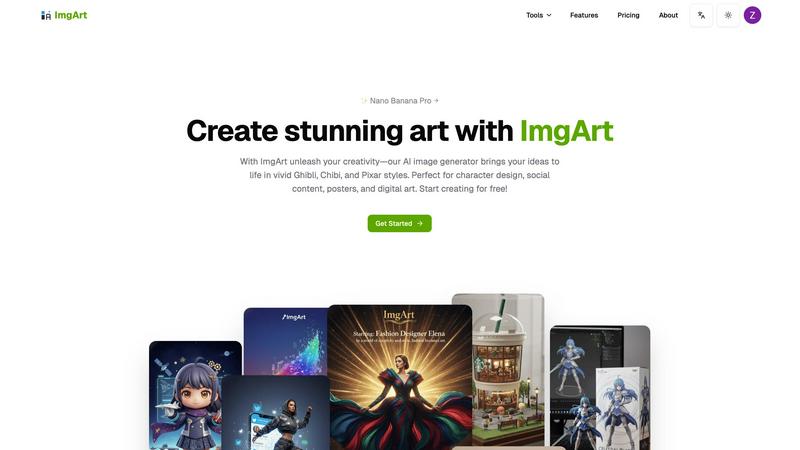
ImgArt AI transforms your ideas into stunning anime, 3D, and chibi art for characters and digital creations.
Last updated: March 1, 2026
Visual Comparison
AI Image Edit
ImgArt Ai
Feature Comparison
AI Image Edit
Automatic Background Removal
This feature allows users to remove backgrounds from images effortlessly. With a single click, AI Image Edit detects and eliminates backgrounds, leaving the main subject intact and ready for further enhancements.
Object Erasure
Say goodbye to unwanted elements in your photos. The object erasure feature uses advanced AI technology to intelligently remove distractions from images, giving you a clean and polished final product without any manual effort.
AI-Powered Image Enhancement
Enhance your photos with AI Image Edit’s image quality enhancement capabilities. This feature analyzes your images and automatically adjusts brightness, contrast, and color balance, ensuring that your visuals stand out with clarity and vibrancy.
Visual Generation from Text Prompts
Unleash your creativity with the image generation feature that allows users to create new visuals based on text prompts. Simply describe what you want, and AI Image Edit will generate unique images tailored to your specifications, perfect for marketing materials or social media posts.
ImgArt Ai
Free AI Image Generation with Multiple Models
Jumpstart your creativity without any cost! ImgArt offers free access to its powerful image generation, powered by a selection of advanced AI models. You can experiment with different engines like Nano Banana for hyper-realistic details, Flux Kontext for dynamic compositions, and ChatGPT-4o for playful, stylized outputs. This variety gives you the freedom to find the perfect tool for your specific project, all from a single, easy-to-use platform.
Text-to-Image and Image-to-Image Transformation
Bring your ideas to life in two flexible ways. Use the text-to-image feature to describe your vision in words—like "a serene samurai in a cherry blossom forest"—and watch the AI paint it into reality. Alternatively, use the image-to-image feature to upload a photo or sketch and transform it into a completely new artistic style, giving old images a fresh, imaginative twist with just a few clicks.
Advanced Editing with Nano Banana Pro
Take your creations to the next level with the professional-grade editing capabilities of the Nano Banana model. This feature allows for multi-image fusion, blending elements from different pictures into one cohesive piece. It also excels at maintaining character consistency across multiple images and enables natural language editing, letting you make precise adjustments simply by describing the change you want, such as "make the sky more dramatic" or "add a friendly dragon."
Diverse Creative Filters and Visual Styles
Unlock a world of artistic aesthetics with ImgArt's extensive style library. Instantly apply filters to generate artwork in beloved styles like the whimsical worlds of Studio Ghibli, the charming simplicity of Chibi characters, or the polished 3D look of Pixar animations. This feature makes it incredibly easy to achieve a specific mood or professional look, perfect for branding or thematic projects.
Use Cases
AI Image Edit
E-commerce Product Photography
AI Image Edit is ideal for e-commerce sellers who need to present their products in the best light. By automatically removing backgrounds and enhancing image quality, sellers can create professional-looking product photos that attract customers and boost sales.
Social Media Content Creation
Marketers and social media managers can utilize AI Image Edit to quickly generate eye-catching visuals for posts and ads. The tool’s features allow for rapid editing and transformation, ensuring content is fresh and engaging without spending hours on design.
Personal Photo Enhancement
Everyday users can enhance their personal photos with ease. Whether it's touching up family portraits or creating fun images for events, AI Image Edit simplifies the editing process, making it accessible for anyone to achieve stunning results.
Creative Advertising Campaigns
Designers can take advantage of AI Image Edit’s advanced capabilities to create innovative advertising materials. The tool’s ability to replace elements and generate visuals from prompts allows for unique and attention-grabbing campaigns that stand out in a crowded market.
ImgArt Ai
Character Design and Concept Art
Artists and game developers can rapidly prototype characters and creatures. Describe a "cyberpunk elf with neon tattoos" or upload a rough sketch to generate multiple detailed variations, exploring different outfits, poses, and expressions in minutes, which traditionally could take hours of manual drawing.
Engaging Social Media Content Creation
Social media managers and content creators can produce a constant stream of unique, eye-catching visuals. Generate custom illustrations for blog posts, create themed artwork for marketing campaigns, or design unique profile pictures and banners that stand out in a crowded feed, all tailored to your brand's aesthetic.
Personalized Digital Art and Posters
Hobbyists and fans can create custom artwork for their spaces. Transform a favorite photo into a Ghibli-style poster, imagine your pet as a Pixar character, or generate a stunning fantasy landscape to use as a desktop wallpaper. It’s perfect for creating personalized gifts or decorating your digital and physical environment.
Professional Graphic Design Elements
Designers can use ImgArt to quickly generate specific assets or inspiration. Create background textures, icon concepts, or stylized product mock-ups. The image-to-image feature is particularly useful for applying a consistent artistic style to a series of product photos or creating thematic visual elements for a website or presentation.
Overview
About AI Image Edit
AI Image Edit is a cutting-edge online image editing tool that leverages the power of artificial intelligence to provide users with a seamless and intuitive editing experience. Designed for individuals with varying levels of design expertise, this tool allows anyone to edit, enhance, and transform images instantly without needing extensive knowledge of graphic design software. Users can perform a range of tasks, including automatically removing backgrounds, erasing unwanted objects, and enhancing image quality, all with just a few clicks. AI Image Edit caters to a diverse audience, including creators, marketers, designers, e-commerce sellers, and everyday users seeking professional results without the steep learning curve associated with traditional software like Photoshop. The platform operates directly in your web browser, eliminating the need for downloads and complicated tools, making advanced editing simple and accessible for all. Whether you're refining product images for an online store, creating engaging social media content, or enhancing personal photographs, AI Image Edit is your go-to solution for fast and effective image editing.
About ImgArt Ai
ImgArt Ai is your creative partner in the digital age, a powerful and user-friendly AI art generator designed to turn your imagination into stunning visuals in seconds. At its core, ImgArt is about democratizing high-quality art creation. Whether you're a professional graphic designer, a social media manager, a hobbyist artist, or someone with zero artistic training but a head full of ideas, this tool is built for you. It leverages cutting-edge AI models like Nano Banana Pro, Flux Kontext, and ChatGPT-4o to offer a versatile suite of features. You can start from a simple text description or upload an existing image to transform it, all while exploring a vast library of styles from iconic 3D animation and vivid anime to adorable chibi and enchanting Ghibli-inspired art. The main value proposition of ImgArt is its ability to massively expedite the creative workflow without compromising on quality or creative control. It handles the technical heavy lifting, allowing you to focus on the vision, making it the perfect solution for projects ranging from character design and digital posters to engaging social media content and unique artwork.
Frequently Asked Questions
AI Image Edit FAQ
How does AI Image Edit work?
AI Image Edit uses advanced artificial intelligence algorithms to analyze your images and perform editing tasks, such as background removal, object erasure, and enhancement, all in real-time and directly in your web browser.
Is AI Image Edit suitable for beginners?
Absolutely! AI Image Edit is designed for users of all skill levels. Its simple interface and automated features allow even those with no design experience to achieve professional-quality results quickly and easily.
Can I use AI Image Edit for commercial purposes?
Yes, images edited with AI Image Edit can be used for commercial purposes, including marketing materials, product photos, and social media content. Just ensure that you comply with any licensing agreements for images generated or modified.
What types of images can I edit with AI Image Edit?
You can edit a wide range of image types using AI Image Edit, including photographs, graphics, and illustrations. The tool supports various formats, making it versatile for multiple editing needs.
ImgArt Ai FAQ
Is ImgArt Ai really free to use?
Yes! ImgArt offers a free tier that allows you to start generating AI images and exploring its core features, including access to multiple AI models. This is a great way to test the platform's capabilities and see if it fits your creative workflow before considering any premium plans for higher volume or advanced features.
What is the difference between the AI models like Nano Banana and Flux?
Each AI model has its own strengths. Nano Banana is renowned for producing highly detailed, realistic images and offers advanced editing features. Flux models are excellent for general-purpose generation with strong compositional understanding. ChatGPT-4o image model is fantastic for achieving specific, popular artistic styles like Chibi or Ghibli. Experimenting with each will help you find your favorite.
Can I use the images I create for commercial projects?
You will need to review ImgArt's Terms of Service for the specific licensing details related to your account tier. Typically, images generated on free plans may have some restrictions, while paid plans often grant broader commercial usage rights. Always check the latest terms on their website to ensure your use case is covered.
How does the image-to-image feature work?
The image-to-image feature allows you to upload an existing photo, drawing, or graphic. You then provide a text prompt describing the new style or elements you want. The AI analyzes your uploaded image and uses your text description as a guide to transform it, preserving the original composition while applying the new artistic direction you've requested.
Alternatives
AI Image Edit Alternatives
AI Image Edit is an innovative online tool that leverages artificial intelligence to simplify the image editing process. It enables users to enhance, transform, and edit images without the need for advanced design skills or extensive software. As a part of the image and photo editing category, it caters to a wide range of users, from marketers and designers to everyday individuals looking to improve their visuals. Users often seek alternatives to AI Image Edit for various reasons, including pricing, specific feature sets, or compatibility with their preferred platforms. When looking for an alternative, consider factors such as ease of use, available features, cost-effectiveness, and whether it fits your specific image editing needs. It's essential to find a solution that streamlines your editing process while maintaining the quality you desire.
ImgArt Ai Alternatives
ImgArt Ai is a popular AI image generator that falls into the category of creative design tools. It's known for transforming text prompts into stunning digital art, character designs, and posters using advanced models like Nano Banana and Flux Kontext. It's a go-to for creators wanting to quickly visualize ideas. People often explore alternatives for various reasons. This could be due to budget constraints, a need for different artistic styles not covered by one tool, or specific platform requirements like needing a mobile app. Some users might seek more advanced control or simply want to compare what's available in a rapidly evolving market. When looking for a different tool, consider what matters most for your projects. Key factors include the quality and style of the AI's output, the pricing model and any free tiers, the ease of use, and any specialized features like advanced editing or consistent character generation. It's about finding the right fit for your unique creative workflow.