
AI Photo Prompt Generator vs MakeAIVideo
Side-by-side comparison to help you choose the right AI tool.

AI Photo Prompt Generator
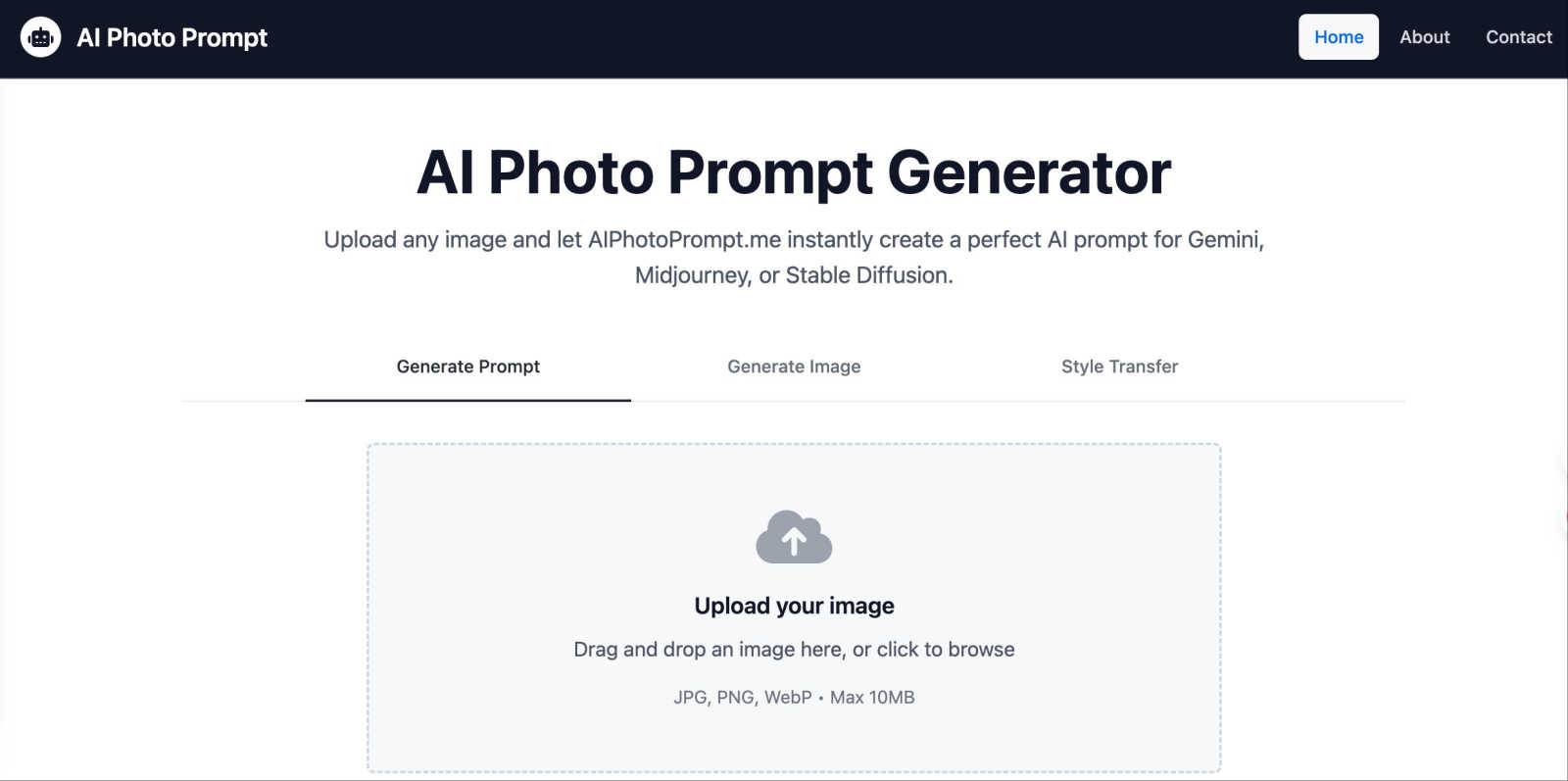
Turn any photo into a perfect AI art prompt for Gemini, Midjourney, or Stable Diffusion instantly.
Last updated: March 1, 2026

MakeAIVideo
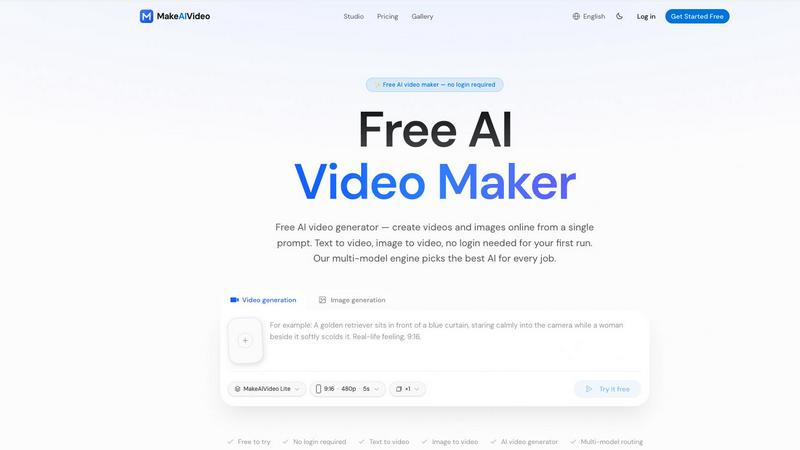
MakeAIVideo is an innovative AI video generator that creates stunning videos from text or images using advanced multi-model routing technology.
Last updated: March 18, 2026
Visual Comparison
AI Photo Prompt Generator
MakeAIVideo
Feature Comparison
AI Photo Prompt Generator
Instant Prompt Generation from Images
Simply drag and drop or upload any image (JPG, PNG, or WebP up to 10MB), and our AI will analyze it to create a comprehensive text prompt. It captures details like subjects, setting, lighting, atmosphere, and artistic style, providing you with a rich description perfect for feeding into any AI image model. This eliminates the guesswork of prompt engineering from scratch.
One-Click Copy and Style Analysis
Each generated prompt comes with a handy "Copy" button, allowing you to instantly transfer the detailed text to your clipboard for use in your preferred AI tool. The prompts also include a clear breakdown of the style (e.g., "Ghibli Style," "Cyberpunk"), giving you insight into what makes the image visually distinctive and how to replicate that aesthetic.
Featured Prompts Gallery for Inspiration
Not sure where to start? Explore our gallery of Featured Prompts & Examples. Each example shows an AI-generated image alongside the exact prompt used to create it. You can view the full prompt, generate a similar image, or even use that prompt's style as a reference for your own uploads, providing endless creative inspiration.
Style Transfer Capability
Beyond generating prompts, the tool offers a powerful Style Transfer mode. You can upload two images: one as a style reference (like a famous painting or a specific art style) and one as your target subject. The AI then seamlessly blends the artistic style from the reference onto your target image, opening up incredible possibilities for creative transformation.
MakeAIVideo
Multi-Model Routing
MakeAIVideo employs a sophisticated multi-model routing engine that automatically selects the best AI model suited to your prompt. This means that depending on the task, you benefit from the most effective capabilities of models like Seedance, Veo, and more, ensuring high-quality video output tailored to your needs.
Zero Login Required
One of the standout features of MakeAIVideo is that you can begin creating videos without needing to create an account. This hassle-free access allows you to dive directly into video generation, making it perfect for those who want to quickly test the platform or generate content on the fly.
High-Quality Output
The platform generates cinematic-quality videos in under a minute, with options for up to 4K resolution. This ensures that whether you are creating content for social media, advertisements, or presentations, the visuals will be sharp and professional, meeting industry standards.
Dual-Channel Sound Design
Enhance your videos with dual-channel sound design, where audio is generated in sync with the visuals. This feature removes the need for post-production editing, allowing for a seamless audio-visual experience that elevates the overall quality of your videos.
Use Cases
AI Photo Prompt Generator
For Digital Artists and Illustrators
Artists can use the tool to deconstruct successful pieces of art, learn the prompt language behind certain styles, and generate new variations of their own work. It's perfect for overcoming creative block, experimenting with new aesthetics like converting a sketch into a 3D animation or cyberpunk style, and building a library of effective prompts.
For Content Creators and Marketers
Social media managers, bloggers, and marketers can maintain a consistent visual brand by using a reference image to generate prompts that produce similar-looking AI graphics for posts, ads, and articles. It's ideal for quickly creating thematic content, such as generating a series of images in a specific "LEGO" or "claymation" style for a campaign.
For AI Art Enthusiasts and Beginners
If you're new to AI image generation, crafting the right prompt can be daunting. This tool acts as the perfect teacher. By uploading images you like, you can see exactly how they are described to an AI, helping you learn prompt syntax, important keywords, and how different terms affect the final output, accelerating your learning curve.
For Concept Development and Storyboarding
Writers, game developers, and filmmakers can visualize characters, settings, and scenes. Upload a rough sketch or a mood board image to generate a detailed prompt, which can then be used to create more polished concept art with AI, helping to communicate visual ideas quickly and effectively during the early creative stages.
MakeAIVideo
Social Media Content Creation
MakeAIVideo is ideal for social media managers looking to create engaging videos for platforms like Instagram and TikTok. The ease of use and rapid generation enables them to keep their content fresh and relevant without extensive resources or time.
Product Showcases
Businesses can utilize MakeAIVideo to create stunning product showcase videos quickly. By entering details about the product, users can generate high-quality promotional videos that highlight features and benefits, perfect for e-commerce and online marketing.
Educational Videos
Educators and content creators can leverage MakeAIVideo to produce informative videos that explain concepts clearly and creatively. The platform's ability to generate custom visuals based on text prompts allows for interactive and engaging learning materials.
Brand Storytelling
MakeAIVideo can help brands tell their stories through compelling narratives. By inputting key messages and themes, businesses can create videos that resonate with their audience, enhancing brand identity and customer engagement.
Overview
About AI Photo Prompt Generator
Ever looked at an amazing image and wondered, "How could I create something like that with AI?" The AI Photo Prompt Generator, available at AIPhotoPrompt.me, is your answer. This innovative tool is designed for artists, content creators, and AI enthusiasts who want to bridge the gap between inspiration and creation. At its core, it's incredibly simple: you upload any image, and our platform instantly generates a detailed, ready-to-use text prompt. This prompt can be copied and pasted directly into popular AI image generators like Google Gemini, Midjourney, and Stable Diffusion to recreate or reimagine the style, composition, and feel of your original image. The main value is all about saving you time and unlocking creativity. Instead of spending hours trying to describe a visual concept in words, you get a perfect starting point in seconds. Whether you're a digital artist seeking new inspiration, a marketer needing consistent visual styles, or a beginner just exploring the world of AI art, our user-friendly tool simplifies your workflow and helps you focus on bringing your artistic vision to life, faster and more effectively.
About MakeAIVideo
MakeAIVideo is an innovative AI video generator that stands out as the first to utilize multi-model routing. This unique feature allows the platform to analyze your prompt dynamically and select the most suitable AI model for the task at hand, whether it be Seedance, Kling, Veo, Sora, Hailuo, or others. This flexibility ensures that users get the best possible results tailored to their specific needs. Designed for creators, marketers, and businesses alike, MakeAIVideo eliminates the typical barriers associated with video creation. You can generate videos effortlessly with no account required for your first video. Just visit the site, enter your prompt, and watch as your video comes to life. With its combination of automatic model selection and zero-friction access, MakeAIVideo offers an unparalleled experience for producing high-quality video content quickly and easily.
Frequently Asked Questions
AI Photo Prompt Generator FAQ
What image formats and sizes do you support?
You can upload images in JPG, PNG, or WebP format. The maximum file size allowed is 10MB. This ensures the tool processes your images quickly while maintaining good quality for accurate prompt analysis.
Which AI image generators are the prompts compatible with?
The prompts generated by AIPhotoPrompt.me are crafted to be universally effective. They work perfectly with major platforms like Google Gemini, Midjourney, and Stable Diffusion. The prompts use standard, descriptive language that is widely understood by most AI image models.
How does the Style Transfer feature work?
The Style Transfer feature allows you to apply the artistic style from one image to another. You upload a "reference" image (which provides the desired style, like an oil painting) and a "target" image (the photo or image you want to transform). Our AI then blends the visual patterns and textures of the reference style onto your target subject.
Is there a cost to use AI Photo Prompt Generator?
Based on the provided website content, specific pricing plans, tiers, or subscription costs are not listed. The website appears to showcase the tool's functionality and features directly. For the most accurate and current information regarding any potential costs or premium features, please visit the official website at AIPhotoPrompt.me.
MakeAIVideo FAQ
How does MakeAIVideo choose the AI model for my video?
MakeAIVideo's multi-model routing engine analyzes your prompt and automatically selects the AI model best suited for your specific needs. This ensures optimal results without requiring manual selection on your part.
Can I use MakeAIVideo for commercial purposes?
Yes, all plans offered by MakeAIVideo allow for commercial use of the generated videos. This makes it an excellent tool for businesses looking to produce marketing materials without worrying about licensing issues.
Is there a limit to how long my videos can be?
Free users can generate videos with a length of 5 to 10 seconds, while paid plans offer more flexibility with longer videos. The platform supports video lengths suitable for various formats and needs.
Do I need any video editing skills to use MakeAIVideo?
No, MakeAIVideo is designed to be user-friendly, allowing anyone to create videos without prior video editing experience. The intuitive interface and automated features simplify the entire process, making video creation accessible to everyone.
Alternatives
AI Photo Prompt Generator Alternatives
AI Photo Prompt Generator is a specialized AI assistant tool that helps creators transform their images into detailed text prompts for AI art platforms. It streamlines the creative workflow, saving artists and designers time by automatically generating descriptive prompts from visual references. Users often explore alternatives for various reasons. Some might need a different pricing model, like a free tier or a one-time purchase. Others may seek specific features not offered here, such as integration with a particular AI model or a mobile app. The need for a different user interface or platform compatibility can also drive the search. When evaluating other options, consider what matters most for your workflow. Look at the core functionality: does it generate prompts from images effectively? Check the supported AI platforms to ensure compatibility with your preferred tools. Also, assess the overall value, weighing factors like cost, ease of use, and any unique features that could enhance your creative process.
MakeAIVideo Alternatives
MakeAIVideo is an innovative AI video generator that falls into the category of video creation tools. It stands out by offering multi-model routing, which means it intelligently selects the best AI model for your specific needs without requiring you to commit to just one option. This unique feature, along with the effortless access to video creation without the need for an account, makes it an attractive tool for users seeking to create videos quickly and efficiently. However, users often seek alternatives for various reasons, such as pricing structures, specific feature sets, or compatibility with different platforms. When choosing an alternative, consider factors like ease of use, the range of features offered, and whether the tool can cater to your specific video creation needs. It's essential to weigh these aspects to find a solution that aligns with your goals and budget.