
AI Retro Photo vs MakeAIVideo
Side-by-side comparison to help you choose the right AI tool.

AI Retro Photo
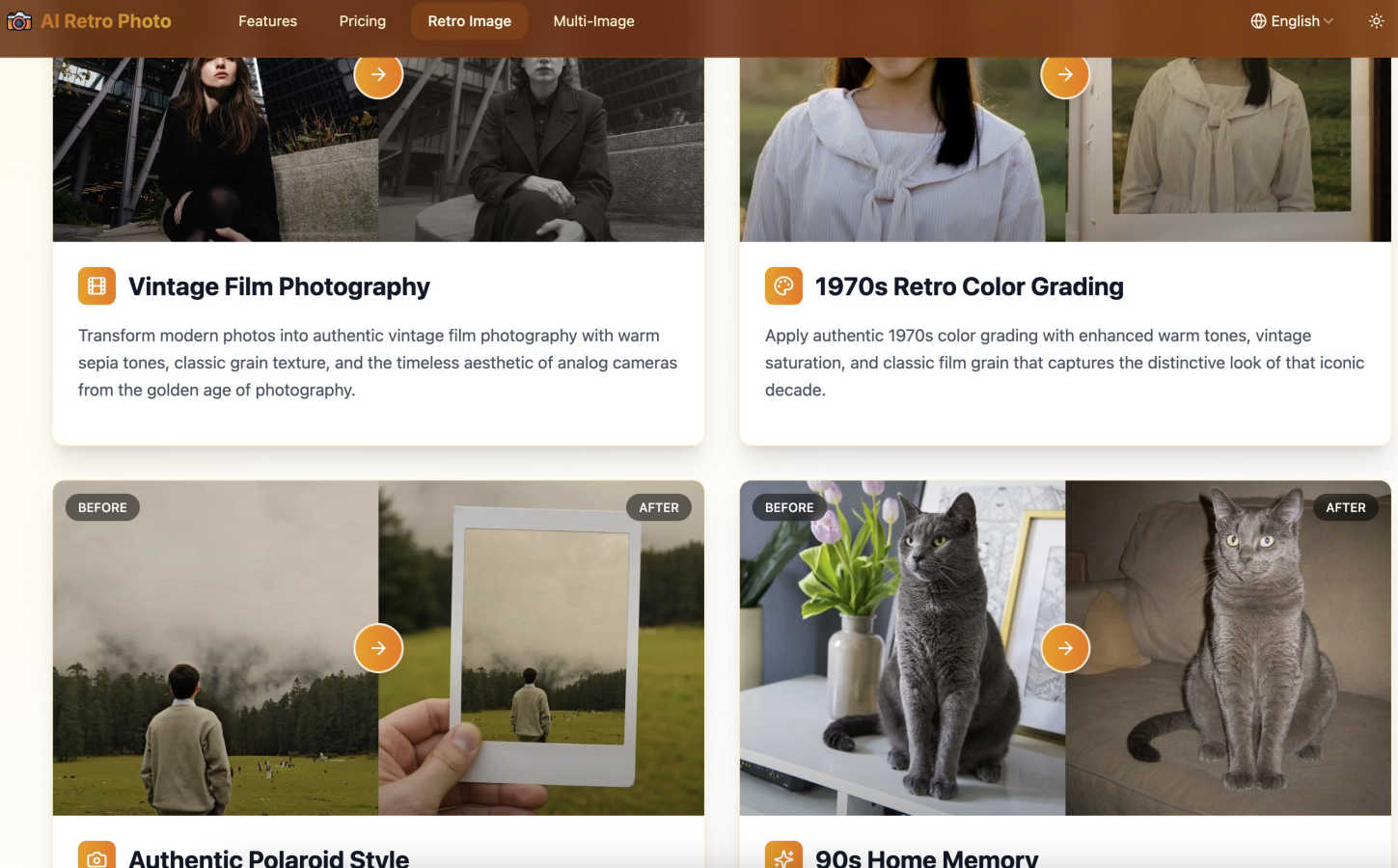
Transform modern photos into authentic vintage masterpieces with AI-powered retro effects.
Last updated: February 28, 2026

MakeAIVideo
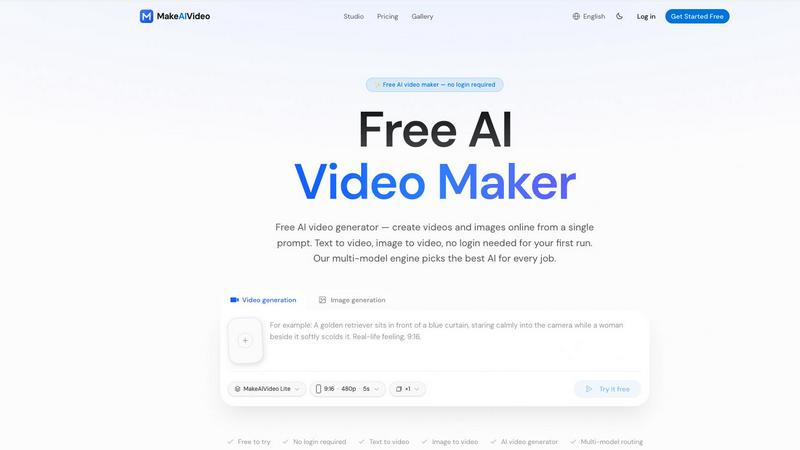
MakeAIVideo is an innovative AI video generator that creates stunning videos from text or images using advanced multi-model routing technology.
Last updated: March 18, 2026
Visual Comparison
AI Retro Photo
MakeAIVideo
Feature Comparison
AI Retro Photo
Advanced AI-Powered Analysis
Our core technology uses deep learning algorithms to go beyond simple filters. It intelligently scans your photo, identifying key characteristics like subject matter, color palette, and composition. This allows it to apply retro effects with precision, mimicking the authentic grain, color shifts, and lighting imperfections of vintage cameras from specific decades, resulting in a truly convincing transformation.
Multi-Image Batch Processing
Need to create a whole album in a retro style? Our batch processing feature lets you upload and transform multiple photos at once. This is a huge time-saver for projects like creating themed social media posts, wedding albums with a vintage twist, or giving a cohesive nostalgic look to a series of product photos, all while maintaining consistent, high-quality AI processing for each image.
Customizable Retro Effects
You have control over your creative vision. While the AI provides a perfect starting point, you can fine-tune the final look. Adjust the intensity of the vintage effect, choose between different era styles (like vibrant 80s or muted 70s film), and tweak elements to ensure the final retro photo perfectly matches your personal style and the story you want to tell.
High-Quality Export & Commercial Rights
We support popular formats like JPG and PNG for export, ensuring your creations are ready for any use. Best of all, every retro photo you generate comes with full commercial usage rights. This means you can confidently use them in professional projects, advertising, brand marketing, or sell them as part of your photography services without any licensing worries.
MakeAIVideo
Multi-Model Routing
MakeAIVideo employs a sophisticated multi-model routing engine that automatically selects the best AI model suited to your prompt. This means that depending on the task, you benefit from the most effective capabilities of models like Seedance, Veo, and more, ensuring high-quality video output tailored to your needs.
Zero Login Required
One of the standout features of MakeAIVideo is that you can begin creating videos without needing to create an account. This hassle-free access allows you to dive directly into video generation, making it perfect for those who want to quickly test the platform or generate content on the fly.
High-Quality Output
The platform generates cinematic-quality videos in under a minute, with options for up to 4K resolution. This ensures that whether you are creating content for social media, advertisements, or presentations, the visuals will be sharp and professional, meeting industry standards.
Dual-Channel Sound Design
Enhance your videos with dual-channel sound design, where audio is generated in sync with the visuals. This feature removes the need for post-production editing, allowing for a seamless audio-visual experience that elevates the overall quality of your videos.
Use Cases
AI Retro Photo
Social Media Content Creation
Stand out on Instagram, TikTok, or Facebook by giving your profile a unique, nostalgic aesthetic. Transform your travel, fashion, or food photos into vintage masterpieces that capture attention and evoke emotion. Perfect for building a cohesive and memorable brand theme or for creating engaging "throwback" content, even with new photos.
Professional Photography Enhancement
Photographers can offer clients a unique retro portrait session or add a vintage package to their services. Transform modern engagement, family, or newborn photos into timeless heirlooms that look like they were taken decades ago. It's a fantastic way to expand your service offerings and cater to clients seeking a classic, artistic style.
Marketing and Branding Projects
Brands looking to evoke nostalgia or a classic, trustworthy feel can use AI Retro Photo for advertising campaigns, product packaging, and website imagery. Create promotional materials that resonate with audiences by giving modern product shots or lifestyle images a retro vibe that aligns with a vintage-inspired brand identity.
Personal Memory Preservation
Give your cherished modern family photos, vacation pictures, or pet portraits the warm, timeless quality of old film. Create physical prints or digital albums that look like they've been treasured for years. It's a wonderful way to celebrate a new baby, a wedding, or a special event with the classic charm of a bygone era.
MakeAIVideo
Social Media Content Creation
MakeAIVideo is ideal for social media managers looking to create engaging videos for platforms like Instagram and TikTok. The ease of use and rapid generation enables them to keep their content fresh and relevant without extensive resources or time.
Product Showcases
Businesses can utilize MakeAIVideo to create stunning product showcase videos quickly. By entering details about the product, users can generate high-quality promotional videos that highlight features and benefits, perfect for e-commerce and online marketing.
Educational Videos
Educators and content creators can leverage MakeAIVideo to produce informative videos that explain concepts clearly and creatively. The platform's ability to generate custom visuals based on text prompts allows for interactive and engaging learning materials.
Brand Storytelling
MakeAIVideo can help brands tell their stories through compelling narratives. By inputting key messages and themes, businesses can create videos that resonate with their audience, enhancing brand identity and customer engagement.
Overview
About AI Retro Photo
AI Retro Photo is your digital time machine for photos, transforming your modern snapshots into authentic vintage masterpieces. It's an innovative online platform that uses advanced artificial intelligence to do much more than just slap a filter on your image. Instead, it intelligently analyzes your photo's composition, colors, and lighting to recreate the genuine look and feel of classic eras like the 80s, 90s, and old film photography. This service is perfect for anyone who loves a touch of nostalgia, from photographers and social media creators looking for a unique aesthetic to families wanting to give new memories a classic, timeless feel. The main value lies in its smart, customizable technology that ensures each retro transformation is unique and high-quality, preserving the charm of yesteryear while being incredibly easy and fun to use. With AI Retro Photo, you can relive the classic moments through the lens of modern AI, all with just a few clicks.
About MakeAIVideo
MakeAIVideo is an innovative AI video generator that stands out as the first to utilize multi-model routing. This unique feature allows the platform to analyze your prompt dynamically and select the most suitable AI model for the task at hand, whether it be Seedance, Kling, Veo, Sora, Hailuo, or others. This flexibility ensures that users get the best possible results tailored to their specific needs. Designed for creators, marketers, and businesses alike, MakeAIVideo eliminates the typical barriers associated with video creation. You can generate videos effortlessly with no account required for your first video. Just visit the site, enter your prompt, and watch as your video comes to life. With its combination of automatic model selection and zero-friction access, MakeAIVideo offers an unparalleled experience for producing high-quality video content quickly and easily.
Frequently Asked Questions
AI Retro Photo FAQ
What makes AI retro photos different from other photo filters?
Unlike basic filter apps that just overlay a color tint, our AI retro photo technology uses deep learning to intelligently analyze your photo's unique characteristics. It then precisely applies complex vintage effects—like authentic film grain, era-specific color fading, and light leaks—that interact naturally with your image. This creates a result that looks genuinely old, not just filtered.
How long does retro photo generation take?
Thanks to our optimized AI algorithms, the transformation is surprisingly fast! Most single photos are processed and ready in just 10 to 30 seconds. Even when using the batch processing feature for multiple images, the system works efficiently to deliver your complete set of vintage-style photos in a very short amount of time.
What photo formats and sizes are supported?
You can upload images in JPG, PNG, or WEBP format. After processing, you can download your new retro creation in high-quality JPG or PNG format. We accept files up to 5MB in size, which covers most common photo dimensions from smartphones and digital cameras, making the process convenient for everyone.
Is my photo data secure?
Absolutely. We take your privacy and security very seriously. All photos you upload are encrypted and stored with enterprise-grade security measures. Your original images and your generated retro photos are accessible only to you within your account. We do not share your data, and your creative works remain private and secure.
MakeAIVideo FAQ
How does MakeAIVideo choose the AI model for my video?
MakeAIVideo's multi-model routing engine analyzes your prompt and automatically selects the AI model best suited for your specific needs. This ensures optimal results without requiring manual selection on your part.
Can I use MakeAIVideo for commercial purposes?
Yes, all plans offered by MakeAIVideo allow for commercial use of the generated videos. This makes it an excellent tool for businesses looking to produce marketing materials without worrying about licensing issues.
Is there a limit to how long my videos can be?
Free users can generate videos with a length of 5 to 10 seconds, while paid plans offer more flexibility with longer videos. The platform supports video lengths suitable for various formats and needs.
Do I need any video editing skills to use MakeAIVideo?
No, MakeAIVideo is designed to be user-friendly, allowing anyone to create videos without prior video editing experience. The intuitive interface and automated features simplify the entire process, making video creation accessible to everyone.
Alternatives
AI Retro Photo Alternatives
AI Retro Photo is a popular online tool in the image editing category that uses artificial intelligence to give your modern photos a nostalgic, vintage makeover. It specializes in recreating the authentic look and feel of 80s and 90s film photography with a high degree of customization and speed. People often explore other options for a variety of reasons. Some might be looking for a different pricing model, such as a one-time purchase instead of a subscription. Others may need specific features AI Retro Photo doesn't offer, want an application for a different device like a mobile phone, or simply prefer a different user interface and creative workflow. When searching for a similar service, it's helpful to consider a few key points. Look at the quality and authenticity of the vintage effects, the level of control you have to customize the final image, and the overall cost and platform availability. The best choice will depend on your specific needs, budget, and how you like to work with your photos.
MakeAIVideo Alternatives
MakeAIVideo is an innovative AI video generator that falls into the category of video creation tools. It stands out by offering multi-model routing, which means it intelligently selects the best AI model for your specific needs without requiring you to commit to just one option. This unique feature, along with the effortless access to video creation without the need for an account, makes it an attractive tool for users seeking to create videos quickly and efficiently. However, users often seek alternatives for various reasons, such as pricing structures, specific feature sets, or compatibility with different platforms. When choosing an alternative, consider factors like ease of use, the range of features offered, and whether the tool can cater to your specific video creation needs. It's essential to weigh these aspects to find a solution that aligns with your goals and budget.