
AutomagicWP vs Haporium
Side-by-side comparison to help you choose the right AI tool.

AutomagicWP updates all your WordPress plugins across every connected site with just one simple upload.
Last updated: February 27, 2026

Haporium collects your favorite content from 12+ platforms into one place for easy, organized sharing.
Last updated: February 28, 2026
Visual Comparison
AutomagicWP

Haporium
Feature Comparison
AutomagicWP
One-Click, Site-Wide Updates
Upload a new plugin or theme version just one time to your AutomagicWP dashboard. Every WordPress site connected via a simple API key will automatically detect and install this update through the standard WordPress update system. You never have to log into individual client dashboards again, saving immense time and ensuring consistency across your entire managed portfolio.
Professional Plugin Repository
Give your plugins a polished, official look within the WordPress admin. AutomagicWP lets you upload icons, banners, and screenshots, and write full descriptions, changelogs, and FAQs. This creates a user experience for your clients that mirrors plugins from the official WordPress.org repository, building trust and professionalism for your work.
Seamless CI/CD Integration
Automate your entire release pipeline. Connect your GitHub repository, and when you push a tag, AutomagicWP's GitHub Action automatically packages and deploys the new release. This creates a true "set it and forget it" workflow where merging code can directly result in an update being available to all connected sites, with zero manual steps in between.
Comprehensive Release Management
Keep every version organized and accessible. Each release you upload stores the version number, PHP requirements, and a changelog. You get a clear version history and can download any past release directly from your dashboard. This is crucial for rollbacks, auditing, and maintaining a reliable distribution history for your code.
Haporium
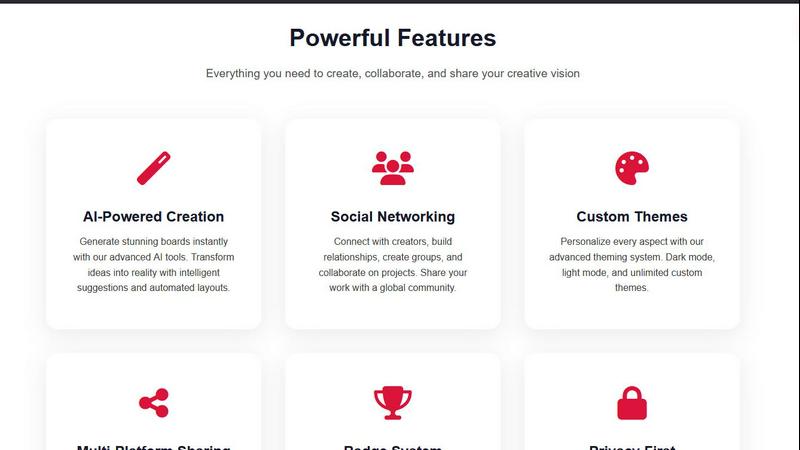
Multi-Platform Auto-Sync
Connect your favorite platforms like YouTube, Spotify, Steam, Pinterest, TikTok, and GitHub with just one click. Once connected, Haporium works in the background, automatically importing your playlists, game libraries, saved videos, and pins. This means your personal boards are always populated and current without any manual effort, saving you countless hours of copying and pasting links.
Customizable & Shareable Boards
Create beautiful boards for any topic imaginable, from "Indie Game Gems" to "2025 Travel Inspiration." The magic is in mixing content types from different platforms into a single, cohesive collection. You have full control over privacy: keep boards private, share them publicly with the world, or protect them with a password to share with select friends, family, or colleagues.
Social Discovery & Community
Haporium isn't just about organizing your own content; it's a window into what others are passionate about. Browse through thousands of public boards created by users worldwide to discover new music, gaming tips, DIY projects, and more. You can join topic-based communities, follow creators whose taste you admire, and find curated collections on subjects you love.
Collaborative Curation
Great collections are often built together. Haporium allows you to invite friends, teammates, or classmates to collaborate on boards. Everyone with edit access can add, remove, and organize items, making it a perfect tool for planning group trips, compiling research for a team project, or building a shared playlist for an event.
Use Cases
AutomagicWP
WordPress Development Agencies
Agencies managing updates for 10, 20, or 100+ client sites can centralize all their custom plugin and theme updates. Onboard a client site once with an API key, and all future updates are handled automatically. This eliminates a major time sink, reduces human error, and allows the agency to scale its service offerings efficiently.
Independent Plugin & Theme Developers
Solo creators selling premium WordPress products can use AutomagicWP as a lightweight, private distribution platform. It handles secure update delivery and provides a professional update interface for customers, without the need to build a complex licensing server or integrate with a large marketplace.
Freelancers with Recurring Clients
Freelancers who maintain sites for several long-term clients can stop the monthly "update ritual." By deploying client-specific plugins through AutomagicWP, they ensure all sites are always on the latest, most secure version effortlessly, leading to happier clients and more predictable, valuable maintenance work.
Teams Using Modern Development Workflows
Development teams that use GitHub and practice continuous integration can hook AutomagicWP directly into their process. Pushing a tag triggers a build and release, ensuring that tested code is what gets deployed. The REST API also allows for deeper integration into custom internal tools and dashboards.
Haporium
Personal Interest Curation
For anyone looking to declutter their digital mind, Haporium is perfect. Create a "Home Renovation Ideas" board mixing Pinterest pins, YouTube tutorial videos, and product links. Build a "Movie Night Picks" board with trailers, IMDb links, and streaming service shortcuts. It turns your scattered interests into organized, visual collections you can revisit and enjoy anytime.
Professional Portfolio & Resource Sharing
Educators, marketers, and consultants can use Haporium to create and share resource lists, reading materials, or project portfolios. A teacher could make a board of supplemental history videos and articles. A marketing agency could create a password-protected board for a client, showcasing campaign inspiration and competitor analysis from various sources.
Collaborative Project Planning
Planning a wedding, a group vacation, or a team offsite? Create a shared board where everyone can contribute. Add flight options, hotel links, activity videos, and important documents. It keeps all planning resources in one accessible, updatable location, ensuring everyone is on the same page and can contribute their ideas easily.
Content Discovery & Learning
Use Haporium as a learning engine. Follow boards on topics you want to explore, like "Learn Python" with curated GitHub repos, tutorial videos, and documentation links. Discover new music by exploring public boards from users with similar tastes. It transforms passive scrolling into active, structured discovery across multiple content platforms.
Overview
About AutomagicWP
AutomagicWP is your private, automated distribution hub for WordPress plugins and themes. It's built to completely eliminate the tedious, manual process of updating client sites. Instead of logging into dozens of wp-admin dashboards to upload ZIP files, you simply upload a release to AutomagicWP once. Every WordPress site you've connected will then update itself automatically using WordPress's own, native update mechanism. This means your clients get updates seamlessly, and you get hours of your week back.
It's perfect for WordPress agencies managing a portfolio of client sites, solo developers who are tired of the repetitive "ZIP loop," and creators of premium plugins or themes who need a professional distribution channel without the overhead of a full e-commerce platform. Beyond just shipping files, AutomagicWP gives your plugins a professional presence with support for icons, banners, screenshots, and detailed changelogs right within the wp-admin. With features like CI/CD via GitHub Actions and a comprehensive REST API, it integrates smoothly into modern development workflows. In short, AutomagicWP turns plugin and theme updates from a chore into a completely automated, reliable process.
About Haporium
In today's digital world, our favorite content is scattered everywhere. You might have playlists on Spotify, saved videos on YouTube, wishlists on Steam, and inspiring pins on Pinterest, all living in separate apps. Haporium is here to change that. It's a revolutionary content curation and social discovery platform designed to be your centralized hub for everything you love online. At its core, Haporium lets you create personalized "Boards" where you can effortlessly collect, organize, and share links, images, videos, and other content from across the web. With seamless one-click integration for over 12 popular platforms, your content syncs automatically, keeping your boards fresh and up-to-date. Whether you're a casual user wanting to organize personal interests like travel ideas or recipe collections, a professional looking to share curated resources with an audience, or a team collaborating on a project, Haporium makes it simple. Its user-friendly interface removes the friction of content management, turning the chore of organizing your digital life into an enjoyable and creative process. Discover new content through public boards, collaborate with friends, and finally bring all your favorite things together in one, beautifully organized place.
Frequently Asked Questions
AutomagicWP FAQ
What is AutomagicWP?
AutomagicWP is a private WordPress plugin and theme distribution platform. It allows you to upload a release once and have it automatically update on every connected WordPress site. It's designed to replace the manual process of logging into multiple wp-admin areas to upload ZIP files, saving developers and agencies significant time.
How does automatic plugin updating work?
You install a lightweight Composer package or mu-plugin on each client's WordPress site and provide an API key from your AutomagicWP account. This connects the site to your private repository. When you publish a new release, WordPress's built-in update checker sees it just like an update from the official directory and installs it automatically on its normal schedule.
Is AutomagicWP free to start?
Yes! AutomagicWP offers a free Starter tier with no credit card required to sign up. This plan includes 1 plugin, 500 MB of storage, 20 releases, and automatic updates. You can fully test the service and manage a small project at no cost.
Does AutomagicWP work with private or commercial plugins?
Absolutely. This is a primary use case. AutomagicWP is designed as a private repository, so your code is never published publicly. It's an ideal solution for distributing commercial, premium, or custom-built plugins and themes directly to your customers or client sites securely.
Haporium FAQ
Is Haporium free to use?
Yes! You can get started with Haporium completely free. The free plan includes core features like creating boards, connecting multiple platforms for auto-sync, and browsing public content. You can start with a demo board without even signing up to see how it works before committing to creating an account.
What platforms can I connect to Haporium?
Haporium supports seamless integration with over 12 popular platforms and the list is growing. Confirmed integrations include YouTube, Spotify, Steam, Pinterest, TikTok, and GitHub. This allows you to pull in your playlists, saved videos, game libraries, pins, and more directly into your boards.
Can I keep my boards private?
Absolutely. You have full control over the privacy of each board you create. You can set a board to be completely private (only visible to you), public (visible to anyone), or password-protected. Password protection lets you share access selectively with specific people without making the board open to the entire internet.
Do I need an account to try Haporium?
No, you don't need an account to try out the core functionality. Haporium offers a "Demo Board" feature that lets you create a board, add content, and experience the interface immediately. If you like it, you can then easily transfer that demo board to a permanent account when you sign up.
Alternatives
AutomagicWP Alternatives
AutomagicWP is a specialized tool in the WordPress ecosystem, designed to streamline how developers and agencies distribute and update plugins and themes across multiple sites. It automates the tedious manual process of uploading ZIP files to individual dashboards, making it a powerful solution for managing a portfolio of client websites or distributing premium products. Users often explore alternatives for various reasons. Some might need a different pricing structure or a free tier to start. Others may require deeper integration with specific hosting platforms, version control systems like Git, or more advanced user management features. The specific needs of a solo developer differ from those of a large agency, so the ideal tool can vary. When evaluating options, consider your core workflow. Look for reliable automation that saves time, secure update delivery, and compatibility with your existing tools. A solution should reduce your administrative burden, not add complexity, ensuring you can focus on building great websites instead of managing updates.
Haporium Alternatives
Haporium is a content curation and social discovery platform designed to help you gather and organize your favorite links, videos, and images from over a dozen different online platforms into one central, customizable hub. It falls into the category of digital content management and marketing tools, perfect for anyone looking to streamline their online interests or share curated collections. People often explore alternatives to find a tool that better fits their specific needs. This could be due to budget constraints, a need for integration with a particular platform Haporium doesn't support, or a desire for different organizational features like tagging systems or collaborative workspaces. The right tool varies greatly from person to person. When searching for a different solution, consider what's most important for your workflow. Key factors include the number and types of platforms you need to connect, the flexibility in how you can organize content, collaboration features if you're working with a team, and of course, the overall cost and pricing structure. Identifying your must-have features will make your decision much easier.