
AutomagicWP vs Supawazap
Side-by-side comparison to help you choose the right AI tool.

AutomagicWP updates all your WordPress plugins across every connected site with just one simple upload.
Last updated: February 27, 2026

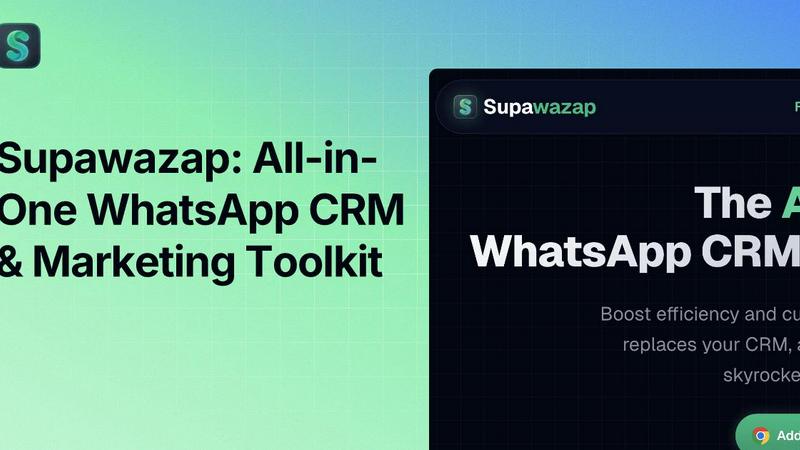
Supawazap is your all-in-one WhatsApp toolkit for CRM, marketing, and automation to boost productivity.
Last updated: February 28, 2026
Visual Comparison
AutomagicWP

Supawazap
Feature Comparison
AutomagicWP
One-Click, Site-Wide Updates
Upload a new plugin or theme version just one time to your AutomagicWP dashboard. Every WordPress site connected via a simple API key will automatically detect and install this update through the standard WordPress update system. You never have to log into individual client dashboards again, saving immense time and ensuring consistency across your entire managed portfolio.
Professional Plugin Repository
Give your plugins a polished, official look within the WordPress admin. AutomagicWP lets you upload icons, banners, and screenshots, and write full descriptions, changelogs, and FAQs. This creates a user experience for your clients that mirrors plugins from the official WordPress.org repository, building trust and professionalism for your work.
Seamless CI/CD Integration
Automate your entire release pipeline. Connect your GitHub repository, and when you push a tag, AutomagicWP's GitHub Action automatically packages and deploys the new release. This creates a true "set it and forget it" workflow where merging code can directly result in an update being available to all connected sites, with zero manual steps in between.
Comprehensive Release Management
Keep every version organized and accessible. Each release you upload stores the version number, PHP requirements, and a changelog. You get a clear version history and can download any past release directly from your dashboard. This is crucial for rollbacks, auditing, and maintaining a reliable distribution history for your code.
Supawazap
Smart Broadcast & Campaigns
Go beyond basic blasts with intelligent broadcasting designed to keep your account safe. Supawazap uses 'Smart Batching' and introduces random delays between messages to mimic human behavior, significantly reducing the risk of being flagged as spam. You can personalize messages, schedule campaigns for the perfect time, and even use spintax to create message variations, ensuring your outreach feels personal and authentic while reaching thousands of contacts efficiently.
No-Code Workflow Automation & CRM Bot
Automate your customer conversations 24/7 without writing a single line of code. Visually build chatbot flows with triggers, keyword-based auto-replies, and follow-up actions. This turns your WhatsApp into an automated assistant that can qualify leads, answer FAQs, and nurture contacts. It seamlessly integrates with your contact management, allowing you to automatically add tags or update custom fields based on how a contact interacts with your bot.
Comprehensive Contact Management
Turn your WhatsApp contact list into a fully-featured CRM. View detailed profiles for each contact where you can add notes, assign color-coded tags (like "VIP" or "Negotiation"), and create custom fields to store specific data such as "Company Name" or "Deal Value." This centralizes all your customer information and interaction history in one place, making it easy to stay organized and provide personalized service.
Live Delivery Reports & Smart Lists
Gain real-time visibility into your campaign performance. Watch as messages are delivered, read, or fail, all from a live dashboard. You can retry failed messages with one click and export detailed reports to CSV or Excel for further analysis. Combine this with Smart Lists, which allow you to save and name specific contact groups (like "Webinar Attendees") for instant reuse in future broadcasts, saving you hours of manual list building.
Use Cases
AutomagicWP
WordPress Development Agencies
Agencies managing updates for 10, 20, or 100+ client sites can centralize all their custom plugin and theme updates. Onboard a client site once with an API key, and all future updates are handled automatically. This eliminates a major time sink, reduces human error, and allows the agency to scale its service offerings efficiently.
Independent Plugin & Theme Developers
Solo creators selling premium WordPress products can use AutomagicWP as a lightweight, private distribution platform. It handles secure update delivery and provides a professional update interface for customers, without the need to build a complex licensing server or integrate with a large marketplace.
Freelancers with Recurring Clients
Freelancers who maintain sites for several long-term clients can stop the monthly "update ritual." By deploying client-specific plugins through AutomagicWP, they ensure all sites are always on the latest, most secure version effortlessly, leading to happier clients and more predictable, valuable maintenance work.
Teams Using Modern Development Workflows
Development teams that use GitHub and practice continuous integration can hook AutomagicWP directly into their process. Pushing a tag triggers a build and release, ensuring that tested code is what gets deployed. The REST API also allows for deeper integration into custom internal tools and dashboards.
Supawazap
Agency Client Outreach & Nurturing
Marketing and sales agencies can use Supawazap to manage campaigns for multiple clients from a single dashboard. They can scrape relevant contacts from groups, segment them using tags and custom fields, and run personalized drip campaigns. The CRM bot can handle initial inquiries, book appointments, and nurture leads automatically, allowing agencies to scale their client services without proportionally increasing manual workload.
E-commerce Store Customer Engagement
Online store owners can leverage Supawazap to broadcast flash sale announcements, order updates, and personalized product recommendations directly to their customers' WhatsApp. They can segment contacts by purchase history or interests, and use automated workflows to send abandoned cart reminders or post-purchase follow-up sequences, driving higher conversion rates and fostering loyalty through a direct, high-engagement channel.
Freelancer & Consultant Lead Management
Solo professionals like coaches, consultants, and freelancers can use Supawazap as their affordable, all-in-one business hub. They can organize prospects with tags, schedule follow-up messages to stay top-of-mind, and use saved message templates for quick replies. The contact profile notes help remember personal details from past conversations, making every interaction feel thoughtful and building stronger client relationships.
Real Estate Agent Property Marketing
Real estate agents can build a targeted list of potential buyers and renters. They can schedule broadcasts to send new property listings with photos and details, use smart segmentation to only message contacts interested in specific locations or property types, and automate responses to common questions about viewings or pricing. The group scraper can also help grow their network from local community WhatsApp groups.
Overview
About AutomagicWP
AutomagicWP is your private, automated distribution hub for WordPress plugins and themes. It's built to completely eliminate the tedious, manual process of updating client sites. Instead of logging into dozens of wp-admin dashboards to upload ZIP files, you simply upload a release to AutomagicWP once. Every WordPress site you've connected will then update itself automatically using WordPress's own, native update mechanism. This means your clients get updates seamlessly, and you get hours of your week back.
It's perfect for WordPress agencies managing a portfolio of client sites, solo developers who are tired of the repetitive "ZIP loop," and creators of premium plugins or themes who need a professional distribution channel without the overhead of a full e-commerce platform. Beyond just shipping files, AutomagicWP gives your plugins a professional presence with support for icons, banners, screenshots, and detailed changelogs right within the wp-admin. With features like CI/CD via GitHub Actions and a comprehensive REST API, it integrates smoothly into modern development workflows. In short, AutomagicWP turns plugin and theme updates from a chore into a completely automated, reliable process.
About Supawazap
Supawazap is your all-in-one Swiss Army Knife for WhatsApp Web, transforming it from a simple messaging app into a powerful, privacy-focused CRM and marketing powerhouse. Designed specifically for agencies, small businesses, and solo entrepreneurs, it supercharges your WhatsApp workflows without any complicated setup or coding required. The magic of Supawazap is that it works entirely within your Chrome browser, keeping all your valuable contact data, message history, and interactions securely stored on your own device. This local-first approach means you get to leverage the incredible reach of WhatsApp marketing—with its 98% open rates—while maintaining complete control and ownership of your information. From automating repetitive outreach and managing leads with detailed profiles to sending smart, safe broadcast campaigns, Supawazap bundles every utility you need into one lightweight, user-friendly extension. It’s the essential toolkit to boost efficiency, cut costs, and skyrocket your productivity directly from the platform where your customers already are.
Frequently Asked Questions
AutomagicWP FAQ
What is AutomagicWP?
AutomagicWP is a private WordPress plugin and theme distribution platform. It allows you to upload a release once and have it automatically update on every connected WordPress site. It's designed to replace the manual process of logging into multiple wp-admin areas to upload ZIP files, saving developers and agencies significant time.
How does automatic plugin updating work?
You install a lightweight Composer package or mu-plugin on each client's WordPress site and provide an API key from your AutomagicWP account. This connects the site to your private repository. When you publish a new release, WordPress's built-in update checker sees it just like an update from the official directory and installs it automatically on its normal schedule.
Is AutomagicWP free to start?
Yes! AutomagicWP offers a free Starter tier with no credit card required to sign up. This plan includes 1 plugin, 500 MB of storage, 20 releases, and automatic updates. You can fully test the service and manage a small project at no cost.
Does AutomagicWP work with private or commercial plugins?
Absolutely. This is a primary use case. AutomagicWP is designed as a private repository, so your code is never published publicly. It's an ideal solution for distributing commercial, premium, or custom-built plugins and themes directly to your customers or client sites securely.
Supawazap FAQ
Is Supawazap safe for my WhatsApp account?
Absolutely. Account safety is a top priority. Supawazap employs 'Smart Batching' and introduces random delays between messages to perfectly mimic natural human typing and sending behavior. This approach, along with advising against overly aggressive sending limits, is designed to keep your account in good standing and avoid any spam detection flags from WhatsApp.
Where is my data stored with Supawazap?
All your data is stored locally on your own computer. Supawazap is a Chrome extension that operates directly within your browser. Your contacts, message history, notes, and custom fields never leave your device to be stored on external servers. This privacy-first architecture gives you complete control and ownership over your valuable customer information.
Do I need to sign up or provide a credit card to start?
No, you can start using Supawazap immediately without any barriers. There is no mandatory sign-up process, and no credit card is required to install the free extension from the Chrome Web Store. You can explore its core features and experience the productivity boost right away, making it incredibly easy to get started.
Can I automate replies to incoming messages?
Yes, you can! With the no-code Workflow Automation (CRM Bot) feature, you can visually build automated reply sequences. You can set triggers based on specific keywords or message types, and the bot will automatically send predefined responses or execute actions like adding a tag to the contact. This allows you to provide instant answers 24/7, even when you're away.
Alternatives
AutomagicWP Alternatives
AutomagicWP is a specialized tool in the WordPress ecosystem, designed to streamline how developers and agencies distribute and update plugins and themes across multiple sites. It automates the tedious manual process of uploading ZIP files to individual dashboards, making it a powerful solution for managing a portfolio of client websites or distributing premium products. Users often explore alternatives for various reasons. Some might need a different pricing structure or a free tier to start. Others may require deeper integration with specific hosting platforms, version control systems like Git, or more advanced user management features. The specific needs of a solo developer differ from those of a large agency, so the ideal tool can vary. When evaluating options, consider your core workflow. Look for reliable automation that saves time, secure update delivery, and compatibility with your existing tools. A solution should reduce your administrative burden, not add complexity, ensuring you can focus on building great websites instead of managing updates.
Supawazap Alternatives
Supawazap is a powerful Chrome extension that transforms WhatsApp Web into a versatile CRM and marketing toolkit. It falls into the categories of marketing automation, productivity, and social media management, helping businesses streamline their WhatsApp communication and outreach. Users often explore alternatives for various reasons. Some might need a solution that works on mobile devices or integrates with other platforms beyond the browser. Others may be evaluating different pricing models, seeking specific advanced features, or require a solution that supports team collaboration on a larger scale. When looking for a different tool, it's important to consider your primary needs. Focus on the core features that matter most to your workflow, such as automation capabilities, contact management, broadcasting tools, and data security. Also, assess the platform compatibility, ease of use, and the overall value relative to the cost to find the best fit for your business.