
Backlink Helper vs Veo 3.2 AI
Side-by-side comparison to help you choose the right AI tool.

Backlink Helper
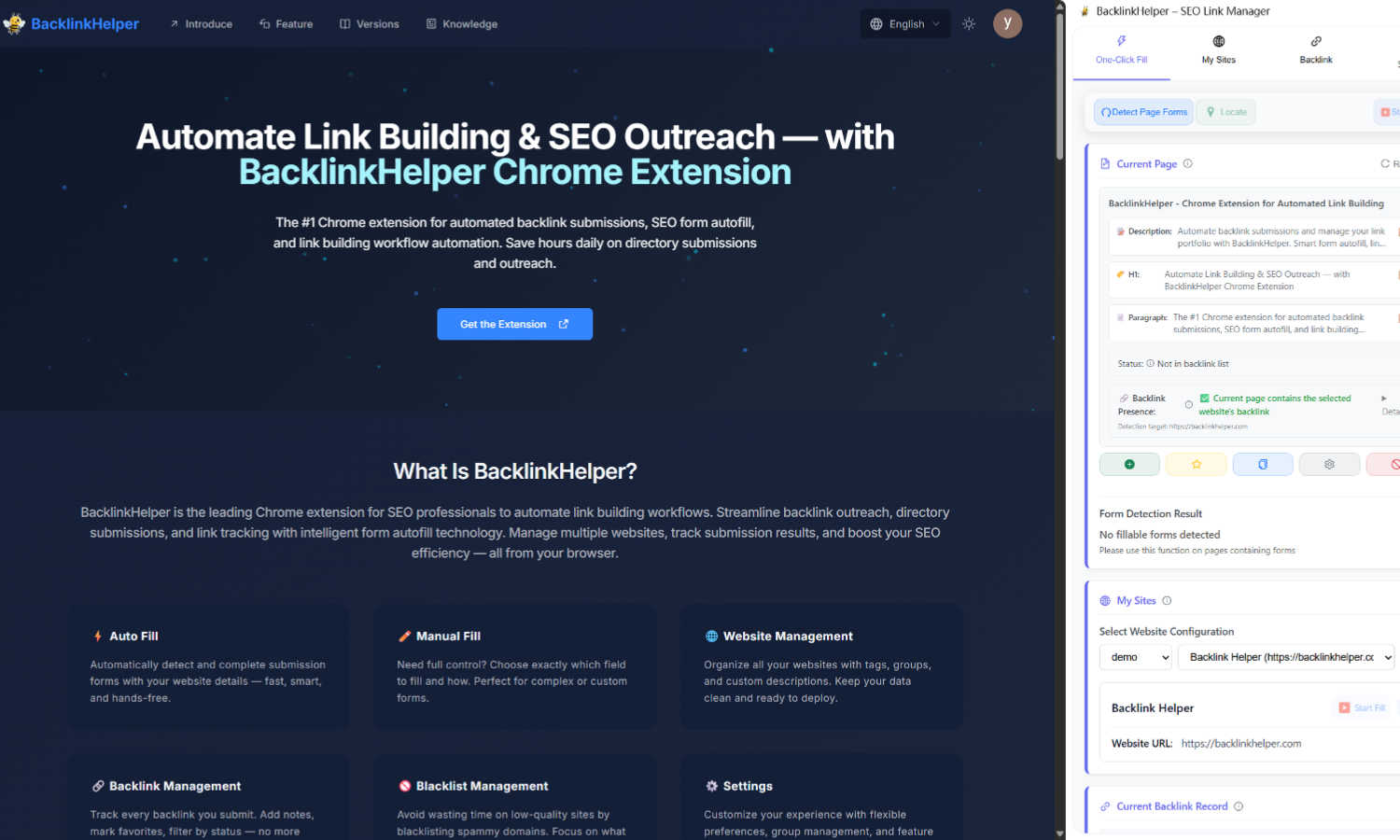
Backlink Helper automates SEO backlink submissions, saving you time and effort with smart form autofill and.
Last updated: March 1, 2026

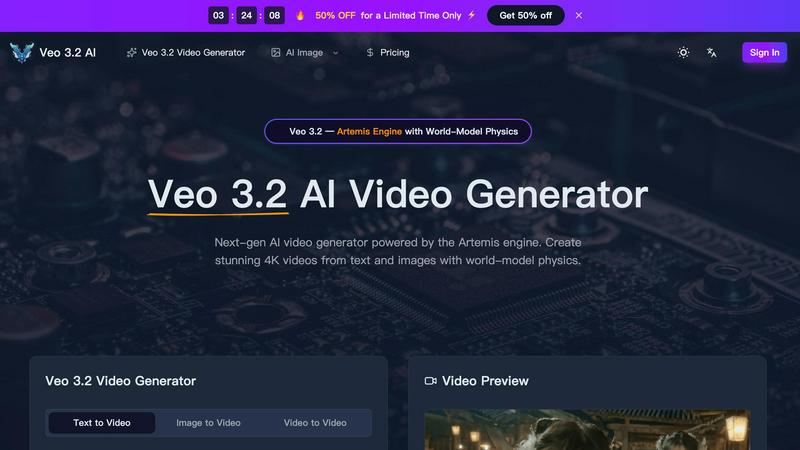
Veo 3.2 AI creates stunning 4K videos from text and images using advanced world-model physics for lifelike motion and cinematic quality.
Last updated: March 11, 2026
Visual Comparison
Backlink Helper
Veo 3.2 AI
Feature Comparison
Backlink Helper
Smart Form Autofill
Backlink Helper features an innovative smart form autofill capability that instantly detects and pre-fills submission forms for directories, guest posts, and backlink requests with your website information. This saves you from the repetitive task of manual typing, significantly speeding up your backlink submission process and reducing the chance of errors.
AI Comment Generation
The AI comment generation feature creates unique and contextually relevant comments tailored to each submission. By analyzing both your website content and the target page, Backlink Helper generates natural, readable comments that pass manual reviews, enhancing your chances of approval.
Backlink Portfolio Management
With comprehensive backlink portfolio management, you can track, organize, and monitor all your submitted links. This feature helps prevent duplicate submissions, allows you to add custom notes for each link, and groups your submissions by campaign, ensuring you have a clear overview of your link-building efforts.
Multi-Site SEO Management
Backlink Helper allows you to manage multiple websites efficiently by storing and switching between different SEO titles, descriptions, and keywords. This feature is especially useful for SEO agencies and consultants managing several client projects or web admins overseeing multiple sites.
Veo 3.2 AI
Next-Gen Text-to-Video Generation
Veo 3.2 AI excels in converting text prompts into dynamic videos. Users can generate clips up to 30 seconds long in true 4K resolution, capturing cinematic quality with fluid movements and realistic dynamics that enhance storytelling.
Image-to-Video Conversion
With Veo 3.2, uploading an image or design allows the model to infuse it with life through natural motion. This feature utilizes AI Detail Reconstruction to redraw intricate details at true 4K, ensuring visually striking outputs.
World-Model Physics & Audio Sync
The Artemis engine's simulation of real-world physics, including gravity and fluid dynamics, creates a sense of authenticity in every video. Coupled with material-aware audio that adapts to the environment, the output feels immersive and engaging.
Character Consistency Across Shots
Using Ingredients 2.0, Veo 3.2 builds a detailed 3D character map from reference photos, ensuring consistency in character appearance across various scenes. This feature maintains the integrity of facial features and proportions, enhancing visual storytelling.
Use Cases
Backlink Helper
SEO Agencies & Consultants
SEO agencies can leverage Backlink Helper to streamline their link-building operations. The tool assists with directory submissions and client campaign management, enabling agencies to efficiently track outreach and maintain organized portfolios for each client, thus enhancing overall productivity.
Web Admins & Site Owners
For web admins and site owners, Backlink Helper provides a clean, organized record of where their website has been submitted. This prevents duplicate submissions and helps maintain a healthy backlink profile, crucial for improving search engine rankings and site authority.
Digital Marketers Running Outreach Campaigns
Digital marketers can utilize Backlink Helper to enhance their outreach campaigns. The tool's ability to generate context-aware comments means marketers can engage with potential link sources more effectively, increasing the likelihood of securing valuable backlinks.
Freelancers and Solo Entrepreneurs
Freelancers and solo entrepreneurs will find Backlink Helper invaluable for managing their SEO efforts. The tool simplifies complex link-building processes, allowing individuals to focus on their core business activities while still developing a strong online presence.
Veo 3.2 AI
Marketing Videos
Businesses can utilize Veo 3.2 to create captivating marketing content that engages customers. By generating eye-catching videos from product images or promotional text, brands can effectively communicate their messages.
Educational Content
Educators and content creators can employ Veo 3.2 to develop illustrative videos for teaching. This tool enables the transformation of complex concepts into visually appealing narratives, making learning more accessible and enjoyable.
Social Media Content
Veo 3.2 is perfect for social media managers looking to produce high-quality video content quickly. With its easy-to-use interface, users can generate engaging videos tailored for various platforms, helping to boost audience interaction.
Film Production
Independent filmmakers can leverage Veo 3.2 for pre-visualization and scene creation. The ability to generate realistic character animations and dynamic environments allows filmmakers to explore their ideas visually before actual production begins.
Overview
About Backlink Helper
Backlink Helper is a powerful Chrome extension designed to simplify and enhance the SEO link-building process. It transforms the traditionally laborious task of submitting backlinks into a seamless and automated workflow, allowing users to focus on what truly matters: building authority and traffic for their websites. With Backlink Helper, you can auto-fill submission forms on directories, forums, and guest blogs in seconds. This tool is ideal for SEO specialists managing multiple client campaigns, digital marketers conducting outreach, and website owners striving to boost their site's authority. Its core value lies in the significant time savings it offers, improving submission accuracy, and keeping your entire backlink portfolio organized. With features like smart comment generation and backlink tracking, Backlink Helper empowers users to reclaim hours of work while ensuring a comprehensive approach to link building. Best of all, you can start utilizing its robust capabilities with a free plan, making it accessible to everyone looking to enhance their SEO efforts.
About Veo 3.2 AI
Veo 3.2 AI is a cutting-edge video generation tool powered by the innovative Artemis engine, designed for creators who want to produce stunning, high-quality videos with ease. By harnessing advanced AI capabilities, Veo 3.2 allows users to transform text and images into breathtaking 4K videos, complete with world-model physics that simulate realistic movements and environments. Whether you are a filmmaker, marketer, or content creator, Veo 3.2 provides a versatile platform for storytelling that is both intuitive and powerful. Its capability to generate videos up to 30 seconds long ensures that creators can convey their narratives effectively without sacrificing quality. The model also offers features like character consistency and material-aware audio, making it a comprehensive solution for any video project.
Frequently Asked Questions
Backlink Helper FAQ
How does Backlink Helper save time?
Backlink Helper automates the backlink submission process by auto-filling forms and generating comments, significantly reducing the manual effort required and allowing users to complete submissions in a fraction of the time.
Is Backlink Helper suitable for beginners?
Yes, Backlink Helper is user-friendly and designed for all levels of expertise. Its intuitive interface and helpful features make it an excellent choice for beginners looking to improve their SEO link-building skills.
What types of sites can I submit backlinks to?
Backlink Helper supports submissions to various platforms, including directories, guest blogs, and forums. It also provides a curated list of high-authority sites where you can effectively build backlinks.
Does Backlink Helper require a subscription?
Backlink Helper offers a free plan to get started, making it accessible to everyone. For more advanced features or additional credits, users can explore premium options, but no credit card is needed to start with the free version.
Veo 3.2 AI FAQ
What types of videos can I create with Veo 3.2 AI?
You can create a wide variety of videos, including promotional content, educational materials, character animations, and cinematic scenes, all in stunning 4K resolution.
How does the character consistency feature work?
Veo 3.2 uses Ingredients 2.0 to create a 3D character map from uploaded reference photos, ensuring that characters maintain the same appearance across different scenes for seamless storytelling.
Is there a limit to the video duration I can generate?
Yes, Veo 3.2 allows users to generate continuous videos up to 30 seconds long, enabling effective storytelling without the typical constraints of short clips.
Can I customize the audio in my videos?
Absolutely! Veo 3.2 features material-aware audio that adapts to scene environments, providing context-aware sound effects that enhance the viewer's experience.
Alternatives
Backlink Helper Alternatives
Backlink Helper is a smart Chrome extension that automates the SEO backlink submission process, making link building more efficient and effective. As an all-in-one tool, it streamlines the tedious tasks associated with manual submissions, helping users save valuable time and improve accuracy. However, many users often seek alternatives due to factors such as pricing, specific feature requirements, or compatibility with various platforms. When looking for alternatives, it’s essential to consider what features are most important to your SEO strategy, such as form autofill capabilities, backlink management, and support for different submission types. Additionally, evaluating the pricing structure and ensuring it fits within your budget while meeting your needs can help you find the right solution for your link-building efforts.
Veo 3.2 AI Alternatives
Veo 3.2 AI is a next-generation AI video generator that leverages the powerful Artemis engine to create stunning 4K videos from text and images. It belongs to the category of AI Assistants, Design Tools, and Image & Photo solutions, offering advanced features like world-model physics to enhance video quality and realism. Users often seek alternatives to Veo 3.2 AI for various reasons, including pricing concerns, the need for additional or different features, or compatibility with specific platforms. When searching for an alternative, it’s essential to consider factors such as ease of use, output quality, pricing models, and customer support to ensure the tool meets your unique needs and enhances your creative projects.