
Caller vs ToolPortal
Side-by-side comparison to help you choose the right AI tool.

Call any number worldwide from your browser with no contracts and pay-as-you-go rates from just $0.02/min.
Last updated: February 28, 2026

ToolPortal
ToolPortal is your go-to online directory with over 300 free tools for developers, designers, and content creators to streamline their tasks.
Last updated: April 4, 2026
Visual Comparison
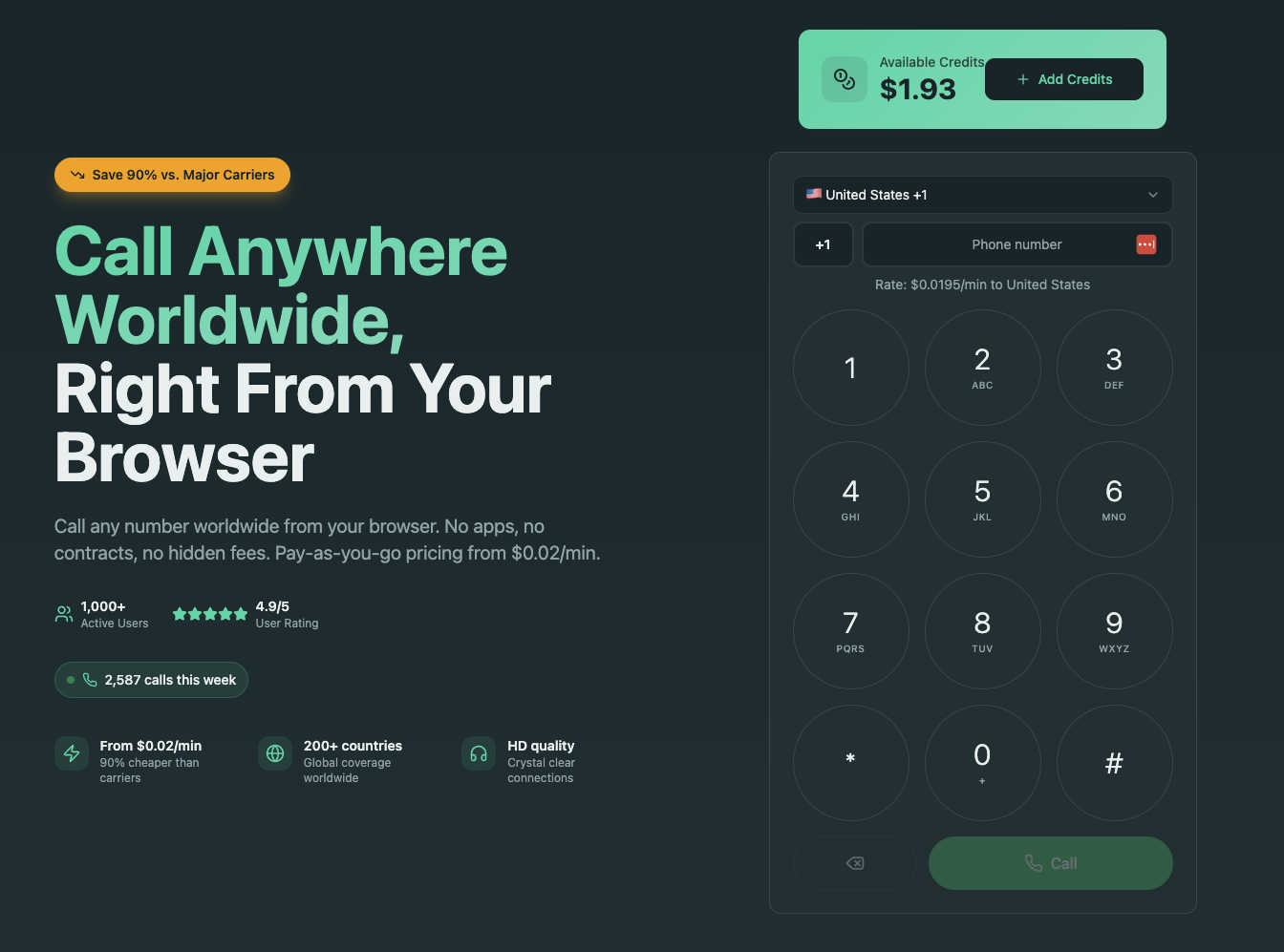
Caller
ToolPortal
Feature Comparison
Caller
Browser-Based Calling
Say goodbye to app stores and software installations. Caller operates entirely within your web browser, whether you're on Chrome, Safari, or Firefox. This means you can start making high-quality international calls in seconds from any device with an internet connection, without any downloads. It eliminates compatibility issues and frees up storage space on your devices, offering ultimate convenience and flexibility for on-the-go communication.
Transparent Pay-As-You-Go Pricing
Caller champions simplicity and fairness with its straightforward pricing model. There are no monthly subscriptions, contracts, or hidden fees. You simply purchase credits that never expire and only pay for the minutes you actually use on completed calls. With rates starting from just $0.02 per minute to many destinations, you get incredible cost savings and complete control over your communication budget, with real-time usage tracking.
Global Coverage to 200+ Countries
Connect with virtually anyone, anywhere. Caller provides extensive global reach, allowing you to call landlines and mobile phones in over 200 countries and territories worldwide. This extensive coverage ensures that whether you're calling a business partner in London, a relative in Sydney, or a client in Tokyo, you can reach them instantly and reliably, all from one simple platform.
Dedicated Phone Numbers
Enhance your professional image or establish a local presence with your own dedicated phone number. Caller lets you purchase numbers from various countries, including the US and UK, available as local, toll-free, or mobile formats. You can use this number as your caller ID for outgoing calls, giving your business a more established and trustworthy appearance, with activation that happens instantly.
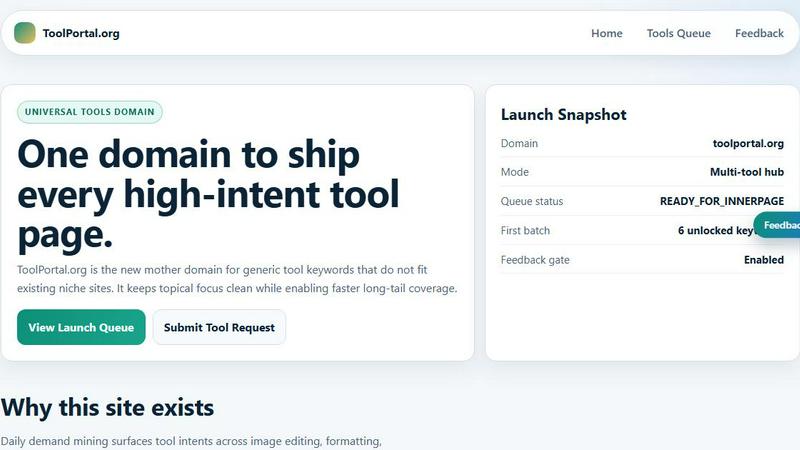
ToolPortal
Comprehensive Tool Index
ToolPortal features a dense index of 261 live tools organized into specific categories, including generators, checkers, converters, formatters, and image editing tools. This organization allows users to quickly navigate to the tools they need without unnecessary friction.
Dual Search Modes
Users can choose between two search methods: a direct keyword search for when they know the exact tool name or a task description mode that suggests tools based on the stated job. This flexibility caters to both experienced users and those who may be unsure of what they need.
Daily Refresh Cycle
ToolPortal is committed to continuous improvement, with new pages and UI updates being rolled out daily. This ensures that users always have access to the latest tools and features, enhancing the overall experience and keeping the content fresh and relevant.
Instant Access Without Login
One of the standout features of ToolPortal is that it requires no login or account creation. Users can open any tool page and run it immediately, eliminating barriers to access and allowing for a seamless workflow.
Use Cases
Caller
Remote and International Teams
For distributed companies and remote workers, Caller is a game-changer. Team members can easily connect for meetings, quick check-ins, or collaborative discussions with colleagues in different countries without worrying about exorbitant international calling charges on their personal phones. It simplifies communication and keeps global teams tightly knit and productive.
Freelancers and Small Businesses
Freelancers and small business owners who work with international clients can use Caller to maintain professional, cost-effective communication. They can make client calls, conduct interviews, or provide customer support using a dedicated business number, projecting a professional image while keeping overhead costs extremely low with the pay-per-minute model.
Staying Connected with Family and Friends
For individuals with loved ones abroad, Caller offers an affordable and simple way to stay in touch. Instead of relying on expensive carrier plans or less reliable apps, users can enjoy crystal-clear HD voice calls to mobile and landline numbers in their family's home country, making regular conversations easy and budget-friendly.
Business Sales and Support
Sales and customer support teams can leverage Caller to reach customers and prospects globally. The service allows for high-volume calling to international numbers at a fraction of the cost of traditional business phone systems. The dedicated number feature also helps build local trust, and the instant setup means teams can be operational in minutes, not days.
ToolPortal
Social Media Content Creation
Content creators can utilize the text styling tools available in ToolPortal, such as glitch or gothic text generators, to produce eye-catching social media posts. This allows for enhanced engagement and unique branding.
Quick Image Editing
Marketers and designers can use the image tools to crop photos, remove backgrounds, and prepare assets for various platforms in a matter of minutes. This efficiency is crucial for meeting tight deadlines in the fast-paced digital landscape.
Validation and Quality Checks
Developers can rely on the validation tools for tasks such as checking DMARC records or running speed tests to ensure their projects meet quality standards before publishing. This helps maintain a high level of professionalism.
Format Conversion
Students and professionals alike can benefit from the conversion tools offered by ToolPortal, which allow for quick and easy transformation of units, time, and text formats. This is particularly useful for those working on reports or data analysis.
Overview
About Caller
Caller (also referred to as UseCaller) is a revolutionary online phone service that lets you make calls to anywhere in the world directly from your web browser. Forget about downloading apps, dealing with complicated setups, or being locked into expensive contracts. With Caller, you simply sign up, add some credits, and start calling from your computer, tablet, or phone's browser. It's built on a transparent, pay-as-you-go model where you only pay for the minutes you use, with rates starting as low as $0.02 per minute—potentially saving you up to 90% compared to traditional carriers. This service is perfect for a wide range of users: remote workers connecting with international teams, freelancers speaking with global clients, families staying in touch across borders, and businesses managing customer support or sales calls. With crystal clear HD audio quality, bank-level security for your calls, and coverage in over 200 countries, Caller provides a modern, hassle-free, and incredibly cost-effective solution for all your communication needs.
About ToolPortal
ToolPortal is a robust online directory offering over 300 free, browser-based tools designed to cater to a wide range of needs. Whether you're looking to convert text formats, validate JSON code, edit images, or perform SEO checks, ToolPortal has something for everyone. It serves as a one-stop-shop for developers, marketers, writers, and anyone who needs quick access to practical online utilities without the hassle of installation or sign-up. The intuitive interface allows users to search for tools by keyword or describe their task in plain language, making it easy to find the right tool in seconds. With a focus on user experience, ToolPortal ensures that all tools are live and ready to use immediately, streamlining workflows and enhancing productivity.
Frequently Asked Questions
Caller FAQ
How do I start using Caller?
Getting started is incredibly easy and free. First, visit the Caller website and sign up for an account in seconds—no credit card is required initially. Once your account is created, you can add funds to your wallet using a secure payment method. Then, simply enter the phone number you wish to call in the browser interface and click the call button to connect instantly.
Do I need to download any software or app?
No, you do not need to download any software, apps, or browser extensions. Caller is a fully web-based (WebRTC) service. You can make and receive calls directly through your modern web browser on your desktop, laptop, tablet, or smartphone, ensuring easy access from any device with an internet connection.
What is the call quality like?
Caller uses enterprise-grade infrastructure to deliver High-Definition (HD) voice quality on your calls. This means you can expect crystal clear audio with minimal delay or distortion, making conversations feel natural and seamless, as if you were speaking to someone in the same room.
Are my calls and payments secure?
Absolutely. Caller employs bank-level security measures to protect your privacy and data. All calls are encrypted with SSL, and payment transactions are processed securely. The company adheres to a strict no-hidden-fees policy, ensuring your financial information and conversations are safe.
ToolPortal FAQ
What types of tools does ToolPortal offer?
ToolPortal offers a wide variety of tools across categories such as generators, checkers, converters, formatters, and image editing utilities. This diversity ensures that users can find tools for nearly any online task.
Do I need to create an account to use ToolPortal?
No, ToolPortal does not require any account creation or login. Users can access and run tools directly in their browser without any barriers, making it quick and easy to get started.
How often are new tools added to ToolPortal?
ToolPortal features a daily refresh cycle, meaning new tools and updates are continually being integrated into the platform. This commitment to freshness ensures users have access to the latest tools available.
Can I search for tools without knowing their names?
Absolutely! ToolPortal allows users to describe their tasks in plain language, and it will suggest the best-fit tools based on that description. This user-friendly feature helps those who may not be familiar with specific tool names.
Alternatives
Caller Alternatives
Caller is a web-based phone service that lets you make calls directly from your browser. It falls into the productivity and management category, helping users communicate globally without traditional phone lines. People often look for alternatives to services like this for various reasons, such as needing different pricing structures, specific features like call recording, or compatibility with other platforms and devices. When exploring other options, it's important to consider what matters most for your calls. Key factors include the cost per minute and whether there are any monthly fees, the range of countries you can call, and the overall audio quality. You might also want to check if the service requires an app download or if it works instantly in a browser, and what kind of customer support is available. Ultimately, the best choice depends on your unique needs, whether you're a frequent international caller, a business user, or someone who just needs an occasional low-cost option. Taking a moment to compare these core aspects will help you find a service that feels like the perfect fit for your communication style and budget.
ToolPortal Alternatives
ToolPortal is a robust online tools directory designed specifically for developers, designers, SEO professionals, and content creators. With over 300 free browser-based tools, it offers a wealth of resources across various categories, including productivity, web development, and SEO. Users often seek alternatives to ToolPortal for several reasons, such as varying feature sets, user interface preferences, or specific platform needs that might not be met by ToolPortal. When looking for an alternative, consider factors like the types of tools offered, ease of navigation, user experience, and whether the platform requires any installation or sign-up. It's also essential to assess the reliability and support provided, as well as how frequently the tools are updated to meet current industry standards.