
Claude Image vs VideoFlux
Side-by-side comparison to help you choose the right AI tool.

Claude Image
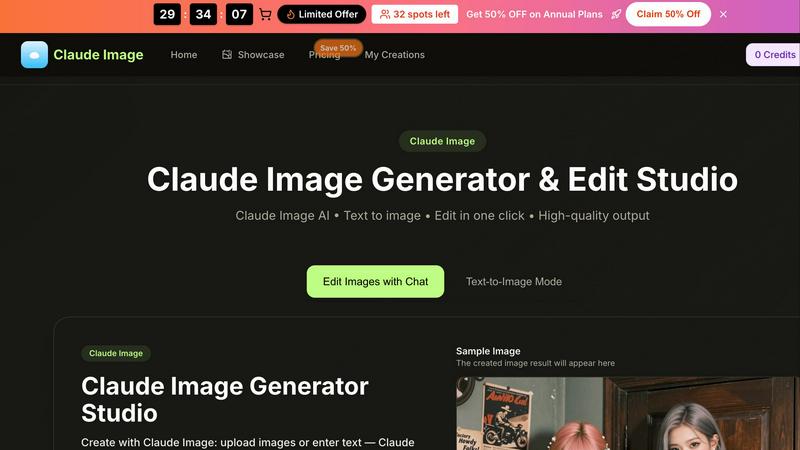
Create stunning images effortlessly with Claude Image's AI-powered text-to-image generator and editing studio.
Last updated: February 26, 2026

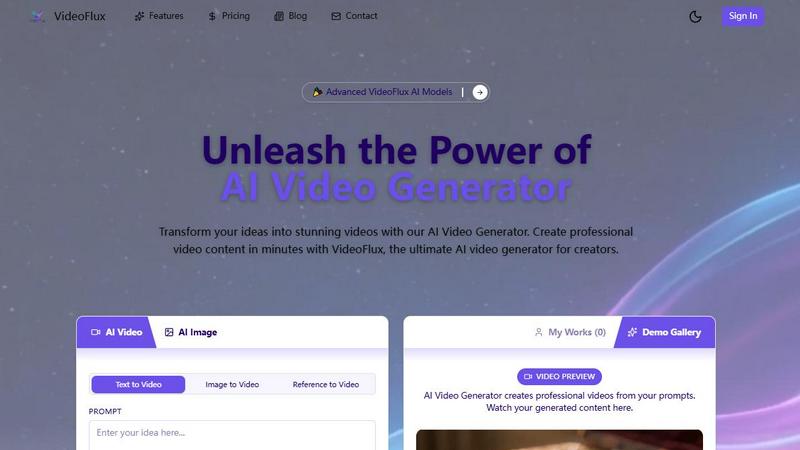
VideoFlux transforms your text and images into professional videos instantly with advanced AI.
Last updated: April 4, 2026
Visual Comparison
Claude Image
VideoFlux
Feature Comparison
Claude Image
Text-to-Image Generation
With Claude Image's text-to-image feature, users can simply describe their desired image using natural language. The AI will interpret the description and generate a corresponding image in seconds, eliminating the need for complex prompts or technical jargon. This makes it easy for anyone to create visuals, whether they want a simple graphic or an intricate artwork.
Image Editing Capabilities
Claude Image isn't just about generating new images; it also offers robust editing tools. Users can upload existing images and enhance them with various adjustments. This includes refining colors, adding text, or applying different artistic styles, all while maintaining high-resolution quality. This feature is perfect for those looking to restore old photos or reimagine their visuals.
Style Transfer Options
One of the standout features of Claude Image is its ability to apply different artistic styles to a single subject. Users can upload an image and choose from various styles, such as photorealistic, anime, or oil painting. Claude Image then blends the original image with the selected style, providing a unique and creative output that showcases the subject in new and exciting ways.
High-Quality Output
Claude Image ensures that all generated and edited images maintain a high level of quality. Whether you are creating images for personal use, social media, or professional projects, you can count on Claude Image to deliver pro-ready results. The tool is optimized to produce detailed, high-resolution images quickly, allowing users to focus more on creativity and less on technical constraints.
VideoFlux
Multiple AI Creation Modes
VideoFlux doesn't limit you to one starting point. It offers a versatile suite of tools including Text-to-Video, Image-to-Video, Text-to-Image, and Image-to-Image generation. This means you can type a prompt, upload a photo, or use a generated image as the foundation for your video. It’s designed to fit seamlessly into any creative workflow, allowing you to build upon your ideas step-by-step until you have the perfect visual narrative.
Advanced AI Model & Customization
The platform is powered by state-of-the-art AI models, like the upcoming Seedance 2.0, engineered to deliver professional-grade results with enhanced details. You have full control over the creative process with adjustable settings. Before generating, you can customize the aspect ratio (like 16:9 for widescreen), set the video duration, and apply different styles to ensure the final video perfectly matches your brand identity and creative vision.
Fast & High-Quality Generation
Say goodbye to waiting hours for renders. VideoFlux is built for speed, typically generating your videos in just 1 to 10 minutes. Despite the quick turnaround, the quality never suffers. The AI is fine-tuned to produce videos with smooth motion, cinematic qualities, and high-resolution details, making your content look polished and professional, ready for any platform.
Intuitive Project Management
VideoFlux provides a clean, user-friendly dashboard to streamline your entire creation process. Your "My Works" section keeps all your generated videos organized in one place. The platform also includes a Demo Gallery for inspiration, showing what’s possible with the AI. From sign-up to download, the workflow is straightforward, letting you focus on creativity rather than navigating a complicated interface.
Use Cases
Claude Image
Product Photography
E-commerce businesses can leverage Claude Image to create compelling product images in no time. By generating high-quality visuals that highlight products effectively, businesses can enhance their online listings without the need for expensive photography equipment or studio setups.
Photo Restoration
Claude Image is an excellent tool for restoring old or damaged photographs. Users can upload their images and use the editing features to fix colors, enhance details, and revive the original beauty of their cherished memories. This is particularly valuable for preserving family history.
Virtual Try-Ons
Fashion retailers can utilize Claude Image to offer virtual try-ons for apparel, glasses, or accessories. By generating images that showcase products on different models or backgrounds, customers can better visualize how items will look before making a purchase, enhancing the shopping experience.
Custom Avatar Creation
Individuals looking to create unique avatars for social media or gaming platforms can rely on Claude Image for this purpose. By simply providing a description of their desired avatar, users can generate personalized representations that reflect their style and personality.
VideoFlux
Social Media Content Creation
Content creators and influencers can use VideoFlux to consistently produce eye-catching clips for platforms like TikTok, Instagram Reels, and YouTube Shorts. Quickly generate trending visuals, animated stories, or promotional clips from simple text ideas or existing photos, keeping your feed fresh and engaging without a full production crew.
Marketing & Advertising Videos
Marketing teams and small businesses can create cost-effective ads, product demos, and brand story videos. Transform a product photo into a dynamic showcase video or write a prompt for a targeted ad scene. VideoFlux enables the rapid prototyping and creation of professional marketing assets that capture audience attention and drive conversions.
Creative Storytelling & Art
Artists, writers, and filmmakers can use VideoFlux as a brainstorming and visualization tool. Bring storyboard concepts to life, visualize scenes from a script, or create abstract art videos. The image-to-image and text-to-image features are perfect for experimenting with styles and compositions before committing to a final video concept.
Educational & Explainer Content
Educators, trainers, and course creators can develop compelling explainer videos and educational animations. Simply describe a complex concept (like "the water cycle" or "how a engine works"), and VideoFlux can generate a visual representation, making learning materials more engaging and easier to understand for students and trainees.
Overview
About Claude Image
Claude Image is a powerful and user-friendly AI image generator and editing tool designed for anyone looking to create stunning visuals quickly and efficiently. Whether you are a professional designer, a content creator, or simply someone who enjoys exploring their creativity, Claude Image provides a versatile platform to transform your ideas into high-quality images. With Claude Image, users can generate images from text descriptions or upload existing images for enhancement. Its intuitive interface allows for seamless editing with just a few clicks, making it accessible even for those without extensive graphic design experience. The tool supports various image formats and offers a wide range of styles and quality options, ensuring that your creations are not only visually appealing but also tailored to your specific needs. Best of all, Claude Image is free to try, with no signup required, making it an attractive option for anyone eager to dive into the world of AI-generated art.
About VideoFlux
VideoFlux is your creative partner for turning ideas into professional-quality videos in minutes. It's an advanced AI-powered platform designed to simplify video creation for everyone, from social media creators and marketers to business owners and artists. At its core, VideoFlux transforms simple text descriptions or static images into dynamic, engaging video content. Whether you need a short ad, a social media clip, or a creative visual story, VideoFlux handles it. The platform offers multiple creation paths: describe a scene with words using Text-to-Video, bring a photo to life with Image-to-Video, generate images from text, or transform existing images into new styles. This flexibility means you can start your project from any point of inspiration. Built with cutting-edge AI models, VideoFlux prioritizes high-quality output, fast processing times (typically 1-10 minutes), and an intuitive workflow. It’s the perfect solution for anyone looking to produce stunning video content quickly, cost-effectively, and without needing complex editing skills or expensive production teams.
Frequently Asked Questions
Claude Image FAQ
What formats does Claude Image support for uploads?
Claude Image supports various image formats, including JPG, PNG, and WEBP. Users can upload images up to a maximum size of 10MB, making it flexible for different needs.
Do I need to create an account to use Claude Image?
No, you do not need to sign up or create an account to use Claude Image. The tool is available for free to try, allowing users to explore its features without any commitment.
How can I achieve the best results with Claude Image?
To get the best results, be specific in your text descriptions. Include details about colors, styles, and other preferences. The more information you provide, the better Claude Image can tailor the output to your needs.
Can I edit images after generating them?
Yes, Claude Image allows users to edit images after generation. You can refine details, adjust colors, and apply different styles to enhance your creations further, ensuring they meet your expectations.
VideoFlux FAQ
What types of videos can I create with VideoFlux?
You can create a wide variety of videos, including marketing clips, social media content, advertisements, creative art pieces, product showcases, and educational explainers. The AI is versatile and can interpret many different prompts and styles, from realistic scenes to more abstract and artistic visuals.
How long does it take to generate a video?
Generation time is typically between 1 to 10 minutes, depending on the complexity of your prompt, the selected settings, and the current server load. VideoFlux is optimized for speed to help you create content quickly without sacrificing the high-quality output you expect.
Do I need video editing experience to use VideoFlux?
Not at all! VideoFlux is designed to be user-friendly for everyone. The process is as simple as typing a description or uploading an image, adjusting a few basic settings like aspect ratio and duration, and clicking generate. The AI handles the complex creation process, delivering a ready-to-use video file.
What support is available if I need help?
VideoFlux offers dedicated support to all users. You can reach out to their team directly via email at [email protected] for technical assistance or guidance. They also encourage users to join their creator community to connect with other users, share tips, and find inspiration.
Alternatives
Claude Image Alternatives
Claude Image is a powerful image generator and editing studio that leverages advanced AI technology to help users create stunning visuals effortlessly. As part of the design tools category, it offers a user-friendly interface, making it accessible for both beginners and experienced designers. With its free-to-use model, Claude Image has gained popularity among those seeking to enhance their creative projects without the burden of costly software. However, users often find themselves exploring alternatives to Claude Image for various reasons. These may include the need for additional features, specific platform compatibility, or budget constraints. When searching for a suitable alternative, it’s essential to consider aspects such as ease of use, the breadth of features offered, and the overall cost, ensuring that the chosen tool aligns with personal or professional needs.
VideoFlux Alternatives
VideoFlux is an AI-powered tool in the content creation and design space, specifically focused on generating videos from text prompts and images. It helps users quickly produce marketing materials, social media clips, and ads by converting simple inputs into professional-looking video content. People often explore other options for various reasons. This could be due to budget constraints, a need for different video styles or formats, or a requirement to integrate with other platforms in their workflow. Sometimes, a project just demands a specific feature that their current tool doesn't offer. When evaluating different platforms, it's wise to consider your primary use case, desired output quality, and how much creative control you need. Also, look at factors like generation speed, ease of use, and the overall cost relative to the value you expect to get from the tool.