
Coursebricks vs ToolPortal
Side-by-side comparison to help you choose the right AI tool.

Coursebricks
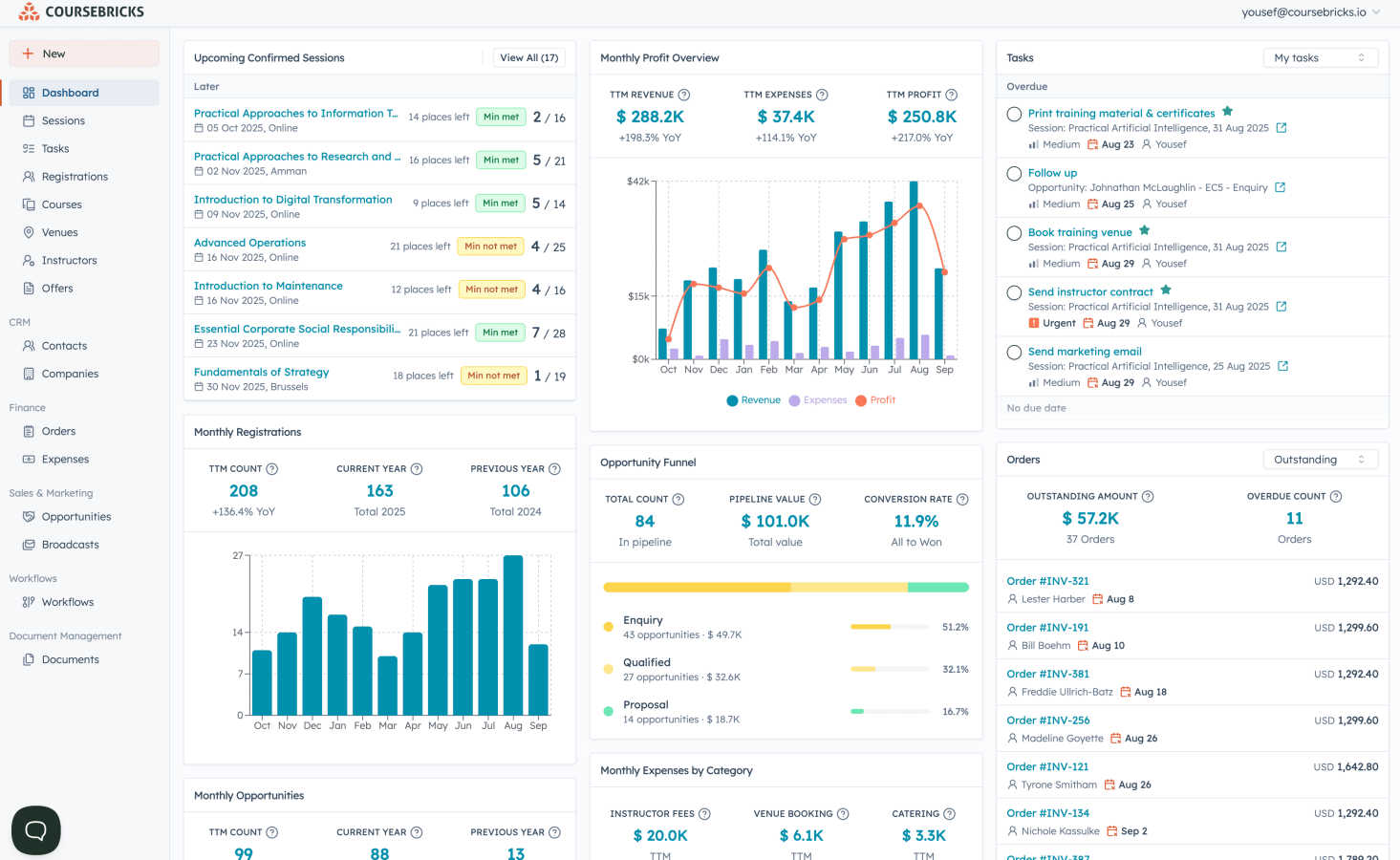
Coursebricks is your all-in-one platform to effortlessly schedule, sell, and manage professional training.
Last updated: March 1, 2026

ToolPortal
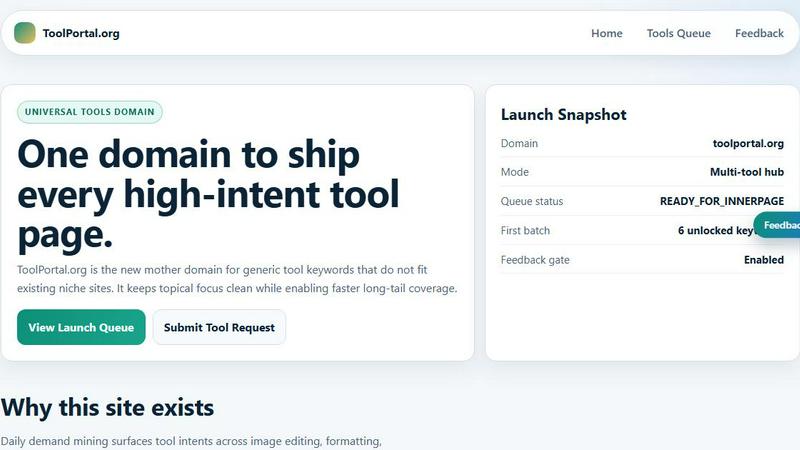
ToolPortal is your go-to online directory with over 300 free tools for developers, designers, and content creators to streamline their tasks.
Last updated: April 4, 2026
Visual Comparison
Coursebricks
ToolPortal
Feature Comparison
Coursebricks
Course Scheduling
Manage your entire training calendar from a single, unified dashboard. Easily assign instructors, book venues, and attach training materials to each course session. The system helps you track availability and prevent scheduling conflicts, keeping your entire team synchronized without the need for messy spreadsheets or constant back-and-forth emails.
Website & Checkout Integration
Showcase and sell your courses directly through your own professional website. Coursebricks provides a seamless storefront experience where potential learners can browse, register, and pay. You can accept credit card payments or offer invoice-based bookings, with all customer information automatically captured in your built-in CRM for easy follow-up.
Email Marketing & Broadcasts
Increase your course enrollment with targeted, personalized email campaigns. Use advanced filters to segment your audience and send promotions to the right people at the right time. This feature helps boost fill rates, generate more leads, and drive revenue through automated, segmented communication that feels personal and relevant.
Automations & Workflows
Automate your entire student communication journey to save hours of manual work. Set up workflows to send automatic confirmation emails, share pre-course materials, dispatch payment reminders, post-course surveys, and deliver certificates upon completion. Every step is tracked, giving you full visibility into your communications.
ToolPortal
Comprehensive Tool Index
ToolPortal features a dense index of 261 live tools organized into specific categories, including generators, checkers, converters, formatters, and image editing tools. This organization allows users to quickly navigate to the tools they need without unnecessary friction.
Dual Search Modes
Users can choose between two search methods: a direct keyword search for when they know the exact tool name or a task description mode that suggests tools based on the stated job. This flexibility caters to both experienced users and those who may be unsure of what they need.
Daily Refresh Cycle
ToolPortal is committed to continuous improvement, with new pages and UI updates being rolled out daily. This ensures that users always have access to the latest tools and features, enhancing the overall experience and keeping the content fresh and relevant.
Instant Access Without Login
One of the standout features of ToolPortal is that it requires no login or account creation. Users can open any tool page and run it immediately, eliminating barriers to access and allowing for a seamless workflow.
Use Cases
Coursebricks
Independent Corporate Trainers
Solo trainers and small consultancies can use Coursebricks to professionally manage their entire operation from one place. They can schedule sessions, handle registrations and Stripe payments, automate client communications, and issue certificates—all without paying platform fees on their hard-earned revenue.
Training Companies & Academies
Growing training organizations can scale their offerings efficiently. They can manage multiple instructors and venues, use the CRM to track leads and clients, run targeted email campaigns to fill courses, and leverage detailed reporting to understand what's driving their business growth.
Universities & Educational Institutions
Academic departments and continuing education programs can streamline the management of non-degree courses, workshops, and seminars. They can handle registrations for both in-person and online sessions, integrate invoices with accounting software like Xero, and maintain a branded website for all their public offerings.
Coaches & Workshop Facilitators
Coaches running live group programs or workshops benefit from an automated backend. They can create custom registration forms, automatically collect payments, send reminder emails to reduce no-shows, and digitally deliver workbooks and completion certificates, making their program look polished and professional.
ToolPortal
Social Media Content Creation
Content creators can utilize the text styling tools available in ToolPortal, such as glitch or gothic text generators, to produce eye-catching social media posts. This allows for enhanced engagement and unique branding.
Quick Image Editing
Marketers and designers can use the image tools to crop photos, remove backgrounds, and prepare assets for various platforms in a matter of minutes. This efficiency is crucial for meeting tight deadlines in the fast-paced digital landscape.
Validation and Quality Checks
Developers can rely on the validation tools for tasks such as checking DMARC records or running speed tests to ensure their projects meet quality standards before publishing. This helps maintain a high level of professionalism.
Format Conversion
Students and professionals alike can benefit from the conversion tools offered by ToolPortal, which allow for quick and easy transformation of units, time, and text formats. This is particularly useful for those working on reports or data analysis.
Overview
About Coursebricks
Coursebricks is your all-in-one command center for training management, designed to liberate trainers, coaches, and educational organizations from the chaos of administrative work. If you're tired of juggling spreadsheets, payment processors, and email systems just to run a single course, this platform is for you. It consolidates every essential function—from scheduling and registrations to payments, CRM, and reporting—into one intuitive system. Whether you run in-person workshops, live webinars, or a hybrid model, Coursebricks gives you the simplicity and control to focus on what you do best: creating impactful learning experiences. Its core promise is to eliminate platform fees on your revenue, automate time-consuming tasks like sending confirmations and certificates, and provide a professional website to showcase and sell your courses directly. Ultimately, Coursebricks offers the flexibility to scale your offerings, the insights to grow your business, and the freedom to reclaim your time.
About ToolPortal
ToolPortal is a robust online directory offering over 300 free, browser-based tools designed to cater to a wide range of needs. Whether you're looking to convert text formats, validate JSON code, edit images, or perform SEO checks, ToolPortal has something for everyone. It serves as a one-stop-shop for developers, marketers, writers, and anyone who needs quick access to practical online utilities without the hassle of installation or sign-up. The intuitive interface allows users to search for tools by keyword or describe their task in plain language, making it easy to find the right tool in seconds. With a focus on user experience, ToolPortal ensures that all tools are live and ready to use immediately, streamlining workflows and enhancing productivity.
Frequently Asked Questions
Coursebricks FAQ
Do I need technical knowledge to use Coursebricks?
Not at all! Coursebricks is built with simplicity in mind. The interface is intuitive and user-friendly, designed for trainers and administrators, not developers. You can set up your courses, website, and automations using straightforward tools and step-by-step guidance, with no coding required.
Can I showcase my courses directly on my own website?
Absolutely. Coursebricks allows you to display and sell your courses through a fully integrated, professional website. You can use their free, ready-to-use website or connect your own custom domain. The checkout process is seamless, and all data flows directly into your Coursebricks CRM.
What happens if the system goes down—will my data and access be protected?
Coursebricks is built on robust, reliable infrastructure with a strong focus on security and uptime. Your data is securely backed up. In the rare event of an issue, their team works promptly to restore service, ensuring your operations and data access are protected with minimal disruption.
Can Coursebricks be customized to fit our specific processes?
Yes, it offers significant flexibility to adapt to your workflow. You can create custom fields for registration forms, set up tailored email and document templates, design automated workflows that match your communication sequence, and use integrations like Zapier to connect with your other favorite tools.
ToolPortal FAQ
What types of tools does ToolPortal offer?
ToolPortal offers a wide variety of tools across categories such as generators, checkers, converters, formatters, and image editing utilities. This diversity ensures that users can find tools for nearly any online task.
Do I need to create an account to use ToolPortal?
No, ToolPortal does not require any account creation or login. Users can access and run tools directly in their browser without any barriers, making it quick and easy to get started.
How often are new tools added to ToolPortal?
ToolPortal features a daily refresh cycle, meaning new tools and updates are continually being integrated into the platform. This commitment to freshness ensures users have access to the latest tools available.
Can I search for tools without knowing their names?
Absolutely! ToolPortal allows users to describe their tasks in plain language, and it will suggest the best-fit tools based on that description. This user-friendly feature helps those who may not be familiar with specific tool names.
Alternatives
Coursebricks Alternatives
Coursebricks is a comprehensive training management platform designed to help professionals schedule, sell, and manage their courses all in one place. It falls into the category of productivity and business management software, aiming to streamline operations for trainers and educators. People explore alternatives for various reasons. Budget is a common factor, as pricing models differ. Some may need very specific integrations or features that another platform offers, while others might be looking for a solution tailored to a different scale of operation, such as a solo entrepreneur versus a large training department. When evaluating other options, consider your core needs. Look for a system that genuinely consolidates your key tasks—like scheduling, payments, and student communication—to avoid a patchwork of apps. Ease of use, reliable customer support, and the ability to scale with your business are also crucial factors to weigh in your decision.
ToolPortal Alternatives
ToolPortal is a robust online tools directory designed specifically for developers, designers, SEO professionals, and content creators. With over 300 free browser-based tools, it offers a wealth of resources across various categories, including productivity, web development, and SEO. Users often seek alternatives to ToolPortal for several reasons, such as varying feature sets, user interface preferences, or specific platform needs that might not be met by ToolPortal. When looking for an alternative, consider factors like the types of tools offered, ease of navigation, user experience, and whether the platform requires any installation or sign-up. It's also essential to assess the reliability and support provided, as well as how frequently the tools are updated to meet current industry standards.