
Crawlkit vs DevUtilx
Side-by-side comparison to help you choose the right AI tool.

Crawlkit
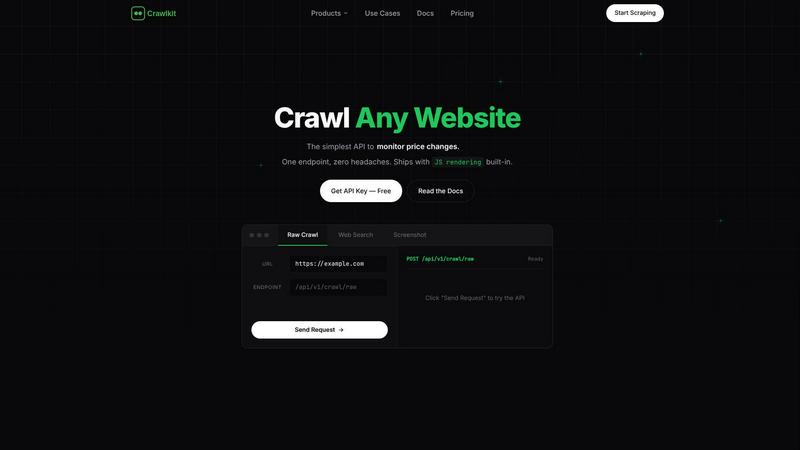
Crawlkit is a simple API that turns any website into structured data with a single call.
Last updated: February 28, 2026

DevUtilx
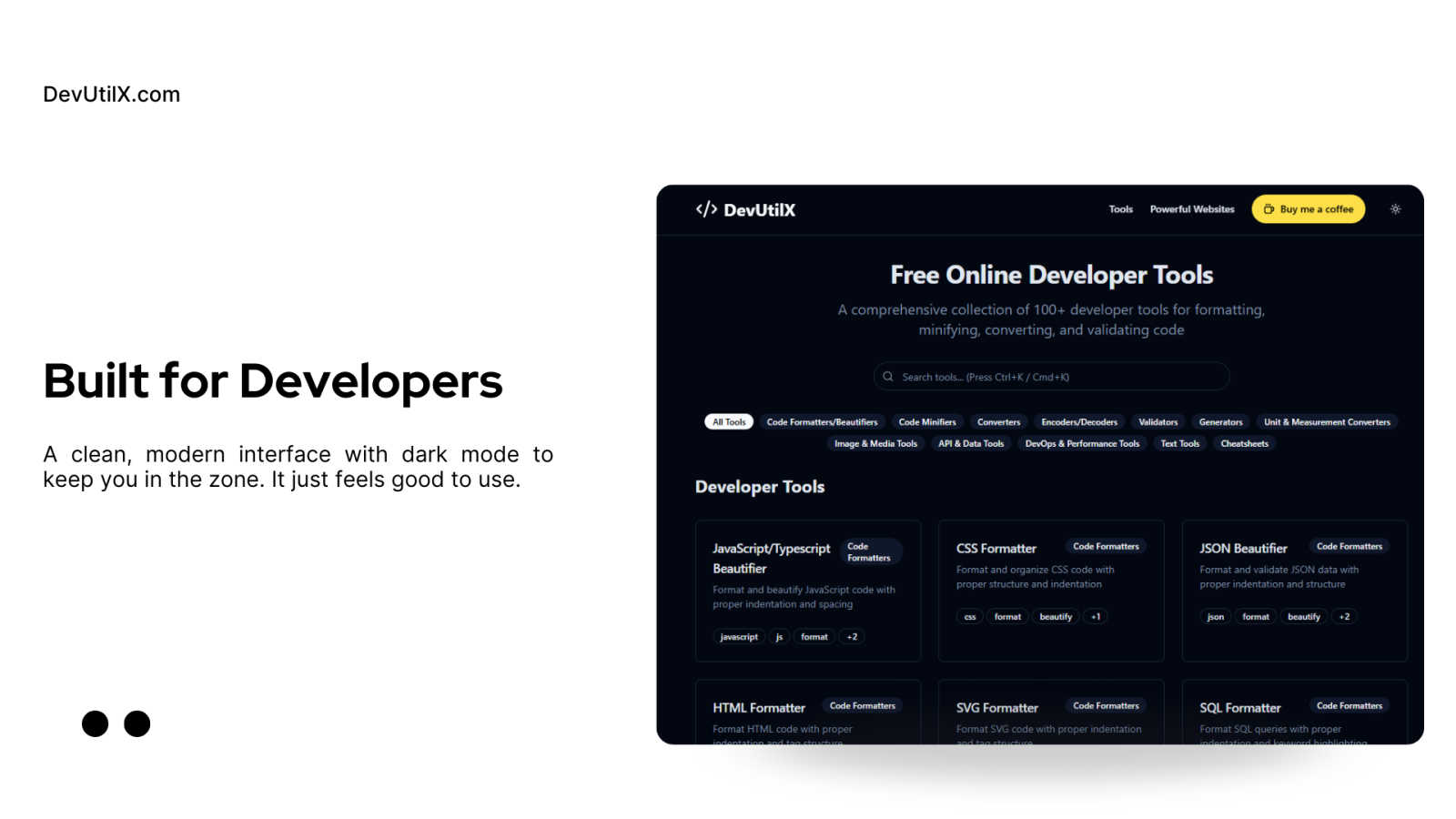
DevUtilx is your free all-in-one toolkit with 100+ tools to instantly format, convert, and validate code.
Last updated: March 1, 2026
Visual Comparison
Crawlkit
DevUtilx
Feature Comparison
Crawlkit
Unified API for Every Data Source
CrawlKit provides one consistent API interface to extract data from a wide variety of sources. You don't need separate tools for LinkedIn, Instagram, Google Search, or app stores. A single request format lets you pull structured data from all of them, dramatically simplifying your codebase and data collection strategy. This means less time integrating different scrapers and more time using the data.
Built-in Proxy Rotation & Browser Rendering
The platform automatically manages the technical hurdles of web scraping for you. It uses intelligent proxy rotation and full browser rendering to navigate anti-bot protections and JavaScript-heavy websites. This ensures you get complete, accurate data from even the most complex modern web applications (like Single Page Apps) without having to build or maintain this infrastructure yourself.
Simple, Transparent Credit-Based Pricing
With CrawlKit, you only pay for what you use through a clear credit system. Each API endpoint costs a fixed number of credits, and you're only charged when a request is successful. There are no monthly commitments, no rate limits, and your purchased credits never expire. This predictable, pay-as-you-go model makes it easy to scale your usage up or down without surprise fees.
Developer-First SDK & Integrations
CrawlKit is built for developers, with an official Node.js SDK and a straightforward HTTP API that works with any programming language or platform. It plays nicely with your existing tools, whether you're using AWS, Cloud Run, Puppeteer, or AI models from OpenAI and Gemini. This flexibility means no vendor lock-in and the ability to fit CrawlKit seamlessly into your current workflows and automation.
DevUtilx
Comprehensive, All-in-One Toolkit
DevUtilx consolidates over 100 essential developer tools into one intuitive platform. Instead of bookmarking dozens of separate websites for different tasks, you have instant access to everything from code formatters and minifiers to validators, converters, and even cheatsheets. This eliminates the friction of context-switching between tabs and ensures you always have a reliable, consistent tool for any job, saving you valuable time and mental energy during your development flow.
Privacy-First & Client-Side Processing
Your code's security is paramount. DevUtilx is engineered with a privacy-first architecture, meaning all processing happens directly within your web browser. Your data, code snippets, or files are never sent to a remote server, logged, or collected. This guarantees complete confidentiality and peace of mind, especially when working with sensitive code, API keys, or proprietary business logic. You get powerful tooling without any privacy trade-offs.
Zero-Cost & Open Source
DevUtilx is completely free to use, with no hidden fees, premium tiers, or feature paywalls. It's also open-source, fostering transparency and community trust. Developers can inspect the code, contribute to its development, or even host their own instance. This commitment to accessibility ensures that every developer, from students to seasoned professionals, has access to high-quality tools without any financial barrier.
Universal Accessibility & No Setup
Access your toolkit from anywhere, on any device. Since DevUtilx runs entirely in the browser, it works seamlessly on desktops, laptops, tablets, and smartphones. There is absolutely no setup required—just navigate to the website and start using the tools immediately. This eliminates the hassle of managing local installations or dependencies, making it the perfect on-the-go solution for quick edits, code reviews, or troubleshooting sessions away from your primary workstation.
Use Cases
Crawlkit
CRM and Sales Lead Enrichment
Automatically enrich contact profiles in your CRM with fresh, professional data. Use the LinkedIn API to pull job titles, company information, skills, and experience for leads and prospects, giving your sales team richer context and better insights before they make a call, all without manual data entry.
Social Media and Competitor Monitoring
Track brand health and competitor activity effortlessly. Monitor public Instagram profiles for follower growth, engagement rates on posts, and content strategy. You can schedule regular crawls to build historical datasets that reveal trends and opportunities in your market.
App Store Review Analysis
Gather user feedback at scale by extracting reviews and ratings from the Google Play Store and Apple App Store. Analyze this data to identify common pain points, feature requests, and sentiment trends for your own app or to conduct competitive research on other apps in your category.
Market and Price Intelligence
Run targeted web searches through CrawlKit to gather product listings, pricing information, and availability from e-commerce sites and directories. Structure this data to monitor competitor pricing strategies, track inventory changes, and identify market gaps automatically.
DevUtilx
Rapid Code Cleanup and Review
During code reviews or when inheriting a legacy project, you often encounter poorly formatted code. Instead of manually fixing indentation, you can instantly paste JavaScript, CSS, HTML, or SQL into DevUtilx's beautifiers. Within seconds, the code is transformed into a clean, readable, and professionally structured format, making it much easier to understand, debug, and provide constructive feedback to your teammates.
Optimizing Assets for Production
Before deploying a website or application, it's crucial to minify assets to improve load times. A front-end developer can use DevUtilx to minify their entire suite of production files—JavaScript bundles, CSS/SCSS stylesheets, and HTML templates. By removing all unnecessary whitespace and comments, file sizes are significantly reduced, leading to faster page loads and a better overall user experience, all without complex build steps.
Data Validation and Transformation
Back-end and API developers frequently work with data interchange formats like JSON and XML. DevUtilx's validators can instantly check payloads for syntax errors, while the converters can transform data between formats (e.g., JSON to YAML). This is invaluable for testing API endpoints, ensuring data integrity, and quickly reformatting data received from third-party services to match your application's expected schema.
On-the-Fly Troubleshooting and Learning
Whether you're in a meeting, commuting, or working from a lightweight device like a tablet, DevUtilx is always available. You can quickly validate a JSON snippet sent by a colleague, decode a Base64 string, format a SQL query to understand its logic, or use a cheatsheet to recall a regex pattern. It turns any browsing session into a productive development environment, perfect for spontaneous problem-solving.
Overview
About Crawlkit
CrawlKit is your all-in-one solution for turning the web into a structured, reliable API. It's a powerful web data extraction platform built for developers and data teams who are tired of the headaches that come with traditional web scraping. Instead of wrestling with rotating proxies, headless browsers, and anti-bot measures, you can use a single, simple API call to get clean, parsed data from virtually any website or platform. Whether you need professional data from LinkedIn, insights from Instagram, search results, app store reviews, or a screenshot of a webpage, CrawlKit handles the complex collection process so you can focus on building your product and analyzing the data. It's designed to be scalable and reliable, offering high success rates with low latency, making it perfect for everyone from fast-moving startups to large enterprises building robust, automated data pipelines.
About DevUtilx
DevUtilx is your ultimate, browser-based companion designed to supercharge a developer's daily workflow. Imagine having a comprehensive digital Swiss Army knife with over 100 essential utilities for formatting, minifying, converting, and validating code, all accessible from a single, clean website. The best part? There are no downloads, installations, or account sign-ups required. It's built for developers, by developers, who are tired of juggling multiple tabs, hunting for reliable online tools, or worrying about privacy with their code. The core promise is stunningly simple: boost your productivity by providing instant, hassle-free access to a professional-grade toolkit that just works. Whether you're a front-end developer beautifying a messy CSS file, a back-end engineer validating a complex JSON payload, or a DevOps specialist comparing code versions, DevUtilx streamlines the entire process. It's secure by design, operating entirely within your browser with no data collection or server-side processing—your code never leaves your machine. Completely free and open-source, it works seamlessly on any device with a web browser, making it the perfect companion for coding sessions at your desk, on a tablet, or even from your phone.
Frequently Asked Questions
Crawlkit FAQ
How does the credit system work?
Each successful API call consumes a certain number of credits, which varies by endpoint (e.g., a LinkedIn profile call might cost 2 credits). You only pay for successful requests. You purchase credits upfront, and they never expire. There are no monthly subscriptions or hidden fees, and you can upgrade to larger credit packs for volume discounts.
What happens if a request fails?
CrawlKit is built for reliability. If a request fails due to an issue on their end (like a website being unavailable or a blocking issue), you are not charged for that attempt. The platform will retry with its proxy and rendering systems to ensure you get your data, and you only pay when you receive a successful, complete response.
Can I request a new API for a website not listed?
Absolutely! The team at CrawlKit is focused on expanding their coverage. If you need structured data from a platform or website they don't currently support, you can talk to them directly. They offer to build custom APIs to meet specific customer needs, making the platform adaptable to your unique data requirements.
Is there a free tier to try it out?
Yes, you can start completely free. CrawlKit offers 100 free credits to new users so you can test the API, explore the different endpoints, and integrate it into a proof-of-concept without any financial commitment. This allows you to verify the data quality and reliability before purchasing more credits.
DevUtilx FAQ
Is DevUtilx really free, and will it stay free?
Yes, absolutely! DevUtilx is completely free to use and is committed to remaining free. The project is open-source, which helps keep costs low and fosters community development. There are no plans to introduce mandatory paid plans or hide core features behind a paywall. The developers support the project through optional contributions, like "Buy Me a Coffee," which help with hosting and maintenance.
How does DevUtilx ensure the privacy of my code?
Privacy is a core design principle. DevUtilx operates using client-side processing. This means all the tool logic runs directly in your web browser using JavaScript. Your code, data, or uploaded files are never transmitted over the internet to our servers. You can verify this by using the browser's developer tools to monitor network activity—you'll see no outgoing requests when using the tools.
Can I use DevUtilx without an internet connection?
While the initial website load requires an internet connection, many of the core tools (especially formatters, minifiers, and converters that run purely on JavaScript) will continue to work if you lose connectivity after the page has loaded. For full, reliable access to all 100+ tools, a stable internet connection is recommended to ensure the latest version of the site is loaded.
Do I need to create an account or install software?
No, and that's one of the key benefits! DevUtilx requires no account registration, login, or software installation. It's a web application. Simply visit the DevUtilx website from any modern browser, and you have immediate access to the entire toolkit. There's nothing to download or configure, making it incredibly easy to start using right away.
Alternatives
Crawlkit Alternatives
Crawlkit is a powerful web data extraction platform in the analytics and data category. It's designed to simplify the complex process of web scraping, handling challenges like proxies and anti-bot measures so developers and data teams can focus on using the data. Users often explore alternatives for various reasons. Some might be looking for a different pricing model or a specific feature not offered. Others may need a solution that integrates more tightly with their existing tech stack or requires a different balance between ease-of-use and advanced customization. When evaluating other options, it's wise to consider your core needs. Look for reliability in data extraction, the ability to handle modern websites, and the scalability to grow with your projects. Security, transparent pricing, and quality developer support are also key factors that can make a big difference in the long run.
DevUtilx Alternatives
DevUtilx is a comprehensive, browser-based toolkit for developers, offering over 100 free utilities for formatting, converting, and validating code. It falls squarely into the category of online developer productivity tools, designed to streamline daily coding tasks without any installation. Users often explore alternatives for various reasons. Some might need a tool that integrates directly with their IDE or desktop environment, while others may be looking for a very specific utility not covered in the collection. Pricing changes, the desire for collaborative features, or simply personal preference in user interface can also prompt a search for other options. When evaluating other tools, consider your core needs. Key factors include the range and quality of the specific utilities you use most, the tool's approach to privacy and data security, its cost structure, and how well it fits into your existing workflow. The goal is to find a solution that feels just as effortless and reliable for your unique development process.