
DevUtilx vs ToolPortal
Side-by-side comparison to help you choose the right AI tool.

DevUtilx
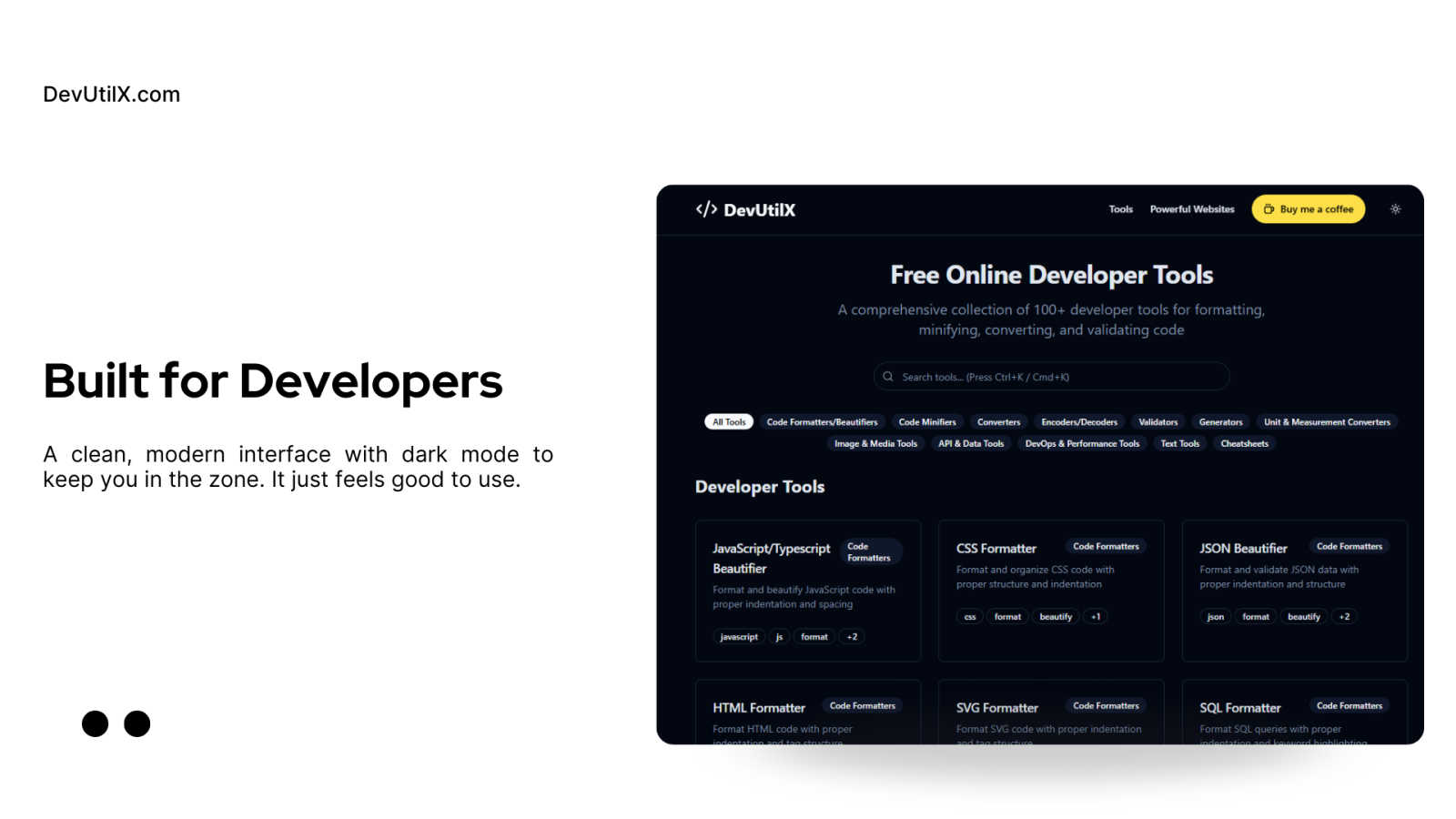
DevUtilx is your free all-in-one toolkit with 100+ tools to instantly format, convert, and validate code.
Last updated: March 1, 2026

ToolPortal
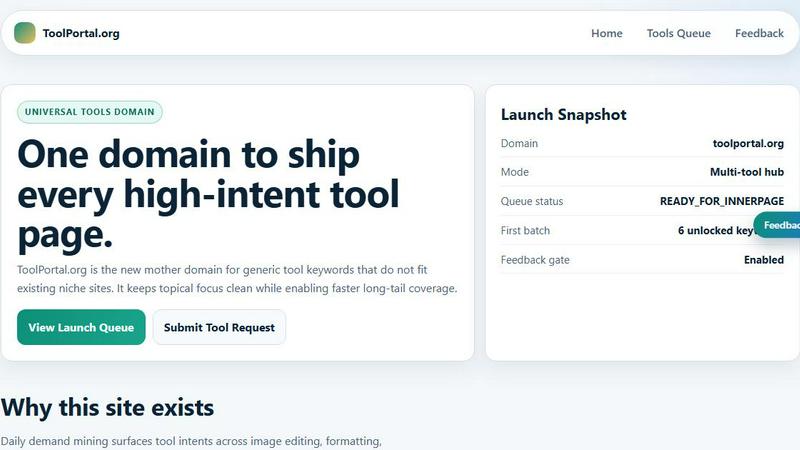
ToolPortal is your go-to online directory with over 300 free tools for developers, designers, and content creators to streamline their tasks.
Last updated: April 4, 2026
Visual Comparison
DevUtilx
ToolPortal
Feature Comparison
DevUtilx
Comprehensive, All-in-One Toolkit
DevUtilx consolidates over 100 essential developer tools into one intuitive platform. Instead of bookmarking dozens of separate websites for different tasks, you have instant access to everything from code formatters and minifiers to validators, converters, and even cheatsheets. This eliminates the friction of context-switching between tabs and ensures you always have a reliable, consistent tool for any job, saving you valuable time and mental energy during your development flow.
Privacy-First & Client-Side Processing
Your code's security is paramount. DevUtilx is engineered with a privacy-first architecture, meaning all processing happens directly within your web browser. Your data, code snippets, or files are never sent to a remote server, logged, or collected. This guarantees complete confidentiality and peace of mind, especially when working with sensitive code, API keys, or proprietary business logic. You get powerful tooling without any privacy trade-offs.
Zero-Cost & Open Source
DevUtilx is completely free to use, with no hidden fees, premium tiers, or feature paywalls. It's also open-source, fostering transparency and community trust. Developers can inspect the code, contribute to its development, or even host their own instance. This commitment to accessibility ensures that every developer, from students to seasoned professionals, has access to high-quality tools without any financial barrier.
Universal Accessibility & No Setup
Access your toolkit from anywhere, on any device. Since DevUtilx runs entirely in the browser, it works seamlessly on desktops, laptops, tablets, and smartphones. There is absolutely no setup required—just navigate to the website and start using the tools immediately. This eliminates the hassle of managing local installations or dependencies, making it the perfect on-the-go solution for quick edits, code reviews, or troubleshooting sessions away from your primary workstation.
ToolPortal
Comprehensive Tool Index
ToolPortal features a dense index of 261 live tools organized into specific categories, including generators, checkers, converters, formatters, and image editing tools. This organization allows users to quickly navigate to the tools they need without unnecessary friction.
Dual Search Modes
Users can choose between two search methods: a direct keyword search for when they know the exact tool name or a task description mode that suggests tools based on the stated job. This flexibility caters to both experienced users and those who may be unsure of what they need.
Daily Refresh Cycle
ToolPortal is committed to continuous improvement, with new pages and UI updates being rolled out daily. This ensures that users always have access to the latest tools and features, enhancing the overall experience and keeping the content fresh and relevant.
Instant Access Without Login
One of the standout features of ToolPortal is that it requires no login or account creation. Users can open any tool page and run it immediately, eliminating barriers to access and allowing for a seamless workflow.
Use Cases
DevUtilx
Rapid Code Cleanup and Review
During code reviews or when inheriting a legacy project, you often encounter poorly formatted code. Instead of manually fixing indentation, you can instantly paste JavaScript, CSS, HTML, or SQL into DevUtilx's beautifiers. Within seconds, the code is transformed into a clean, readable, and professionally structured format, making it much easier to understand, debug, and provide constructive feedback to your teammates.
Optimizing Assets for Production
Before deploying a website or application, it's crucial to minify assets to improve load times. A front-end developer can use DevUtilx to minify their entire suite of production files—JavaScript bundles, CSS/SCSS stylesheets, and HTML templates. By removing all unnecessary whitespace and comments, file sizes are significantly reduced, leading to faster page loads and a better overall user experience, all without complex build steps.
Data Validation and Transformation
Back-end and API developers frequently work with data interchange formats like JSON and XML. DevUtilx's validators can instantly check payloads for syntax errors, while the converters can transform data between formats (e.g., JSON to YAML). This is invaluable for testing API endpoints, ensuring data integrity, and quickly reformatting data received from third-party services to match your application's expected schema.
On-the-Fly Troubleshooting and Learning
Whether you're in a meeting, commuting, or working from a lightweight device like a tablet, DevUtilx is always available. You can quickly validate a JSON snippet sent by a colleague, decode a Base64 string, format a SQL query to understand its logic, or use a cheatsheet to recall a regex pattern. It turns any browsing session into a productive development environment, perfect for spontaneous problem-solving.
ToolPortal
Social Media Content Creation
Content creators can utilize the text styling tools available in ToolPortal, such as glitch or gothic text generators, to produce eye-catching social media posts. This allows for enhanced engagement and unique branding.
Quick Image Editing
Marketers and designers can use the image tools to crop photos, remove backgrounds, and prepare assets for various platforms in a matter of minutes. This efficiency is crucial for meeting tight deadlines in the fast-paced digital landscape.
Validation and Quality Checks
Developers can rely on the validation tools for tasks such as checking DMARC records or running speed tests to ensure their projects meet quality standards before publishing. This helps maintain a high level of professionalism.
Format Conversion
Students and professionals alike can benefit from the conversion tools offered by ToolPortal, which allow for quick and easy transformation of units, time, and text formats. This is particularly useful for those working on reports or data analysis.
Overview
About DevUtilx
DevUtilx is your ultimate, browser-based companion designed to supercharge a developer's daily workflow. Imagine having a comprehensive digital Swiss Army knife with over 100 essential utilities for formatting, minifying, converting, and validating code, all accessible from a single, clean website. The best part? There are no downloads, installations, or account sign-ups required. It's built for developers, by developers, who are tired of juggling multiple tabs, hunting for reliable online tools, or worrying about privacy with their code. The core promise is stunningly simple: boost your productivity by providing instant, hassle-free access to a professional-grade toolkit that just works. Whether you're a front-end developer beautifying a messy CSS file, a back-end engineer validating a complex JSON payload, or a DevOps specialist comparing code versions, DevUtilx streamlines the entire process. It's secure by design, operating entirely within your browser with no data collection or server-side processing—your code never leaves your machine. Completely free and open-source, it works seamlessly on any device with a web browser, making it the perfect companion for coding sessions at your desk, on a tablet, or even from your phone.
About ToolPortal
ToolPortal is a robust online directory offering over 300 free, browser-based tools designed to cater to a wide range of needs. Whether you're looking to convert text formats, validate JSON code, edit images, or perform SEO checks, ToolPortal has something for everyone. It serves as a one-stop-shop for developers, marketers, writers, and anyone who needs quick access to practical online utilities without the hassle of installation or sign-up. The intuitive interface allows users to search for tools by keyword or describe their task in plain language, making it easy to find the right tool in seconds. With a focus on user experience, ToolPortal ensures that all tools are live and ready to use immediately, streamlining workflows and enhancing productivity.
Frequently Asked Questions
DevUtilx FAQ
Is DevUtilx really free, and will it stay free?
Yes, absolutely! DevUtilx is completely free to use and is committed to remaining free. The project is open-source, which helps keep costs low and fosters community development. There are no plans to introduce mandatory paid plans or hide core features behind a paywall. The developers support the project through optional contributions, like "Buy Me a Coffee," which help with hosting and maintenance.
How does DevUtilx ensure the privacy of my code?
Privacy is a core design principle. DevUtilx operates using client-side processing. This means all the tool logic runs directly in your web browser using JavaScript. Your code, data, or uploaded files are never transmitted over the internet to our servers. You can verify this by using the browser's developer tools to monitor network activity—you'll see no outgoing requests when using the tools.
Can I use DevUtilx without an internet connection?
While the initial website load requires an internet connection, many of the core tools (especially formatters, minifiers, and converters that run purely on JavaScript) will continue to work if you lose connectivity after the page has loaded. For full, reliable access to all 100+ tools, a stable internet connection is recommended to ensure the latest version of the site is loaded.
Do I need to create an account or install software?
No, and that's one of the key benefits! DevUtilx requires no account registration, login, or software installation. It's a web application. Simply visit the DevUtilx website from any modern browser, and you have immediate access to the entire toolkit. There's nothing to download or configure, making it incredibly easy to start using right away.
ToolPortal FAQ
What types of tools does ToolPortal offer?
ToolPortal offers a wide variety of tools across categories such as generators, checkers, converters, formatters, and image editing utilities. This diversity ensures that users can find tools for nearly any online task.
Do I need to create an account to use ToolPortal?
No, ToolPortal does not require any account creation or login. Users can access and run tools directly in their browser without any barriers, making it quick and easy to get started.
How often are new tools added to ToolPortal?
ToolPortal features a daily refresh cycle, meaning new tools and updates are continually being integrated into the platform. This commitment to freshness ensures users have access to the latest tools available.
Can I search for tools without knowing their names?
Absolutely! ToolPortal allows users to describe their tasks in plain language, and it will suggest the best-fit tools based on that description. This user-friendly feature helps those who may not be familiar with specific tool names.
Alternatives
DevUtilx Alternatives
DevUtilx is a comprehensive, browser-based toolkit for developers, offering over 100 free utilities for formatting, converting, and validating code. It falls squarely into the category of online developer productivity tools, designed to streamline daily coding tasks without any installation. Users often explore alternatives for various reasons. Some might need a tool that integrates directly with their IDE or desktop environment, while others may be looking for a very specific utility not covered in the collection. Pricing changes, the desire for collaborative features, or simply personal preference in user interface can also prompt a search for other options. When evaluating other tools, consider your core needs. Key factors include the range and quality of the specific utilities you use most, the tool's approach to privacy and data security, its cost structure, and how well it fits into your existing workflow. The goal is to find a solution that feels just as effortless and reliable for your unique development process.
ToolPortal Alternatives
ToolPortal is a robust online tools directory designed specifically for developers, designers, SEO professionals, and content creators. With over 300 free browser-based tools, it offers a wealth of resources across various categories, including productivity, web development, and SEO. Users often seek alternatives to ToolPortal for several reasons, such as varying feature sets, user interface preferences, or specific platform needs that might not be met by ToolPortal. When looking for an alternative, consider factors like the types of tools offered, ease of navigation, user experience, and whether the platform requires any installation or sign-up. It's also essential to assess the reliability and support provided, as well as how frequently the tools are updated to meet current industry standards.