
DigitalMagicWand vs Ultra Face Swap
Side-by-side comparison to help you choose the right AI tool.

DigitalMagicWand
DigitalMagicWand is your all-in-one AI suite for effortlessly creating and editing images, audio, video, and text.
Last updated: March 18, 2026

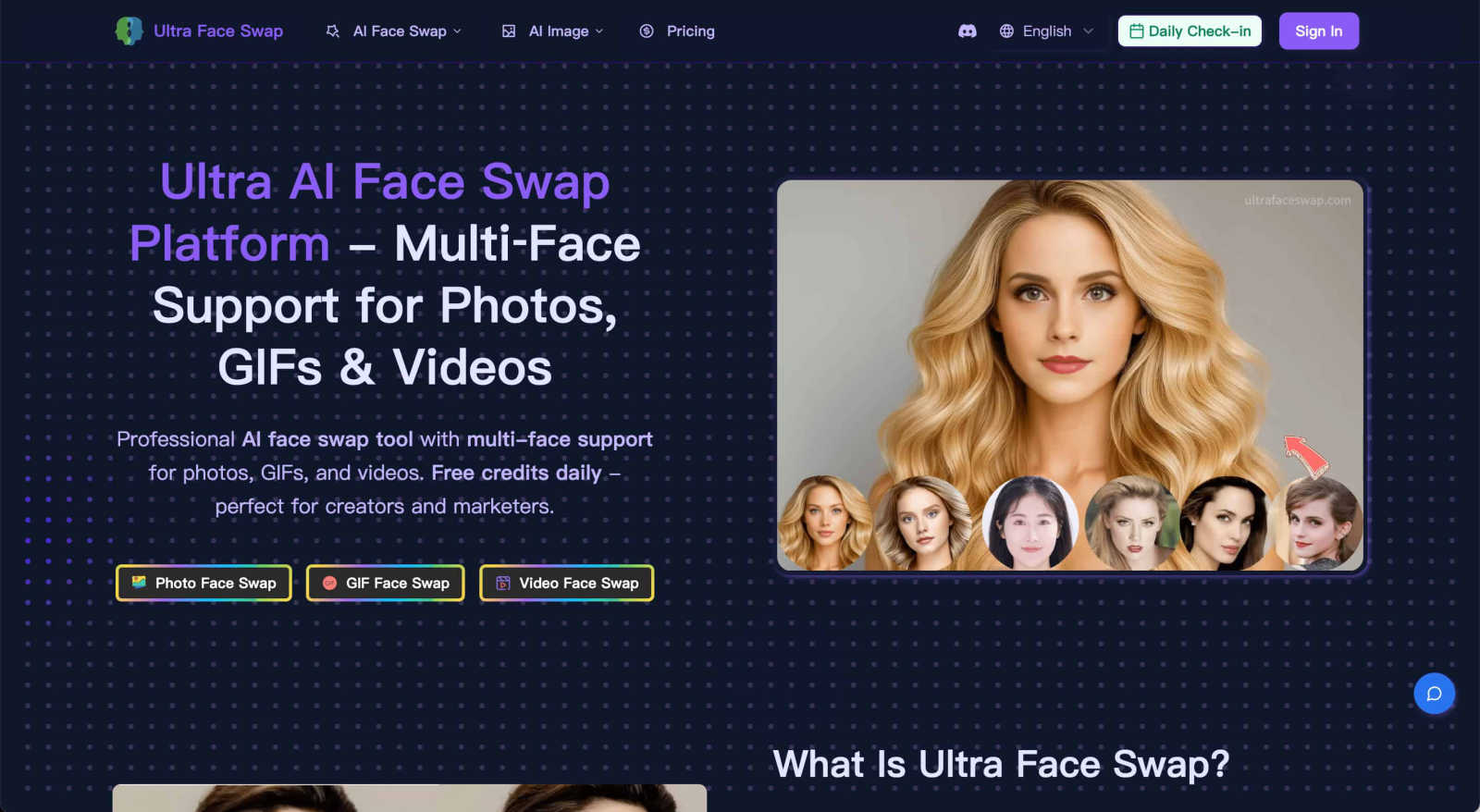
Ultra Face Swap
Swap faces in photos, GIFs, and videos with realistic, multi-face AI magic in one click.
Last updated: February 28, 2026
Visual Comparison
DigitalMagicWand

Ultra Face Swap
Feature Comparison
DigitalMagicWand
AI-Powered Text Analysis & Humanization
This feature includes two powerful tools. The Accurate AI Detector scans any text and provides a clear confidence score, instantly revealing if content was written by a human or generated by AI models like ChatGPT. Its counterpart, the Undetectable AI Text Humanizer, uses proprietary algorithms to rewrite AI-generated text, eliminating statistical patterns that trigger detectors. The result is natural, fluent writing that preserves your original message, perfect for academic, professional, or creative work where authenticity is key.
Professional Audio Stem Separation & MIDI Conversion
Transform your audio workflow with studio-grade precision. The UnMixIt™ Pro tool lets you effortlessly isolate vocals, drums, bass, and other instruments from any song, ideal for remixing, sampling, or creating acapellas. For musicians, Digital Ear™ Piano offers specialized, accurate MIDI transcription from piano recordings, capturing the nuance and expression of your performance. This turns audio ideas into editable digital music data instantly.
Advanced Text-to-Image & Vector Generation
Simply describe the visual you imagine, and watch our AI generate a stunning, high-quality image in seconds. The technology excels at rendering text within images and avoiding common AI artifacts. Go beyond pixels with the vector art generator; describe a logo or illustration, and receive a crisp, scalable .svg file that stays sharp at any size. This eliminates the need for complex design software for basic vector graphic creation.
Intelligent All-in-One Image Editor
This is your command center for photo manipulation. Stop manually editing and start creating by typing your requests. Want to swap a background, remove an unwanted object, restore an old photo, or try an AI face swap? Just describe what you want to happen. The editor intelligently executes these complex edits, making professional-grade image manipulation accessible to everyone, regardless of their Photoshop skills.
Ultra Face Swap
Multi-Format Face Swapping
Ultra Face Swap isn't limited to just photos. It offers a unified, streamlined workflow that handles photos, animated GIFs, and full videos all within the same simple interface. This means you can create hilarious meme GIFs, transform scenes in a video clip, or edit a still image, all using the same powerful AI technology without switching between different tools or apps.
Stable Multi-Face Tracking
The AI intelligently detects and locks onto multiple faces within a single image or video frame. It doesn't just find them; it tracks them stably throughout a video or aligns them perfectly in a group photo. This ensures that swapped faces maintain correct perspectives and expressions, smoothly following the subject's movements to avoid awkward drift, jumps, or visible artifacts in the final output.
High-Fidelity Natural Blending
This is where the magic looks real. The technology goes beyond simple cutting and pasting. It deeply analyzes and blends the lighting conditions, skin tones, textures, and fine details of the source face with the target image. This results in swaps that look natural, with fewer tell-tale artifacts, strange edges, or color mismatches, giving you a clean, professional-quality result every time.
Privacy-First & No-Watermark Outputs
Your creations and data are handled with care. Ultra Face Swap operates with a privacy-first approach, encrypting your uploads and automatically deleting them after processing. Furthermore, when you download your masterpiece, it comes completely free of distracting watermarks, so your content is ready to be shared directly to social media or used in professional projects.
Use Cases
DigitalMagicWand
Content Creators & Marketers
Bloggers, social media managers, and marketing teams can use the AI text tools to check content originality and humanize AI-assisted drafts for a genuine voice. They can generate unique custom images and vectors for articles and ads in minutes, and use the image editor to quickly create polished product photos or marketing visuals without a graphic designer.
Musicians & Audio Producers
Producers and DJs can use UnMixIt™ Pro to extract clean stems from songs for remixes and samples. Solo artists can create instant karaoke tracks or practice backings. Pianists and composers can transcribe their live performances or recordings into precise MIDI files using Digital Ear™ Piano, streamlining the notation and digital production process.
Students & Academics
Students can utilize the AI Detector to check their own work for unintended AI similarities and ensure academic integrity. The Text Humanizer can help rephrase complex research explanations into more natural language. They can also generate accurate diagrams, charts, or illustrative vectors for presentations and papers directly from text descriptions.
Everyday Users & Hobbyists
Anyone can have fun restoring old family photos by removing scratches and tears with the AI Image Editor. They can create personalized artwork for gifts or home decor using the text-to-image tools. For entertainment, users can easily make karaoke tracks for parties or isolate guitar parts from a song to learn them, all without any technical audio editing knowledge.
Ultra Face Swap
Creating Viral Social Media Content
Content creators and influencers use Ultra Face Swap to generate endless, engaging content for platforms like TikTok, Instagram Reels, and YouTube Shorts. By swapping faces into popular meme templates, celebrity interviews, or trending video clips, users can create hilarious and shareable content that captures attention and drives views, with some creators reporting videos reaching millions of viewers.
Perfecting Group and Event Photos
Ever taken a great group photo where one person blinked or had an awkward expression? This tool is perfect for fixing those moments. You can seamlessly swap in a better face from another shot, ensuring every family reunion, wedding, or friend group selfie is picture-perfect. It works on multiple faces at once, making it easy to correct everyone in the photo with one click.
Generating Professional Headshots
Need a sharp, professional profile picture for LinkedIn, a company website, or a client portfolio but don't have time for a photoshoot? Simply swap your face onto a high-quality business portrait. This provides a polished, credible image that makes a great first impression on recruiters and potential clients, helping you present your best self professionally.
Entertainment and Creative Exploration
At its heart, Ultra Face Swap is about fun and creativity. Users love to experiment by "meeting" a celebrity crush in a virtual photo, imagining themselves in a favorite movie scene, transforming their appearance across genders or ages, or just creating funny swapped photos with friends. It's an accessible playground for digital creativity and entertainment.
Overview
About DigitalMagicWand
DigitalMagicWand is your all-in-one creative suite powered by cutting-edge artificial intelligence. It's designed to simplify complex digital tasks, allowing anyone—from complete beginners to seasoned professionals—to enhance, transform, and create stunning content with ease. Whether you're working with images, audio, video, or text, DigitalMagicWand provides a comprehensive set of intuitive tools that feel like magic. Imagine being able to turn a simple text description into a breathtaking piece of art, isolate a vocal track from your favorite song for a karaoke night, or ensure your written content sounds perfectly human. That's the power at your fingertips. It's for content creators, marketers, musicians, students, and businesses looking to produce high-quality digital media without the steep learning curve or expensive software. The main value proposition is clear: democratizing advanced AI technology to unlock creativity and efficiency, saving you hours of manual work and technical hassle.
About Ultra Face Swap
Ultra Face Swap is your go-to online tool for creating incredibly realistic face swaps with ease. It's a web-based platform powered by advanced deep learning that lets you seamlessly replace faces in photos, GIFs, and videos, all from your browser without needing any complicated software. Whether you're a content creator looking to craft the next viral TikTok trend, a marketer needing quick visual variations for a campaign, or just someone wanting to have fun and spice up your photo albums, this tool is built for you. The core value lies in its powerful combination of high-fidelity, production-ready results, support for swapping multiple faces at once, and a strong commitment to your privacy. You get clean downloads without watermarks, free daily credits to start playing, and the peace of mind that your uploaded data is encrypted and automatically deleted. Join over 100,000 creators who trust Ultra Face Swap to transform their digital identity with just a few clicks.
Frequently Asked Questions
DigitalMagicWand FAQ
What makes DigitalMagicWand different from other AI tools?
DigitalMagicWand stands out by offering a comprehensive, integrated suite of tools for multiple media types—text, image, audio—all on one platform. Instead of juggling separate, specialized apps, you get a cohesive ecosystem. Our tools, like the industry-respected Digital Ear™ for MIDI and proprietary text humanizer, are built on specialized, advanced algorithms for superior results in their specific domains.
Do I need any technical skills to use these tools?
Not at all! DigitalMagicWand is designed with a user-friendly, approachable interface. Most tools work on a simple "upload and process" or "describe and create" principle. For example, you just type what you want to see in an image or describe the edit you want to make to a photo. The AI handles all the complex technical work in the background.
Is the AI Text Humanizer truly undetectable?
Our Undetectable AI Text Humanizer uses proprietary linguistic algorithms specifically designed to identify and rewrite the statistical patterns that AI detectors look for. While no tool can guarantee 100% success against every detector at all times, it is engineered to produce text that is indistinguishable from human writing across major detection platforms, giving you a significant advantage in achieving natural-sounding content.
What audio formats do the audio tools support?
The audio tools are built to handle all common audio file formats you typically work with, such as MP3, WAV, AIFF, and FLAC. This ensures you can upload your recordings, purchased tracks, or other audio files directly without needing to convert them first, making the workflow smooth and hassle-free.
Ultra Face Swap FAQ
What kind of files does Ultra Face Swap support?
Ultra Face Swap supports a wide range of media formats. You can upload common image files (like JPG and PNG) for photo swaps, GIF files for animated face swaps, and popular video formats (like MP4 and MOV) for video face swaps. This makes it a versatile tool for all your creative projects.
Is it difficult to use? Do I need technical skills?
Not at all! Ultra Face Swap is designed to be simple and accessible for everyone. The process involves just a few easy steps: choosing your mode (photo, GIF, or video), uploading your files, and clicking a button to start the swap. There's no need for prior editing experience, complicated software installation, or technical knowledge.
How does the free daily credit system work?
To help you get started and experiment, Ultra Face Swap offers free daily credits. These credits allow you to perform a certain number of face swaps each day at no cost. It's a great way to test the tool's capabilities, understand the quality, and create some fun content before deciding if you need a premium plan for more extensive use.
Is my privacy protected when I use the tool?
Yes, absolutely. Ultra Face Swap takes your privacy seriously. Uploaded images and videos are processed with encryption, and the system is designed to automatically delete your source files from its servers after the face swap is complete. This ensures your personal photos and data are not stored or misused.
Alternatives
DigitalMagicWand Alternatives
DigitalMagicWand is a versatile AI assistant platform designed to help you create and edit all kinds of digital content. It falls into the category of all-in-one AI tools, offering a suite of applications for working with images, audio, video, and text using artificial intelligence. Users often explore other options for various reasons. Some might be looking for a tool that fits a specific budget or offers a different pricing model. Others may need a platform that excels in one particular area, like advanced video editing or specialized text generation, rather than a broad suite. The choice can also come down to platform compatibility, ease of use, or specific workflow integrations. When evaluating alternatives, it's helpful to consider your primary needs. Think about which content types you use most—whether it's visuals, audio, or text—and look for tools that are strong in those areas. Also, consider your budget, the learning curve, and how well a potential tool integrates with your existing software or creative process.
Ultra Face Swap Alternatives
Ultra Face Swap is a popular online tool in the AI image and video editing category. It uses advanced deep learning to let you realistically swap faces in photos, GIFs, and videos directly from your web browser, all with a focus on ease and high-quality results. People often explore other options for various reasons. You might need a different pricing model, like a one-time purchase instead of a subscription. Others may require specific features, like more granular editing controls or support for different file formats. Some users simply prefer a downloadable desktop application over a web-based service. When evaluating alternatives, consider what matters most for your projects. Key factors include the quality and realism of the face swap, the supported file types (especially if you work with videos), the platform (online, mobile app, or desktop software), and the overall cost structure. Also, pay close attention to the tool's privacy policy to understand how your uploaded images and data are handled.