
Domer vs Noter AI
Side-by-side comparison to help you choose the right AI tool.

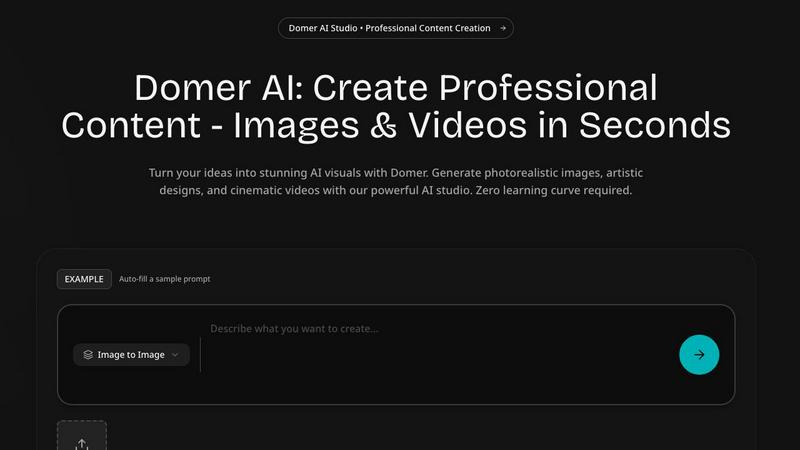
Domer AI creates stunning videos and images from text or photos in seconds for all your social media.
Last updated: March 3, 2026

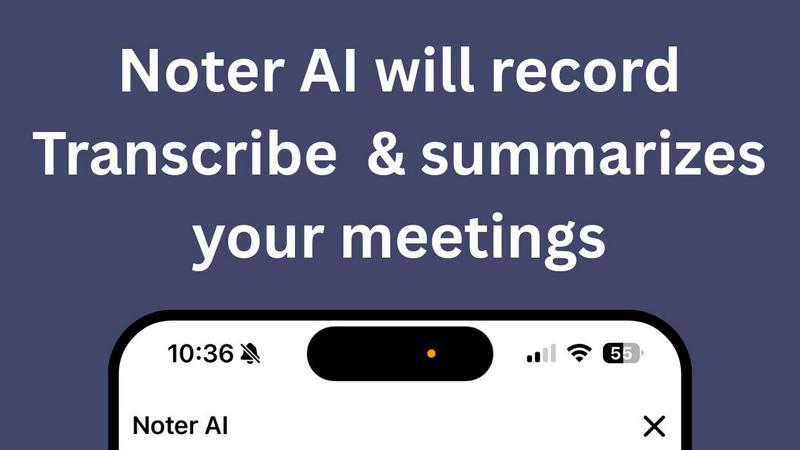
Noter AI effortlessly transforms meeting recordings into clear summaries, helping teams stay organized and informed in real-time.
Last updated: March 11, 2026
Visual Comparison
Domer
Noter AI
Feature Comparison
Domer
Text-to-Video Generator
Turn your written ideas into dynamic videos in about two minutes. Simply describe any scene, character, or action, and Domer's AI models, including Google Veo and Kling, will generate an HD video clip. This is perfect for creating social media shorts, product demos, or concept videos without any filming, actors, or complex editing software. You get full creative control from a simple text prompt.
Image-to-Video Generator
Breathe life into your still photos by adding motion. Upload any image (PNG, JPG, WebP) and describe how you want it to move. The AI will animate the scene based on your instructions, transforming a static product shot, portrait, or landscape into an engaging video. It's an incredibly fast way to create eye-catching content for social media showcases or creative projects from existing assets.
Text-to-Image & Image-to-Image AI
Generate any image from a text description or creatively edit an existing photo. The text-to-image tool is perfect for creating original illustrations, marketing graphics, or blog visuals. The image-to-image tool allows for style transfers, object edits, or complete makeovers while preserving the original composition, offering a powerful alternative to software like Photoshop for quick, AI-powered edits.
Kirkify Meme Generator & Specialized Tools
Domer includes fun, specialized tools for unique creative tasks. The Kirkify Meme Generator lets you upload any photo with a face, and AI will humorously replace it with a specific iconic look while keeping the original expression and lighting. Other tools like Kling Motion Control allow you to transfer movements from a reference video to a character image, creating realistic, stable animated sequences.
Noter AI
Real-time Recording & Transcription
Noter AI offers seamless real-time recording and transcription capabilities. As you record your meeting, lecture, or conversation, the AI works in the background to provide accurate transcriptions, allowing you to focus on the discussion without worrying about taking notes.
AI-generated Meeting Summaries
With Noter AI, you receive intelligently crafted meeting summaries after each session. The AI analyzes the transcribed content and extracts key points, providing you with concise and comprehensive overviews that save you time and ensure you capture essential information.
Smart Action Item Extraction
Never miss an important task again! Noter AI smartly identifies action items from your meetings and highlights them for easy reference. This feature helps you stay organized and ensures that you know exactly what needs to be done after each meeting.
Organized Note History
Noter AI keeps your notes organized and easily accessible. With a well-structured note history that includes search functionality, tagging, and automatic categorization, you can quickly find past meetings and relevant notes whenever you need them.
Use Cases
Domer
Social Media Content Creation
Ideal for influencers and brands needing a constant stream of fresh content. Quickly generate unique videos for TikTok, Instagram Reels, and YouTube Shorts. Create eye-catching thumbnails, story graphics, and animated posts directly from text ideas or by animating product photos, saving hours of filming and editing time while maintaining a high-quality, engaging feed.
Marketing and Advertising
Marketing teams can use Domer to rapidly prototype ad concepts, create promotional videos, and design marketing materials. Test different visual styles for campaigns without a full production budget. Generate product demo videos, email header images, and social ad creatives on-demand, allowing for agile and cost-effective content strategy execution.
Creative Projects and Storyboarding
Artists, writers, and filmmakers can visualize concepts and create storyboards effortlessly. Describe characters, settings, or scenes to generate reference images or short video clips. This is invaluable for pitching ideas, planning shoots, or exploring creative directions before committing to traditional production methods, fueling the early stages of any visual project.
Business and E-commerce
E-commerce stores can create professional product videos and enhanced images without a studio. Animate product photos to show items from different angles or in use. Generate consistent, on-brand visuals for websites, catalogs, and social media. Small businesses can produce a high volume of quality content to compete with larger brands, all with minimal resource investment.
Noter AI
Business Meetings
Professionals can use Noter AI to document important business meetings effortlessly. The AI-generated summaries and action items help teams stay aligned and ensure that everyone is clear on their responsibilities moving forward.
Lectures and Classes
Students can benefit from Noter AI by recording lectures and receiving instant transcriptions. This allows them to focus on understanding the material rather than frantically taking notes, enhancing their learning experience.
Team Brainstorming Sessions
During team brainstorming sessions, Noter AI captures every idea shared. Users can refer back to the organized notes and summaries to ensure that all suggestions are considered and no valuable insights are lost.
Client Conversations
For professionals in client-facing roles, Noter AI can record and transcribe meetings with clients, ensuring that all discussed points are documented. The smart action item extraction helps in following up on commitments made during the conversation.
Overview
About Domer
Domer is your all-in-one AI creative studio, designed to make professional-quality visual content accessible to everyone. Whether you're a social media influencer, a digital marketer, a small business owner, or just someone with a great idea, Domer empowers you to create stunning images and videos without needing any prior design or editing skills. The platform is built on a simple, powerful premise: you describe your vision, and Domer's advanced AI brings it to life in moments. It supports a vast range of styles, from photorealistic images and artistic designs to cinematic videos and abstract art. With intuitive tools like text-to-image, image-to-image, text-to-video, and image-to-video, the entire creative process is streamlined. You can start with a written prompt or an existing photo, and transform it into captivating content perfect for platforms like TikTok, Instagram Reels, and YouTube. Domer removes the technical barriers, letting you focus purely on your creativity and storytelling.
About Noter AI
Noter AI is a revolutionary AI-powered meeting note taker designed to streamline the process of documenting meetings, lectures, and conversations. By simply recording your audio, Noter AI instantly transforms your voice into well-organized notes, eliminating the hassle of manual note-taking. This tool is perfect for professionals, teams, students, and anyone who requires accurate and comprehensive meeting documentation. With features like real-time transcription, intelligent summary creation, and smart action item extraction, Noter AI ensures that you capture critical information without losing focus on the conversation. Available on iOS and soon on Android, Noter AI supports over 20 languages, making it a versatile solution for users worldwide. The freemium model allows users to start for free, with premium plans available for those who require unlimited recordings and advanced features. Experience the power of AI in transforming your meetings into actionable insights.
Frequently Asked Questions
Domer FAQ
What video formats does Domer support for uploads?
Domer supports a wide range of file formats to give you flexibility. You can upload images as PNG, JPG, or WebP files. For video inputs, MP4 and MOV files are accepted. The platform also supports audio uploads in MP3 and WAV format if you want to add custom sound to your creations.
How long does it take to generate a video?
Video generation is remarkably fast. Typically, you will receive your HD video back in about 2 to 3 minutes after submitting your prompt. The exact time can vary slightly depending on the specific AI model you select (like Veo, Kling, or Wan) and the complexity of your request, but it's designed for quick turnaround.
Do I need design or editing experience to use Domer?
Not at all! Domer is specifically built for users with no prior design or editing experience. The interface is intuitive and guide-based. All you need to do is write a description of what you want to see or upload a starting image. The AI handles all the complex technical work of rendering and animating the visuals for you.
What are credits and how do they work?
Credits are the currency used to generate content on Domer. Each image or video generation costs a certain number of credits, which varies by tool and model. The great news is that credits never expire, so you can use them at your own pace. New users start with 10 free credits to try the platform, and you can purchase more as needed.
Noter AI FAQ
How does Noter AI ensure transcription accuracy?
Noter AI utilizes advanced AI algorithms to provide high-accuracy transcriptions. It also features speaker identification to distinguish between different voices in a meeting, ensuring clarity in the notes.
Is Noter AI available in multiple languages?
Yes, Noter AI supports transcription and translation in over 20 languages, making it an excellent choice for international teams and users who conduct meetings in different languages.
What formats can I export my meeting notes to?
You can export your meeting notes in various formats such as PDF, Word, and Text. This flexibility allows you to share your insights easily with team members or keep them for personal reference.
How does the freemium model work?
Noter AI offers a freemium model that allows users to start using the base features for free. Premium plans are available for those who require unlimited recordings and access to advanced AI capabilities, catering to power users and larger teams.
Alternatives
Domer Alternatives
Domer is a powerful AI creative studio that helps you generate stunning videos and images in seconds. It falls into the category of AI assistants, specifically designed to streamline visual content creation for social media, marketing, and more. By using simple text prompts, it allows anyone to produce professional-looking visuals without needing design experience. People often explore alternatives to tools like Domer for various reasons. This could be due to budget constraints, as pricing models differ widely. Others might be looking for specific features not offered, a different user interface, or compatibility with their existing workflow and platform preferences. It's a common step in finding the perfect creative partner. When choosing an alternative, it's wise to consider what matters most for your projects. Think about the core features you need, such as text-to-image or video generation. Also, evaluate the output quality, ease of use, and the value you get for the price. The goal is to find a tool that feels intuitive and reliably brings your creative ideas to life.
Noter AI Alternatives
Noter AI is an innovative AI-powered meeting note taker designed to streamline the process of capturing and organizing notes from various conversations, lectures, or meetings. It falls under the categories of AI Assistants, Productivity & Management, Speech & Voice, and Mobile Apps. Users often seek alternatives to Noter AI for reasons such as pricing, the need for specific features, or compatibility with their preferred platforms. When considering alternatives, it's essential to look for key functionalities like real-time transcription, action item extraction, and multilingual support. Additionally, evaluate the user interface and ease of access across devices to ensure that the alternative meets your specific needs and enhances your productivity.