
DreamFace vs tools.video
Side-by-side comparison to help you choose the right AI tool.

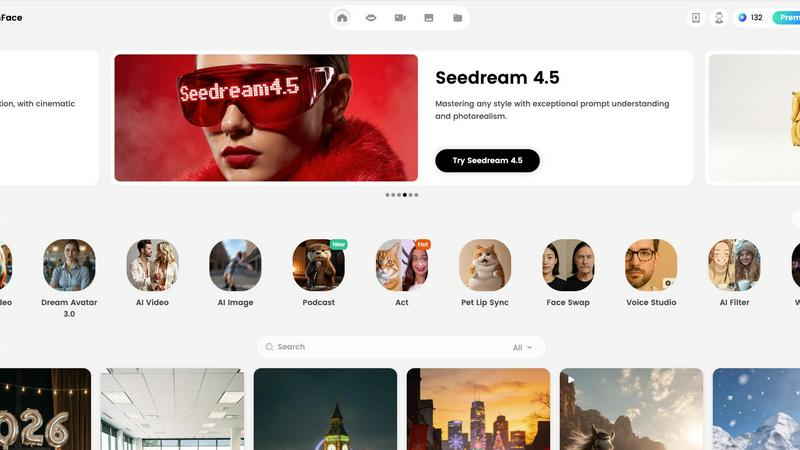
DreamFace instantly creates realistic avatar videos with your cloned voice in 19 languages.
Last updated: February 28, 2026

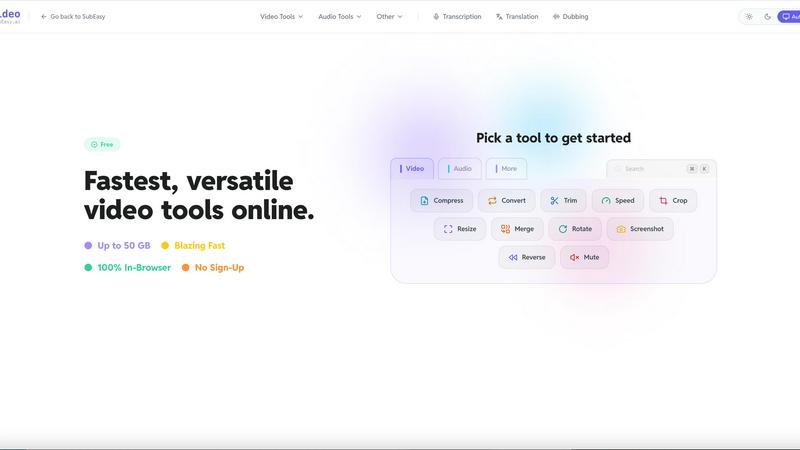
Free online video toolkit. Compress, convert, crop, and trim videos instantly. No watermarks, no registration, and fully browser-based.
Visual Comparison
DreamFace
tools.video
Overview
About DreamFace
DreamFace is your all-in-one creative companion, an AI-powered platform designed to make professional video and image creation simple, fast, and fun for everyone. Whether you're a social media influencer, a small business owner, a marketer, or just someone with a great idea, DreamFace puts powerful multimedia tools right at your fingertips. The core magic lies in its ability to generate engaging avatar videos, stunning AI videos, and beautiful images from simple text prompts, audio clips, or your own photos. Imagine creating a video with a realistic digital spokesperson just by typing a script, or turning a single image into a dynamic video scene. With over 20 million users worldwide, DreamFace has proven itself as a trusted and accessible solution that eliminates the need for expensive equipment, actors, or complex editing software. It’s built on the belief that everyone has a story to tell, and now you have the perfect tool to bring it to life with ease and professional flair.
About tools.video
tools.video is a comprehensive, web-based video processing suite designed for speed and simplicity. It offers a wide range of essential tools, including:
Video Compression: Reduce file size without losing quality.
Format Conversion: Support for MP4, MOV, WebM, and more.
Editing Tools: Easily trim, crop, mute, or merge video clips.
Media Extraction: Convert videos to GIFs or extract high-quality MP3 audio.
Built for creators, students, and professionals, tools.video removes the barriers of expensive software. It requires no account registration, adds no watermarks to your projects, and ensures privacy by processing files efficiently. Whether you need a quick format change or a social media-ready crop, tools.video provides a seamless, one-click solution directly in your browser.