
Flash Image vs Wan 2.7
Side-by-side comparison to help you choose the right AI tool.

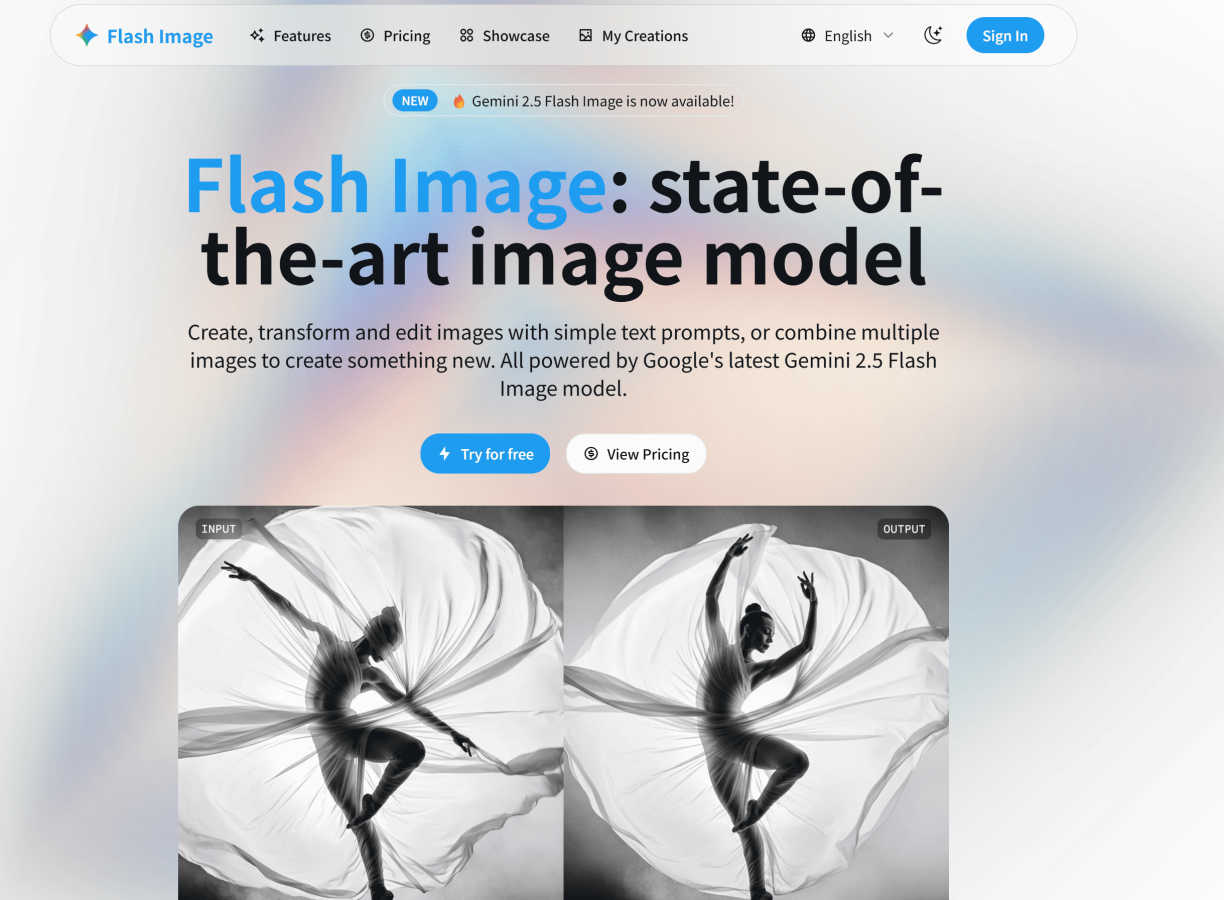
Flash Image
Create and edit stunning images with simple text prompts using Google's latest AI.
Last updated: March 1, 2026

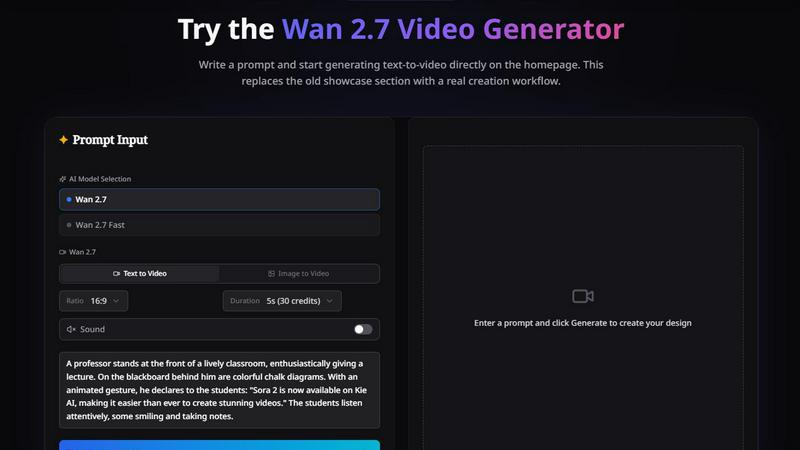
Wan 2.7
Wan 2.7 enhances video creation with precise control over clips, motion from image boards, and consistent subject and voice references.
Last updated: April 13, 2026
Visual Comparison
Flash Image
Wan 2.7
Feature Comparison
Flash Image
Multimodal Understanding and Creation
This feature allows you to combine text instructions with your own uploaded images for incredibly detailed and specific results. Instead of starting from a blank slate every time, you can provide a reference photo and ask the AI to modify it, add elements, or change the style. For example, upload a photo of a living room and prompt, "Make this room look like a cozy winter cabin with a fireplace." The AI understands both the content of your image and your text request to create a complex, cohesive new image.
Conversational and Iterative Editing
Think of working with Flash Image like having a conversation with a creative partner. You can generate an image and then keep talking to it to make refinements. Simply describe the changes you want in plain language, such as "make the sky more dramatic with orange sunset colors" or "add a friendly golden retriever sitting in the foreground." This continuous back-and-forth allows for precise control and lets you tweak your creation until it's perfect, all without learning complex editing software.
Advanced Character and Object Consistency
Maintaining a consistent look for characters or specific objects across multiple images is a game-changer for storytelling and branding. Flash Image excels at this. You can generate a character and then reuse that same character in different scenes, outfits, or poses. This is ideal for creating a series of images for a comic strip, a brand mascot in various scenarios, or visualizing a product design from different angles, ensuring everything stays recognizable and coherent.
Powerful Prompt-Based Editing Tools
Flash Image packs a suite of specialized AI tools that are activated through simple prompts. Need to change a model's outfit? Use the AI Clothes Changer. Want to remove a photobomber? The AI Object Remover handles it instantly. You can swap faces, change hairstyles, replace backgrounds, or use AI Generative Fill to expand an image's canvas seamlessly. Each tool is designed for a specific, common editing task, making professional-grade edits accessible to everyone.
Wan 2.7
First-Frame & Last-Frame Control
Wan 2.7 allows users to define the starting and ending points of a clip, giving more precision to motion planning. This feature makes it easier to control transitions and narrative pacing, establishing clear intent for each shot.
9-Grid Image-to-Video
With the ability to input structured image boards, users can transform static visuals into dynamic motion sequences. This feature is perfect for storyboard-driven video creation, helping teams visualize concepts and iterate on ideas efficiently.
Subject + Voice Reference
This feature ensures that visual identity and vocal style remain consistent across different clips. By allowing users to lock onto specific subjects and voice references, Wan 2.7 facilitates a cohesive storytelling experience throughout the video production process.
Recreation & Replication
Users can recreate existing clips into new versions without losing the original's essence. This feature is particularly useful for maintaining pacing and performance direction while allowing for variations, making it ideal for localization and versioning projects.
Use Cases
Flash Image
Social Media Content Creation
For influencers, marketers, and small businesses, Flash Image is a powerhouse for creating eye-catching social media graphics. Quickly generate unique post images, design engaging stories and ads, or create a consistent visual theme for your brand. Need a product in a new setting or a model wearing different styles for a fashion post? It can be done in minutes, helping you maintain a fresh and professional online presence without a big budget.
Concept Art and Brainstorming
Writers, game developers, and product designers can use Flash Image to visualize concepts rapidly. Generate characters, environments, item designs, or architectural concepts directly from descriptive text. This is perfect for brainstorming sessions, creating mood boards, or providing visual references for a team. It turns abstract ideas into tangible visuals, speeding up the creative development process significantly.
Personal Photo Enhancement and Fun
Transform your personal photos with creative flair. Reimagine yourself in a historical era, put your pet in a fantastical landscape, or see what you'd look like with a different hairstyle. You can also restore old, faded family photos by describing how they should look, or simply remove distracting elements from your favorite vacation pictures to create the perfect shot.
Professional Design and Prototyping
Graphic designers and agencies can use Flash Image to accelerate their workflow. Generate multiple visual options for a client based on a brief, create mockups for websites or apps, or produce illustrative elements for publications. The ability to make quick edits based on client feedback ("make the logo bigger," "try a blue color scheme") using conversational prompts saves immense time in the revision process.
Wan 2.7
Storyboard Creation
Utilize Wan 2.7's 9-grid image-to-video feature to convert structured storyboards into animated sequences. This is particularly useful for visualizing complex narratives or product features before final production.
Marketing Ads
Create compelling marketing ads with clear shot boundaries and consistent branding. The first and last frame control ensures that each ad aligns with your marketing strategy while maintaining a professional look.
Video Team Collaboration
Facilitate rapid iterations among video teams by using instruction-driven edits. Teams can make specific changes to clips without starting from scratch, enhancing productivity and collaboration.
Talking-Head Experiments
Whether you are capturing interviews or vlogs, Wan 2.7's subject and voice reference features help maintain consistency in appearance and tone, resulting in polished and professional-looking talking-head videos.
Overview
About Flash Image
Flash Image is your creative companion for the AI age, a powerful yet intuitive platform that turns your imagination into stunning visuals. At its core, it's powered by Google's cutting-edge Gemini 2.5 Flash Image model, which means you get access to some of the most advanced AI image technology available today. Whether you're a professional graphic designer needing quick mockups, a marketer crafting social media ads, a blogger looking for unique illustrations, or just someone who loves to play with creative ideas, Flash Image is built for you. The magic lies in its simplicity: you describe what you want to see using everyday language, and the AI brings it to life. But it goes far beyond simple text-to-image generation. You can upload your own photos and transform them—change backgrounds, swap outfits, remove unwanted objects, or even fuse multiple images together into something entirely new. With a focus on high-quality output, blazing speed, and an incredibly user-friendly interface, Flash Image removes the technical barriers to visual creation, empowering everyone to achieve their artistic vision without needing years of design experience.
About Wan 2.7
Wan 2.7 is a significant upgrade over its predecessor, Wan 2.6, tailored specifically for creators, marketers, and video teams looking to elevate their video production process. It provides a structured approach to video creation, allowing users to go beyond basic text-to-video generation. With enhanced controls for generation, reference conditioning, editing, and recreation, Wan 2.7 ensures that users can seamlessly navigate from initial ideas to revisions and remakes without hassle. This tool is designed for those who need clearer shot boundaries, consistent subject representation, and the ability to implement instruction-driven changes without the need to reconstruct every clip from the ground up. Whether you are working on storyboards, advertisements, product demos, or conducting rapid iterations for video projects, Wan 2.7 provides the versatility and efficiency needed to succeed.
Frequently Asked Questions
Flash Image FAQ
What is Flash Image powered by?
Flash Image is powered by Google's latest Gemini 2.5 Flash Image model. This state-of-the-art AI technology is specifically optimized for understanding complex prompts and generating high-fidelity, detailed images with remarkable speed and adherence to real-world logic.
Do I need design skills to use Flash Image?
Not at all! Flash Image is designed with a user-friendly interface and works with natural language prompts. You simply describe what you want to see or what change you want to make. Whether you're a complete beginner or a seasoned professional, you can start creating and editing images immediately.
Can I edit my own uploaded photos with Flash Image?
Absolutely. A core strength of Flash Image is its multimodal capability. You can upload your own images and use text prompts to edit them. You can change backgrounds, remove objects, alter appearances, combine multiple photos, or use them as a reference to generate new, related images.
What is the difference between the Starter and Standard plans?
The Starter plan is great for beginners or light users, offering 100 credits per month for generating up to 100 images at standard speed. The popular Standard plan includes everything in Starter but provides 300 credits per month, supports batch generation for creating multiple images at once, and offers higher resolution outputs, making it ideal for more frequent or professional use.
Wan 2.7 FAQ
What types of videos can I create with Wan 2.7?
You can create a variety of video formats, including storyboards, marketing ads, product demos, and talking-head videos, allowing for a wide range of creative applications.
How does the first-frame and last-frame control work?
This feature allows you to specify exactly where a video clip begins and ends, which helps in planning motion and transitions more effectively, ensuring that your narrative flow is clear and intentional.
Can I edit existing videos with Wan 2.7?
Yes, Wan 2.7 allows for editing existing videos using natural-language instructions, making it easy to make targeted revisions without needing to recreate the entire clip.
Is there a trial available for Wan 2.7?
Yes, Wan 2.7 offers a free trial to allow users to explore its features and capabilities before committing to a purchase. You can try it out and see how it fits your video production needs.
Alternatives
Flash Image Alternatives
Flash Image is a powerful AI image generator and editor that makes creating stunning visuals as easy as typing a sentence. It falls into the image creation and photography category, using advanced AI to turn your ideas into reality. People love its speed and ability to make precise edits with simple text prompts. Even with great tools, users often explore alternatives for various reasons. Some might be looking for a different pricing model, a specific feature not offered, or a platform that integrates better with their existing workflow. It's a natural part of finding the perfect creative tool for your individual needs and budget. When you're comparing options, think about what matters most to you. Consider the quality and style of the images generated, the speed of the tool, the types of edits you can perform, and of course, the overall cost and value. A user-friendly interface is also key to a smooth and enjoyable creative process.
Wan 2.7 Alternatives
Wan 2.7 is an advanced video and image generation tool designed for creators seeking a more structured approach compared to traditional text-to-video solutions. With enhanced features like clearer shot boundaries and consistent subject tracking, it caters to a variety of projects, including storyboards, ads, and product demos. Users often seek alternatives to Wan 2.7 for various reasons, including pricing concerns, specific feature requirements, or compatibility with different platforms. When looking for an alternative, consider factors such as the ease of use, the flexibility of features, support for your creative workflow, and how well it integrates with your existing tools.