
FluentDictation vs Noter AI
Side-by-side comparison to help you choose the right AI tool.

FluentDictation
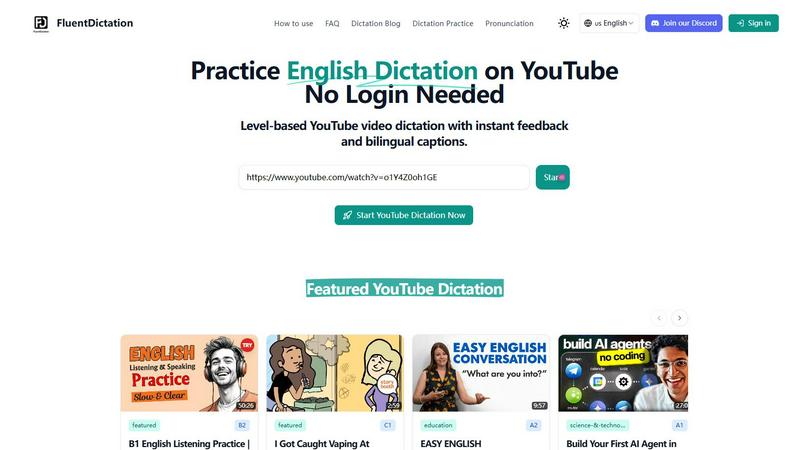
Practice English dictation on YouTube with instant feedback and bilingual captions for any level.
Last updated: February 28, 2026

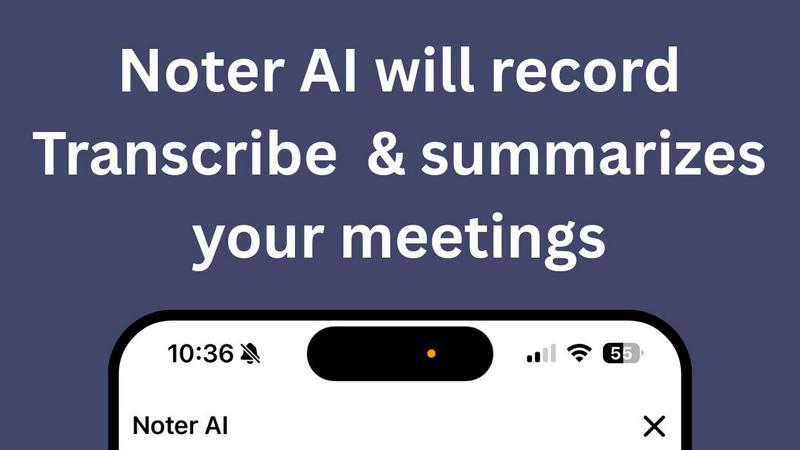
Noter AI effortlessly transforms meeting recordings into clear summaries, helping teams stay organized and informed in real-time.
Last updated: March 11, 2026
Visual Comparison
FluentDictation
Noter AI
Feature Comparison
FluentDictation
Adaptive Dictation Levels
FluentDictation tailors the learning experience to your current ability. Whether you're just starting out at the A1 level or preparing for advanced proficiency tests, the platform ensures the dictation exercises are perfectly challenging. This adaptive approach means you're always practicing material that is achievable yet pushes you to improve, preventing frustration and keeping motivation high as you progress through different stages of English mastery.
Bilingual Subtitles & Instant Transcripts
Understanding every word is key to learning. FluentDictation provides side-by-side bilingual subtitles during exercises, offering clear translations to aid comprehension. After completing a dictation, you can instantly compare your typed text with the original transcript. This immediate comparison is invaluable for spotting specific errors, learning new vocabulary in context, and understanding sentence structure as used by native speakers.
Sentence-by-Sentence Focused Training
Instead of overwhelming you with long paragraphs, FluentDictation's player intelligently splits video audio into bite-sized sentences or phrases. You listen to a short, clear segment, type what you hear, and then move on. This method allows for intense focus on each unit of speech, making it easier to catch contractions, linking sounds, and tricky pronunciation that you can then practice repeating until you get it right.
Accent Diversity Library & Real-Time Feedback
The tool exposes you to a wide range of English accents—including British, American, Australian, and more—through its curated and user-submitted video library. This trains your ear to understand English as it's spoken globally. As you type, you receive instant accuracy feedback, highlighting mistakes in real time. This allows for on-the-spot correction and learning, turning every error into an immediate opportunity for improvement.
Noter AI
Real-time Recording & Transcription
Noter AI offers seamless real-time recording and transcription capabilities. As you record your meeting, lecture, or conversation, the AI works in the background to provide accurate transcriptions, allowing you to focus on the discussion without worrying about taking notes.
AI-generated Meeting Summaries
With Noter AI, you receive intelligently crafted meeting summaries after each session. The AI analyzes the transcribed content and extracts key points, providing you with concise and comprehensive overviews that save you time and ensure you capture essential information.
Smart Action Item Extraction
Never miss an important task again! Noter AI smartly identifies action items from your meetings and highlights them for easy reference. This feature helps you stay organized and ensures that you know exactly what needs to be done after each meeting.
Organized Note History
Noter AI keeps your notes organized and easily accessible. With a well-structured note history that includes search functionality, tagging, and automatic categorization, you can quickly find past meetings and relevant notes whenever you need them.
Use Cases
FluentDictation
Exam Preparation (IELTS, TOEFL)
For learners targeting high scores on listening exams, FluentDictation is an ideal training partner. You can practice with educational videos specifically about exam strategies (like IELTS speaking tips) or use complex news reports and lectures to simulate the challenging audio found in these tests. The instant feedback helps identify recurring listening weaknesses, such as missing articles or prepositions, which are crucial for exam accuracy.
Improving Pronunciation and Speaking Fluency
The tool is not just about writing; it's built for speaking practice. After completing a dictation, you can use the "Shadowing Aloud" step. This involves speaking along with the original audio, mimicking the speaker's rhythm, tone, and pronunciation. This repeated, active practice is one of the most effective ways to sound more natural and fluent in conversational English.
Casual Learning with Enjoyable Content
Language learning should be fun! FluentDictation allows you to integrate practice seamlessly into your hobbies. Love music? Use song lyrics for dictation. Interested in science, tech, or beauty blogs? Use those videos. By practicing with content you genuinely enjoy, you're more likely to stick with it daily, turning passive watching into an active, rewarding learning session without it feeling like a chore.
Building Confidence with Authentic Materials
Beginners and intermediate learners often find real-world English too fast and intimidating. FluentDictation bridges this gap by letting you interact with authentic videos at your own pace. You control the playback, repeat sentences as needed, and have the support of bilingual hints. This process demystifies real speech, builds listening stamina, and gives you the confidence to understand English outside the classroom.
Noter AI
Business Meetings
Professionals can use Noter AI to document important business meetings effortlessly. The AI-generated summaries and action items help teams stay aligned and ensure that everyone is clear on their responsibilities moving forward.
Lectures and Classes
Students can benefit from Noter AI by recording lectures and receiving instant transcriptions. This allows them to focus on understanding the material rather than frantically taking notes, enhancing their learning experience.
Team Brainstorming Sessions
During team brainstorming sessions, Noter AI captures every idea shared. Users can refer back to the organized notes and summaries to ensure that all suggestions are considered and no valuable insights are lost.
Client Conversations
For professionals in client-facing roles, Noter AI can record and transcribe meetings with clients, ensuring that all discussed points are documented. The smart action item extraction helps in following up on commitments made during the conversation.
Overview
About FluentDictation
FluentDictation is your friendly gateway to mastering English through the videos you already love to watch. It’s a clever online tool that transforms any YouTube video into an interactive, personalized dictation exercise. Imagine practicing your listening and writing skills not with boring, robotic audio, but with real music videos, fascinating documentaries, engaging lessons, or your favorite vlogger's content. That's the magic of FluentDictation. It automatically works with a video's subtitles, breaking down authentic speech into manageable sentences for you to listen to and type out. It’s designed for everyone, from absolute beginners (A1) getting used to the sounds of English, to advanced learners (C1/C2) fine-tuning their skills for exams like IELTS. The platform goes beyond just listening; it helps you improve your pronunciation and speaking through shadowing exercises and provides instant feedback on your accuracy. Best of all, you can start learning immediately—no complicated sign-ups or logins are required. Just paste a YouTube link and dive into a fun, effective practice session that makes language learning feel less like study and more like exploration.
About Noter AI
Noter AI is a revolutionary AI-powered meeting note taker designed to streamline the process of documenting meetings, lectures, and conversations. By simply recording your audio, Noter AI instantly transforms your voice into well-organized notes, eliminating the hassle of manual note-taking. This tool is perfect for professionals, teams, students, and anyone who requires accurate and comprehensive meeting documentation. With features like real-time transcription, intelligent summary creation, and smart action item extraction, Noter AI ensures that you capture critical information without losing focus on the conversation. Available on iOS and soon on Android, Noter AI supports over 20 languages, making it a versatile solution for users worldwide. The freemium model allows users to start for free, with premium plans available for those who require unlimited recordings and advanced features. Experience the power of AI in transforming your meetings into actionable insights.
Frequently Asked Questions
FluentDictation FAQ
Do I need to create an account to use FluentDictation?
No, you do not! One of the best features of FluentDictation is that you can start practicing immediately without any login or sign-up process. Simply visit the website, paste your YouTube link, and begin your dictation exercise. This makes it incredibly easy and fast to get started with your English practice.
Can I use any YouTube video with FluentDictation?
Yes, absolutely! You can turn almost any YouTube video into a dictation exercise by pasting its link into FluentDictation. The tool automatically syncs with the available subtitles. For the best experience, we recommend using videos that have clear audio and accurate English captions or subtitles enabled.
What if I make a mistake during the dictation?
Making mistakes is a core part of the learning process. FluentDictation provides instant feedback as you type, highlighting any errors in your text. After the exercise, you can review your answers side-by-side with the official transcript. This allows you to see exactly where you went wrong, understand the correct version, and learn from the error immediately.
How does FluentDictation help with my speaking?
FluentDictation aids your speaking through a dedicated step called "Shadowing Aloud." After completing the listening and typing exercise, you are encouraged to read the correct transcript aloud along with the original video audio. This practice helps you improve your pronunciation, intonation, rhythm, and overall speaking fluency by actively mimicking a native speaker.
Noter AI FAQ
How does Noter AI ensure transcription accuracy?
Noter AI utilizes advanced AI algorithms to provide high-accuracy transcriptions. It also features speaker identification to distinguish between different voices in a meeting, ensuring clarity in the notes.
Is Noter AI available in multiple languages?
Yes, Noter AI supports transcription and translation in over 20 languages, making it an excellent choice for international teams and users who conduct meetings in different languages.
What formats can I export my meeting notes to?
You can export your meeting notes in various formats such as PDF, Word, and Text. This flexibility allows you to share your insights easily with team members or keep them for personal reference.
How does the freemium model work?
Noter AI offers a freemium model that allows users to start using the base features for free. Premium plans are available for those who require unlimited recordings and access to advanced AI capabilities, catering to power users and larger teams.
Alternatives
FluentDictation Alternatives
FluentDictation is a fantastic tool in the English learning space, specifically designed to improve listening and speaking skills through interactive YouTube dictation exercises. It falls into the category of language learning apps that use authentic media to create an immersive practice environment. People often explore other options for various reasons. Maybe they need a tool that works on a different platform, like a mobile app, or they are looking for a different pricing model. Others might seek specific features, such as a wider variety of pre-made lessons, vocabulary builders, or integration with other learning resources. When searching for a similar tool, consider what matters most for your learning journey. Key aspects to compare include the type of content available (YouTube-based vs. proprietary lessons), the quality of speech recognition and feedback, whether it supports your target language level, and of course, the overall cost and accessibility across your devices.
Noter AI Alternatives
Noter AI is an innovative AI-powered meeting note taker designed to streamline the process of capturing and organizing notes from various conversations, lectures, or meetings. It falls under the categories of AI Assistants, Productivity & Management, Speech & Voice, and Mobile Apps. Users often seek alternatives to Noter AI for reasons such as pricing, the need for specific features, or compatibility with their preferred platforms. When considering alternatives, it's essential to look for key functionalities like real-time transcription, action item extraction, and multilingual support. Additionally, evaluate the user interface and ease of access across devices to ensure that the alternative meets your specific needs and enhances your productivity.