
Free Flash Image vs HD Photo Converter
Side-by-side comparison to help you choose the right AI tool.

Free Flash Image
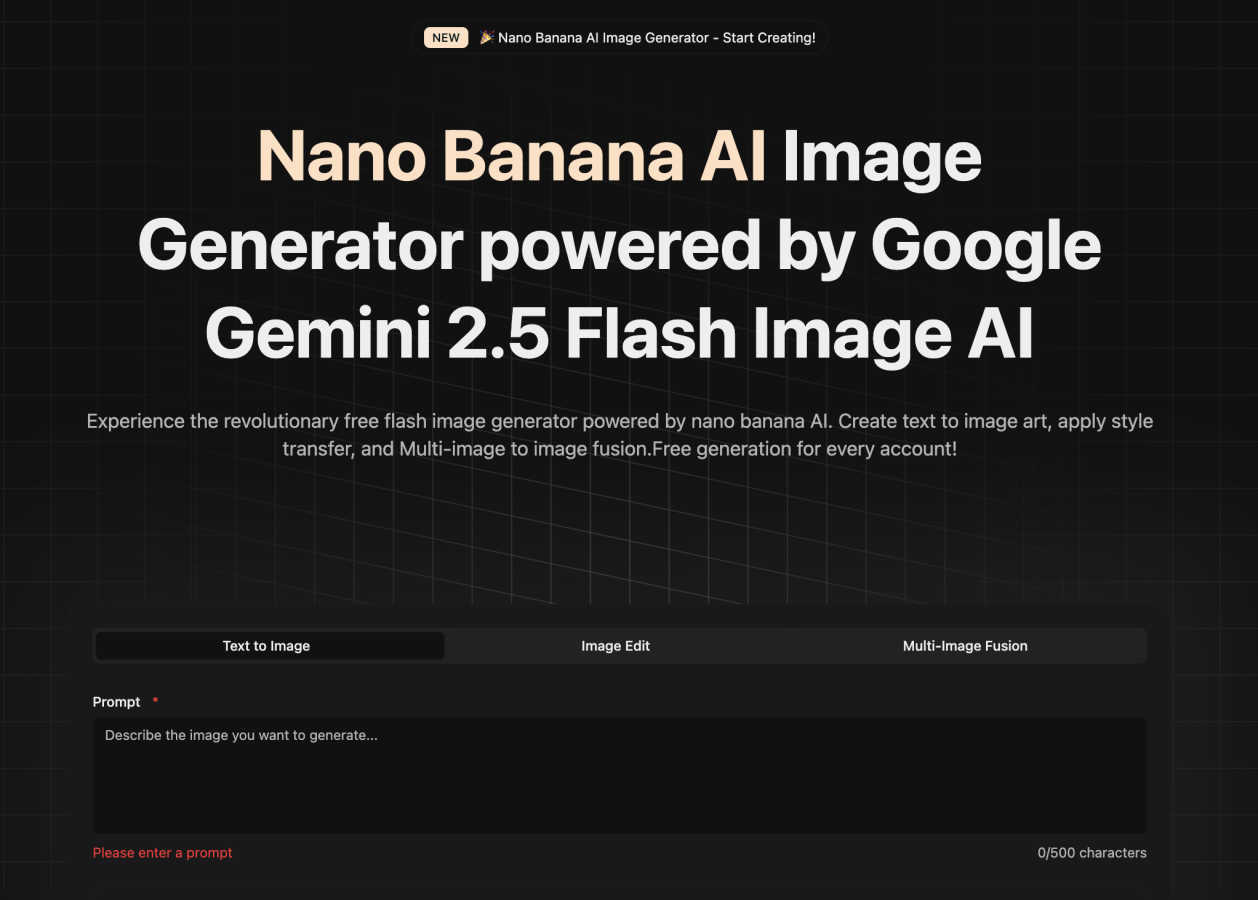
Create stunning AI images effortlessly for free with Nano Banana's Flash Image Generator, no design skills required.
Last updated: March 1, 2026

HD Photo Converter
HD Photo Converter instantly turns blurry photos into sharp, high-definition images with AI.
Last updated: March 11, 2026
Visual Comparison
Free Flash Image
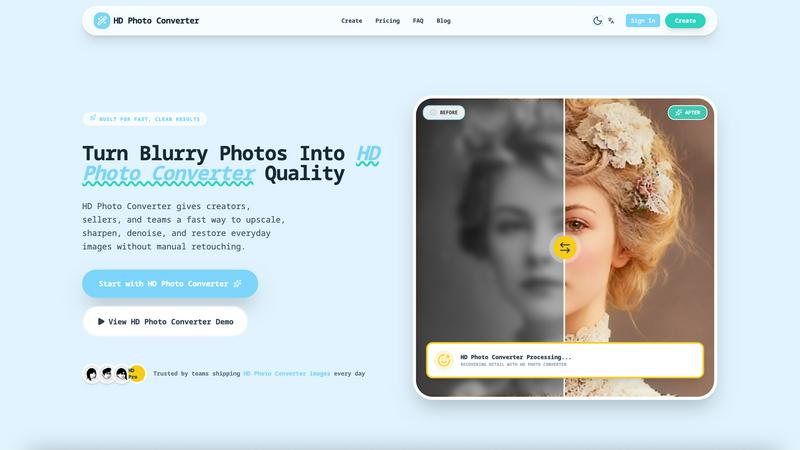
HD Photo Converter
Feature Comparison
Free Flash Image
Text to Image Generation
This feature allows users to create original, high-quality images simply by entering text descriptions. With multiple artistic styles supported, the output is generated quickly—typically within 30 seconds—providing unlimited creative possibilities for any project.
Image Editing Tools
The image editing feature enables users to upload existing images and make intelligent modifications through AI. This includes smart background replacements and precise detail adjustments, all while preserving the original quality of the uploaded images.
Multi-Image Fusion
With the multi-image fusion feature, users can combine up to five different images to create entirely new and unique visual effects. This innovative tool employs smart scene fusion and natural transition effects, making it an excellent choice for artistic projects.
Easy-to-Use Interface
Free Flash Image boasts a beautifully simple interface that works seamlessly on both desktop and mobile devices. This accessibility ensures that users can tap into their creativity from anywhere, making it ideal for on-the-go inspiration and quick visualizations.
HD Photo Converter
One-Click AI Enhancement
Simply upload your photo, and with a single click, the AI goes to work. It intelligently analyzes your image to apply the perfect balance of upscaling for size, sharpening for detail, and denoising for a clean finish. This all-in-one process eliminates the need to juggle multiple tools or complex settings, delivering a professionally enhanced image in under 5 seconds.
Intelligent Portrait & Face Recovery
This feature specifically targets portraits, expertly recovering facial details that are often lost in low-light conditions or due to image compression. It enhances clarity in eyes, skin texture, and hair while maintaining a natural and consistent look. It's perfect for improving profile pictures, campaign photos, or any portrait where preserving identity and enhancing quality is key.
Batch Processing for Bulk Upscaling
Need to enhance an entire catalog of product photos or a folder of old scans? HD Photo Converter's batch processing capability lets you upscale and improve multiple images at once with just one click. This saves an enormous amount of time compared to manual editing or running complex scripts, making it ideal for teams and businesses with high-volume image needs.
Side-by-Side Preview Before Download
Before you commit to your enhanced image, the tool provides a clear, side-by-side comparison of the original and the AI-processed version. This instant preview allows you to verify the quality of the enhancement, ensuring you get the exact result you want before downloading the final HD photo, giving you complete confidence in the output.
Use Cases
Free Flash Image
Marketing and Advertising
Marketers can utilize Free Flash Image to quickly generate eye-catching ad mockups that align with their campaign ideas. The speed and ease of image creation allow for rapid iterations and adjustments, streamlining the advertising process.
Content Creation
Content creators can brainstorm and visualize thumbnails or social media graphics with ease. By inputting descriptive text, they can create compelling visuals that enhance their content and attract audience attention.
Design Prototyping
Designers can use Free Flash Image to sketch mood boards and prototype visual concepts. The ability to generate and edit images swiftly allows them to explore various design directions without the need for advanced software.
Product Visualization
Entrepreneurs can visualize product concepts quickly, creating mockups that can be used for pitches or presentations. This functionality enables them to communicate their ideas more effectively to potential investors or collaborators.
HD Photo Converter
eCommerce Product Listing Enhancement
Online sellers and shop owners can use HD Photo Converter to instantly upgrade low-quality supplier images into crisp, clean catalog assets. This improves product clarity for customers, reduces the chance of marketplace listing rejections, and helps create a more professional and trustworthy storefront with visually consistent imagery.
Social Media Content Preparation
Creators, influencers, and social media managers can ensure their feeds always look polished. The tool quickly prepares photos taken from various devices and under different conditions, removing compression artifacts and enhancing details to create eye-catching thumbnails, stories, and posts that stand out in a crowded feed.
Family Photo Archive Restoration
Breathe new life into cherished old photographs, scanned prints, or faded digital memories. HD Photo Converter is excellent for restoring vintage portraits and family photos by reducing noise, fixing blurriness, and recovering lost details, allowing you to preserve and share your history in stunning high definition.
Professional Portrait Retouching
Photographers, models, and agencies can streamline their workflow by using HD Photo Converter for initial retouching. It provides a fast foundation by automatically enhancing skin texture, sharpening facial features, and improving overall image clarity, freeing up more time for creative adjustments and artistic decisions.
Overview
About Free Flash Image
Free Flash Image is an innovative, user-friendly online tool that leverages AI technology to transform your textual ideas into stunning visuals in mere seconds. Utilizing Google's advanced Gemini 2.5 Flash model, it allows users to create high-quality images effortlessly. This browser-based application serves as the perfect companion for various professionals, including marketers looking for quick ad mockups, content creators brainstorming thumbnails, designers sketching mood boards, and entrepreneurs visualizing product concepts. The core value proposition lies in its speed and simplicity. Upon signing up with a Google account, users can generate one free high-quality image without any waitlist, allowing for immediate exploration of the tool's capabilities. Beyond image generation, Free Flash Image offers powerful editing tools and the ability to blend multiple images, all backed by reliable Cloudflare infrastructure. By streamlining the creative process, it helps users validate their ideas before progressing to more complex design suites or production workflows.
About HD Photo Converter
HD Photo Converter is your friendly, AI-powered assistant for transforming ordinary or problematic photos into stunning, high-definition images. It's built for anyone who wants professional-looking results without the complexity of traditional photo editing software. Whether you're a creator polishing social media content, a business owner enhancing product photos, or someone looking to restore precious family memories, this tool simplifies the entire process. Its core value lies in delivering faster, cleaner, and more predictable photo improvements. Instead of spending minutes or hours manually retouching blurry, noisy, or low-resolution images, you can upload a photo and get a sharper, cleaner, and more detailed version in just seconds. It combines powerful AI functions like upscaling, sharpening, denoising, and portrait recovery into one seamless workflow, making high-quality visual output accessible to everyone, regardless of their technical skill level.
Frequently Asked Questions
Free Flash Image FAQ
What kind of images can I generate with Free Flash Image?
You can generate a wide variety of images using Free Flash Image, including fantasy art, realistic scenes, and abstract designs, all based on the text prompts you provide.
Do I need to download any software to use Free Flash Image?
No, Free Flash Image is a browser-based tool, which means you can access it directly from any web browser without needing to download any software.
Is there a limit to how many images I can create?
Each account gets one free high-quality image generation for life. Additional generations may be available depending on the features and plans provided in the future.
Can I use the generated images for commercial purposes?
Yes, the images generated through Free Flash Image come with a commercial use license, allowing you to utilize them in various applications, including marketing and advertising.
HD Photo Converter FAQ
How many free images can I process?
Every user gets 1 free HD image generation per day. This is a great way to test the tool's capabilities with your own photos regularly without any commitment. For more frequent use, you can purchase credit packs to continue enhancing images.
What kind of image formats does it support?
HD Photo Converter supports common image formats like JPG and PNG. You can upload your blurry or low-quality photos in these formats, and the tool will process and provide you with a high-quality download in a compatible format, typically a high-resolution JPG or PNG file.
Is it difficult to use for beginners?
Not at all! HD Photo Converter is designed with a zero-learning curve. The process is a simple three-step flow: upload your image, click the enhance button, and download the result. There are no complicated settings or technical knowledge required, making it accessible for everyone.
Can I use it for commercial projects?
Absolutely. HD Photo Converter is built to deliver reliable, repeatable quality suitable for commercial use. Many brands and teams use it to prepare images for websites, marketing materials, and product listings. It's a trusted tool for creating publish-ready assets that help drive customer trust and engagement.
Alternatives
Free Flash Image Alternatives
Free Flash Image is a user-friendly, browser-based tool that allows anyone to create stunning AI-generated images from text descriptions in seconds. It falls under the category of AI Assistants and Image & Photo tools, catering to a broad audience ranging from marketers to content creators. Users often seek alternatives for various reasons, such as pricing, specific features, or compatibility with different platforms. When exploring alternatives, it's essential to consider the ease of use, image quality, customization options, and any additional functionality that can enhance the creative process.
HD Photo Converter Alternatives
HD Photo Converter is an AI-powered tool in the image enhancement category, designed to quickly transform portraits and photos into sharper, cleaner, and more professional-looking high-definition images. It's built for creators, businesses, and everyday users who want to streamline their photo improvement without diving into complex editing software. Users often explore alternatives for a variety of reasons. This could be due to budget constraints, a need for different features like batch processing or specific filters, or simply because they require a tool that works on a different platform, such as a mobile app or a specific operating system. Finding the right fit depends on your unique workflow and goals. When choosing an alternative, it's wise to consider a few key factors. Think about the core features you need most, your comfort level with different interfaces, and the value for the price. A good alternative should match your technical skill level and efficiently solve the specific photo enhancement challenges you face most often.