
Fusedash vs Lupa AI
Side-by-side comparison to help you choose the right AI tool.

Fusedash turns your raw data into clear dashboards and charts so your team can act on insights instantly.
Last updated: March 3, 2026

Lupa AI
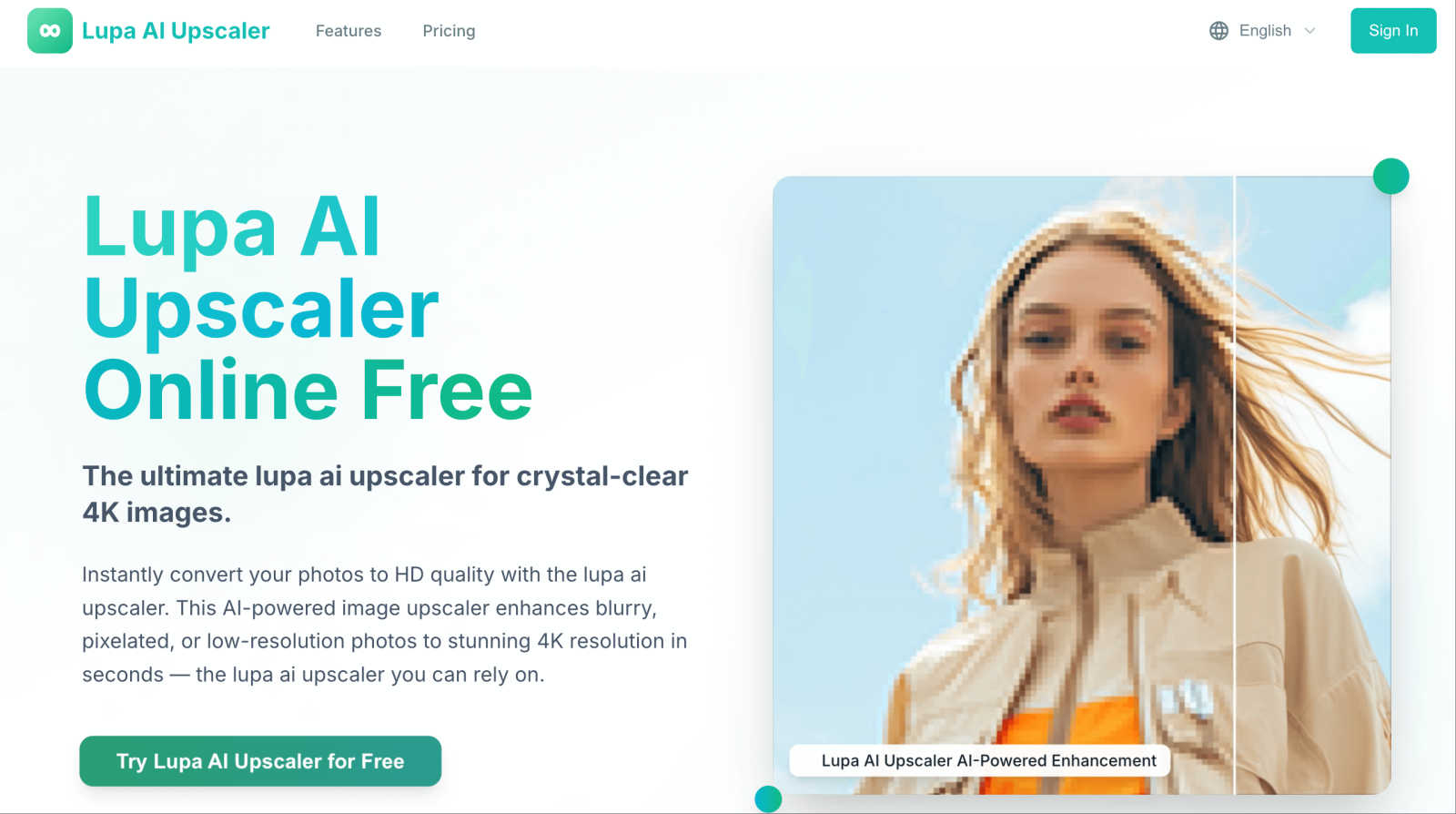
Lupa AI Upscaler instantly transforms low-resolution images into stunning 4K quality with advanced AI technology.
Last updated: February 28, 2026
Visual Comparison
Fusedash

Lupa AI
Feature Comparison
Fusedash
Flexible Multi-Format Views
Fusedash understands that different stakeholders need information presented in different ways. That's why you can take a single, connected dataset and instantly present it as an executive KPI dashboard, a detailed chart for analysis, an interactive map for geo-analysis, or a narrative report with storytelling context. This flexibility eliminates the back-and-forth of creating custom reports for each audience, saving time and ensuring message consistency. You can customize layouts, apply universal filters, and set time ranges that work for each team's needs.
AI-Powered Chart Generator
Jumpstart your data storytelling with the AI chart generator. Simply upload a CSV or connect to an API, and Fusedash helps you create clear, effective visuals in minutes. The AI assists in selecting the most appropriate chart type for your data, applying meaningful comparisons, and refining labels to ensure the visual accurately tells your story. These charts can be used as powerful standalone assets for presentations or seamlessly dropped into larger dashboard views for comprehensive reporting.
Integrated AI Chat & Assistance
When you're exploring data and aren't sure where to begin, Fusedash's Smart Chat is your guide. Ask questions about your data in plain, natural language—like "What were sales in the northwest region last quarter?"—and get instant answers, suggested breakdowns, and recommendations for relevant metrics or charts. You can then instantly turn these insights into a new, shareable dashboard view, dramatically speeding up the journey from question to actionable visual report.
Unified Data Integration & Reusability
Stop rebuilding the wheel every time you need a report. Fusedash lets you bring data together from various sources—upload CSVs, connect directly to live APIs, or enrich your analysis with public datasets—all within one platform. Once connected, you can combine these datasets for a unified view and, most importantly, reuse the same prepared data and KPI definitions across countless charts, dashboards, and reports. This creates a single source of truth and ensures your metrics are always calculated consistently.
Lupa AI
AI-Powered Upscaling
Lupa AI employs advanced artificial intelligence technology to perform near-lossless upscaling. This means that it enhances images without sacrificing details, ensuring that every photo retains its natural look while becoming clearer and more defined.
One-Click Enhancement
With just a single click, Lupa AI converts your low-resolution images into stunning HD quality. This feature allows users to enjoy vibrant colors and sharp details instantly, making it perfect for social media posts or professional presentations.
Face Enhancement
The Face Enhance feature uses GFPGAN technology to specifically improve facial details in images. This makes it ideal for portraits, ensuring that facial features are enhanced while maintaining a natural appearance, perfect for both personal and professional use.
Multiple Resolution Options
Lupa AI offers various output resolutions, including 1K, 2K, 4K, 6K, and 8K. This flexibility ensures that users can choose the resolution that best fits their needs, whether for online use, printing, or other applications.
Use Cases
Fusedash
Executive KPI Review Dashboards
Leadership teams need a high-level, real-time view of business health without getting lost in the weeds. Fusedash enables the creation of clean, focused dashboards that aggregate key performance indicators from across the organization. Executives can monitor trends, filter by department or region, and quickly drill down when a metric changes to understand the underlying drivers, all from a single, always-updated view.
Marketing & Revenue Performance Tracking
Marketing and sales teams can use Fusedash to track campaign performance, pipeline health, and revenue metrics in one place. By connecting data from CRM, ad platforms, and web analytics, teams can build dashboards that show ROI, lead generation trends, and conversion rates. The storytelling feature is perfect for adding context to weekly reports, explaining what changed and what the next actions should be.
Operations & Real-Time Monitoring
For teams where minutes matter, such as IT, logistics, or customer support, Fusedash's real-time interfaces are essential. Connect to live APIs and databases to monitor fast-moving metrics like system uptime, transaction volumes, or support ticket backlogs. Set up alerts and visualizations that update instantly, allowing teams to identify and react to issues as they happen, ensuring smooth operational continuity.
Geographic Analysis with Map Visualizations
Businesses with a physical or regional component can leverage Fusedash's built-in map visualizations. Plot store performance, customer density, shipment logistics, or service coverage areas on interactive maps. This geo-analysis makes spatial patterns immediately obvious, helping with territory planning, resource allocation, and market expansion strategies by visually answering the "where" behind the data.
Lupa AI
Restoring Old Photos
Lupa AI is perfect for restoring old family photos that may have faded or become pixelated over time. Users can breathe new life into cherished memories, transforming them into high-resolution images suitable for framing or sharing.
Enhancing E-commerce Product Images
For businesses, having high-quality product images is crucial. Lupa AI allows e-commerce sellers to enhance their product photos, making them more appealing to customers and potentially boosting sales through better visual representation.
Creating Social Media Content
Social media influencers can benefit greatly from Lupa AI by enhancing their images before posting. With stunning visuals, influencers can attract more followers and engagement on their platforms, making their content stand out.
Professional Photography
Photographers can use Lupa AI to upscale their images for print or digital publication. The tool ensures that every detail is sharp and clear, providing professional-grade results that meet industry standards.
Overview
About Fusedash
Fusedash is an AI-powered data visualization platform designed to help teams transform their connected data into clear, actionable insights. It acts as a unified workspace where you can create decision-ready dashboards, interactive charts, detailed maps, and narrative reports without the need to rebuild the same logic across multiple, disconnected tools. The core value proposition is consistency and efficiency: you define your key metrics and KPIs once, and then reuse those consistent definitions across every view and report. This ensures everyone in the organization—from leadership to marketing to operations—is looking at the same trusted numbers. Fusedash is built for teams that are tired of manual reporting cycles and conflicting data stories. It empowers users to not only monitor what's happening through real-time interfaces but also to understand why it's happening by drilling down into segments, regions, or time periods. With integrated AI features like natural language data chat and smart visualization assistance, Fusedash makes data exploration and reporting faster and more accessible, turning raw data into a shared source of truth that drives alignment and action.
About Lupa AI
Lupa AI is a cutting-edge image upscaling tool that harnesses the power of advanced artificial intelligence to elevate the quality of your photos effortlessly. Whether you are a photographer, graphic designer, social media influencer, or a business aiming to enhance your visual content, Lupa AI is designed with you in mind. This innovative tool transforms blurry, pixelated, or low-resolution images into stunning 4K quality in mere seconds. Its user-friendly interface ensures that anyone can navigate and utilize its powerful features without needing technical expertise. Lupa AI’s value proposition lies in its ability to deliver professional-quality results quickly and efficiently, making it an essential asset for anyone working with digital images. Whether it’s restoring cherished family photos, enhancing product images for e-commerce, or creating captivating visuals for social media, Lupa AI provides a reliable solution that meets diverse needs with exceptional performance.
Frequently Asked Questions
Fusedash FAQ
What kind of data sources can I connect to Fusedash?
Fusedash offers flexible data integration options to suit various needs. You can start quickly by uploading CSV or Excel files directly. For live, updating data, you can connect to countless applications and databases via their APIs. The platform also supports enriching your views with public datasets, which is especially useful for adding geographic or market context to your internal data.
How does the AI Chat feature actually work?
The AI Chat, or Smart Chat, acts as an intelligent assistant within your data. You type questions in natural language, just as you would ask a colleague, such as "Show me monthly revenue for product X." The AI interprets your question, queries the connected dataset, and provides an answer in text form. It can also suggest the best way to visualize that answer—recommending a chart type or a new dashboard view—which you can then create with a single click.
Can I share the dashboards and reports I create with people outside my team?
Absolutely. A key function of Fusedash is to facilitate easy sharing and alignment. You can generate shareable links to your dashboards, charts, or narrative reports. Recipients can view the interactive visualizations, apply filters, and explore the data without needing a Fusedash account, making it simple to keep stakeholders, clients, or leadership informed with the latest insights.
Is Fusedash suitable for real-time data monitoring?
Yes, Fusedash is built to handle real-time monitoring scenarios. By connecting to live API data sources, you can create interfaces and dashboards that refresh at intervals you define—even as frequently as every minute. This is ideal for operational teams that need to monitor system health, live sales data, or social media mentions, allowing them to see changes and react promptly.
Lupa AI FAQ
What file formats does Lupa AI support?
Lupa AI supports various file formats, including JPG, PNG, WEBP, JPEG, and BMP. Users can upload images up to 10MB for processing, ensuring a wide range of compatibility for different project needs.
Is Lupa AI safe and private?
Yes, Lupa AI prioritizes user privacy and security. All uploaded images are processed securely and are only visible to the user, ensuring that your creations remain private.
How long does it take to upscale an image?
Lupa AI is designed for lightning-fast processing, allowing users to convert their images to high-definition quality in just seconds. This efficiency makes it easy to enhance multiple images quickly.
Can I try Lupa AI for free?
Absolutely! Lupa AI offers a free version where users can experience the upscaling capabilities without any credit card requirements. This allows potential users to test the service before committing to a subscription plan.
Alternatives
Fusedash Alternatives
Fusedash is an AI-powered analytics and data visualization platform. It helps teams build dashboards, track KPIs, and generate narrative reports from their connected data sources. The platform is designed to provide consistent, decision-ready insights across an organization. Users often explore alternatives for various reasons. This could be due to specific budget constraints, the need for different integration capabilities, or a desire for features tailored to a particular industry or team size. The search for the right tool is a normal part of finding the perfect fit for a company's unique data stack and workflow requirements. When evaluating other options, consider your core needs. Key factors often include the ease of connecting to your data sources, the flexibility of visualization and reporting, the role of AI and automation features, and the overall user experience for both analysts and business stakeholders. It's also wise to assess the scalability and security standards of any platform you consider.
Lupa AI Alternatives
Lupa AI is an innovative image upscaling tool that utilizes advanced artificial intelligence technology to transform low-resolution images into stunning 4K quality. It is categorized under business intelligence tools, making it a popular choice for photographers, graphic designers, and businesses seeking high-quality visual content. Users often search for alternatives to Lupa AI for various reasons, including pricing, specific feature sets, or compatibility with different platforms. When choosing an alternative, it is crucial to consider factors such as ease of use, the quality of output, and additional features that may enhance your image processing experience. Finding the right image upscaling tool can significantly impact the quality of your visuals. Look for alternatives that offer AI-powered enhancements, one-click processing for efficiency, and features that cater to both personal and professional needs. Additionally, consider user reviews and trial options to ensure the alternative meets your expectations for image quality and usability.