
iExPander vs MakeAIVideo
Side-by-side comparison to help you choose the right AI tool.

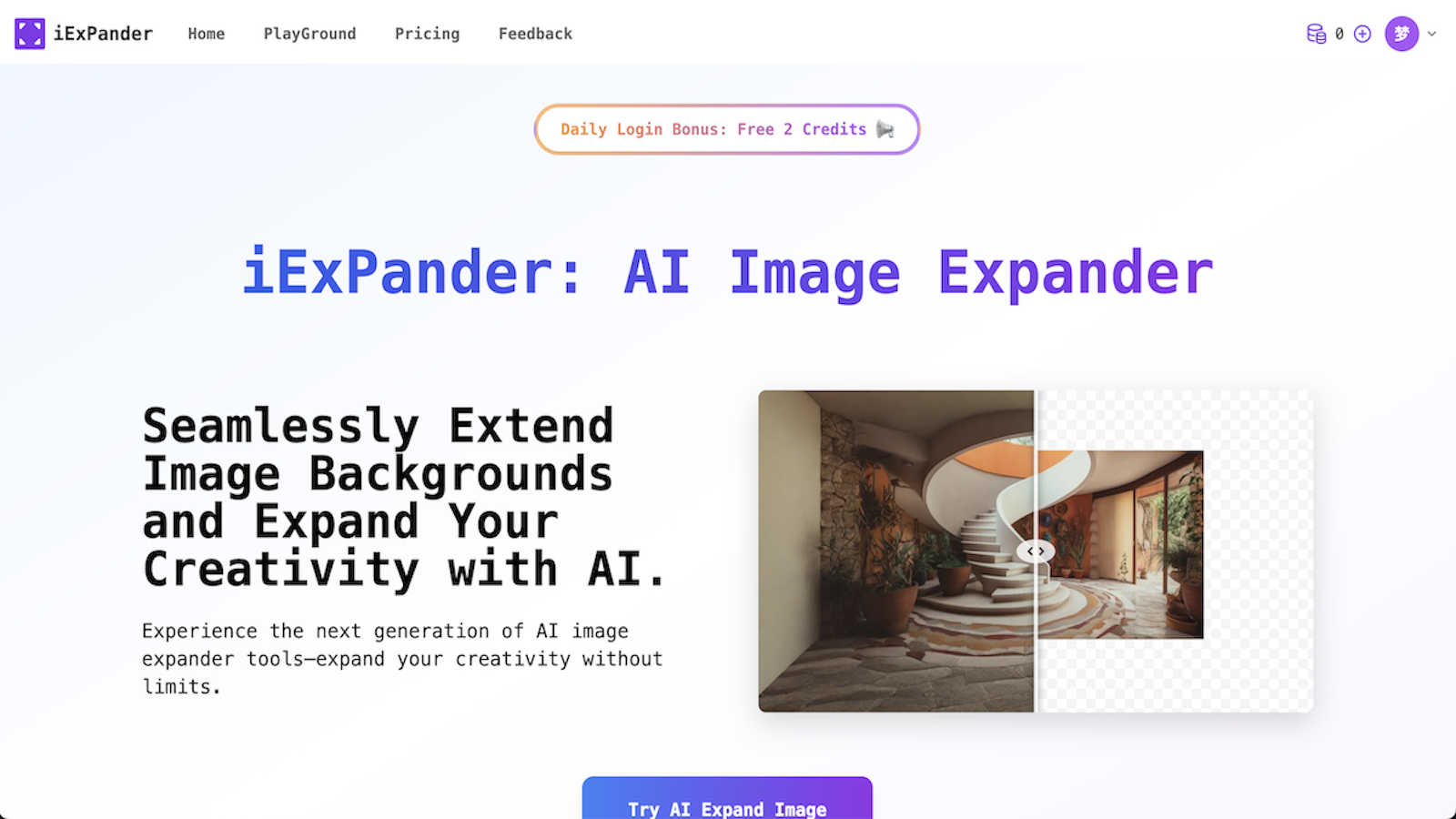
iExPander uses AI to seamlessly expand your images and remove unwanted objects for social media.
Last updated: March 1, 2026

MakeAIVideo
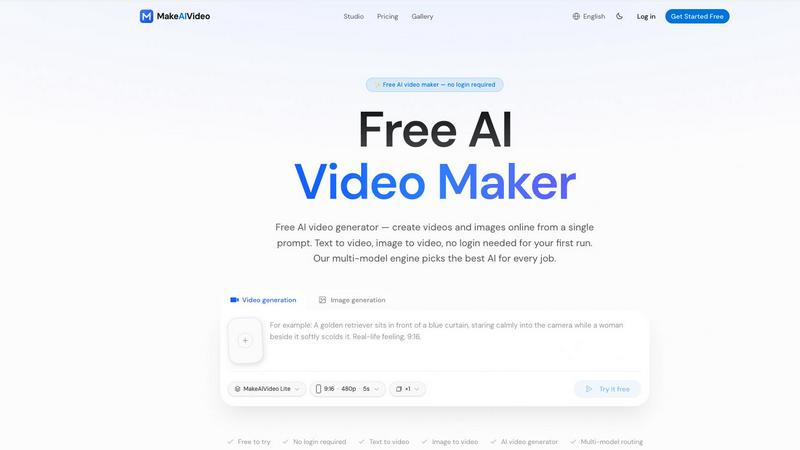
MakeAIVideo is an innovative AI video generator that creates stunning videos from text or images using advanced multi-model routing technology.
Last updated: March 18, 2026
Visual Comparison
iExPander
MakeAIVideo
Feature Comparison
iExPander
AI Image Expander
This is the core magic of iExPander. Using advanced artificial intelligence, this tool analyzes your photo's content, style, and context to generate new, natural-looking areas that extend beyond the original borders. Simply upload your image, choose your desired aspect ratio (like 9:16 for Stories or 16:9 for YouTube), and let the AI create a seamless background extension in seconds. It's perfect for fixing awkward crops or adapting a single great image for multiple platforms without any stretching or distortion.
AI Object Remover
Got a photo that's almost perfect, but there's a distracting person, an unwanted trash can, or a random photobomber in the way? iExPander's AI Object Remover is here to help. This powerful feature intelligently analyzes the area around the object you want to erase and fills it in with matching textures and patterns. With just a click, you can clean up your shots, remove imperfections, and create flawless product photos or personal images without any trace of the original distraction.
Image Upscaler
Don't let low-resolution images hold back your projects. iExPander's Image Upscaler uses AI to intelligently increase the resolution of your photos while preserving and enhancing details. This means you can enlarge small images for print, improve the quality of old photos, or ensure your web graphics look crisp and clear on all devices. It's an essential tool for maintaining professional quality across all your visual assets.
Face Swap AI
Add a touch of fun and creativity to your images with the Face Swap AI feature. This tool allows you to easily and safely swap faces between people in photos, creating hilarious memes, entertaining content for social media, or unique creative concepts. It's designed with a user-friendly interface, making the process of aligning and blending faces seamless and enjoyable for creating shareable, engaging visual content.
MakeAIVideo
Multi-Model Routing
MakeAIVideo employs a sophisticated multi-model routing engine that automatically selects the best AI model suited to your prompt. This means that depending on the task, you benefit from the most effective capabilities of models like Seedance, Veo, and more, ensuring high-quality video output tailored to your needs.
Zero Login Required
One of the standout features of MakeAIVideo is that you can begin creating videos without needing to create an account. This hassle-free access allows you to dive directly into video generation, making it perfect for those who want to quickly test the platform or generate content on the fly.
High-Quality Output
The platform generates cinematic-quality videos in under a minute, with options for up to 4K resolution. This ensures that whether you are creating content for social media, advertisements, or presentations, the visuals will be sharp and professional, meeting industry standards.
Dual-Channel Sound Design
Enhance your videos with dual-channel sound design, where audio is generated in sync with the visuals. This feature removes the need for post-production editing, allowing for a seamless audio-visual experience that elevates the overall quality of your videos.
Use Cases
iExPander
Social Media Content Creation
Creating consistent, eye-catching visuals for different social media platforms (like Instagram posts, Stories, Reels, and Facebook covers) is a constant challenge. iExPander simplifies this by allowing you to take one high-quality photo and expand or adapt it to fit every required aspect ratio perfectly. You can also quickly remove unwanted elements or upscale images to ensure they look professional and engaging, saving hours of manual editing.
E-commerce & Product Photography
Online sellers and small business owners can use iExPander to enhance their product photos effortlessly. Remove distracting backgrounds or unwanted objects from product shots, expand images to create clean, consistent banners for your online store, or upscale low-quality supplier images. This helps in presenting products in the best light, building trust with customers, and boosting sales with minimal effort and cost.
Marketing & Advertising Material
Marketers and designers can rapidly prototype and create visuals for ads, blog graphics, email newsletters, and presentations. Need a wider image for a website hero section? Use the Image Expander. Have a model shot with a temporary logo on a t-shirt? Use the Object Remover. The suite of tools enables quick iterations and professional results without needing to go back to the original photographer or designer for every small change.
Personal Photo Enhancement
For personal use, iExPander acts as a powerful photo editor for your cherished memories. You can restore old family photos by upscaling them, remove strangers or modern objects from vacation pictures to perfect the scene, or even expand a beautiful landscape photo to use as a custom desktop wallpaper. It makes advanced photo editing accessible for anyone wanting to improve their personal photo collection.
MakeAIVideo
Social Media Content Creation
MakeAIVideo is ideal for social media managers looking to create engaging videos for platforms like Instagram and TikTok. The ease of use and rapid generation enables them to keep their content fresh and relevant without extensive resources or time.
Product Showcases
Businesses can utilize MakeAIVideo to create stunning product showcase videos quickly. By entering details about the product, users can generate high-quality promotional videos that highlight features and benefits, perfect for e-commerce and online marketing.
Educational Videos
Educators and content creators can leverage MakeAIVideo to produce informative videos that explain concepts clearly and creatively. The platform's ability to generate custom visuals based on text prompts allows for interactive and engaging learning materials.
Brand Storytelling
MakeAIVideo can help brands tell their stories through compelling narratives. By inputting key messages and themes, businesses can create videos that resonate with their audience, enhancing brand identity and customer engagement.
Overview
About iExPander
Meet iExPander, your friendly, all-in-one AI toolkit designed to solve common image editing headaches. At its heart, iExPander is an intelligent assistant that helps creators, marketers, small business owners, and social media enthusiasts create perfectly sized, clean, and professional visuals in seconds. No complex software or design degree required! Its flagship tool is a powerful AI Image Expander that can seamlessly extend the background of any photo to fit the exact aspect ratio you need, whether it's for an Instagram Story, a YouTube thumbnail, or a website banner. Stuck with a great photo ruined by an unwanted object, person, or blemish? iExPander's AI Object Remover can erase it with a simple click. But that's not all. The toolkit also includes an Image Upscaler to enhance resolution, a fun Face Swap AI, and an Image-to-Video converter for creating engaging clips. With a quick registration that grants free credits to start, a straightforward interface, and watermark-free downloads, iExPander's main promise is to deliver professional-grade visual editing that is fast, effortless, and accessible to everyone. It's the perfect partner for enhancing product photos, crafting marketing materials, and effortlessly leveling up your social media content game.
About MakeAIVideo
MakeAIVideo is an innovative AI video generator that stands out as the first to utilize multi-model routing. This unique feature allows the platform to analyze your prompt dynamically and select the most suitable AI model for the task at hand, whether it be Seedance, Kling, Veo, Sora, Hailuo, or others. This flexibility ensures that users get the best possible results tailored to their specific needs. Designed for creators, marketers, and businesses alike, MakeAIVideo eliminates the typical barriers associated with video creation. You can generate videos effortlessly with no account required for your first video. Just visit the site, enter your prompt, and watch as your video comes to life. With its combination of automatic model selection and zero-friction access, MakeAIVideo offers an unparalleled experience for producing high-quality video content quickly and easily.
Frequently Asked Questions
iExPander FAQ
How do I start using iExPander?
Getting started is easy and free! Simply visit the iExPander website and register for an account. Upon registration, you'll receive free credits to try out the various tools. Then, just navigate to the tool you need (like Image Expander or Object Remover), upload your photo, follow the simple on-screen steps, and let the AI work its magic. You can download your watermark-free results instantly.
Is my image data safe and private with iExPander?
Yes, absolutely. iExPander takes your privacy and security seriously. Your uploaded images are processed securely, and the platform is designed to protect your data. The company states that it does not claim ownership of your uploaded or generated images, ensuring your content remains yours. For specific details, it's always a good idea to review their privacy policy on the website.
What file formats does iExPander support?
iExPander works best with common, high-quality image formats. The platform recommends uploading your photos as JPG or PNG files for optimal processing with tools like the Image Expander and Object Remover. These formats ensure the AI can analyze and generate the best possible results for your editing tasks.
Can I use iExPander for commercial purposes?
Yes, you can! The images you create and download using iExPander are free of watermarks and are yours to use. This makes them suitable for both personal and commercial projects, such as social media content for your business, marketing materials, product photos for your online store, or advertising graphics. Always ensure you have the right to edit and use the original uploaded image.
MakeAIVideo FAQ
How does MakeAIVideo choose the AI model for my video?
MakeAIVideo's multi-model routing engine analyzes your prompt and automatically selects the AI model best suited for your specific needs. This ensures optimal results without requiring manual selection on your part.
Can I use MakeAIVideo for commercial purposes?
Yes, all plans offered by MakeAIVideo allow for commercial use of the generated videos. This makes it an excellent tool for businesses looking to produce marketing materials without worrying about licensing issues.
Is there a limit to how long my videos can be?
Free users can generate videos with a length of 5 to 10 seconds, while paid plans offer more flexibility with longer videos. The platform supports video lengths suitable for various formats and needs.
Do I need any video editing skills to use MakeAIVideo?
No, MakeAIVideo is designed to be user-friendly, allowing anyone to create videos without prior video editing experience. The intuitive interface and automated features simplify the entire process, making video creation accessible to everyone.
Alternatives
iExPander Alternatives
iExPander is a user-friendly AI image editing tool that specializes in expanding photos and removing unwanted objects. It falls into the category of AI-powered creative assistants, designed to make professional-looking edits quick and accessible without needing design expertise. People often explore alternatives for various reasons. Some might be looking for a different pricing model, such as a one-time purchase instead of a credit system. Others may need a tool with a very specific feature set, like more advanced retouching, or they might prefer software that integrates directly with their existing workflow on a particular device or platform. When considering other options, it's wise to think about what matters most for your projects. Key factors include the core AI capabilities for tasks like outpainting and object removal, the cost structure and value, the simplicity of the interface, and whether the outputs are high-quality and free of watermarks for professional use.
MakeAIVideo Alternatives
MakeAIVideo is an innovative AI video generator that falls into the category of video creation tools. It stands out by offering multi-model routing, which means it intelligently selects the best AI model for your specific needs without requiring you to commit to just one option. This unique feature, along with the effortless access to video creation without the need for an account, makes it an attractive tool for users seeking to create videos quickly and efficiently. However, users often seek alternatives for various reasons, such as pricing structures, specific feature sets, or compatibility with different platforms. When choosing an alternative, consider factors like ease of use, the range of features offered, and whether the tool can cater to your specific video creation needs. It's essential to weigh these aspects to find a solution that aligns with your goals and budget.