
Image Text Editor vs Wedding Personal Caricaturer。
Side-by-side comparison to help you choose the right AI tool.

Image Text Editor
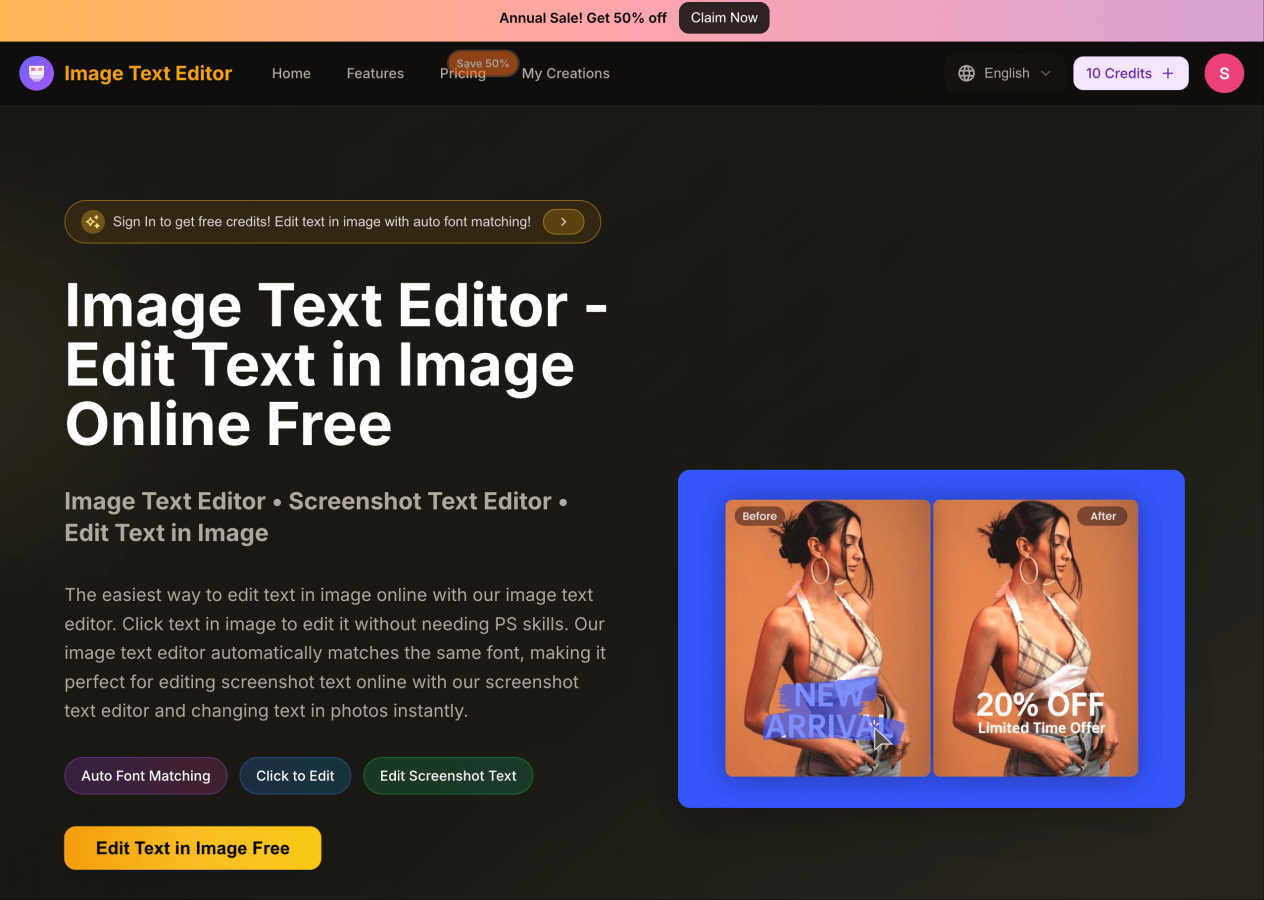
Effortlessly edit text in images online for free, with automatic font matching and no design skills needed.
Last updated: March 1, 2026

Wedding Personal Caricaturer。
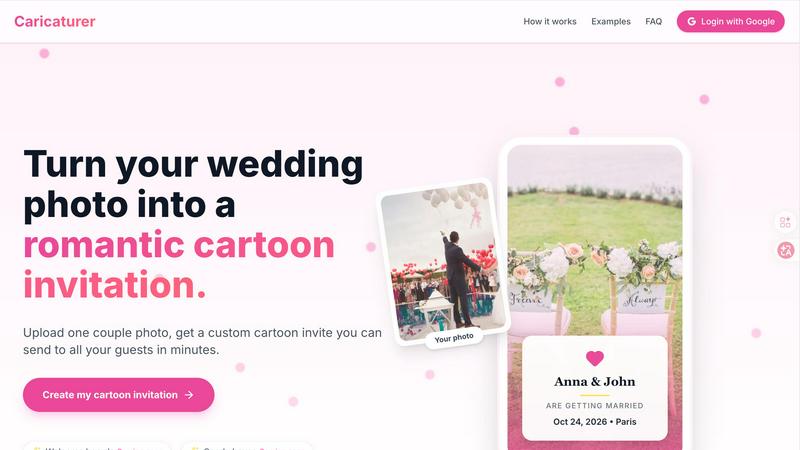
Upload your photo to create a custom AI cartoon wedding invitation in minutes, no design skills needed.
Last updated: March 18, 2026
Visual Comparison
Image Text Editor
Wedding Personal Caricaturer。
Feature Comparison
Image Text Editor
Auto Font Matching
The Auto Font Matching feature ensures that any text you edit will seamlessly blend with the original design. Whether you are changing the font size, style, or color, this tool automatically matches these attributes, giving a polished and professional look to your edits.
Click to Edit
With the Click to Edit functionality, you can directly interact with the text in your images. This intuitive feature allows you to select and modify text without needing complex design software, making the editing process straightforward and efficient.
Edit Screenshot Text
This feature is specifically designed for those who need to alter text within screenshots. Whether it's from an app, website, or social media post, the Image Text Editor makes it easy to edit text in these images, ensuring your edits are done in a matter of seconds.
User-Friendly Interface
The Image Text Editor boasts a user-friendly interface that accommodates users of all skill levels. The straightforward design allows anyone to navigate the tool effortlessly, making the process of editing text in images quick and hassle-free.
Wedding Personal Caricaturer。
AI-Powered Cartoon Portrait Generation
The core magic of the tool is its ability to turn a single couple photo into a custom, soft-glow cartoon illustration. The AI is trained to recognize and artistically interpret your unique facial features, ensuring the final portrait genuinely resembles you. This creates a one-of-a-kind foundation for all your wedding materials, moving far beyond generic stock images or templates with anonymous figures.
Complete Wedding Suite Design
Go beyond just an invitation. With one photo upload, you can generate a full set of coordinated wedding items. This currently includes your main invitation, with more items like Welcome Boards, Candy Box Wraps, Table Cards, and Thank You Cards coming soon. This feature ensures a perfectly unified aesthetic across every touchpoint of your wedding, from the first save-the-date to the final thank-you note.
Curated, Print-Ready Design Styles
You don't need an eye for design. The platform offers a selection of handcrafted, AI-curated wedding styles to choose from, such as Floral Romantic, Royal Pink, and Minimal Elegant. Each style is trained on premium assets to ensure a polished, elegant result. Simply pick the style that best matches your wedding vision, and the AI seamlessly integrates your cartoon portrait into a professionally laid-out template.
Instant High-Resolution Output
Say goodbye to lengthy design processes. From photo upload to final download, your custom wedding invitation is ready in about 30 seconds. The generated files are provided in high-resolution formats, guaranteeing they look crisp and beautiful whether you're printing them professionally or sharing them digitally via email, messaging apps, or your wedding website.
Use Cases
Image Text Editor
Marketing Material Updates
Marketers can use the Image Text Editor to quickly update promotional graphics, ensuring that their materials reflect the latest offers or branding changes without needing graphic design expertise.
Academic Presentations
Students can benefit from this tool by altering text in screenshots for their presentations, allowing them to customize examples or emphasize key points effectively.
Social Media Customization
Social media managers can easily edit images and graphics to maintain their brand's voice and messaging across different platforms, making sure their content stands out.
Personal Photo Editing
Individuals looking to personalize their photos can use the Image Text Editor to add quotes or captions, enhancing their images for sharing on social media or creating personalized gifts.
Wedding Personal Caricaturer。
Couples Creating DIY Wedding Invitations
For engaged couples managing their own wedding planning, this tool is a game-changer. It allows them to create stunning, personalized invitations and stationery in minutes without any design skills or the expense of a professional designer. They can experiment with styles, see instant results, and have print-ready files to share with their guests almost immediately.
Photographers Offering Premium Client Packages
Wedding photographers can use this tool to enhance their service offerings. By creating custom cartoon invitations and matching materials for their clients, photographers add significant value to their packages. It provides a unique, memorable keepsake that strengthens client relationships and creates a cohesive visual story from the engagement shoot to the wedding day itself.
Wedding Planners Streamlining Client Design
Event planners can streamline the design coordination process for their clients. Instead of sourcing a separate illustrator or navigating multiple vendors for stationery, planners can use this all-in-one tool to quickly generate proposal mockups and final designs that perfectly align with the wedding's theme, ensuring a consistent and personalized brand for the entire event.
Creating Unique Digital Wedding Content
Beyond physical prints, couples can use the generated illustrations to create a consistent digital presence. The high-resolution files are perfect for building a personalized wedding website, creating cohesive social media announcement posts, and designing digital save-the-date emails that give guests a delightful first glimpse of the wedding's style and personality.
Overview
About Image Text Editor
Image Text Editor is a robust online tool crafted for individuals who need to edit text within images quickly and efficiently. It's ideal for various users, from marketers updating promotional materials to students customizing screenshots for presentations. The tool's standout feature is its user-friendly interface, which allows you to click directly on the text you want to change, eliminating the need for advanced design skills. With automatic font matching, the editor ensures that your modifications blend seamlessly with the original design, preserving the look and feel of the image. Accessible from any web or mobile browser, it offers a convenient editing experience without requiring any downloads. New users can benefit from free credits upon registration, making it an even more attractive option for those looking to enhance their visual content without breaking the bank.
About Wedding Personal Caricaturer。
Wedding Personal Caricaturer is an AI-powered design tool that transforms your favorite couple photos into beautiful, soft-glow cartoon portraits, instantly creating a complete and cohesive set of personalized wedding materials. At its heart, it solves a common wedding planning headache: creating beautiful, custom stationery without the high cost of a designer or the steep learning curve of complex software. You simply upload a clear photo of you and your partner, and the AI intelligently crafts a charming caricature that captures your unique features. This portrait then becomes the centerpiece for your entire wedding suite.
The platform is built for anyone who wants to add a personal, magical touch to their wedding visuals. It's perfect for couples planning their own celebration, as well as wedding photographers and planners looking to offer an exclusive, value-added service to their clients. The core value proposition is simplicity, speed, and personalization. Instead of juggling multiple tools or waiting weeks for designer proofs, you can design your own signature wedding invitation set in minutes. Every generated illustration is delivered in high-resolution, optimized for both professional printing and digital sharing, ensuring a perfectly consistent look from your save-the-dates and invitations to your wedding website and social media posts.
Frequently Asked Questions
Image Text Editor FAQ
How does the auto font matching feature work?
The auto font matching feature analyzes the original text's font style, size, and color, and applies these attributes to your edits. This ensures that your changes look natural and blend seamlessly with the existing design.
Can I edit text in images with any format?
Yes, the Image Text Editor supports various image formats, including JPG, PNG, and WEBP, allowing you to edit text in images regardless of their format.
Do I need to download any software to use this tool?
No, Image Text Editor is entirely online, meaning you can access it from any web or mobile browser without the need for downloads or installations.
What do I get upon signing up as a new user?
New users receive free credits upon registration, which can be used to enhance their editing experience without any initial investment, making it a great way to try out the tool's capabilities.
Wedding Personal Caricaturer。 FAQ
Do I need any design skills?
Not at all! Wedding Personal Caricaturer is designed specifically for people with zero design experience. The process is completely guided: you just upload your photo, fill in your details, and choose from beautiful pre-made styles. The AI handles all the complex illustration and layout work for you.
Can I use the invitation for printing?
Absolutely. Every invitation and design generated is delivered as a high-resolution file optimized for professional printing. You can confidently send the files to any print shop or use an online printing service to create physical copies that look crisp, clear, and beautiful.
How long does it take to generate my cartoon?
The generation process is incredibly fast. After you upload your photo and select your style, your custom cartoon wedding invitation is typically ready to download in about 30 seconds. The entire process from start to finished file usually takes under five minutes.
Will my photo be safe and private?
Yes, your privacy is a top priority. The platform is built with security in mind. Your uploaded photos are used solely to generate your personal caricature and are not shared publicly or used for any other purpose. You can read the full privacy policy on the website for complete details.
Alternatives
Image Text Editor Alternatives
Image Text Editor is a versatile online tool that makes it easy for users to edit text within images without requiring advanced design skills. As part of the design tools category, it caters to a wide range of users, from marketers to students, who need to customize images for various purposes. However, users may often seek alternatives for reasons such as specific feature sets, pricing structures, or compatibility with different platforms. When looking for an alternative, consider factors like ease of use, the range of editing features available, and whether the tool offers real-time previews and auto font matching. Additionally, assess the pricing model and whether it aligns with your budget and needs. A good alternative should enhance your editing experience and provide seamless functionality similar to what you find in Image Text Editor.
Wedding Personal Caricaturer。 Alternatives
Wedding Personal Caricaturer is an AI-powered design tool that helps couples create a soft-glow cartoon portrait from their photos. It belongs to the category of AI assistants and design tools, streamlining the process of creating custom wedding stationery and visuals. It’s a modern, digital-first solution for building a cohesive wedding brand. People often look for alternatives for various reasons. Some may have specific budget constraints or need a tool that integrates with a different platform they already use. Others might be searching for a different artistic style, more hands-on control, or a feature set tailored to a professional workflow beyond a one-time project. When evaluating different options, consider what matters most for your wedding or business. Key factors include the quality and style of the final artwork, the ease of use, the range of templates and materials you can create, and the overall value for the price. It’s also wise to check if the outputs are optimized for both print and digital use to ensure a consistent look everywhere.