
invoice Sonic vs ToolPortal
Side-by-side comparison to help you choose the right AI tool.

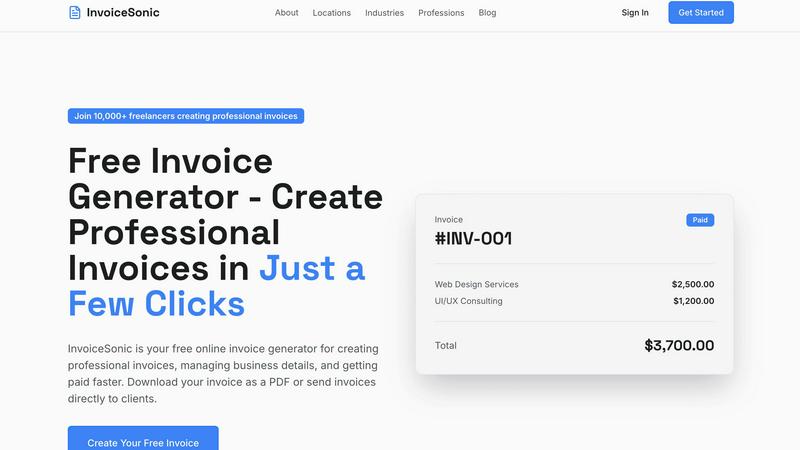
Create stunning, professional invoices for free in seconds with InvoiceSonic.
Last updated: February 28, 2026

ToolPortal
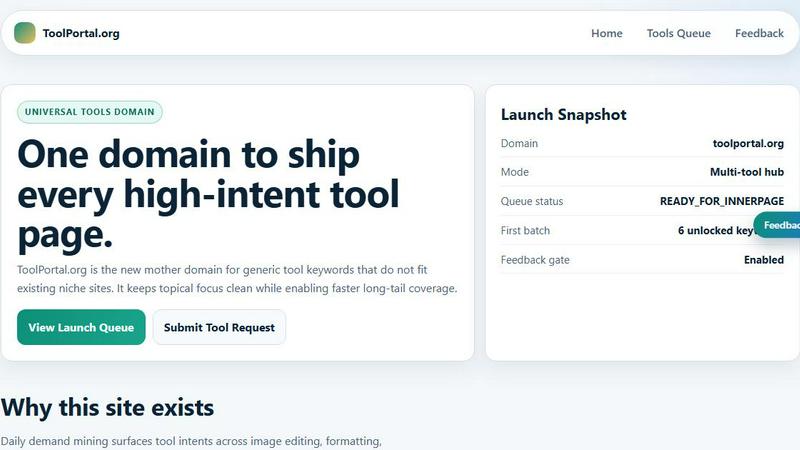
ToolPortal is your go-to online directory with over 300 free tools for developers, designers, and content creators to streamline their tasks.
Last updated: April 4, 2026
Visual Comparison
invoice Sonic
ToolPortal
Feature Comparison
invoice Sonic
Free, No-Sign-Up Invoice Generator
The standout feature of Invoice Sonic is its completely accessible free invoice generator. You can visit the website and start creating a professional invoice immediately without entering an email or creating a password. This allows you to generate up to five invoices per month for free, which is ideal for new freelancers or businesses testing the platform. It removes all barriers to getting started and provides instant value.
Professional and Modern Template Library
Gone are the days of ugly, outdated invoice formats. Invoice Sonic provides a library of clean, modern, and professionally designed invoice templates suitable for any industry. Whether you need a standard invoice, a proforma invoice for quotes, or a blank template to fully customize, you can choose a layout that perfectly reflects your brand's professionalism and style.
Instant PDF Download and Sharing
Once your invoice is crafted, you don't have to wait or jump through hoops to use it. With a single click, Invoice Sonic generates a polished PDF version of your invoice, ready for download. This PDF includes all your details, line items, totals, and the Invoice Sonic branding, presenting a completely professional document that you can instantly email to clients or print for your records.
Automated Calculations and Customization
The tool automatically handles all the math for you, calculating subtotals, taxes (like GST), and final totals as you add or edit line items. This eliminates manual errors. Simultaneously, it offers deep customization: you can add your business name, logo, client details, specific payment terms, due dates, and itemized descriptions with quantities and prices, making each invoice uniquely yours.
ToolPortal
Comprehensive Tool Index
ToolPortal features a dense index of 261 live tools organized into specific categories, including generators, checkers, converters, formatters, and image editing tools. This organization allows users to quickly navigate to the tools they need without unnecessary friction.
Dual Search Modes
Users can choose between two search methods: a direct keyword search for when they know the exact tool name or a task description mode that suggests tools based on the stated job. This flexibility caters to both experienced users and those who may be unsure of what they need.
Daily Refresh Cycle
ToolPortal is committed to continuous improvement, with new pages and UI updates being rolled out daily. This ensures that users always have access to the latest tools and features, enhancing the overall experience and keeping the content fresh and relevant.
Instant Access Without Login
One of the standout features of ToolPortal is that it requires no login or account creation. Users can open any tool page and run it immediately, eliminating barriers to access and allowing for a seamless workflow.
Use Cases
invoice Sonic
The Freelancer Sending a First Invoice
A graphic designer just landed their first client project. They need to send an invoice quickly to look legitimate and get paid. They use Invoice Sonic's no-sign-up generator, input their new business name, the client's details, list the design hours, and download a professional PDF invoice in under a minute, making a great first impression without any prior invoicing experience.
The Small Business Managing Client Billing
A small consulting firm needs to bill multiple clients each month. They create a free Invoice Sonic account to save their company logo and standard payment terms. Each month, they quickly duplicate previous invoices or create new ones from saved templates, ensuring consistency and saving hours compared to building invoices from scratch in a word processor.
The Startup Creating Proforma Invoices
A tech startup is pitching their services to potential investors and needs to send formal quotes or proforma invoices. They use Invoice Sonic's template for proforma invoices to create polished, detailed estimates that outline projected costs and services, helping them communicate value and professionalism during crucial funding discussions.
The Solopreneur Tracking One-Off Projects
A photographer who primarily works a day job occasionally books weekend wedding gigs. They don't need a full-time invoicing system but require a professional way to bill for these separate events. Invoice Sonic's free 5-invoice monthly allowance is perfect for this sporadic need, allowing them to create perfect invoices only when necessary without any subscription commitment.
ToolPortal
Social Media Content Creation
Content creators can utilize the text styling tools available in ToolPortal, such as glitch or gothic text generators, to produce eye-catching social media posts. This allows for enhanced engagement and unique branding.
Quick Image Editing
Marketers and designers can use the image tools to crop photos, remove backgrounds, and prepare assets for various platforms in a matter of minutes. This efficiency is crucial for meeting tight deadlines in the fast-paced digital landscape.
Validation and Quality Checks
Developers can rely on the validation tools for tasks such as checking DMARC records or running speed tests to ensure their projects meet quality standards before publishing. This helps maintain a high level of professionalism.
Format Conversion
Students and professionals alike can benefit from the conversion tools offered by ToolPortal, which allow for quick and easy transformation of units, time, and text formats. This is particularly useful for those working on reports or data analysis.
Overview
About invoice Sonic
Invoice Sonic is a refreshingly simple and powerful online tool designed to take the headache out of creating professional invoices. It's built specifically for freelancers, startups, and small business owners who want to look polished and get paid faster, without getting bogged down by complicated software or messy spreadsheets. The core idea is brilliant in its simplicity: you can create, preview, and download a beautifully formatted invoice in seconds, with no sign-up required. This immediate access is a game-changer for anyone who needs to send an invoice on the spot.
The platform offers a generous free tier, allowing you to generate up to five invoices per month at absolutely no cost. This makes it perfect for testing the waters or for those with lighter invoicing needs. For users who require more, creating a free account unlocks unlimited invoices and handy features like saving your business details. At its heart, Invoice Sonic is about empowering you with efficiency and professionalism. It automatically handles calculations for totals and taxes, offers a selection of modern templates, and lets you instantly download your invoice as a PDF. It’s the smart, user-friendly solution for anyone who wants to spend less time on paperwork and more time focusing on their actual work.
About ToolPortal
ToolPortal is a robust online directory offering over 300 free, browser-based tools designed to cater to a wide range of needs. Whether you're looking to convert text formats, validate JSON code, edit images, or perform SEO checks, ToolPortal has something for everyone. It serves as a one-stop-shop for developers, marketers, writers, and anyone who needs quick access to practical online utilities without the hassle of installation or sign-up. The intuitive interface allows users to search for tools by keyword or describe their task in plain language, making it easy to find the right tool in seconds. With a focus on user experience, ToolPortal ensures that all tools are live and ready to use immediately, streamlining workflows and enhancing productivity.
Frequently Asked Questions
invoice Sonic FAQ
Is Invoice Sonic really free to use?
Yes, absolutely! Invoice Sonic offers a genuinely free tier that allows you to create up to five invoices per month without signing up or providing any payment information. You can access the invoice generator directly on their website, fill in your details, and download the PDF at no cost. For unlimited invoices and additional features like saving your details, you can create a free account.
What kind of invoice templates are available?
Invoice Sonic provides a variety of professional, modern templates designed to suit different needs. Their library includes standard professional invoice templates, proforma invoices (which are great for quotes and estimates), and blank invoice templates. All templates are clean, polished, and fully customizable with your business information and logo.
Can I add my company logo and branding to the invoices?
Definitely! A key feature of Invoice Sonic is the ability to fully customize your invoices to match your brand. You can upload your company logo, set your business colors, and input all your specific details like business name, address, and contact information. This ensures every invoice you send reinforces your professional brand identity.
How do I send the invoice to my client?
Once you finish creating your invoice on Invoice Sonic, you can instantly download it as a professionally formatted PDF file. This PDF is ready to be sent directly to your client via your preferred method, such as email. The platform focuses on creating the perfect invoice document for you, while you handle the actual sending, giving you full control over client communication.
ToolPortal FAQ
What types of tools does ToolPortal offer?
ToolPortal offers a wide variety of tools across categories such as generators, checkers, converters, formatters, and image editing utilities. This diversity ensures that users can find tools for nearly any online task.
Do I need to create an account to use ToolPortal?
No, ToolPortal does not require any account creation or login. Users can access and run tools directly in their browser without any barriers, making it quick and easy to get started.
How often are new tools added to ToolPortal?
ToolPortal features a daily refresh cycle, meaning new tools and updates are continually being integrated into the platform. This commitment to freshness ensures users have access to the latest tools available.
Can I search for tools without knowing their names?
Absolutely! ToolPortal allows users to describe their tasks in plain language, and it will suggest the best-fit tools based on that description. This user-friendly feature helps those who may not be familiar with specific tool names.
Alternatives
invoice Sonic Alternatives
Invoice Sonic is a popular online invoice generator in the productivity and management category. It's designed to help freelancers and small businesses create professional-looking invoices quickly and easily, often for free. People explore alternatives for many reasons. They might need more advanced features, a different pricing structure, or a tool that integrates with their existing accounting software. Others may be looking for a platform that offers more customization or a mobile app for on-the-go invoicing. When searching for a different solution, it's wise to consider your specific needs. Think about your budget, the volume of invoices you send, and any must-have features like time tracking, client portals, or multi-currency support. The best choice is the one that fits seamlessly into your workflow.
ToolPortal Alternatives
ToolPortal is a robust online tools directory designed specifically for developers, designers, SEO professionals, and content creators. With over 300 free browser-based tools, it offers a wealth of resources across various categories, including productivity, web development, and SEO. Users often seek alternatives to ToolPortal for several reasons, such as varying feature sets, user interface preferences, or specific platform needs that might not be met by ToolPortal. When looking for an alternative, consider factors like the types of tools offered, ease of navigation, user experience, and whether the platform requires any installation or sign-up. It's also essential to assess the reliability and support provided, as well as how frequently the tools are updated to meet current industry standards.