
JFIF to JPG Converter vs ThumbnailMaker
Side-by-side comparison to help you choose the right AI tool.

JFIF to JPG Converter
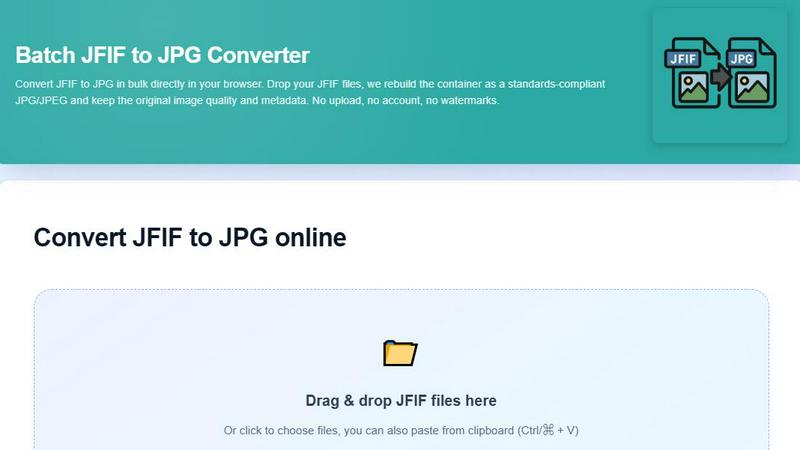
Convert your JFIF files to standard JPG instantly in your browser with no quality loss.
Last updated: February 28, 2026

ThumbnailMaker
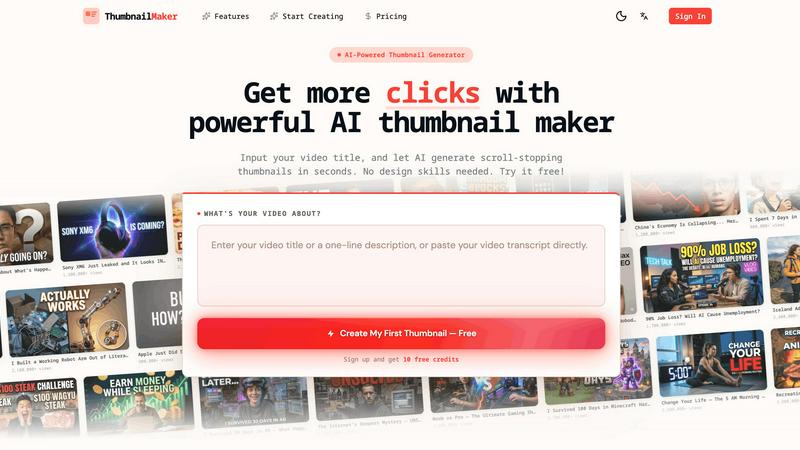
Easily create eye-catching thumbnails with AI for your videos, boosting clicks and engagement in just seconds, no design skills required.
Last updated: April 4, 2026
Visual Comparison
JFIF to JPG Converter
ThumbnailMaker
Feature Comparison
JFIF to JPG Converter
100% Browser-Based & Private Conversion
Your privacy is our top priority. Every conversion happens locally on your device using your browser's own processing power. We never send your images to an external server. This guarantees that your personal photos, work documents, or any sensitive images remain completely confidential and secure throughout the entire process.
Zero Quality Loss & Metadata Preservation
This is not a typical image converter that degrades your files. Our tool performs a "container swap," meticulously copying the original JPEG compression data without any re-encoding. This means the pixel-perfect quality of your original image is preserved entirely. Furthermore, critical embedded information like EXIF tags and ICC color profiles are carried over to the new JPG file, maintaining all your image's valuable data.
Batch Conversion for Efficiency
Don't waste time converting files one by one. Our converter supports batch processing, allowing you to drag and drop dozens of JFIF files at once. Convert your entire folder in a single click and download the results as individual files or neatly packaged into one convenient ZIP archive, saving you significant time and effort.
Instant Processing & No Registration Required
Experience instant conversions with no delays for uploads or server processing. The tool is ready to use the moment you land on the page. There is no need to create an account, sign up for a subscription, or provide any personal information. Just open the page, add your files, and get your converted JPGs in seconds, completely free and without any watermarks.
ThumbnailMaker
AI-Powered Thumbnail Generator
Our AI thumbnail generator is the heart of ThumbnailMaker. By simply entering your video title, the AI analyzes your content and proposes engaging thumbnail designs within seconds. This feature eliminates the need for design expertise, making it accessible for everyone.
Style Clone & Transfer
With the style clone and transfer feature, you can import thumbnails from successful YouTube videos by pasting their URLs. The tool then extracts the design style, allowing you to either replicate it closely or remix it for a fresh take, ensuring your thumbnails resonate with proven visual strategies.
Fix & Refine Options
ThumbnailMaker allows you to tweak and refine your thumbnails after generating them. If something doesn't look right, simply specify the changes you want, and the AI will regenerate the thumbnail in seconds. This iterative process means you can achieve the perfect look without starting from scratch.
Face Consistency & Brand Identity
When you upload your photo, ThumbnailMaker ensures that your face remains consistent across all generated thumbnails. This feature helps build a recognizable brand identity, making your content instantly identifiable to your audience.
Use Cases
JFIF to JPG Converter
Fixing Web and Social Media Upload Errors
Many content management systems (like WordPress), social media platforms, and online forms have strict file format checks and will reject JFIF files. Use our converter to quickly transform those problematic images into standard JPGs, ensuring smooth, error-free uploads for your blog posts, social media content, and website assets.
Standardizing Image Libraries for Professionals
Photographers and designers often receive or download images from various sources, leading to a mix of JFIF and JPG files in their archives. Converting all files to the universal JPG standard eliminates compatibility hiccups in editing software (like Photoshop or Lightroom) and ensures a consistent, professional workflow when sharing proofs or final deliverables with clients.
Preparing Images for Automated Scripts and Pipelines
If you use automation scripts, bots, or digital asset management systems that check file MIME types or extensions, JFIF files can cause the process to fail. Converting them to JPG beforehand ensures your automated workflows run smoothly without interruption, saving you from manual debugging and processing errors.
Simplifying File Sharing and Collaboration
Sharing a JFIF file can confuse collaborators who may not be familiar with the format, leading to "file won't open" messages. Converting to JPG before sending ensures universal accessibility. Whether you're emailing photos to family, submitting work to a printer, or collaborating on a project, JPG is the safe, reliable format everyone can use.
ThumbnailMaker
YouTuber Launching a New Series
If you're a YouTuber starting a new series, you can use ThumbnailMaker to create distinctive thumbnails that reflect your brand and the content's theme. The AI helps generate multiple options, making it easier to choose one that stands out.
Social Media Content Creator
As a social media influencer, having visually appealing thumbnails for your videos is crucial. ThumbnailMaker allows you to create thumbnails quickly, enhancing your content's visibility across platforms like Instagram and TikTok.
Educator or Online Course Creator
If you are creating educational content or online courses, thumbnails that clearly communicate the subject matter are essential. ThumbnailMaker helps you design informative and appealing thumbnails that attract potential students to your videos.
Brand Promoter or Affiliate Marketer
For brand promoters or affiliate marketers, effective thumbnails can significantly increase click-through rates. With ThumbnailMaker, you can create enticing thumbnails that highlight products or services, driving more traffic to your promotional content.
Overview
About JFIF to JPG Converter
Ever downloaded an image that looks perfect on your screen but gets rejected when you try to upload it to a website or edit it in your favorite software? Chances are, you've encountered a JFIF file. Our JFIF to JPG Converter is a free, browser-based tool designed to solve this exact problem. It seamlessly transforms JFIF (JPEG File Interchange Format) files into universally compatible JPG images. This tool is perfect for photographers, designers, bloggers, and anyone who works with digital images and values a smooth, frustration-free workflow.
The core value of our converter lies in its simplicity, speed, and unwavering commitment to your privacy. Unlike many online tools, we never upload your files to a server. All the conversion magic happens directly in your web browser. This means your sensitive images stay on your computer, ensuring complete security and blazing-fast processing. The conversion process is technically precise: it doesn't recompress or alter your image data. Instead, it intelligently rewraps the JPEG information from the older JFIF container into a standard JPG container. The result is a file that every platform recognizes, with zero loss in quality and full preservation of important details like EXIF data (camera settings, location) and ICC color profiles.
About ThumbnailMaker
ThumbnailMaker is an innovative AI-powered tool designed to help content creators generate stunning thumbnails in mere seconds. Whether you're a YouTuber, Twitch streamer, or any digital content creator, eye-catching thumbnails are essential for capturing viewers' attention and boosting click-through rates. This tool simplifies the process, enabling users with no design skills to create professional-looking thumbnails effortlessly. By inputting a video title, ThumbnailMaker's AI quickly analyzes the content and generates multiple thumbnail options tailored to maximize viewer engagement. With features that allow for customization, style transfer, and real-time adjustments, ThumbnailMaker empowers creators to enhance their visual branding and grow their audience effectively.
Frequently Asked Questions
JFIF to JPG Converter FAQ
Will converting from JFIF to JPG reduce image quality?
No, not at all. The converter performs a lossless process. It only changes the file's container format (the wrapper) from JFIF to the standard JPG structure. The actual image data (the JPEG compression stream) is copied bit-for-bit without any recompression or alteration, guaranteeing the output JPG is visually identical to your original JFIF file.
Why can't I just rename a .jfif file to .jpg?
Simply changing the file extension (e.g., from .jfif to .jpg) does not alter the internal structure of the file. Many applications and websites check the file's internal header data to identify its true format. A renamed JFIF file will still contain the JFIF header, which can cause errors, rejection, or incorrect handling. Our converter properly rewrites this internal structure so the file is genuinely recognized as a JPG everywhere.
Is there a limit to how many files I can convert?
Our tool is designed for practical, everyday use. While there is no strict, low limit on the number of files, performance depends on your device's memory and browser capabilities. For optimal performance with very large batches (hundreds of files), we recommend processing them in smaller groups. You can convert as many files as you need, completely free.
Are my converted files stored anywhere?
Absolutely not. Since all processing occurs locally in your browser, your files never leave your computer. We do not upload, store, or have any access to your original JFIF files or the converted JPGs. Once you close the browser tab, the process is complete, and no data is retained on our end.
ThumbnailMaker FAQ
How does ThumbnailMaker generate thumbnails?
ThumbnailMaker uses advanced AI algorithms to analyze the video title and content, generating multiple thumbnail designs that are optimized for visual impact and engagement.
Can I upload my own images for thumbnails?
Yes, ThumbnailMaker allows you to upload your own photos to personalize your thumbnails. This helps in maintaining a consistent brand identity by incorporating your likeness into the designs.
Is there a limit to how many thumbnails I can create?
Initially, users receive 10 free credits upon signing up. Each thumbnail generation consumes a credit, but you can purchase additional credits if needed to create more thumbnails.
What if I'm not satisfied with the generated thumbnails?
ThumbnailMaker offers a fix and refine feature that lets you make adjustments to generated thumbnails. You can specify what you want changed, and the AI will regenerate the thumbnail based on your feedback, ensuring you get the desired look.
Alternatives
JFIF to JPG Converter Alternatives
The JFIF to JPG Converter is a specialized online tool in the image and photo category. It solves a common compatibility issue by transforming JFIF files into the universal JPG format directly in your web browser, all while keeping your images private and preserving their original quality and metadata. Users often explore alternatives for various reasons. Some might need a tool that works on a different platform, like a desktop application or a mobile app. Others may be looking for a different set of features, a specific pricing model, or simply want to compare their options to find the best fit for their unique workflow and requirements. When evaluating different tools, it's wise to consider a few key factors. Look for solutions that prioritize your privacy with local processing, maintain the high quality of your images, and efficiently handle the number of files you need to convert. The right choice balances these core functionalities with an interface that feels intuitive for you.
ThumbnailMaker Alternatives
ThumbnailMaker is a free thumbnail creator and generator designed to help users create eye-catching thumbnails in seconds. Falling under the categories of Image & Photo and Image Generation, it harnesses the power of AI to assist users, regardless of their design skills, in boosting click-through rates (CTR) and growing their channels effectively. Many users seek alternatives to ThumbnailMaker for various reasons, including pricing concerns, the need for additional features, or compatibility with different platforms. When choosing an alternative, it's essential to consider factors like ease of use, available design templates, customization options, and overall effectiveness in enhancing visual appeal. Finding an alternative that meets your specific needs can significantly impact your content's performance and engagement.